Hot/Warm Architecture and Index Lifecycle Management
Download
포커스 모드
폰트 크기
마지막 업데이트 시간: 2020-10-10 15:02:52
Elasticsearch is mainly used for store and retrieving massive amounts of data. In order to ensure the read/write performance, SSD disks are an ideal choice for storage; however, storing all data on SSD disks will undoubtedly be very costly. The classic hot-warm architecture of Elasticsearch can be used to solve this problem with ease. In a cluster under this architecture, different types of nodes can be configured to balance performance and capacity. Specifically, hot data that requires high read/write performance (such as logs generated within the past 7 days) can be stored on hot nodes with SSD disks. Indices that require large storage capacity but low read/write performance (such as logs generated more than one month ago) can be stored on warm nodes with SATA disks. This architecture not only guarantees the read/write performance of hot data, but also reduces the storage costs. Tencent Cloud ES provides the ability to quickly configure hot/warm clusters. You can specify the specifications of hot and warm nodes at Tencent Cloud's official website based on your business needs and build an ES cluster in the hot-warm architecture in minutes.
Creating Hot/Warm Cluster
Configuring directly during cluster purchase
1. Go to the ES cluster creation page and enter the relevant information for creating the cluster.
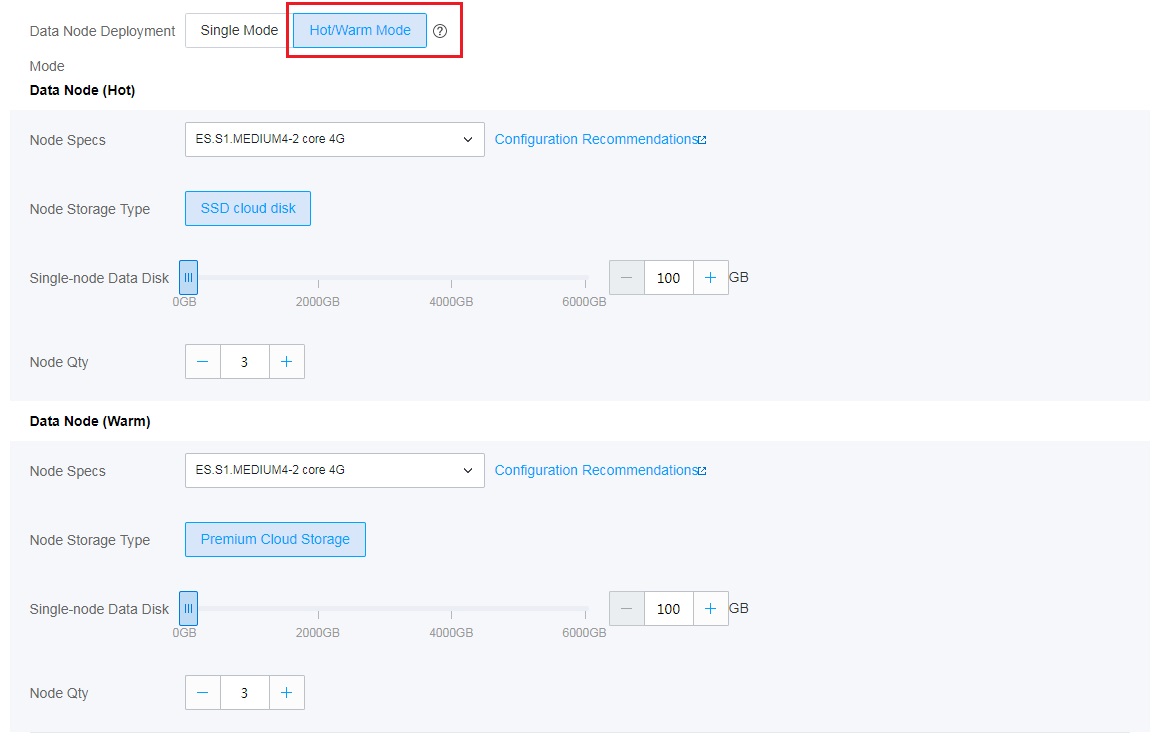
2. Select hot/warm mode as the data node deployment mode and select the hot and warm node specifications as shown below.
3. Set other parameters of the cluster, confirm, and pay.
Transforming existing cluster into hot/warm cluster
On the cluster management page, click More Operations in the top-right corner, select Adjust Configuration from the drop-down list, and select Hot/Warm Mode. Set the hot and warm node specifications and relevant configuration items as needed to convert the existing cluster into a hot/warm cluster.
Using Hot/Warm Cluster
Viewing node role
To check the hot/warm attribute of a node, run the following command:
GET _cat/nodeattrs?v&h=node,attr,value&s=attr:desc
node attr value
node1 temperature hot
node2 temperature hot
node3 temperature warm
node4 temperature hot
node5 temperature warm
...
Specifying hot/warm attribute for index
You can determine the hot/warm attribute of an index according to the actual business situation.
View the shard allocation. As you can see, all shards are allocated on warm nodes.
GET _cat/shards/hot_warm_test_index?v&h=index,shard,prirep,node&s=node
index shard prirep node
hot_data_index 1 p node3
hot_data_index 0 r node3
hot_data_index 2 r node3
hot_data_index 0 p node5
hot_data_index 2 p node5
hot_data_index 1 r node5
Index Lifecycle Management
Tencent Cloud ES currently provides clusters on v6.8.2. This version of Elasticsearch (above v6.6) has an index lifecycle management feature that can be configured through API or Kibana. For more information, please see index-lifecycle-management. The following describes how to use index lifecycle management together with the hot-warm architecture to achieve dynamic management of indexed data in Kibana.
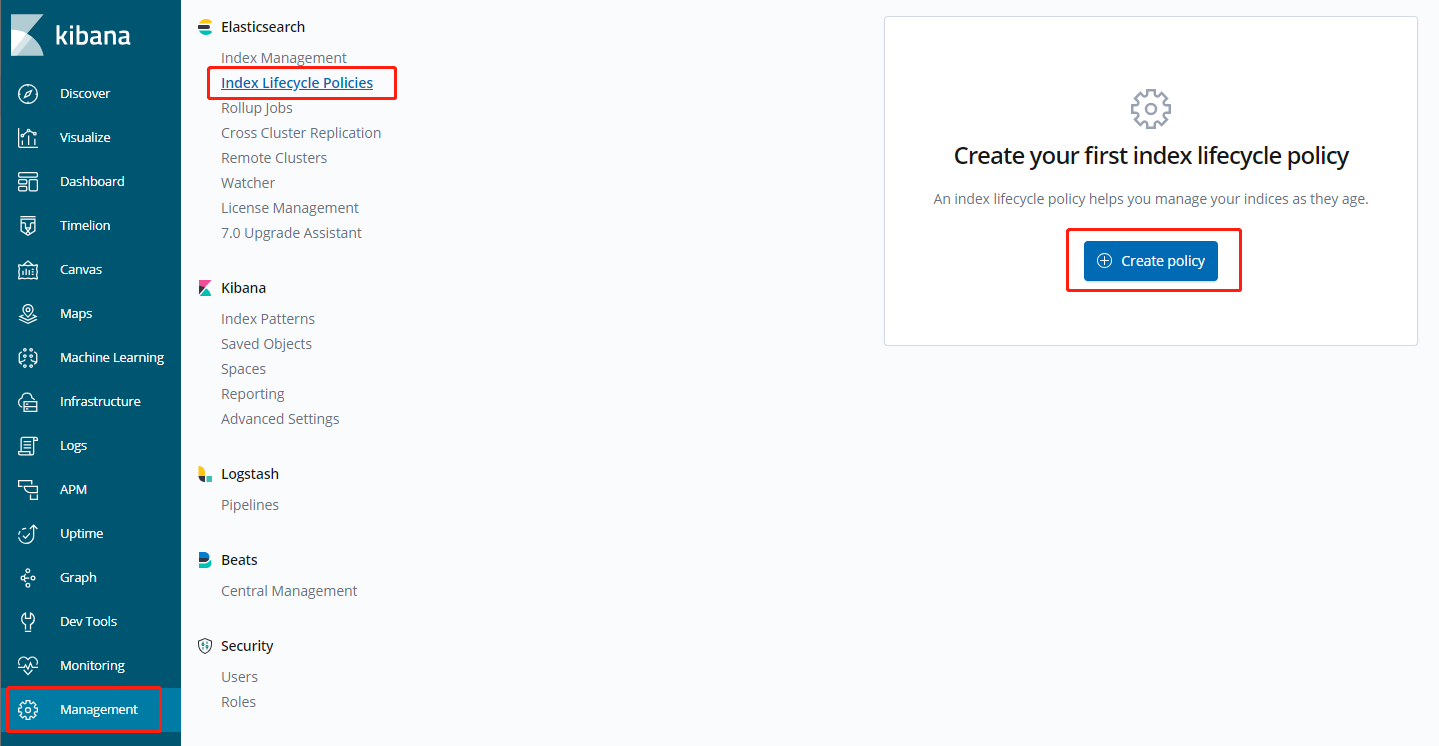
The index lifecycle management entry in Kibana is as shown below (v6.8.2):
Click Create policy to enter the configuration page. The lifecycle of an index can be divided into four phases: Hot phase, Warm phase, Cold phase, and Delete phase.
Hot phase: in this phase, you can decide whether to call the rollover API to roll over the index according to the number, size, and duration of the indexed documents. For more information, please see indices-rollover-index. As this phase has little to do with this document, it will not be detailed here.
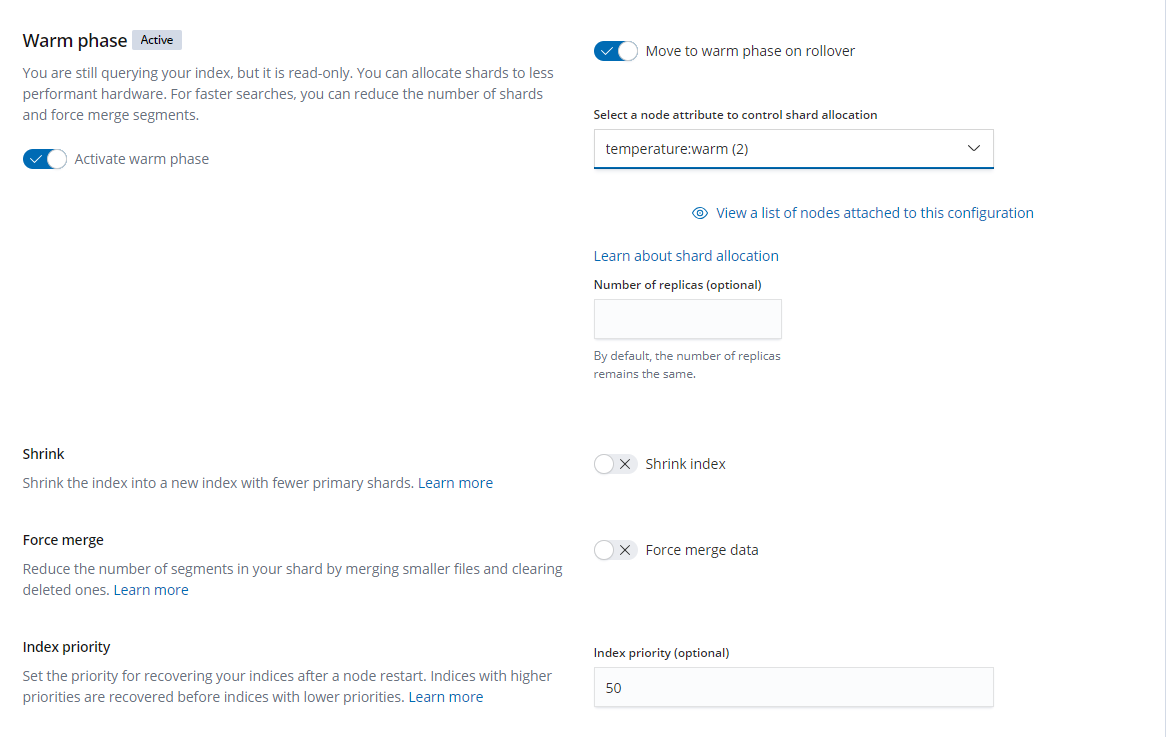
Warm phase: when an index is rolled over in Hot phase, it will enter the Warm phase and will be set to read-only. You can set the attribute to be used for this index. For example, for the hot/warm separation policy, the temperature: warm attribute can be selected here. In addition, you can perform operations such as forceMerge and shrink on the index. For more information on these two operations, please see shrink API and force merge.
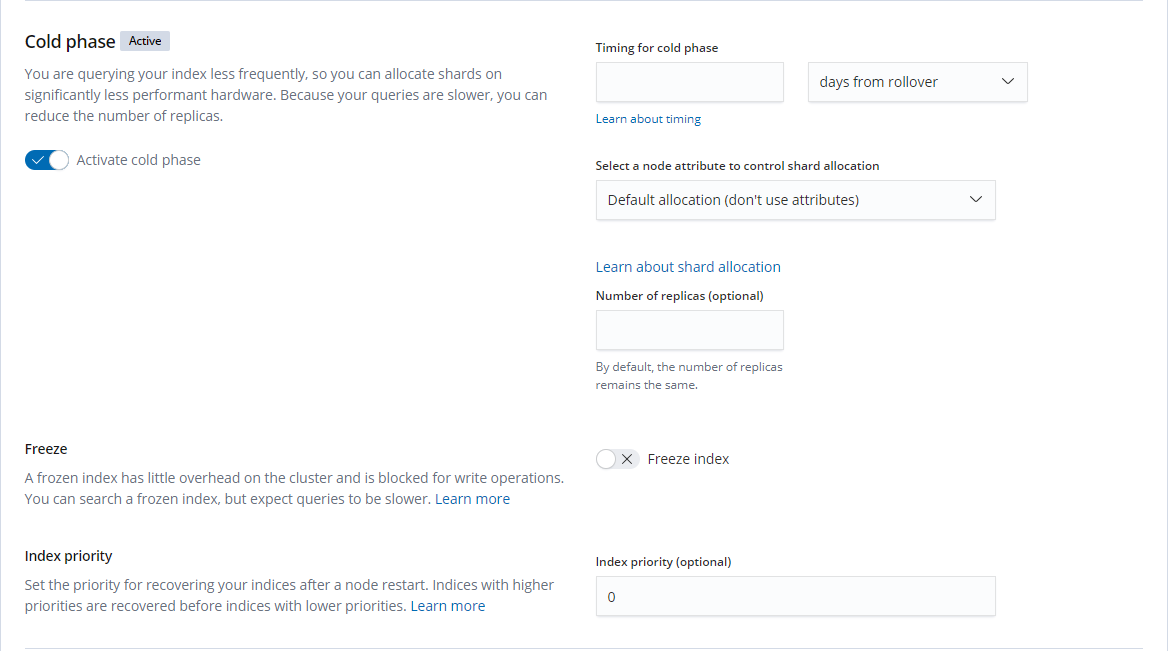
Cold phase: you can set an index to roll over for a certain period of time and then enter the Cold phase. You can also set an attribute for this phase. It can be seen from the hot-warm architecture that the hot/warm attribute is extensible. Not only can you specify hot and warm attributes, but you can also expand and add multiple attributes such as hot, warm, cold, and freeze. If you want to use three layers of data separation, you can specify temperature: cold. You can also freeze the index. For more information, please see freeze API.
Delete phase: you can set the index to roll over for a certain period of time and then enter the Delete phase. Once in this phase, the index will be automatically deleted.