Renewal and Scaling
Baixar
Modo Foco
Tamanho da Fonte
This document describes the renewal and scaling operations for the Log Analysis Service. Renewal extends the service expiration time, while scaling increases log storage capacity. Both operations must be performed using the account associated with the order.
Prerequisites
1. The current account must have been activated and must have purchased the Log Analysis Service.
2. In a multi-account scenario, only the account associated with the order can perform renewal and scaling operations.
Renewal
The renewal operation extends the service expiration time for the current Log Analysis. You can view the remaining service time for Log Analysis on the main page. After logging in with the account associated with the order, you can click Renew to jump to the purchase page and complete the renewal.
1. Log in to the CSC console. In the left-side navigation pane, click Log analysis.
2. On the Log Analysis page, click Renew in the upper-left corner.
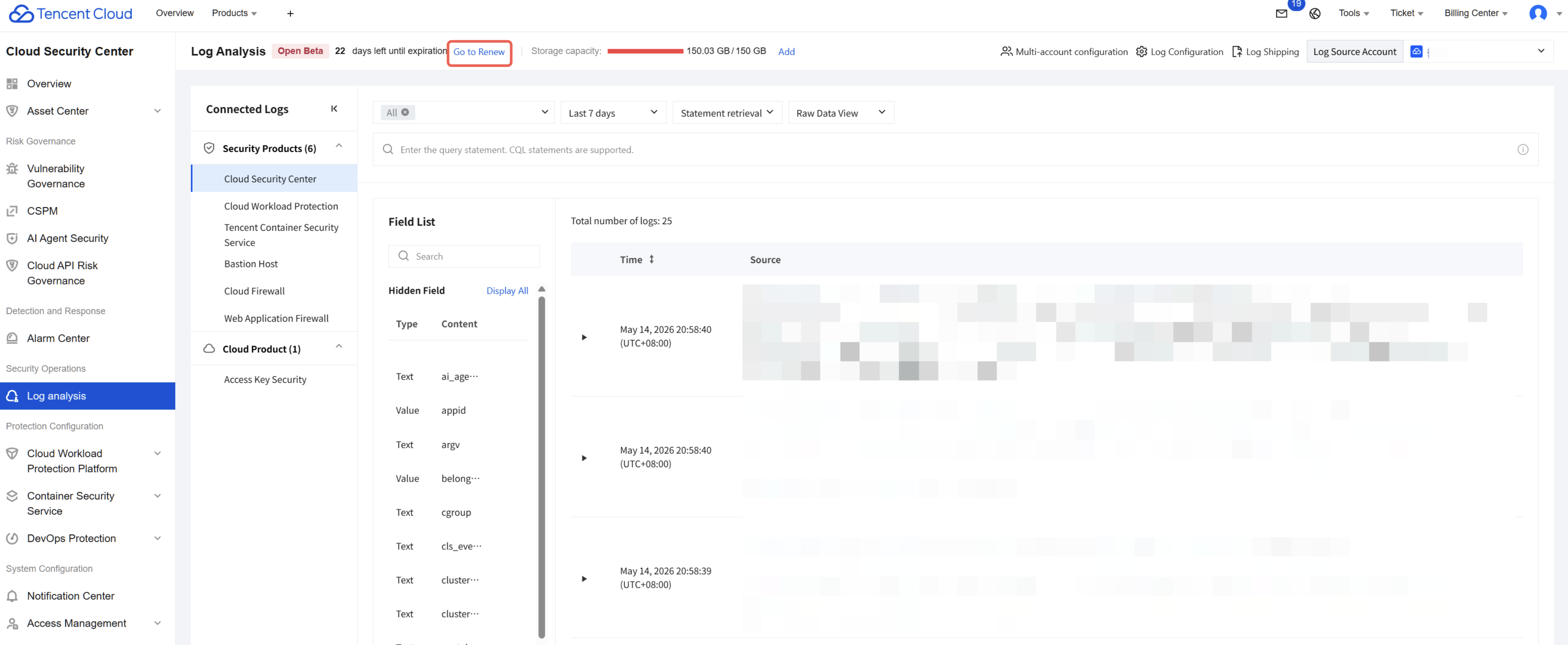
3. On the purchase page, select the service duration you need to renew, and then click Buy Now.
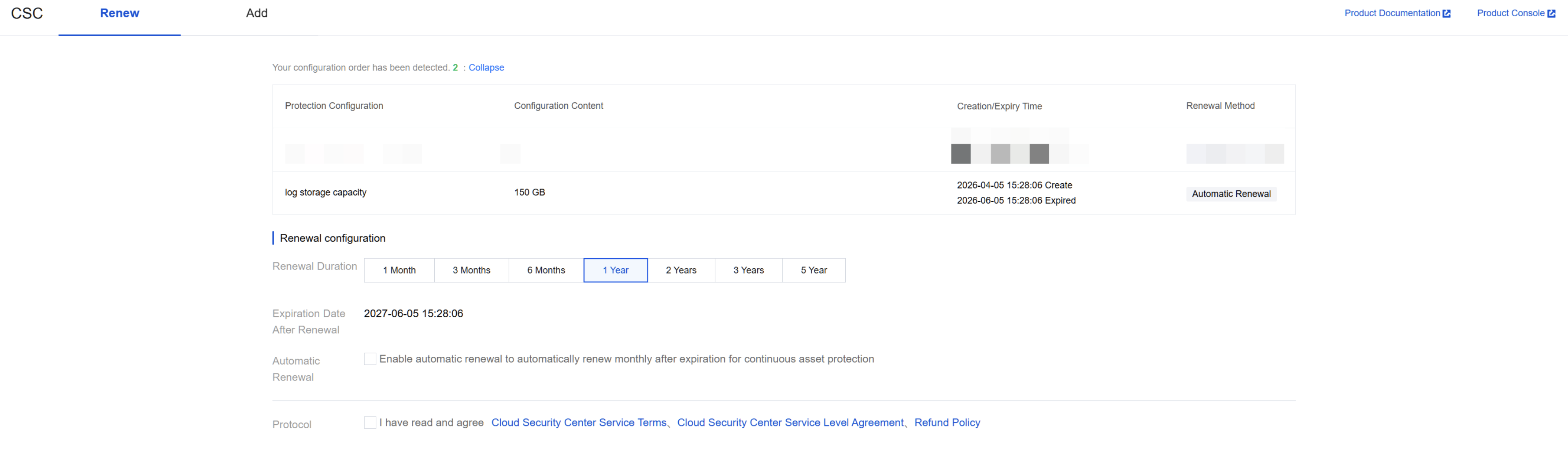
Scaling Out
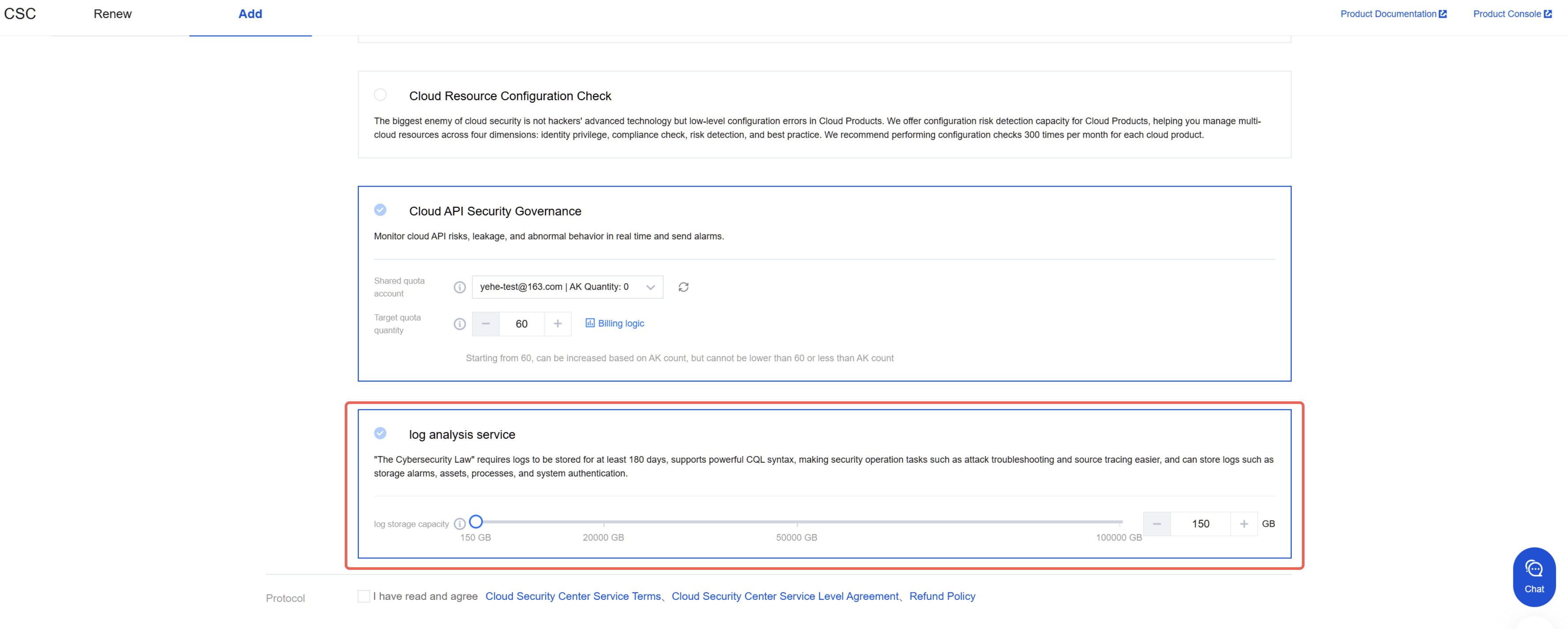
Scaling refers to an increase in the current log storage capacity. This operation does not extend the service time.
Note:
To ensure data integrity, we recommend that you scale out before the usage reaches 80%.
1. Log in to the CSC console. In the left-side navigation pane, click Log analysis.
2. On the Log Analysis page, click Add in the upper-left corner.
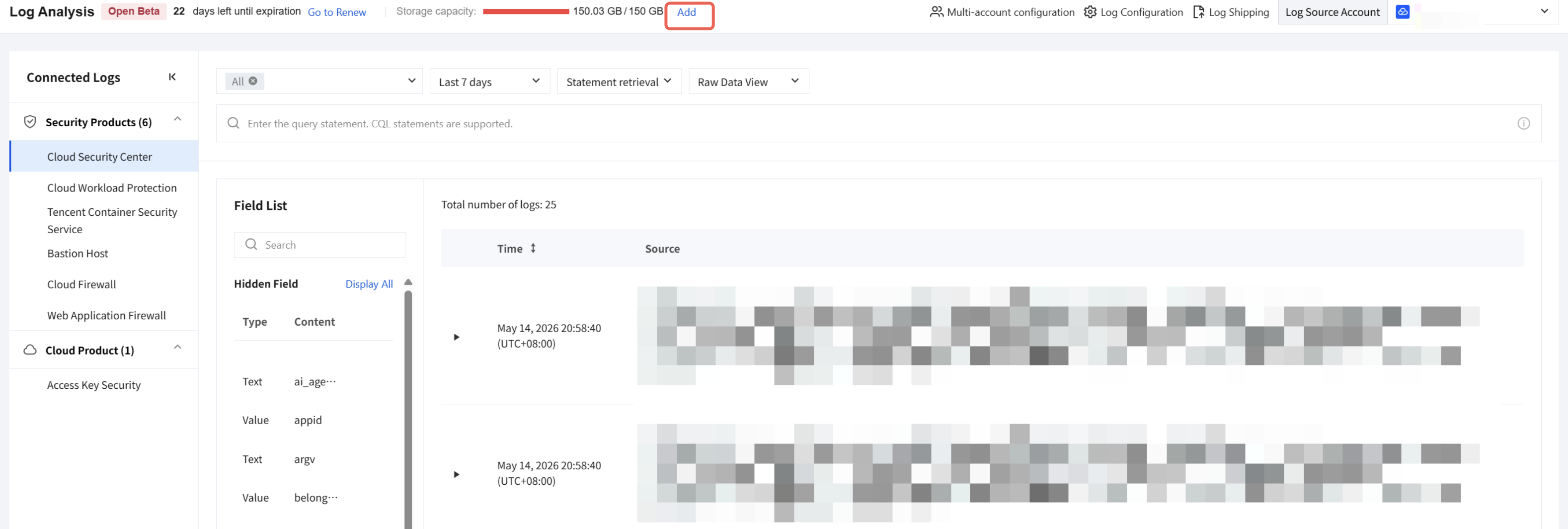
3. On the purchase page, enter the capacity you need to scale out, and then click Buy Now to complete the purchase.
Ajuda e Suporte
Esta página foi útil?
Você também pode entrar em contato com a Equipe de vendas ou Enviar um tíquete em caso de ajuda.
comentários