Quick Sync Configuration
Baixar
Modo Foco
Tamanho da Fonte
Feature Overview
This document describes how administrator accounts/delegated administrator accounts can quickly configure delivery policies for member accounts in multi-account scenarios.
Operation Steps
1. Log in to the CSC console. In the left-side navigation pane, click Log analysis.
2. On the Log Analysis page, click Log Shipping in the upper-right corner.
3. In multi-account scenarios, the log delivery configuration supports the Quick Sync Configuration operation. Click Sync configuration to other accounts.
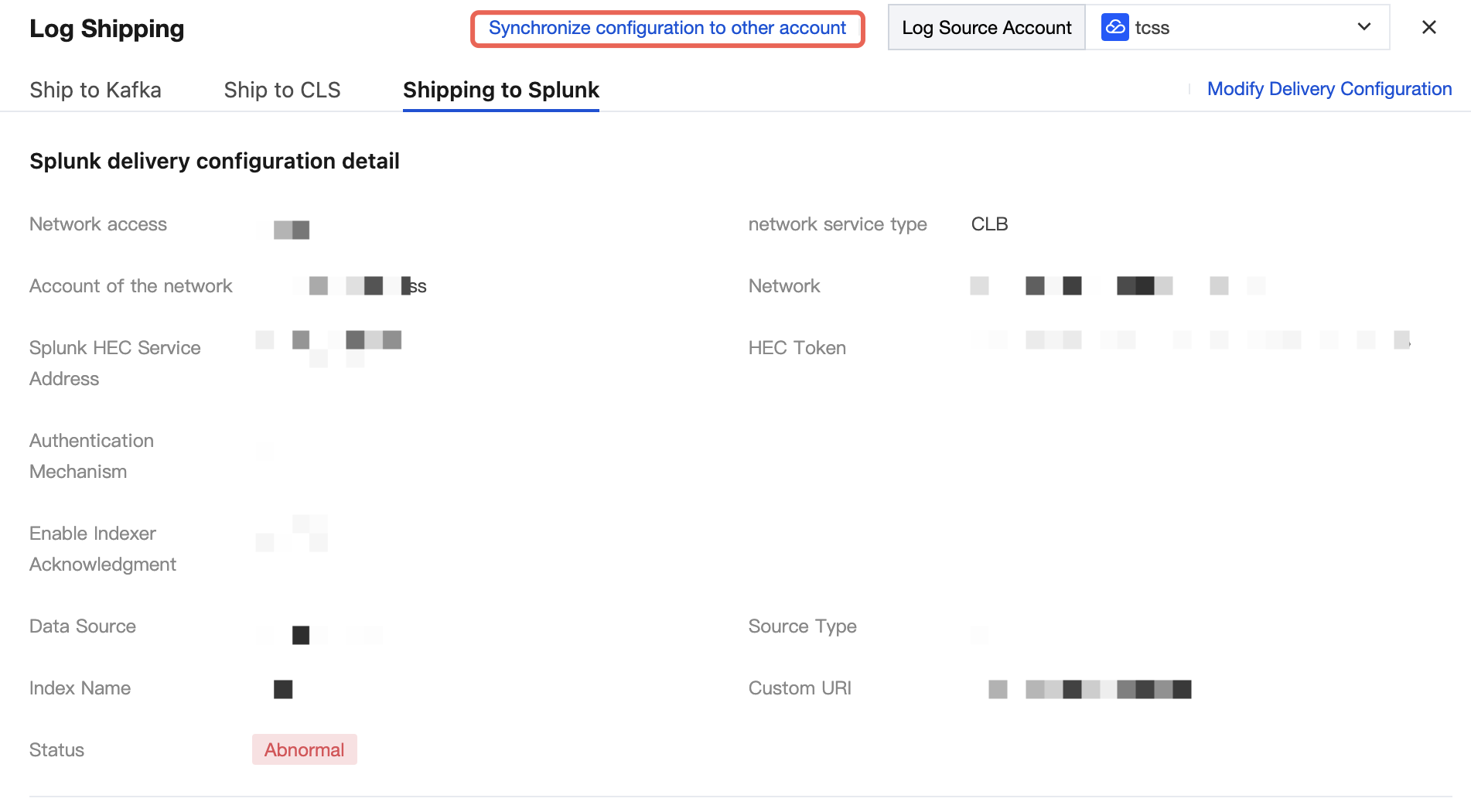
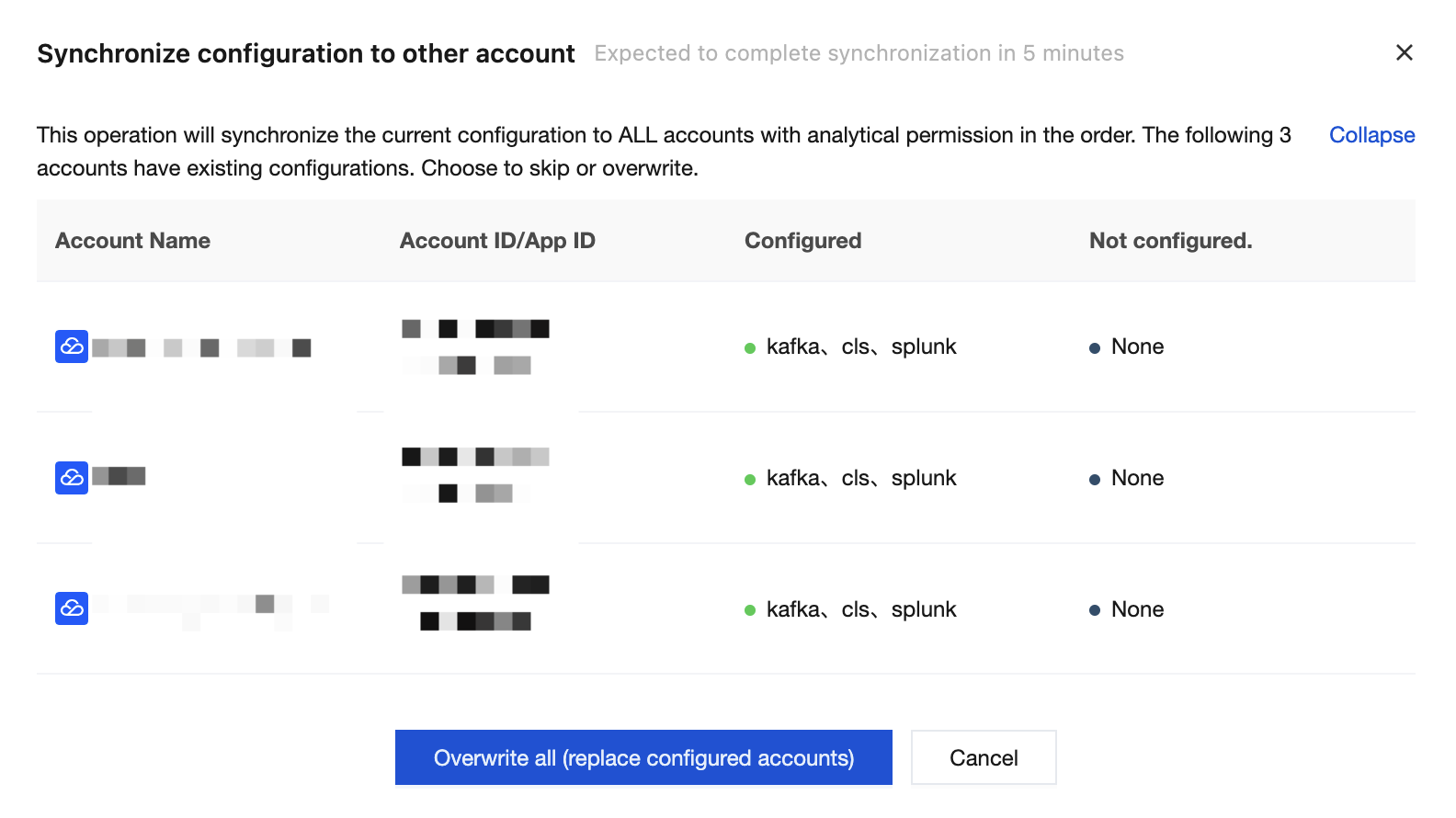
4. In the Sync Configuration to Other Accounts window, you need to confirm whether to overwrite the configuration information of other accounts. Clicking Overwrite all will synchronize the current configuration to the accounts in the list.
Ajuda e Suporte
Esta página foi útil?
Você também pode entrar em contato com a Equipe de vendas ou Enviar um tíquete em caso de ajuda.
comentários