You can perform health check on the nodes and services in each cluster instantly or periodically (daily or weekly) with the selected inspection items. Only one periodic inspection task can be configured for each cluster to help you know the cluster health conditions periodically and fix the exceptions and risks in time.
When you set a one-time or periodic inspection task, general inspection items will be selected by default. If you want to check certain service features in special cases, you can select the corresponding inspection items as needed. However, service feature inspection will compromise cluster performance, which is thus not recommended during business peak hours.
After each inspection task is completed, a PDF report will be generated, which can be downloaded and deleted. Up to 50 inspection reports can be retained under each root account. If an excessive report is generated, the oldest one will be deleted.
Note
The inspection system supports service inspection items. Currently, only HDFS, YARN, HBase, Hive, and ZooKeeper are supported.
The configuration of a periodic inspection task cannot be changed when it is being executed.
Directions
1. Log in to the EMR console and click the ID/Name of the target cluster in the cluster list to enter the cluster details page.
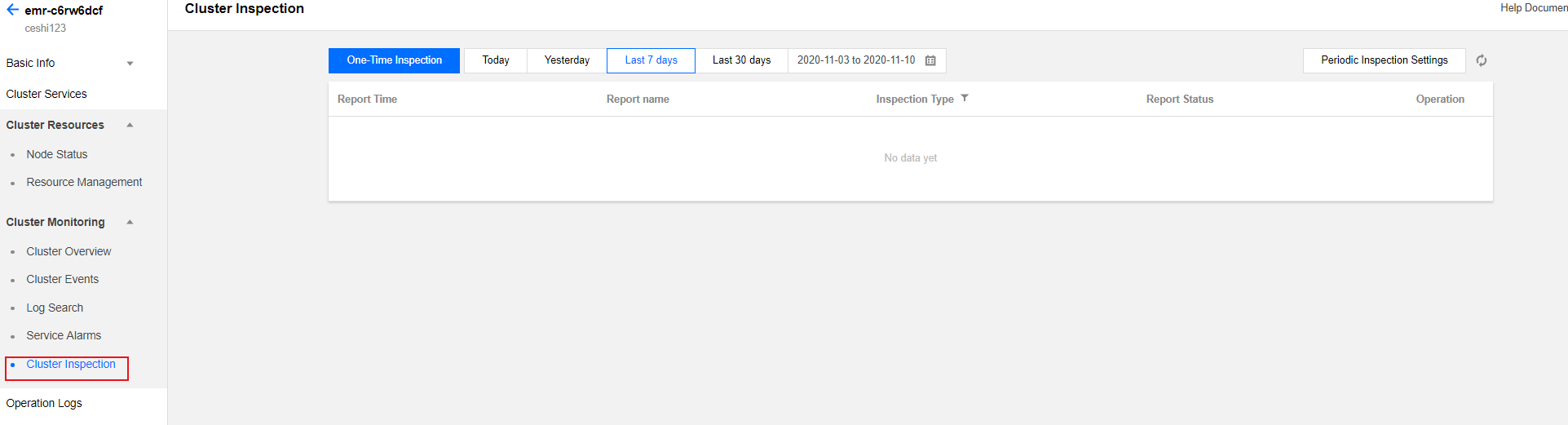
2. On the cluster details page, select Cluster Monitoring > Cluster Inspection and you can perform health check on the nodes and services in the current cluster. Only one periodic inspection task can be configured for each cluster. You can also click One-Time Inspection to perform an inspection. To configure a periodic inspection task, click Periodic Inspection Settings.
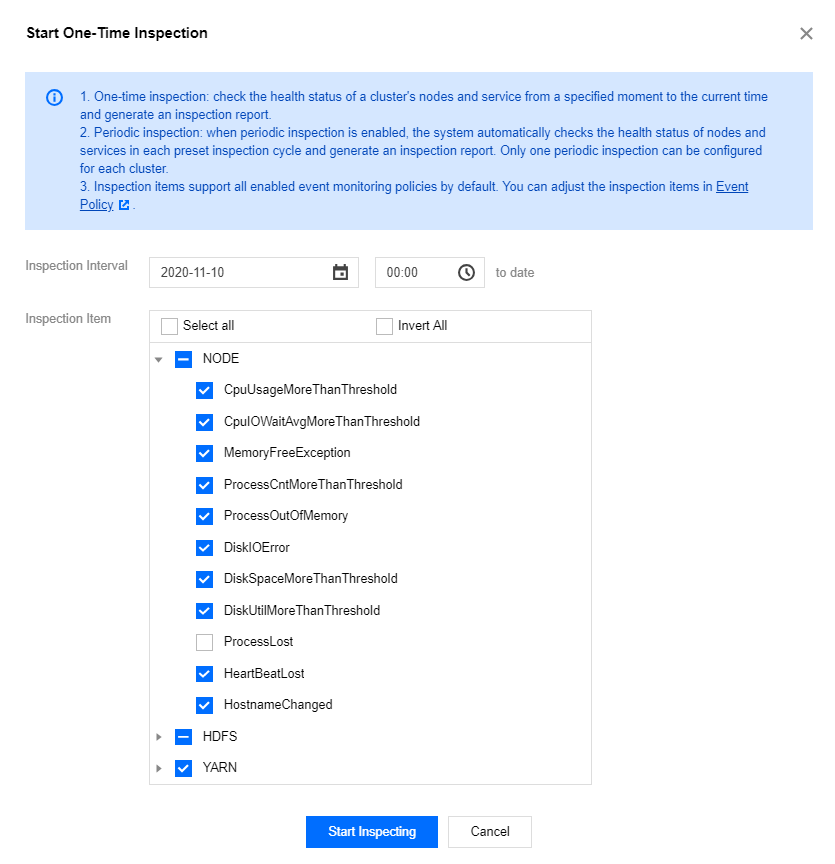
One-Time Inspection: The health status of nodes and services in the cluster from a specified time point to the current time point will be checked, and an inspection report will be generated.
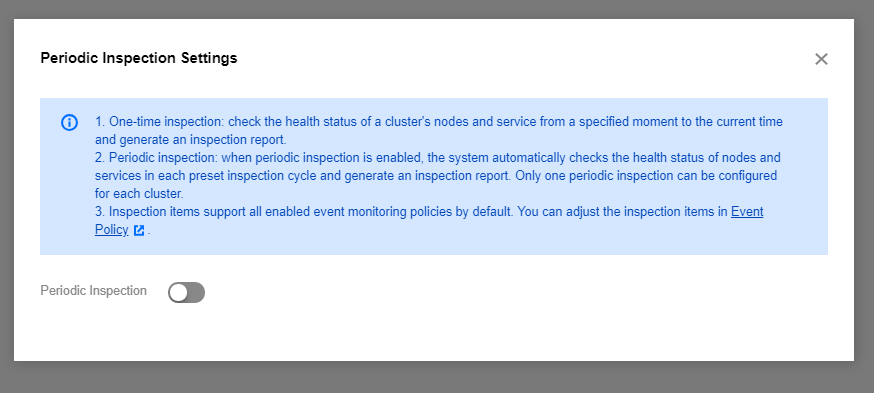
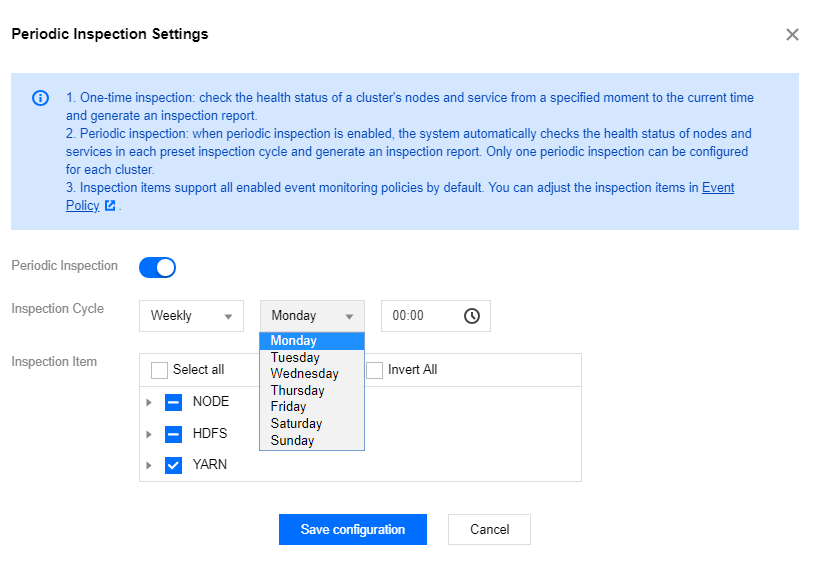
Periodic Inspection: After a periodic inspection policy is enabled, the system will automatically check the health status of the nodes and services in the cluster in every inspection cycle and generate an inspection report. One periodic inspection policy can be configured for each cluster.
Inspection Item: All enabled event monitoring policies are supported by default. You can adjust the inspection items as instructed in Cluster Event. All events with monitoring enabled are selected by default as the initial inspection items. When you customize the inspection items, those selected last time will be selected by default.