Ranger is available only when it is selected in Optional Components when you purchase a cluster. If you add the Ranger component after purchasing the cluster, the Web UI may be inaccessible. By default, when Ranger is installed, Ranger Admin and Ranger UserSync are deployed on the master node, and Ranger Plugin is deployed on the main daemon node of the embedded component.
When creating a cluster of the Hadoop type, you can select Ranger in Optional Components. The Ranger version varies depending on the EMR version you choose.
Note:
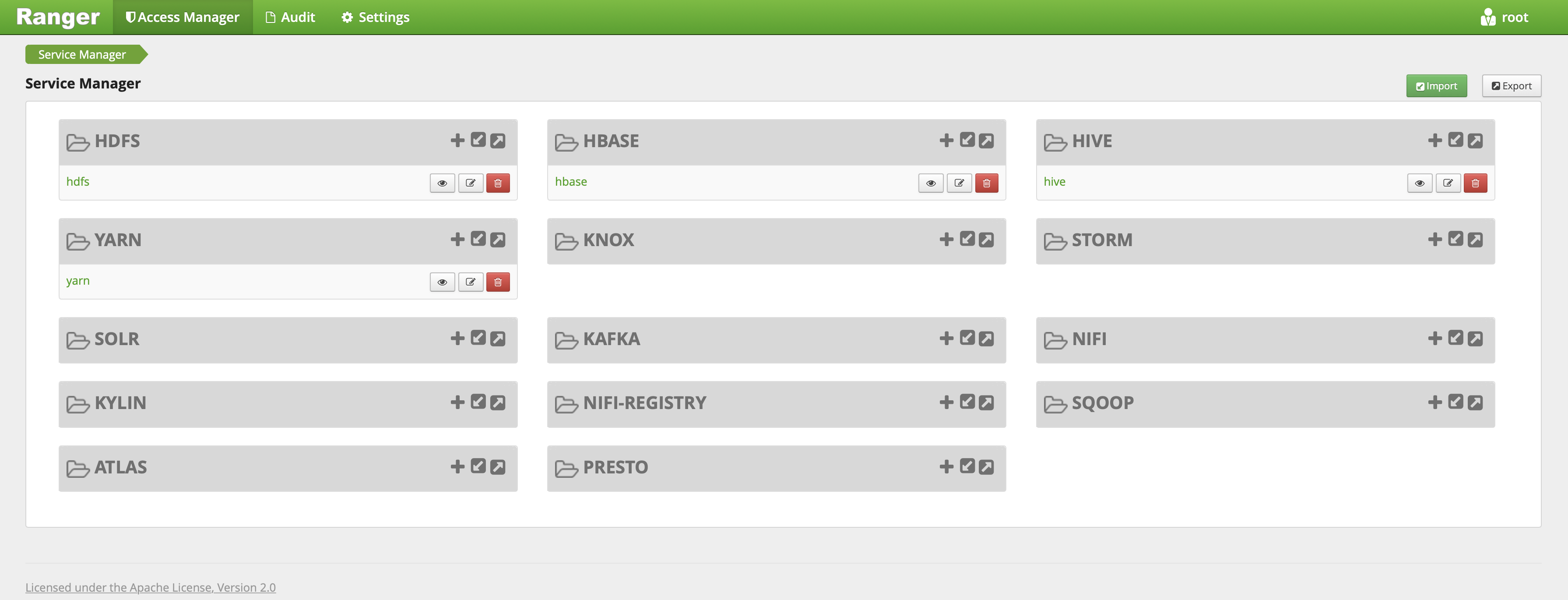
When the cluster type is Hadoop and the Ranger optional component is selected, EMR-Ranger will create services for HDFS and YARN by default and set default policies.
Ranger Web UI
Before accessing the Ranger Web UI, make sure that the current cluster is configured with a public IP and click the Ranger Web UI URL on the Cluster Service page.
After you are redirected, enter the username and password that you set when you purchased the cluster.
Integrating HDFS with Ranger
Note:
Make sure that HDFS related services are running normally and Ranger has been installed in the current cluster.
1. Add an EMR Ranger HDFS service on the EMR Ranger Web UI.
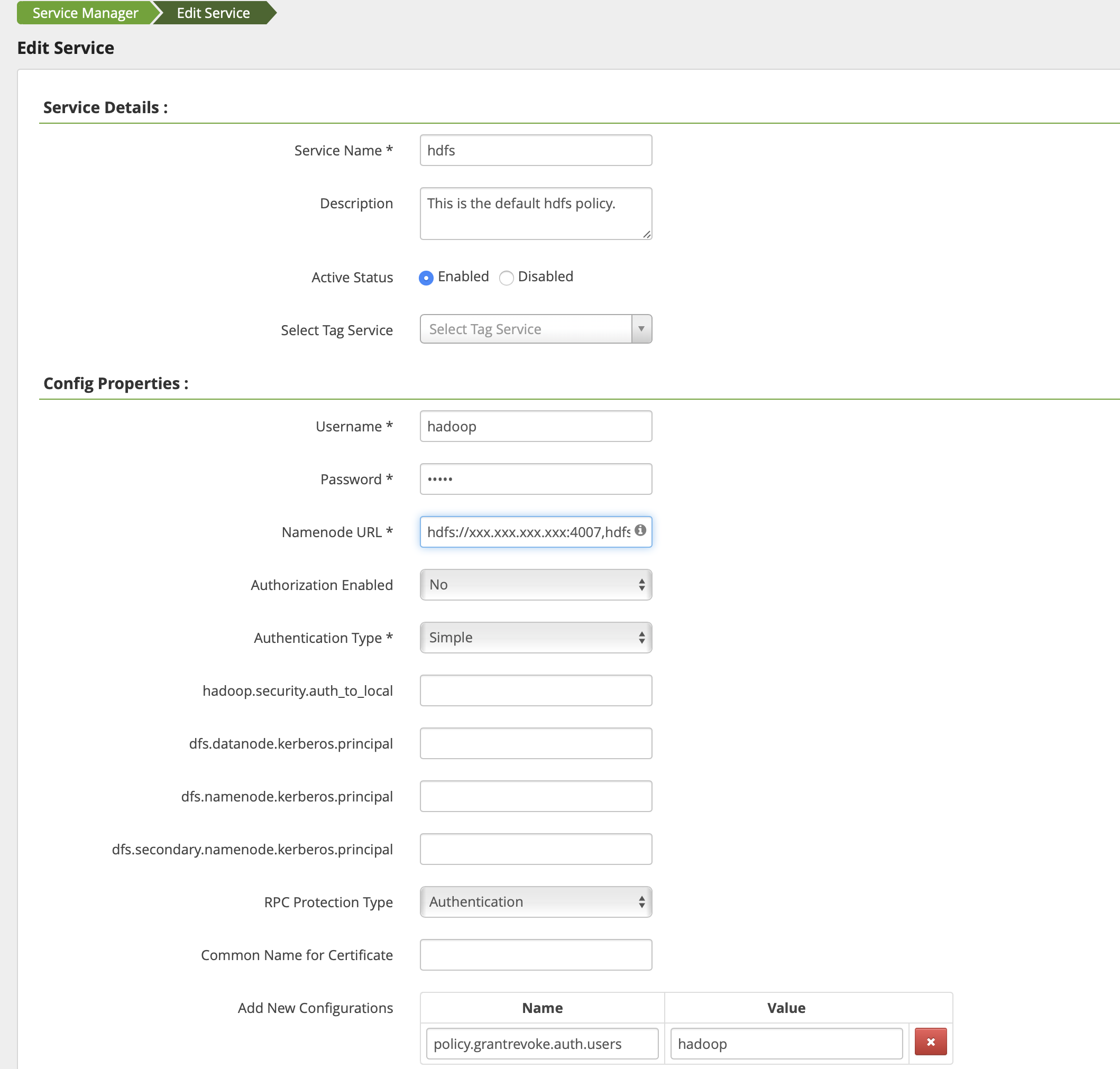
2. Configure EMR Ranger HDFS service parameters.
Parameter
Required
Description
Service Name
Yes
Service name, which is displayed on the main HDFS component on the Ranger Web UI
Description
No
Service description
Active Status
Default
Service status, which is **Enabled** by default
Username
Yes
Username of the resource
Password
Yes
User password
NameNode URL
Yes
HDFS URL
Authorization Enabled
Default
Select **No** for standard clusters and **Yes** for high-security clusters.
Authorization Type
Yes
**Simple**: standard cluster; **Kerberos**: high-security cluster