tencent cloud

Elastic MapReduce

Release Notes and Announcements
Release Notes
Announcements
Security Announcements
Product Introduction
Overview
Strengths
Architecture
Features
Use Cases
Constraints and Limits
Technical Support Scope
Product release
Purchase Guide
EMR on CVM Billing Instructions
EMR on TKE Billing Instructions
EMR Serverless HBase Billing Instructions
Getting Started
EMR on CVM Quick Start
EMR on TKE Quick Start
EMR on CVM Operation Guide
Planning Cluster
Administrative rights
Configuring Cluster
Managing Cluster
Managing Service
Monitoring and Alarms
TCInsight
EMR on TKE Operation Guide
Introduction to EMR on TKE
Configuring Cluster
Cluster Management
Service Management
Monitoring and Ops
Application Analysis
EMR Serverless HBase Operation Guide
EMR Serverless HBase Product Introduction
Quotas and Limits
Planning an Instance
Managing an Instance
Monitoring and Alarms
Development Guide
EMR Development Guide
Hadoop Development Guide
Spark Development Guide
Hbase Development Guide
Phoenix on Hbase Development Guide
Hive Development Guide
Presto Development Guide
Sqoop Development Guide
Hue Development Guide
Oozie Development Guide
Flume Development Guide
Kerberos Development Guide
Knox Development Guide
Alluxio Development Guide
Kylin Development Guide
Livy Development Guide
Kyuubi Development Guide
Zeppelin Development Guide
Hudi Development Guide
Superset Development Guide
Impala Development Guide
Druid Development Guide
TensorFlow Development Guide
Kudu Development Guide
Ranger Development Guide
Kafka Development Guide
Iceberg Development Guide
StarRocks Development Guide
Flink Development Guide
JupyterLab Development Guide
MLflow Development Guide
Practical Tutorial
Practice of EMR on CVM Ops
Data Migration
Practical Tutorial on Custom Scaling
API Documentation
History
Introduction
API Category
Cluster Resource Management APIs
Cluster Services APIs
User Management APIs
Data Inquiry APIs
Scaling APIs
Configuration APIs
Other APIs
Serverless HBase APIs
YARN Resource Scheduling APIs
Making API Requests
Data Types
Error Codes
FAQs
EMR on CVM
Service Level Agreement
Contact Us

Service Status

PDF
Modo Foco
Tamanho da Fonte
Última atualização: 2023-12-27 14:38:36

Overview

The Service status page provides detailed monitoring for main services installed in the cluster, including HDFS, YARN, Hive, ZooKeeper, Spark, HBase, and Presto. This document describes how to view cluster service status in the console.

Directions

1. Log in to the EMR console and click the ID/Name of the target cluster in the cluster list.
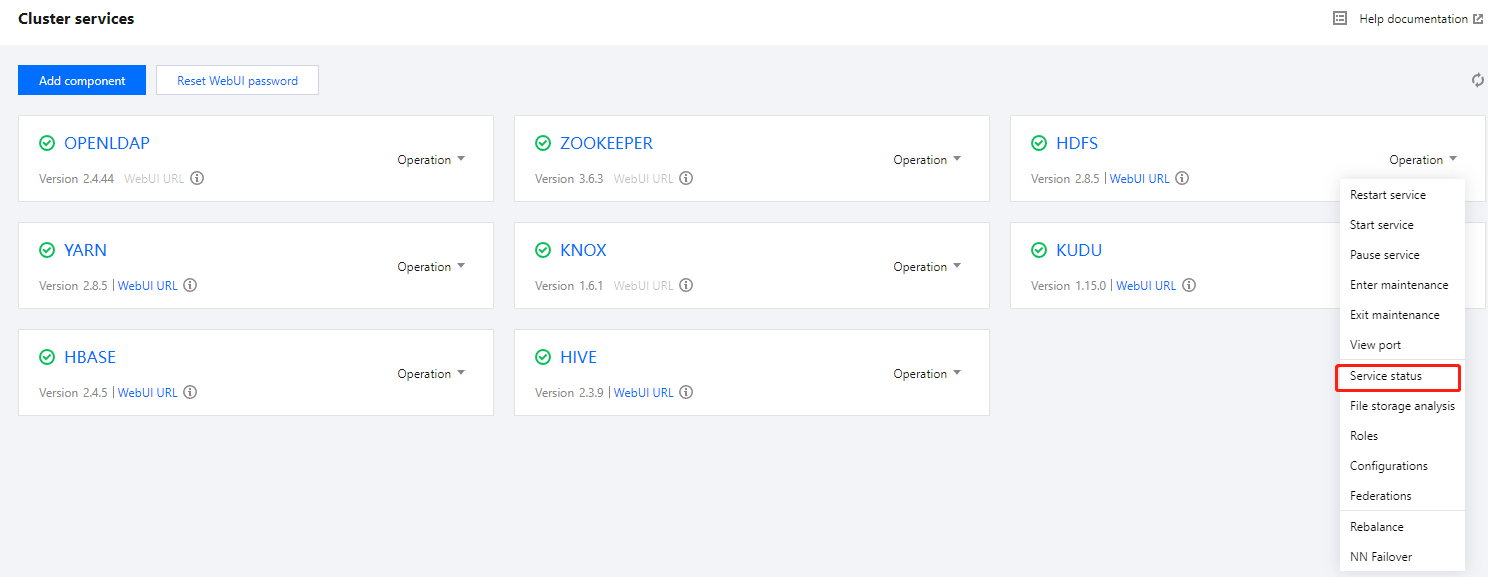
2. On the cluster details page, select Cluster services and click Operation > Service status in the top-right corner of the target component block. The following uses HDFS as an example.

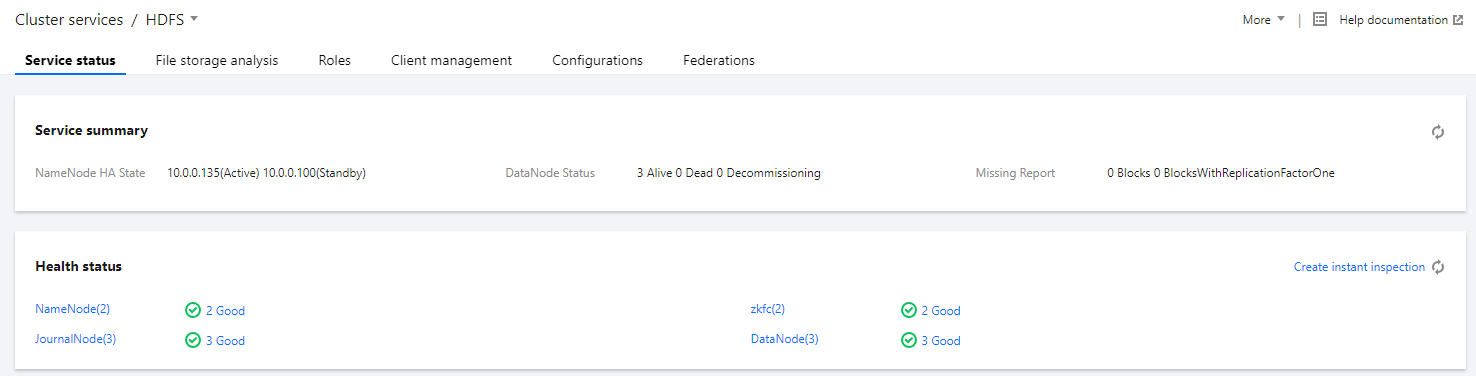
3. The service status page provides monitoring views of three service dimensions, namely, service summary, health status, and service overview. As different service components have different services, the dimensions of display vary.
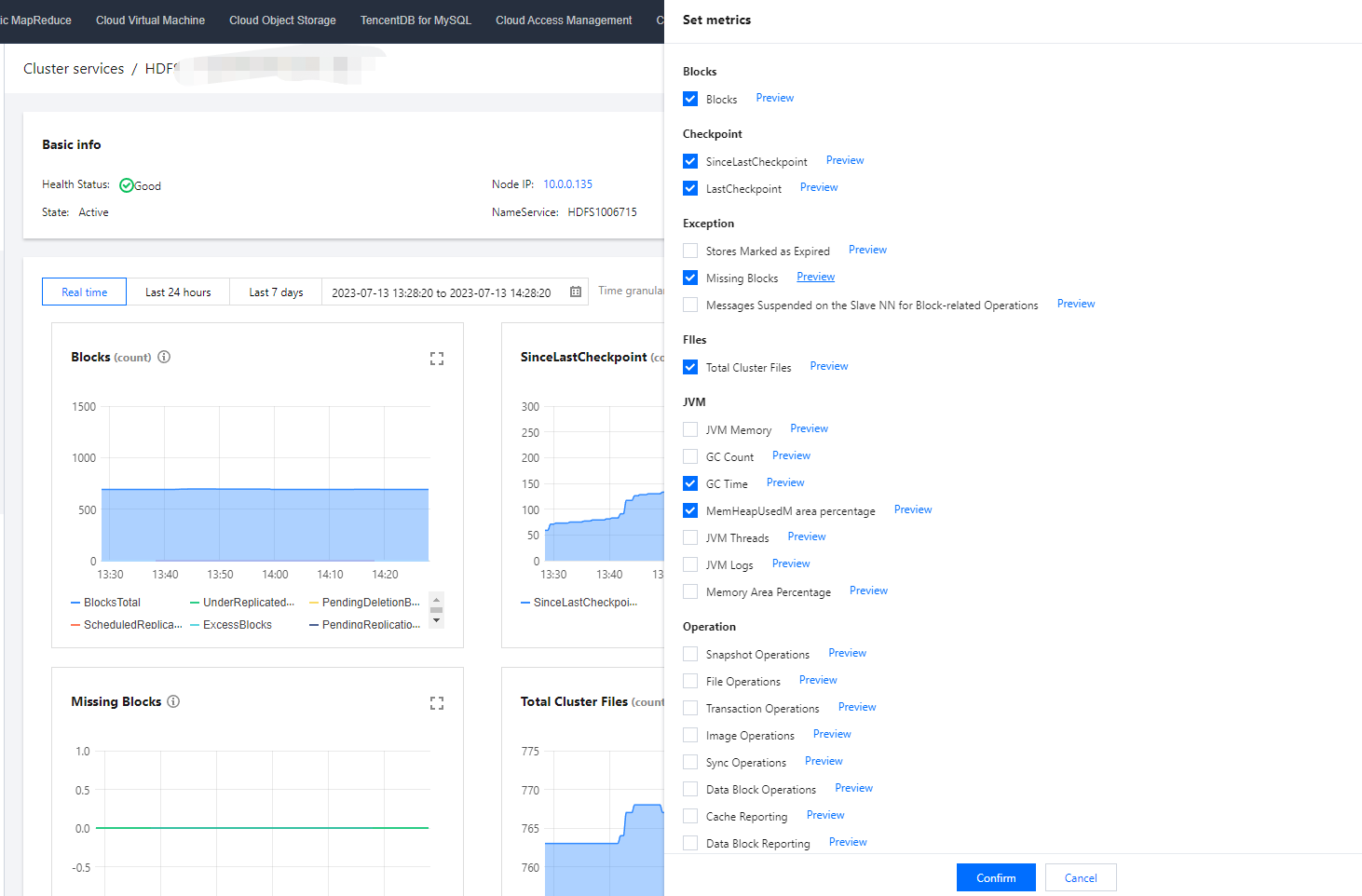
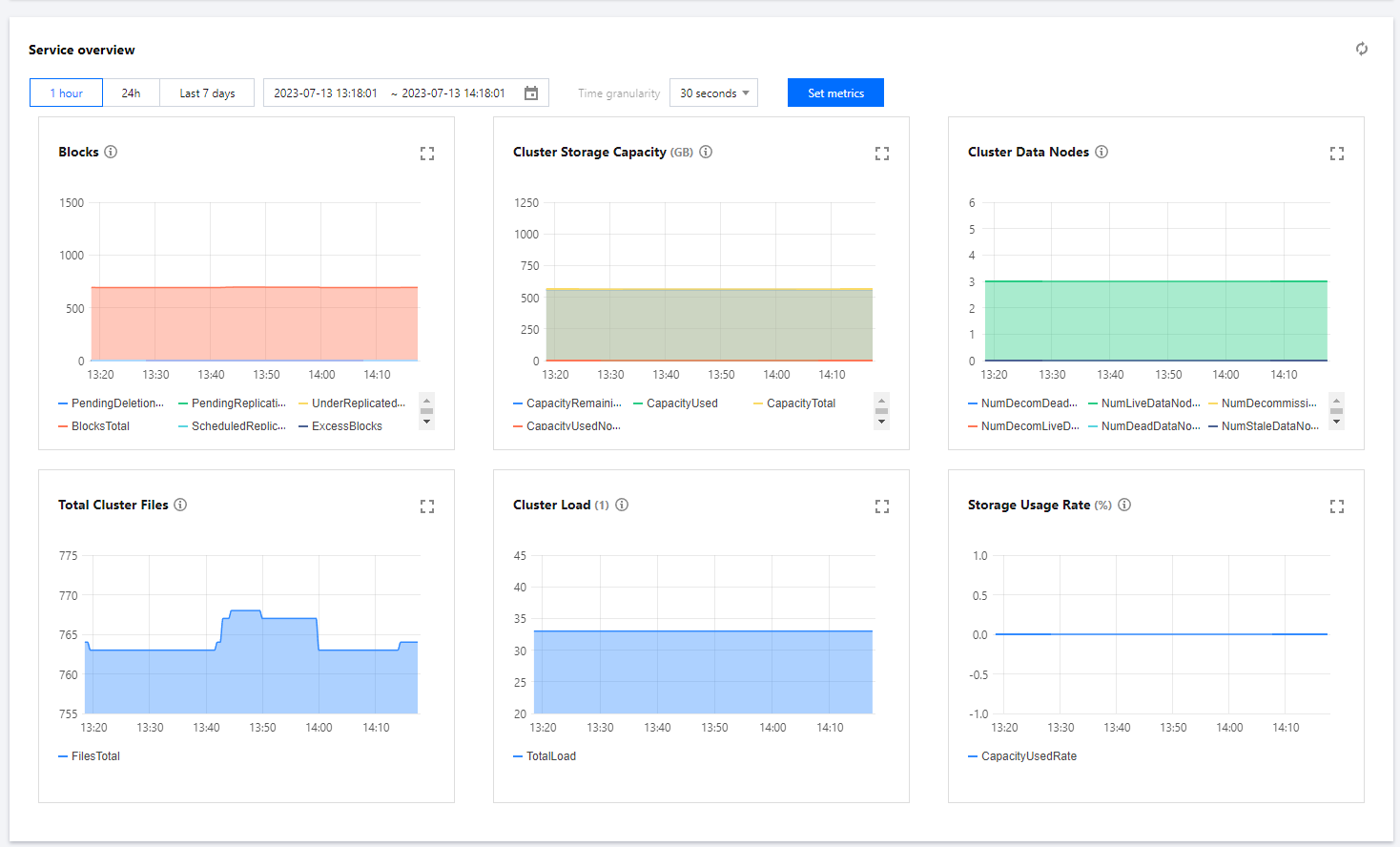
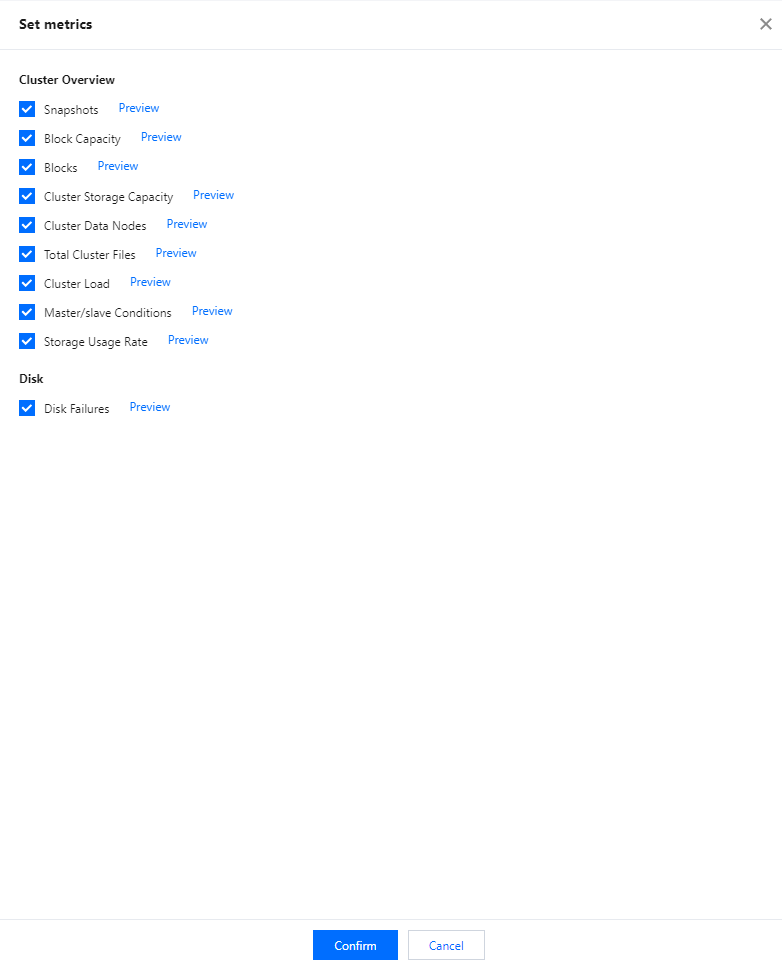
4. Service overview displays 6 metrics of service components by default and their statistical rules during a specified time period. You can click Set metrics to customize the displayed metrics.


5. Service summary displays the current overall status of the service.
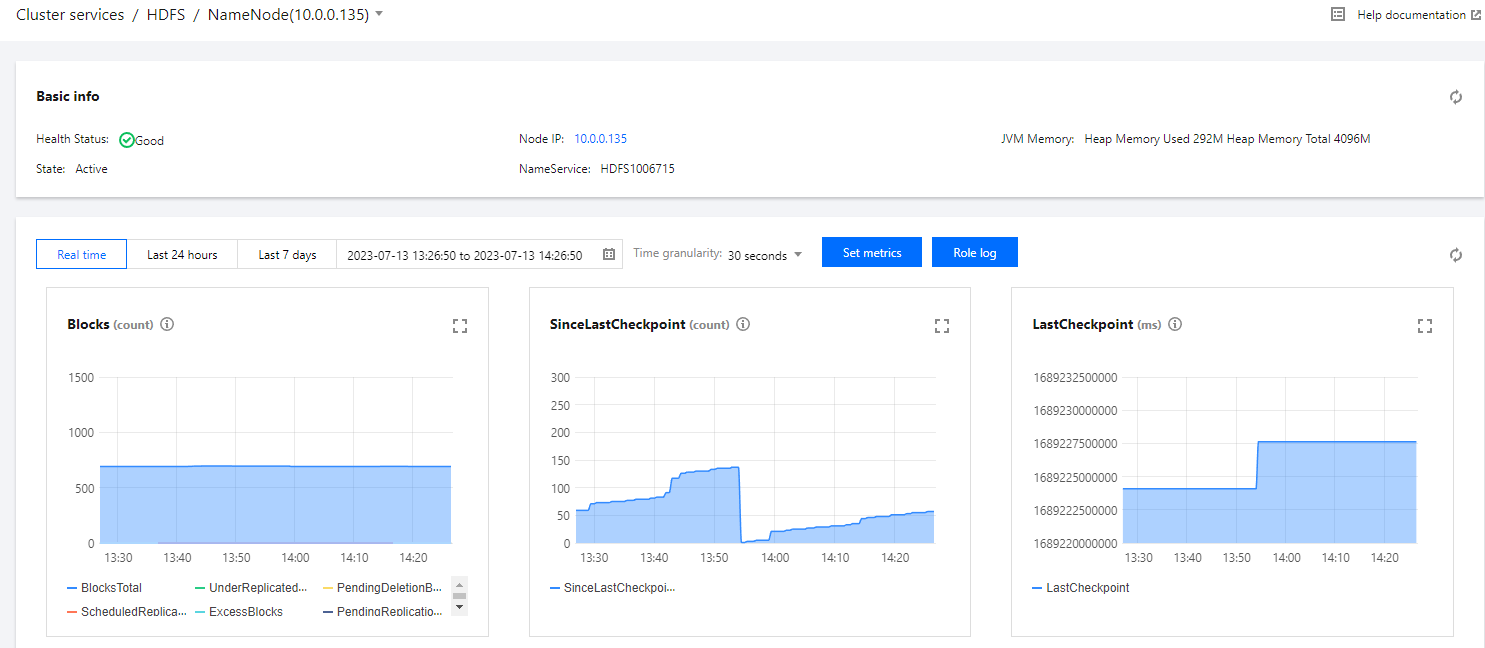
6. Health status displays running overview of each component in the current service. Clicking a role name or running overview will redirect you to Roles or Role status page.

On a role status page, you can click Set metrics to customize the displayed metrics.

7. Service overview enables you to view cluster-level metrics. You can click Set metrics to customize the displayed metrics.

Caution
Service monitoring displays the HDFS service information by default. You can manually adjust to view other service components.
Service monitoring dimensions vary by service component due to different service types. For example, HBase supports table-level monitoring.
Ajuda e Suporte

Esta página foi útil?

comentários