Undeploy Permission Configuration
Overview
You can proactively undeploy the permission configuration in an account. This document introduces how to undeploy the permission configuration.
Directions
Undeploying Permission Configuration on the Permission Configuration Page
1. Log in to TCO > Identity Center.
2. In the left sidebar, click CAM Synchronization > Configuring Permission.
3. On the Configuring Permission page, click the target permission configuration name.
4. Click the Deploy tab.
5. Click Undeploy in the Operation column of the target account.
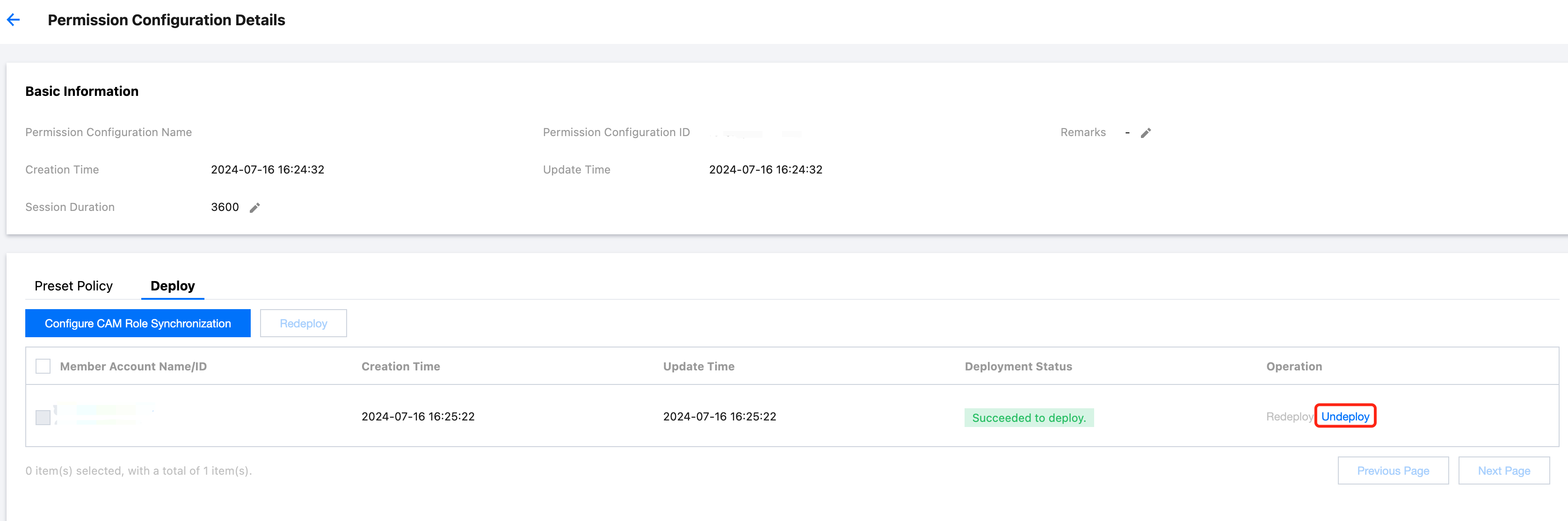
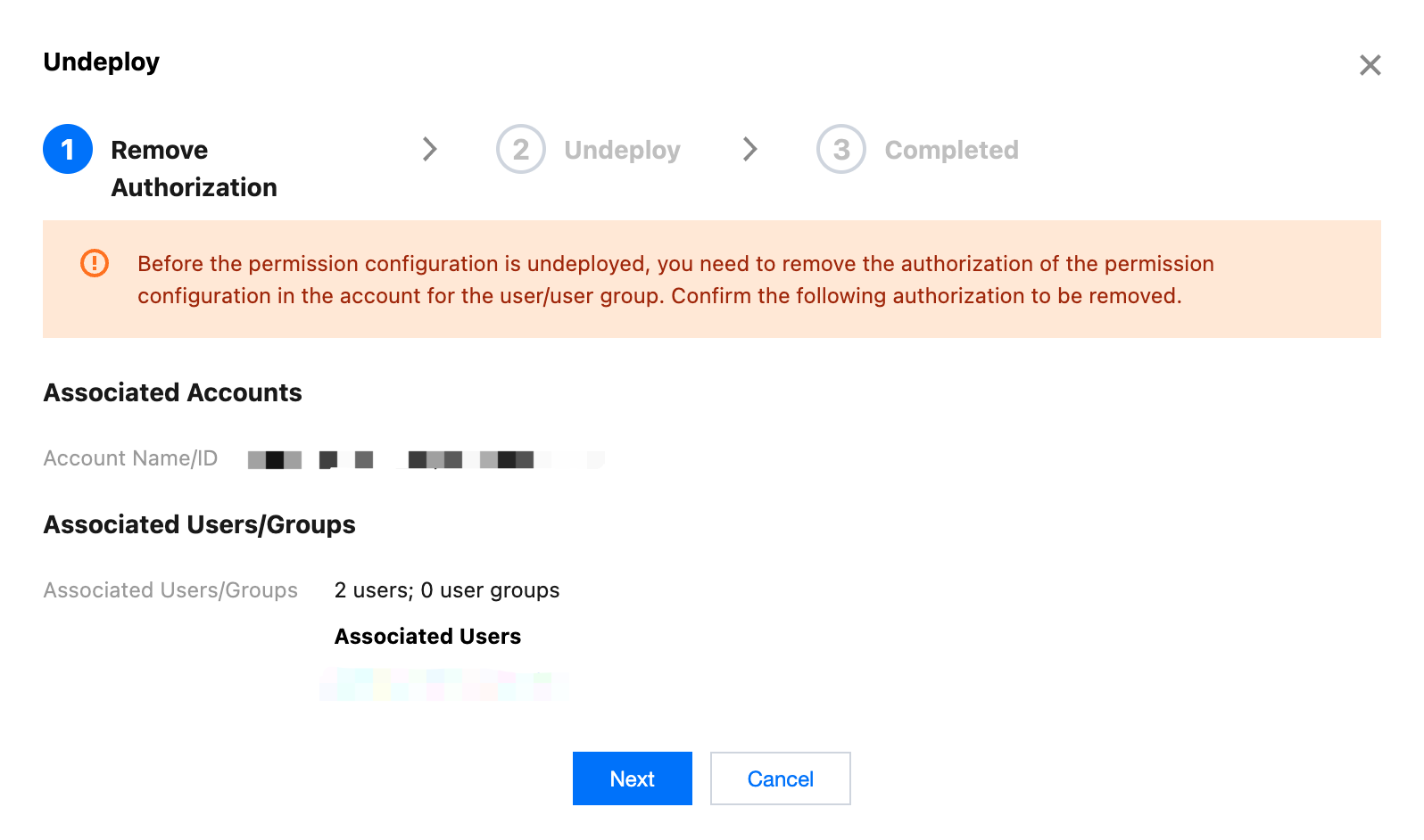
6. In the Undeploy dialog box.
Confirm the authorization removal information, and click Next to remove the permission configuration from the user/user group.
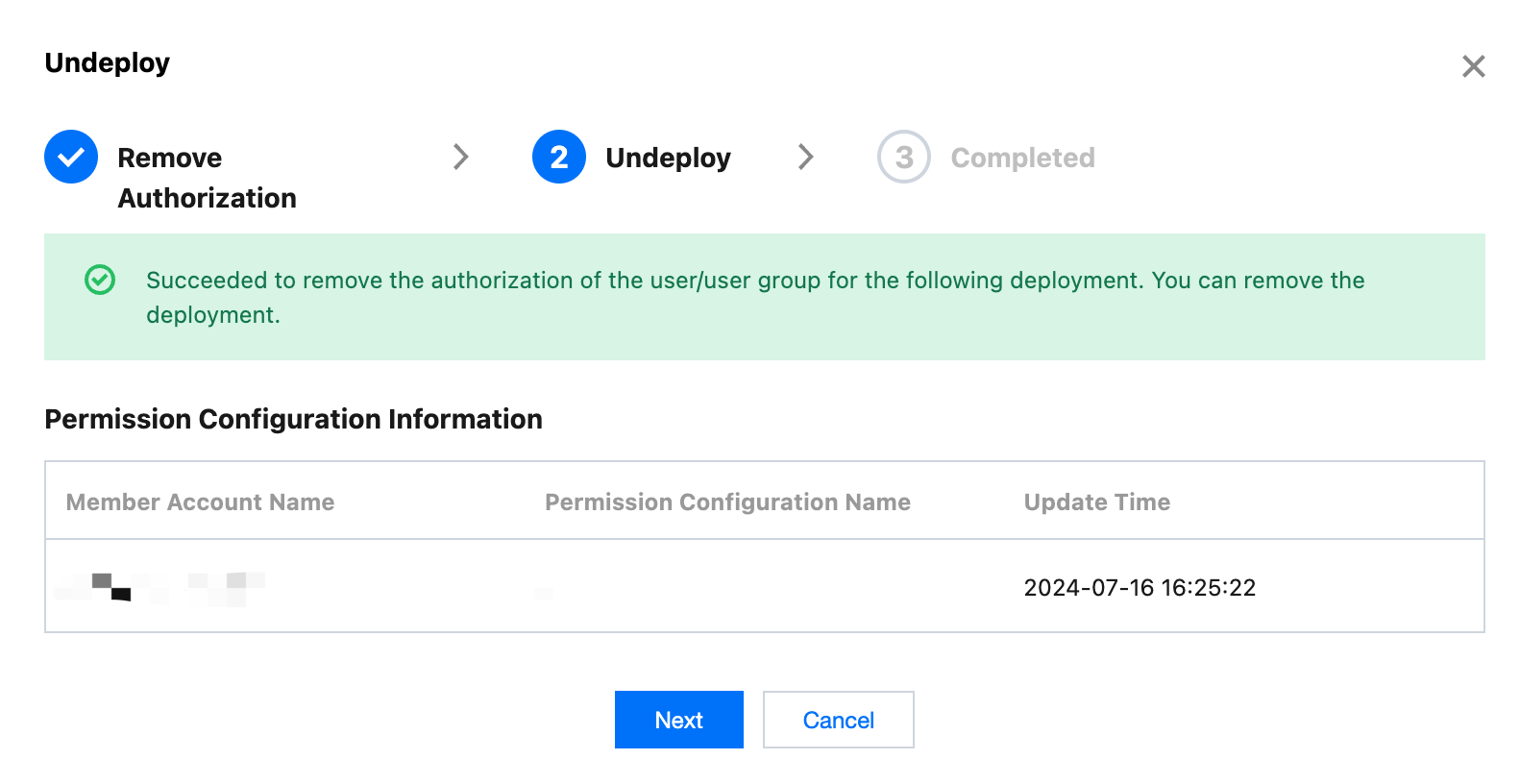
Confirm the undeployment information, and click Next to undeploy the permission configuration in the account.
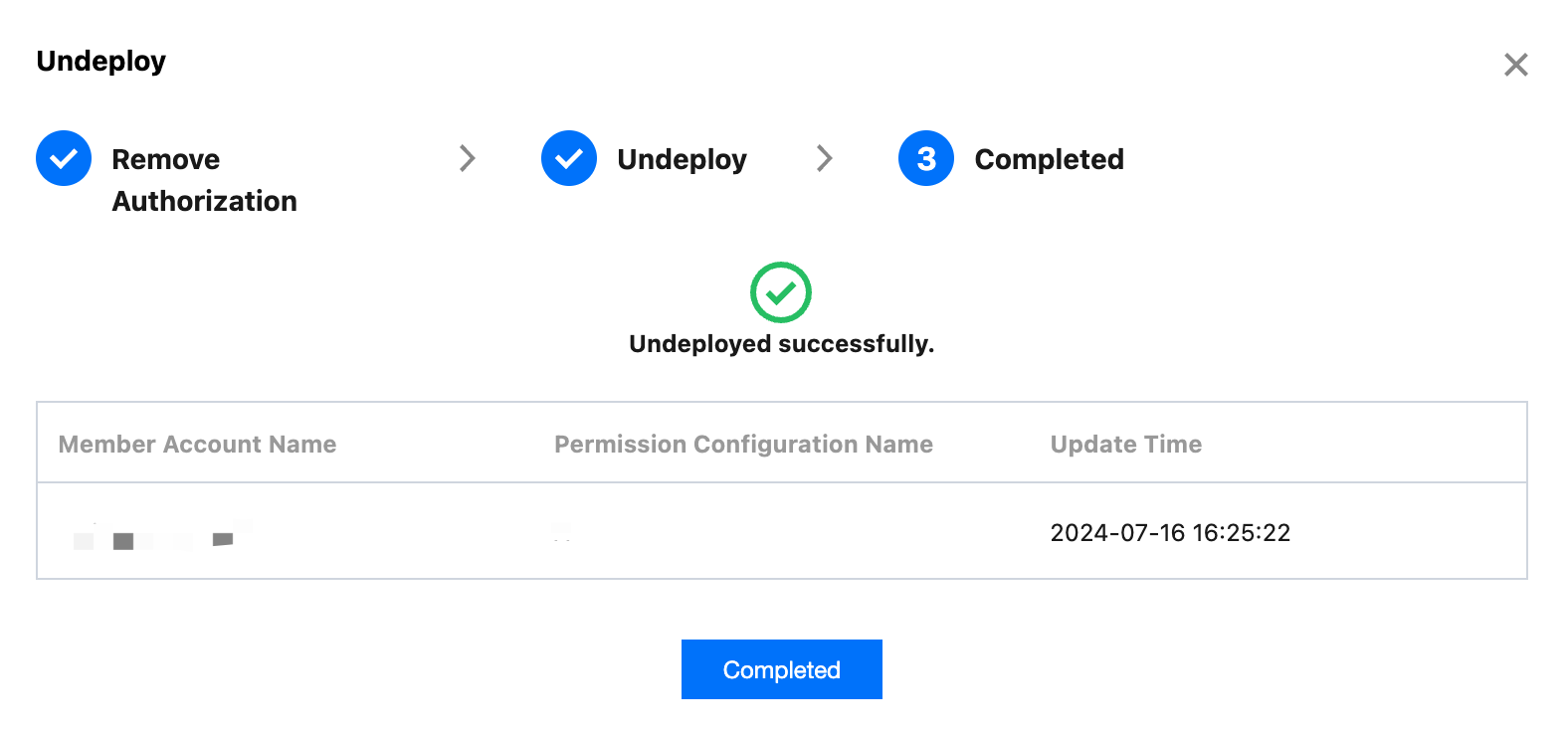
Click Completed.
Undeploying Permission Configuration on the Multi-account Permission Management Page
1. Log in to TCO > Identity Center.
2. In the left sidebar, click CAM Synchronization > Multi-account Permission Management.
3. On the Multi-account Permission Management page, select the target account.
4. Click the Deployed Configuration tab.
5. Click Undeploy in the Action column of the target permission configuration.
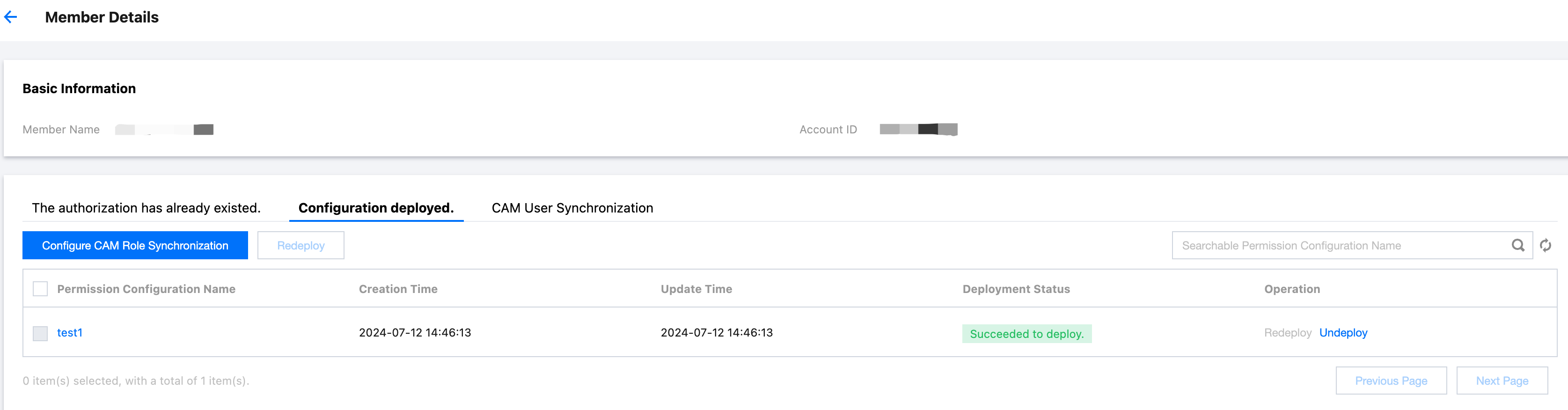
6. Click Undeploy.
Confirm the authorization removal information, and click Next to remove the permission configuration from the user/user group.
Confirm the undeployment information, and click Next to undeploy the permission configuration in the account.
Click Completed.
Ajuda e Suporte
Esta página foi útil?
Você também pode entrar em contato com a Equipe de vendas ou Enviar um tíquete em caso de ajuda.
comentários