View/Modify/Delete Authorization
Overview
This document introduces how to view the authorization information, modify the authorization, and delete the authorization of an account.
Directions
Viewing Authorization Information
1. Go to TCO > Identity Center.
2. In the left sidebar, click CAM Synchronization > Multi-Account Authorization Management.
3. On the Multi-Account Authorization Management page, click the target account name.
4. View the authorization information of the account.
In the Basic Information area, view the basic information of the account.
In the The authorization has already existed tab, view the users or user groups associated with the account.
In the Configuration deployed tab, view the permissions configuration deployed in the account.
In the CAM User Synchronization tab, view the configured CAM user synchronization information.
Modifying the Authorization
1. Go to TCO > Identity Center.
2. In the left sidebar, click CAM Synchronization > Multi-Account Authorization Management.
3. On the Multi-Account Authorization Management page, click the target account name.
4. Click the The authorization has already existed tab
5. Click Configure CAM Role Synchronization.
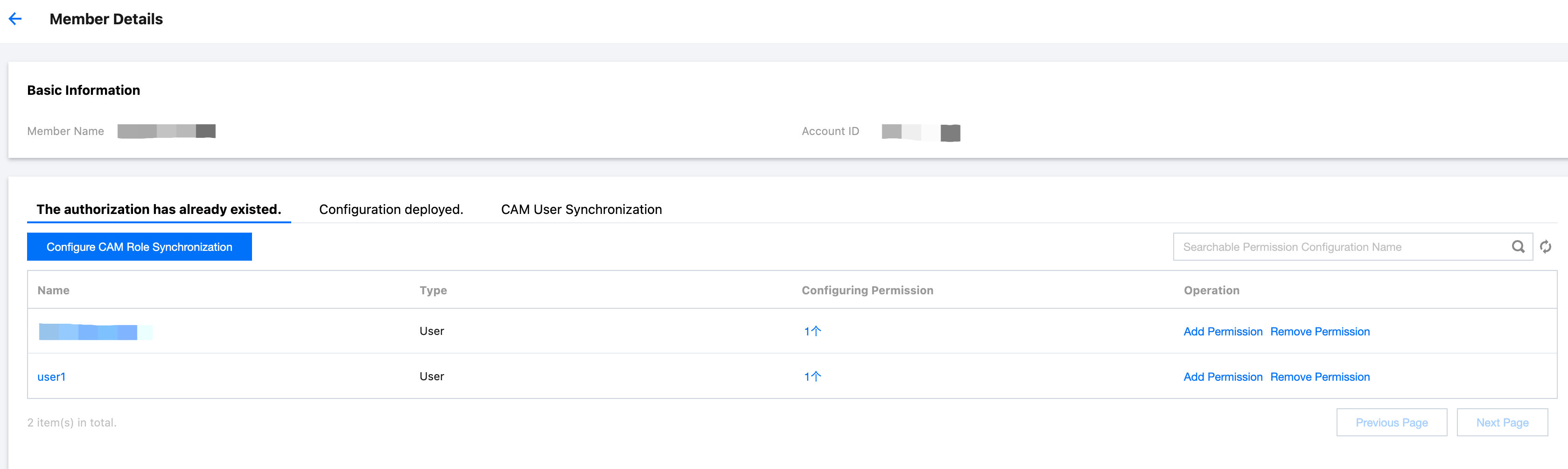
6. On the Configure CAM Role Synchronization panel, reassign users, user groups, and permission configuration.
Select a user or user group, and then click Next.
Select permission configuration, and then click Next.
Review the configuration information, and then click Start Configuration.
Wait for the deployment to finish, and then click Finish.
Deleting the Authorization
1. Go to TCO > Identity Center.
2. In the left sidebar, click CAM Synchronization > Multi-account Authorization Management.
3. On the Multi-Account Authorization Management page, click the target account name.
4. Click the The authorization has already existed tab.
5. Click Remove Permissions in the action column of the target user or user group.
6. In the confirmation dialog box, click OK.
7. Click Completed.
Ajuda e Suporte
Esta página foi útil?
Você também pode entrar em contato com a Equipe de vendas ou Enviar um tíquete em caso de ajuda.
comentários