SSM provides the schedule deletion feature against accidental secret deletions. Each deletion has a mandatory waiting period of 0-30 days, that is, there will be 0-30 days to wait before the deletion becomes permanent.
Once deleted, a secret cannot be restored, and all of its content cannot be called.
Directions
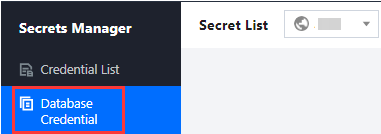
1. Log in to the SSM Console and click Database Credential on the left sidebar.
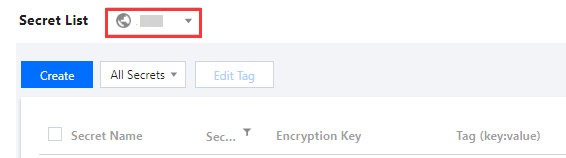
2. Click the drop-down button in the top left corner of the credential list to modify the region.
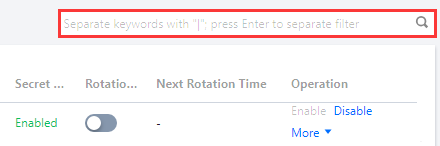
3. In the search box on the right, enter the full or partial name of the credential you want to search.
4. Select a credential you schedule to delete and then click Schedule Deletion in the Operation column.
Note:
If the credential is enabled, you need to disable it first by clicking Disable.
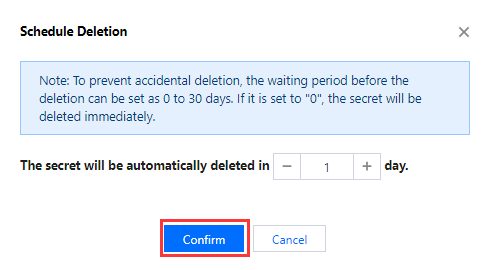
5. Set the number of schedule deletion days and then click Confirm. The credential will be deleted after the set number of days.
Note:
If the waiting period is set to "0", the credential will be deleted immediately.
6. Within the 1-30 waiting period, you can cancel the schedule deletion. To cancel it, click Cancel Deletion.
7. Enable the credential you just disabled for cancelling the deletion. Now you can disable, edit and delete the credential again.