tencent cloud

Tencent Cloud Smart Advisor

Release Notes
Product Introduction
Overview
Features
Product Strengths
Scenarios
Customer Cases
Purchase Guide
Getting Started
Using TSA to Perform a Cloud Risk Assessment
Using TSA to Execute a Chaos Experiment on CFG
Operation Guide
Operation Guide to TSA-Cloud Architecture
Operation Guide to TSA-Cloud Risk Assessment
Operation Guide to TSA-Chaotic Fault Generator
Operation Guide to TSA-Digital Assets
Permission Management
API Documentation
History
Introduction
API Category
Making API Requests
Other APIs
Task APIs
Cloud Architecture Console APIs
Data Types
Error Codes
FAQs
FAQs: TSA
FAQs: TSA-Cloud Risk Assessment
FAQs: TSA-Cloud Architecture
FAQs: TSA-Chaotic Fault Generator
Related Protocol
Tencent Cloud Smart Advisor Service Level Agreement
PRIVACY POLICY MODULE CHAOTIC FAULT GENERATOR
DATA PRIVACY AND SECURITY AGREEMENT MODULE CHAOTIC FAULT GENERATOR
Contact Us

MySQL Instance Overall Unavailable

PDF
Modo Foco
Tamanho da Fonte
Última atualização: 2025-03-24 15:23:00

Background

Tencent Cloud Smart Advisor-Chaotic Fault Generator provides fault actions that simulate a scene in which MySQL instance is overall unavailable. You can verify disaster recovery and the overall high availability of your business MySQL through the fault action.
Note:
For MySQL instance creation and connection, see the following documents:

Experiment Implementation

Step 1: Experiment Preparation

A MySQL Instance
A CVM instance (used only for connecting database example. You can use other means of connection.)

Step 2: Experiment Orchestration

1. Log in to the Tencent Cloud Smart Advisor > Chaotic Fault Generator, go to the Experiment Management page, and click Create a New Experiment.
2. Click Skip and create a blank experiment. Fill in the experiment information, and select TencentDB for MySQL instance for the Experiment Objective.
3. Click Add Now to add an experiment action, select MySQL instance overall unavailable, and click Next .
4. Configure action parameter information for fault actions and click Confirm.
5. After the configuration of action parameters, click Next. After confirming all configurations, click Submit to complete experiment creation.

Step 3: Experiment Execution

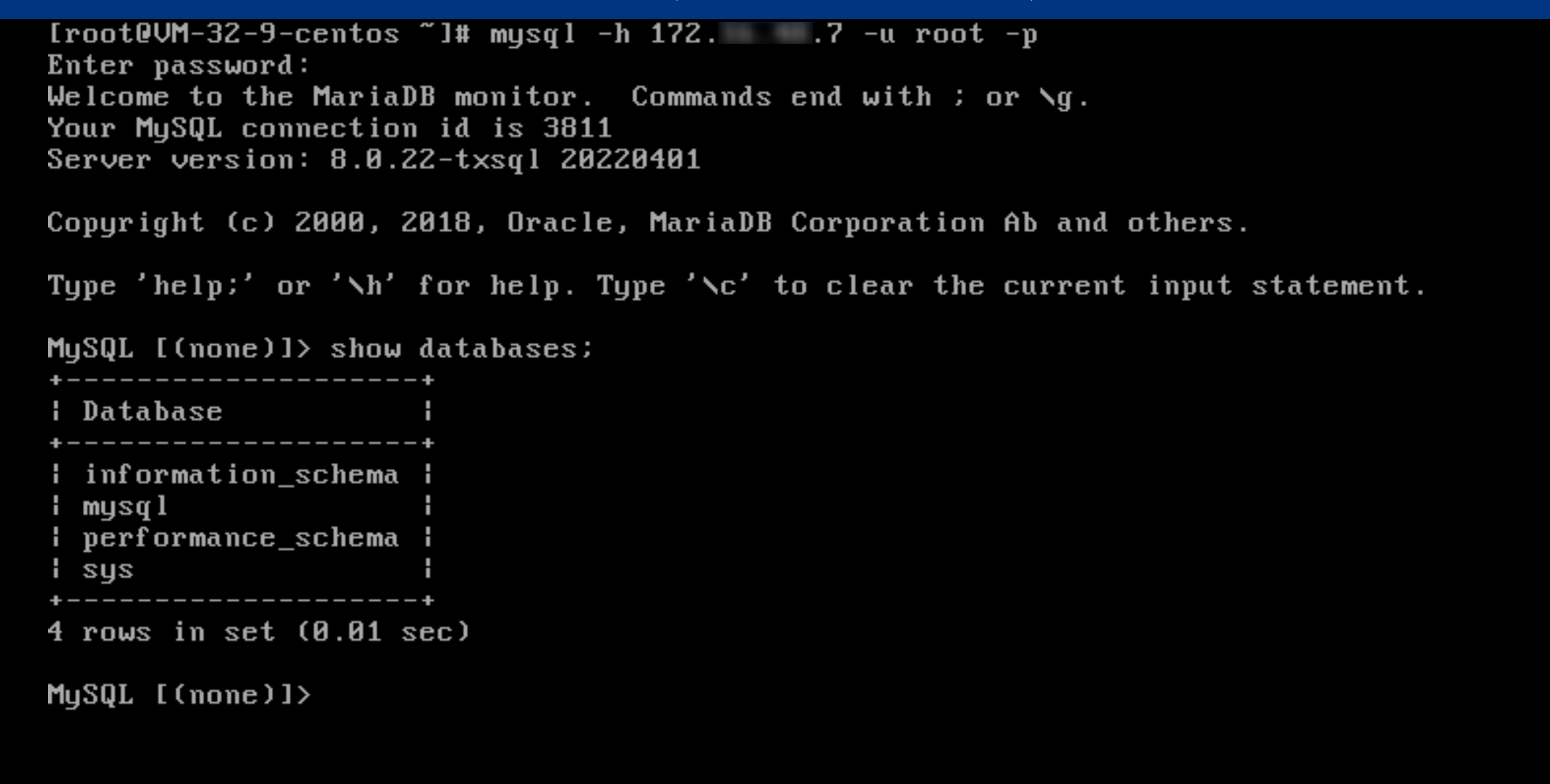
1. Attempt to log in to MySQL instance through CVM.


2. Go to Experiment Details. In the Experiment Action Group, click Execute to start executing an experiment.
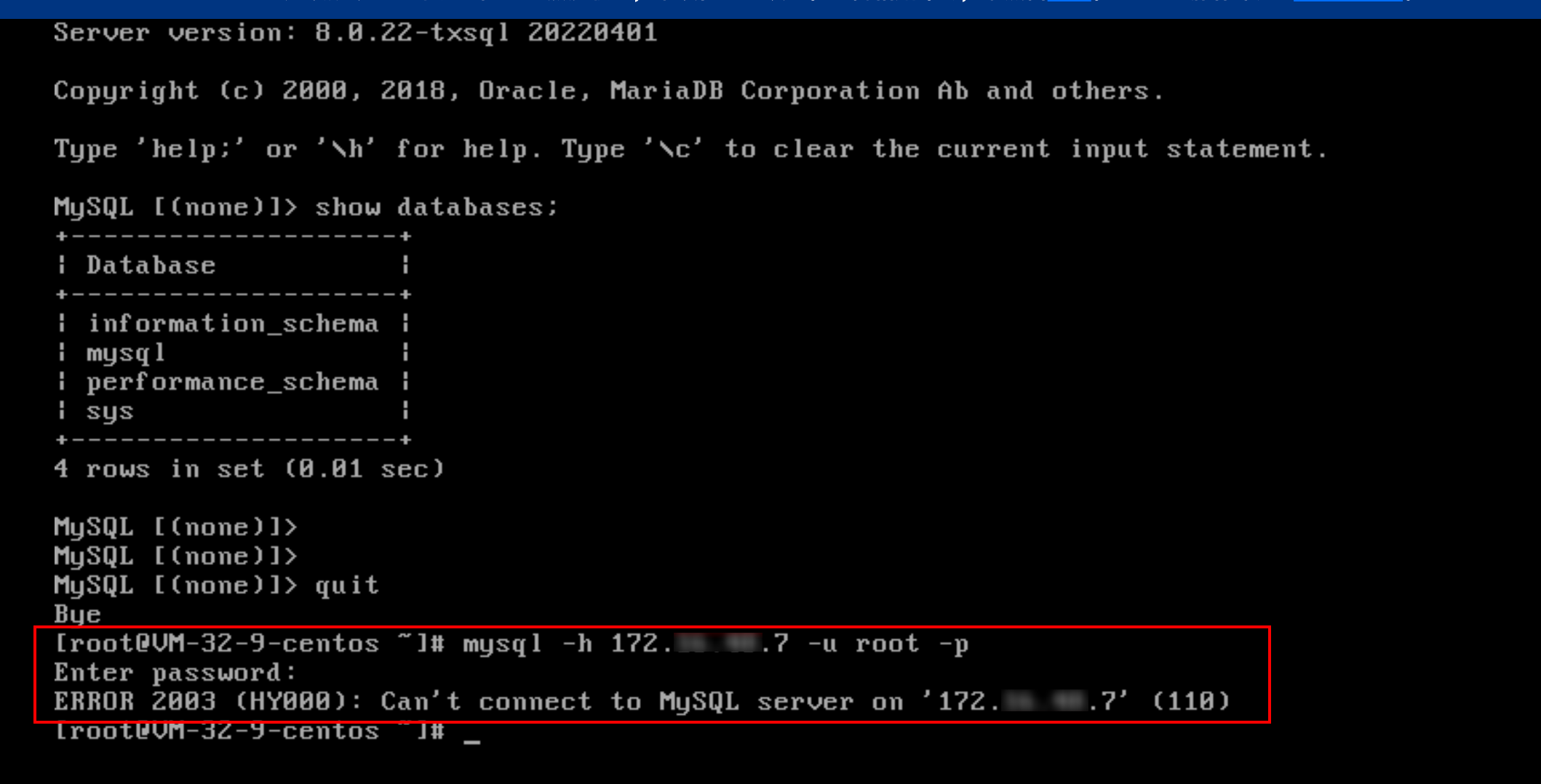
3. After fault action injection, log in to TencentDB for MySQL instance through CVM once again. You can find that it's impossible to connect and log in normally.
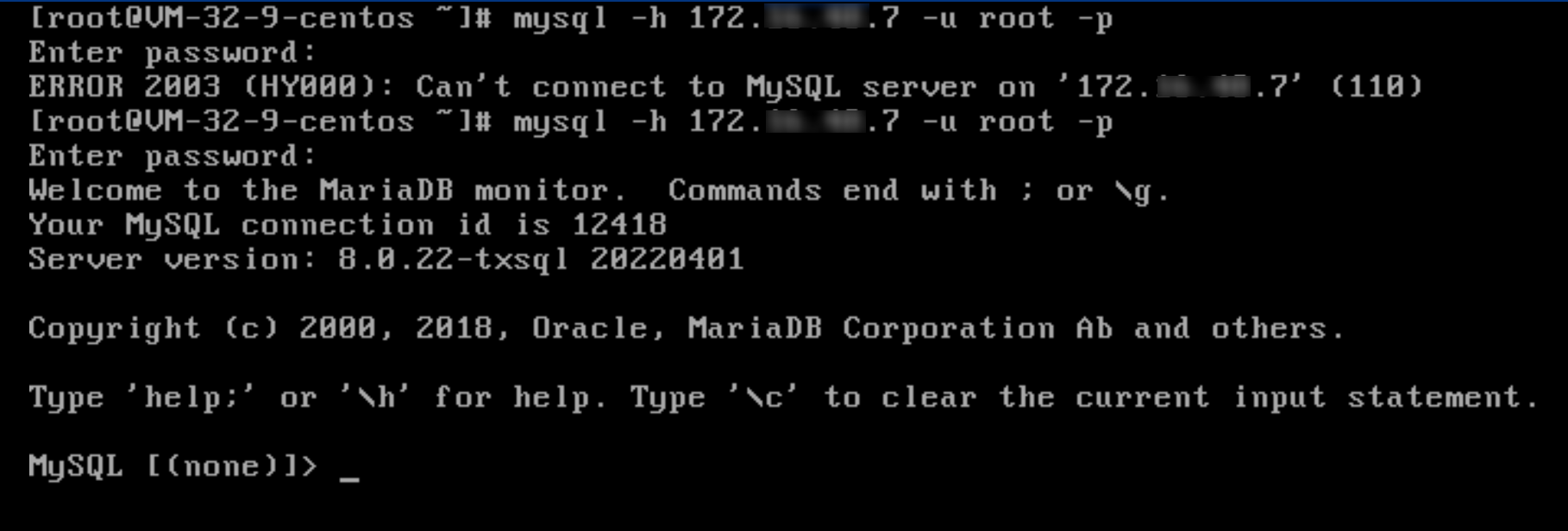
4. Execute recovery actions.
5. Reconnect and log in to the instance.


Ajuda e Suporte

Esta página foi útil?

comentários