tencent cloud

Tencent Infrastructure Automation for Terraform

Product Introduction
Overview
Strengths
Scenarios
Purchase Guide
Getting Started
Use Terraform in Local PC
User Guide
Configuration Guide
Syntax Guide
Resource List
Combination with DevOps
Code Management
Continuous Integration and Deployment
Use Cases
Deploying Cloud Native Service
Cross-Region Replication of Resources
Case Studies
Convertlab's IaC Practices Based on Tencent Cloud for Terraform
Provider Contributor Guide
Welcome
Contribute
Developer Reference
FAQs
Signature Error
Init Acceleration
Enabling Log Tracking
Managing Existing Resource
State Lock

Provider

PDF
Modo Foco
Tamanho da Fonte
Última atualização: 2024-12-02 16:01:33
Terraform relies on provider plugins to interact with cloud providers, SaaS providers, and other APIs. Terraform configurations must declare which providers they require so that Terraform can install and use them. Additionally, some providers require configuration before they can be used. This document describes how to configure provider plugins.
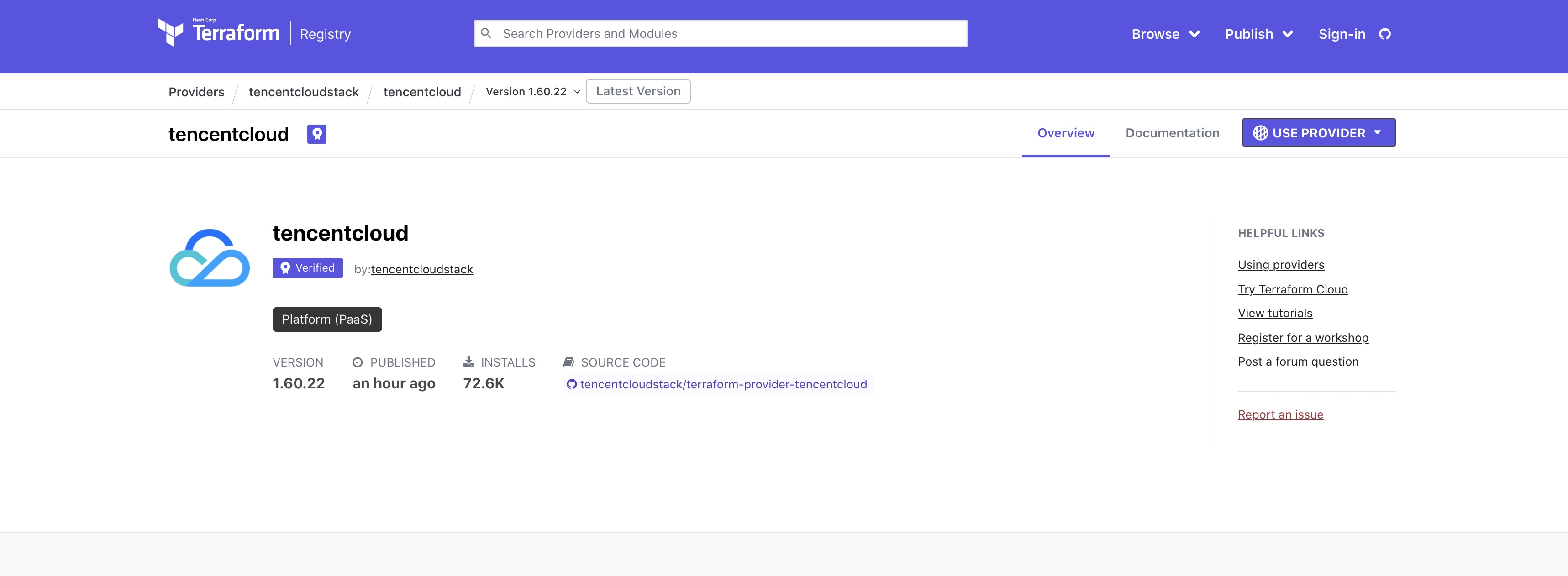
Searching for a provider

Go to the Providers page, search, and enter the TencentCloud Provider page to view the user guide as shown below:


Downloading a provider

Run the following command to download the latest plugin version from Terraform's official repository by default.
terraform init
If you need to use a legacy version, you can specify the version information with the version argument as shown below:
terraform {
required_providers {
tencentcloud = {
source = "tencentcloudstack/tencentcloud"
# Specify the version by `version`
version = "1.60.18"
}
}
}

Provider declaration

provider "tencentcloud" {
region = "ap-guangzhou"
secret_id = "my-secret-id"
secret_key = "my-secret-key"
}

Ajuda e Suporte

Esta página foi útil?

comentários