tencent cloud

Tencent Infrastructure Automation for Terraform

Product Introduction
Overview
Strengths
Scenarios
Purchase Guide
Getting Started
Use Terraform in Local PC
User Guide
Configuration Guide
Syntax Guide
Resource List
Combination with DevOps
Code Management
Continuous Integration and Deployment
Use Cases
Deploying Cloud Native Service
Cross-Region Replication of Resources
Case Studies
Convertlab's IaC Practices Based on Tencent Cloud for Terraform
Provider Contributor Guide
Welcome
Contribute
Developer Reference
FAQs
Signature Error
Init Acceleration
Enabling Log Tracking
Managing Existing Resource
State Lock

Enabling Log Tracking

PDF
Modo Foco
Tamanho da Fonte
Última atualização: 2024-12-02 16:01:33

Scenario

This document describes how to enable local log tracking to get more detailed logs for self-check and assistance with ticket processing.

Directions

1. Before running terraform apply on the CLI, you can enable local log tracking with the following command:
export TF_LOG=DEBUG
export TF_LOG_PATH=./terraform.log
2. Run the following command:
terraform apply/destroy
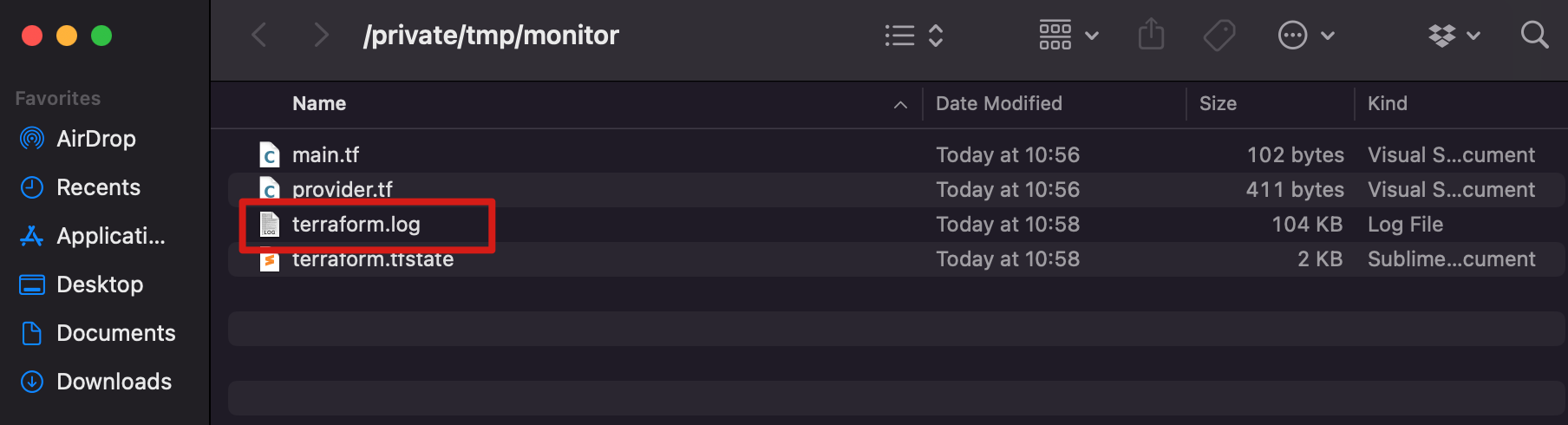
After execution, you can see that the Terraform local folder generates a terraform.log file, which records the log output as defined by TencentCloud Provider.


Example

The following describes an execution error, along with the problem analysis and locating process.
In this example, a K8s cluster is created and an existing CVM instance is mounted to it as a node.
➜ terraform apply

2021/12/09 17:53:02 [WARN] Log levels other than TRACE are currently unreliable, and are supported only for backward compatibility.
Use TF_LOG=TRACE to see Terraform's internal logs.
----
data.tencentcloud_instance_types.default: Refreshing state...
data.tencentcloud_cbs_storages.storages: Refreshing state...
data.tencentcloud_vpc_subnets.vpc2: Refreshing state...
data.tencentcloud_images.default: Refreshing state...
data.tencentcloud_vpc_subnets.vpc: Refreshing state...
An execution plan has been generated and is shown below.
Resource actions are indicated with the following symbols:
+ create

Terraform will perform the following actions:

# tencentcloud_kubernetes_cluster.managed_cluster will be created
+ resource "tencentcloud_kubernetes_cluster" "managed_cluster" {
+ certification_authority = (known after apply)
+ claim_expired_seconds = 300
+ cluster_as_enabled = false
+ cluster_cidr = "10.1.0.0/16"
+ cluster_deploy_type = "MANAGED_CLUSTER"
+ cluster_desc = "test cluster desc"
+ cluster_external_endpoint = (known after apply)
+ cluster_internet = false
+ cluster_intranet = false
+ cluster_ipvs = true
+ cluster_max_pod_num = 32
+ cluster_max_service_num = 32
+ cluster_name = "keep"
+ cluster_node_num = (known after apply)
+ cluster_os = "ubuntu16.04.1 LTSx86_64"
+ cluster_os_type = "GENERAL"
+ cluster_version = "1.10.5"
+ container_runtime = "docker"
+ deletion_protection = false
+ domain = (known after apply)
+ id = (known after apply)
+ ignore_cluster_cidr_conflict = false
+ is_non_static_ip_mode = false
+ kube_config = (known after apply)
+ network_type = "GR"
+ node_name_type = "lan-ip"
+ password = (known after apply)
+ pgw_endpoint = (known after apply)
+ security_policy = (known after apply)
+ user_name = (known after apply)
+ vpc_id = "vpc-h70b6b49"
+ worker_instances_list = (known after apply)

+ worker_config {
+ availability_zone = "ap-guangzhou-3"
+ count = 1
+ enhanced_monitor_service = false
+ enhanced_security_service = false
+ instance_charge_type = "POSTPAID_BY_HOUR"
+ instance_charge_type_prepaid_period = 1
+ instance_charge_type_prepaid_renew_flag = "NOTIFY_AND_MANUAL_RENEW"
+ instance_name = "sub machine of tke"
+ instance_type = "S1.SMALL1"
+ internet_charge_type = "TRAFFIC_POSTPAID_BY_HOUR"
+ internet_max_bandwidth_out = 100
+ password = (sensitive value)
+ public_ip_assigned = true
+ subnet_id = "subnet-1uwh63so"
+ system_disk_size = 60
+ system_disk_type = "CLOUD_SSD"
+ user_data = "dGVzdA=="

+ data_disk {
+ disk_size = 50
+ disk_type = "CLOUD_PREMIUM"
}
}
}

# tencentcloud_kubernetes_cluster_attachment.test_attach will be created
+ resource "tencentcloud_kubernetes_cluster_attachment" "test_attach" {
+ cluster_id = (known after apply)
+ hostname = "user"
+ id = (known after apply)
+ instance_id = "ins-lmnl6t1g"
+ labels = {
+ "test1" = "test1"
+ "test2" = "test2"
}
+ password = (sensitive value)
+ security_groups = (known after apply)
+ state = (known after apply)

+ worker_config {
+ docker_graph_path = "/var/lib/docker"
+ is_schedule = true

+ data_disk {
+ auto_format_and_mount = false
+ disk_size = 50
+ disk_type = "CLOUD_PREMIUM"
}
}
}

Plan: 2 to add, 0 to change, 0 to destroy.

Do you want to perform these actions?
Terraform will perform the actions described above.
Only 'yes' will be accepted to approve.

Enter a value: yes

tencentcloud_kubernetes_cluster.managed_cluster: Creating...

Error: [TencentCloudSDKError] Code=InternalError.CidrConflictWithOtherCluster, Message=DashboardError,Code : -10013 , Msg : CIDR_CONFLICT_WITH_OTHER_CLUSTER[cidr 10.1.0.0/16 is conflict with cluster id: cls-1zc0kpyo], err : CheckCIDRWithVPCClusters failed,CIDR(10.1.0.0/16) conflict with clusterCIDR,ClusterID:cls-1zc0kpyo,clusterCIDR:10.1.0.0/16,err:CIDR1:10.1.0.0/16,firstIP:10.1.0.0,conflict with CIDR2:10.1.0.0/16, RequestId=d7dfb178-f081-480a-9bc3-89efc5fb1db5

on main.tf line 424, in resource "tencentcloud_kubernetes_cluster" "managed_cluster":
424: resource "tencentcloud_kubernetes_cluster" "managed_cluster" {

The CLI returns the following error:
[TencentCloudSDKError] Code=InternalError.CidrConflictWithOtherCluster, Message=DashboardError,Code : -10013 , Msg : CIDR_CONFLICT_WITH_OTHER_CLUSTER[cidr 10.1.0.0/16 is conflict with cluster id: cls-1zc0kpyo], err : CheckCIDRWithVPCClusters failed,CIDR(10.1.0.0/16) conflict with clusterCIDR,ClusterID:cls-1zc0kpyo,clusterCIDR:10.1.0.0/16,err:CIDR1:10.1.0.0/16,firstIP:10.1.0.0,conflict with CIDR2:10.1.0.0/16, RequestId=d7dfb178-f081-480a-9bc3-89efc5fb1db5
Problem analysis and locating:
1. Find requestId: d7dfb178-f081-480a-9bc3-89efc5fb1db5.
2. Open terraform.log, search for the RequestId, and find the following context:
2021-12-09T17:53:20.222+0800 [DEBUG] plugin.terraform-provider-tencentcloud.exe: 2021/02/25 17:53:20 [DEBUG] setting computed for "worker_instances_list" from ComputedKeys

_CONFLICT_WITH_OTHER_CLUSTER[cidr 10.1.0.0/16 is conflict with cluster id: cls-1zc0kpyo], err : CheckCIDRWithVPCClusters failed,CIDR(10.1.0.0/16) conflict with clusterCIDR,ClusterID:cls-1zc0kpyo,clusterCIDR:10.1.0.0/16,err:CIDR1:10.1.0.0/16,firstIP:10.1.0.0,conflict with CIDR2:10.1.0.0/16"},"RequestId":"d7dfb178-f081-480a-9bc3-89efc5fb1db5"}},cost 370.8109ms

6 is conflict with cluster id: cls-1zc0kpyo], err : CheckCIDRWithVPCClusters failed,CIDR(10.1.0.0/16) conflict with clusterCIDR,ClusterID:cls-1zc0kpyo,clusterCIDR:10.1.0.0/16,err:CIDR1:10.1.0.0/16,firstIP:10.1.0.0,conflict with CIDR2:10.1.0.0/16, RequestId=40d3ee5d-f723-4ef9-8f01-32d725464d51

2021-12-09T17:53:20.593+0800 [DEBUG] plugin.terraform-provider-tencentcloud.exe: 2021/12/09 17:53:20 common.go:79: [DEBUG] [ELAPSED] resource.tencentcloud_kubernetes_cluster.create elapsed 371 ms
3. Log analysis shows that the problem occurred during the creation of the K8s cluster. Specifically, a conflict existed between the CIDR and another existing K8s cluster.
Note
If problem locating is difficult because the CLI prompt isn't clear enough or the error doesn't contain the requestID, you can send the TF project file, CLI error message, and its resulting terraform.log file by submitting a ticket for assistance.


Ajuda e Suporte

Esta página foi útil?

comentários