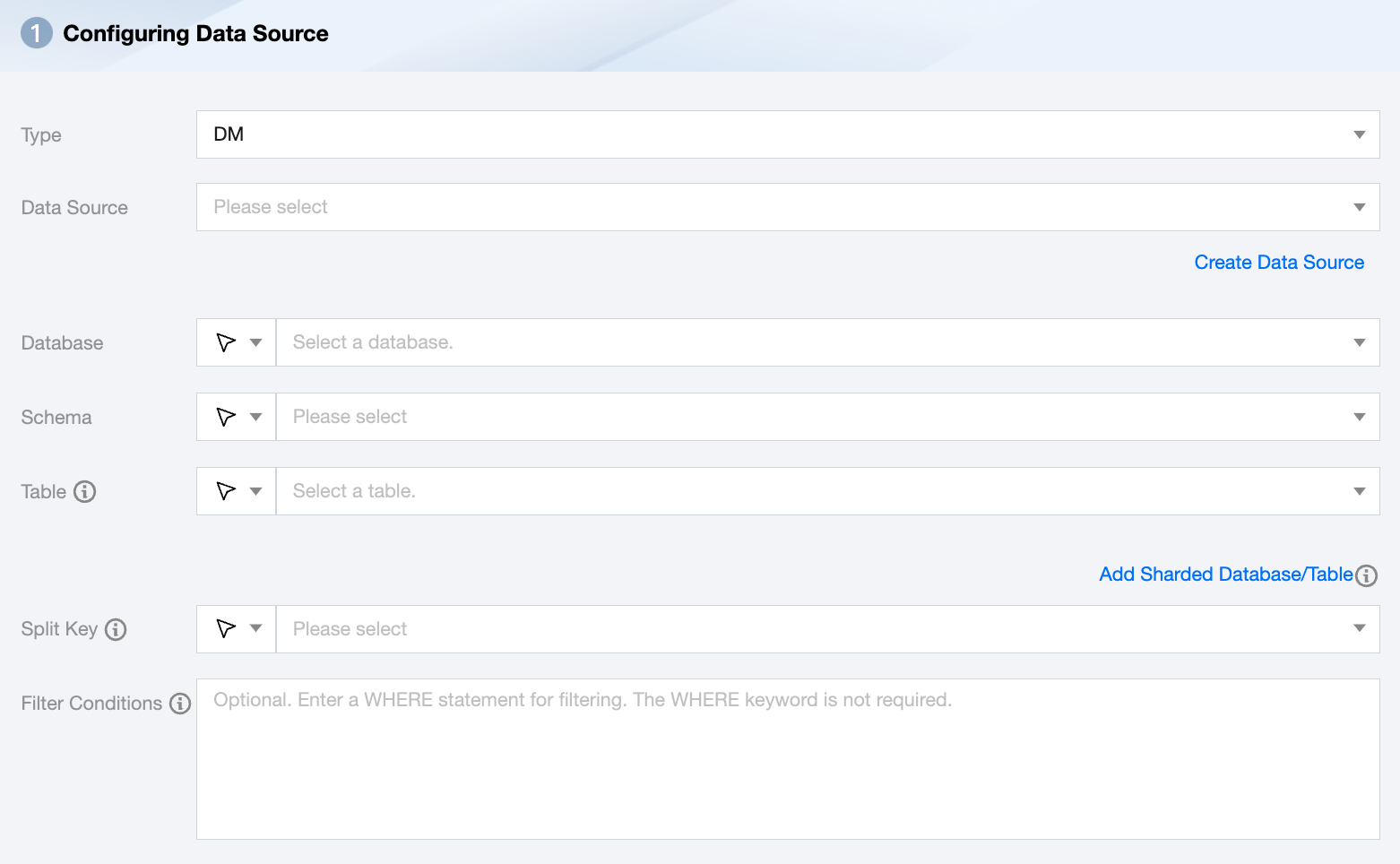
Supports selecting or manually entering the database name to be read
By default, the database bound to the data source is used as the default database. Other databases need to be manually entered.
If the data source network is not connected and the database information cannot be fetched directly, you can manually enter the database name. Data synchronization can still be performed when the Data Integration network is connected.
Schema
Supports selection or manual input of the Schema name to be read.
Add Shared Database/Table
Multiple data sources can be created, and corresponding table objects can be added.
Note:
For sharded databases and tables, ensure the schema information of the selected multiple table objects is consistent (including field names and field types). The system defaults to displaying the metadata field information of the first table of the first data source in the data fields module. If fields between multiple tables are inconsistent, it may cause runtime failures.
Table
Supports selecting or manually entering the table name to be read.
Split Key
You can use a column from the source data table as a split key. It is recommended to use the primary key or an indexed column as the split key. Only integer fields are supported.
During data reading, data sharding is performed based on the configured field to achieve concurrent reading, which can enhance data synchronization efficiency.
Filter Conditions (Optional)
Fill in the corresponding filter statement based on the data type; this statement serves as the filter condition for the data to be synchronized.
DM constructs an SQL based on the specified where condition and extracts data according to this SQL. For example, during testing, you can specify the where condition as limit 10. In actual business scenarios, you typically choose to synchronize the data of the current day by setting the where condition to gmt_create > $bizdate.
The where condition can effectively perform incremental business synchronization.
If the where condition is empty, it is considered that the entire table's information will be synchronized.
DM Offline Single Table Write Node Configuration
Parameters
Description
Data Destination
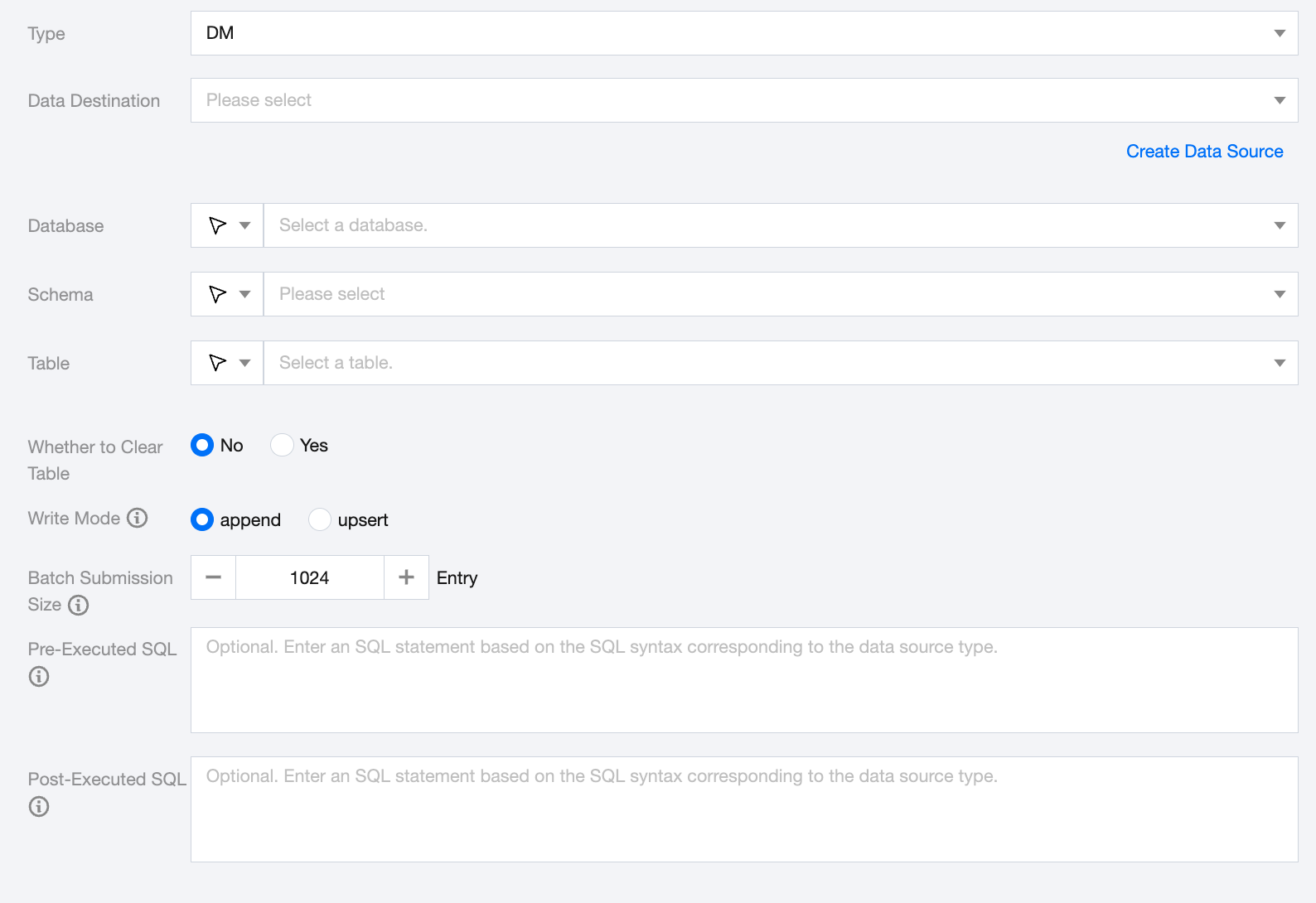
DM Data Source to be written.
Database
Supports selection or manual input of the database name to write to
By default, the database bound to the data source is used as the default database. Other databases need to be manually entered.
If the data source network is not connected and the database information cannot be fetched directly, you can manually enter the database name. Data synchronization can still be performed when the Data Integration network is connected.
Schema
Supports selection or manual input of the Schema name to be read.
Table
Supports selection or manual input of the table name to write to
If the data source network is not connected and the table information cannot be fetched directly, you can manually enter the table name. Data synchronization can still be performed when the Data Integration network is connected.
Whether to Clear Table
Before writing to the DM data table, you can manually choose whether to clear the table.
Write Mode
append: Append write.
upsert: Data update and write based on the primary key field.
Batch Submission Size
The size of the records batch submitted at one time can greatly reduce the number of network interactions between the data synchronization system and DM, thereby improving overall throughput. If this value is set too high, it might lead to OOM (Out of Memory) exceptions in the data synchronization process.
Pre-Executed SQL (Optional)
The SQL statement executed before the synchronization task. Fill in the correct SQL syntax according to the data source type, such as clearing the old data in the table before execution (truncate table tablename).
Post-Executed SQL (Optional)
The SQL statement executed after the synchronization task. Fill in the correct SQL syntax according to the data source type, such as adding a timestamp (alter table tablename add colname timestamp DEFAULT CURRENT_TIMESTAMP ON UPDATE CURRENT_TIMESTAMP).