Tencent Cloud Tag: tag is a resource management tool provided by Tencent Cloud. You can use tags to categorize, search for, and aggregate Tencent Cloud resources. A tag has two parts: tag key and tag value. You can create a tag by defining its tag key and tag value based on conditions such as the resource usage and resource owner. For more information, please see Product Overview.
Configure alarm by tag: Tencent Cloud Tag enables you to quickly filter Tencent Cloud resources under bound tags. This can help promptly update alarm policies for tagged instance quantity changes, reduce the costs of secondary modification of alarm policies, and implement tag-based automatic monitoring.
Use Cases
Use Case
Example
Configure alarm policies by instance importance
Primary instances, secondary instances, etc.
Configure alarm policies by business module
Business A, business B, etc.
Configure alarm policies by alarm recipient
OPS, R&D, etc.
Limits
The tag feature currently is only supported for CVM - basic monitoring and will be supported for more Tencent Cloud services in the future.
If the alarm object is bound to the "tag" type, it temporarily cannot be switched to the alarm object type of instance ID, instance group, or all projects. If you want to switch the type, you need to create an alarm policy again.
Each resource can be associated with up to 50 different tag keys.
Each user can create up to 1,000 tag keys.
Each tag key can be associated with up to 1,000 tag values.
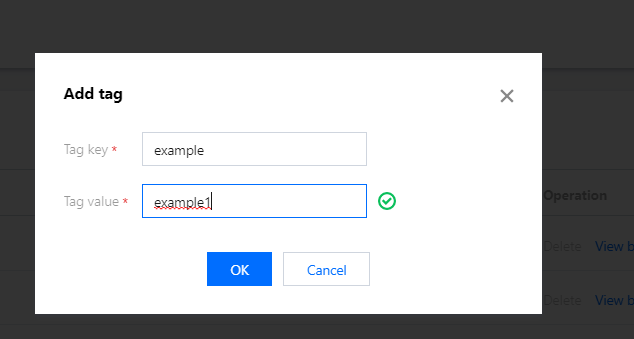
2. On the tag list page, click Create and enter the tag key and tag value (which can be left empty). You can create multiple tags for different use cases.
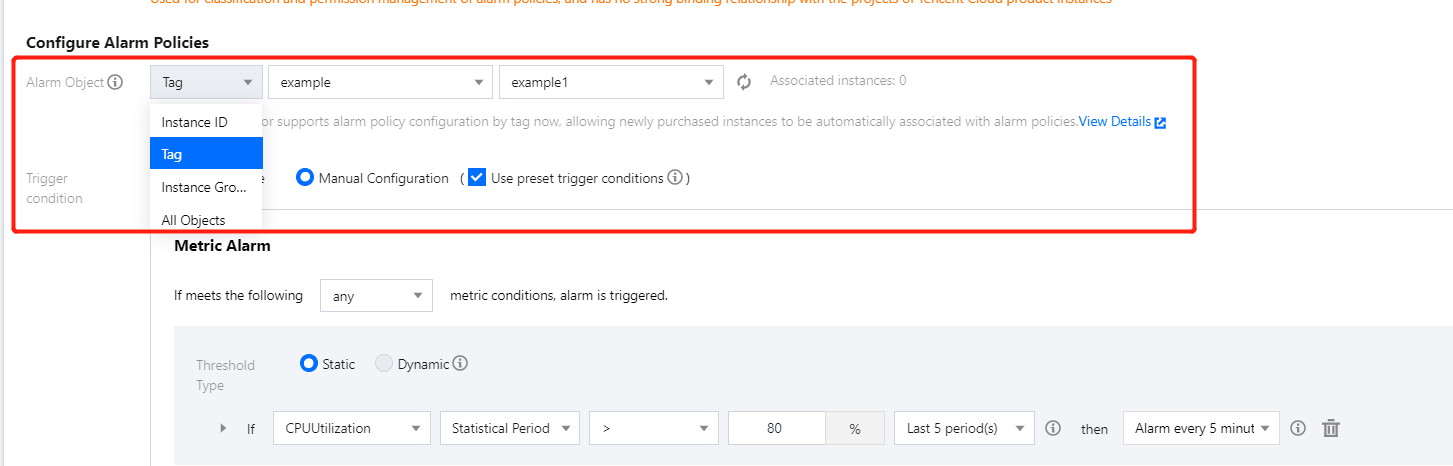
2. Click Create to enter the alarm policy creation page, select the Tag type in the Alarm Object column, and select the corresponding tag key and tag value. For other configuration items, please see Creating Alarm Policy.
3. After completing the configuration, click Complete.
Associating tag
Note:
The following describes how to associate Tencent Cloud services with tags with a CVM instance as an example. You can follow the steps below to associate instances of the same service with the same tag to facilitate the filtering and management of such instances.
You can associate tags in two ways:
When you purchase new CVM instances, you can associate them with tags according to their use cases to automatically bind them to alarm policies under the tags.
You can associate existing CVM instances with tags according to their use cases to automatically bind them to alarm policies under the tags.
Associating new CVM instance with tag
1. Go to the instance list page in the CVM console.
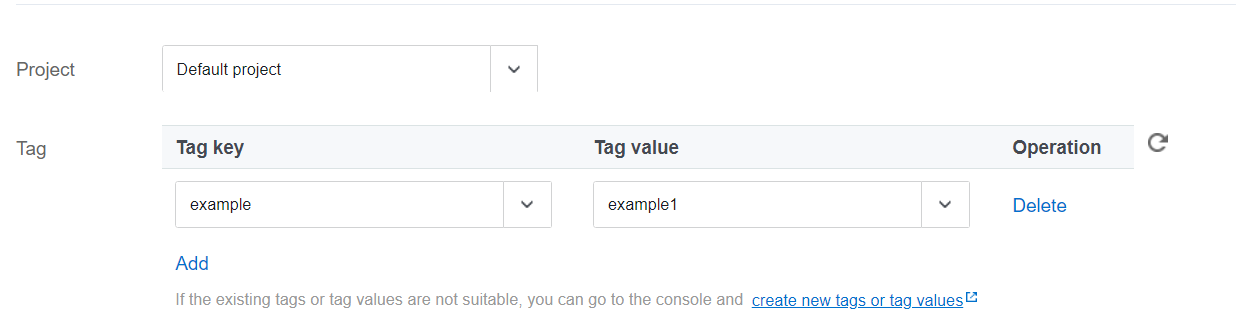
2. Click Create to create a CVM instance as instructed in Creating Instances via CVM Purchase Page. When configuring the instance in step 2, select the corresponding tag key and tag value in the Tag column.
Associating existing CVM instance with tag
1. Go to the instance list page in the CVM console.
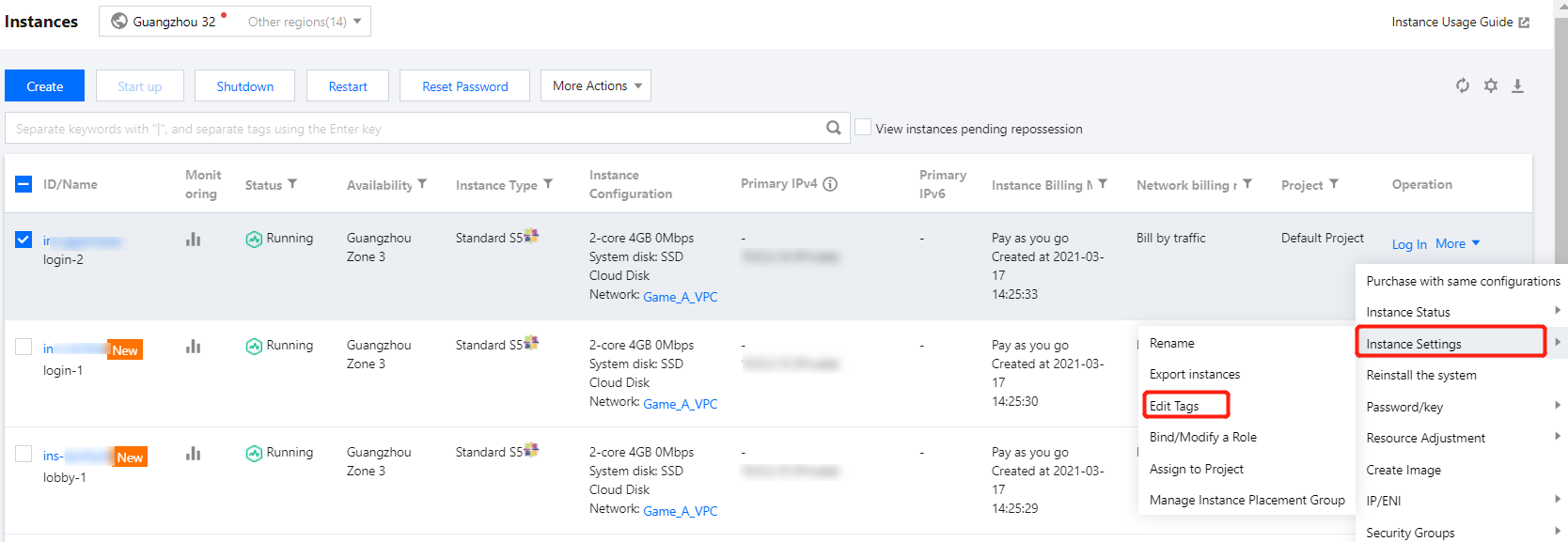
2. On the instance list page, find the target instance and select More > Instance Settings > Edit Tag in the Operation column.
3. In the tag editing window, associate the instance with the corresponding tag key and value and click OK.