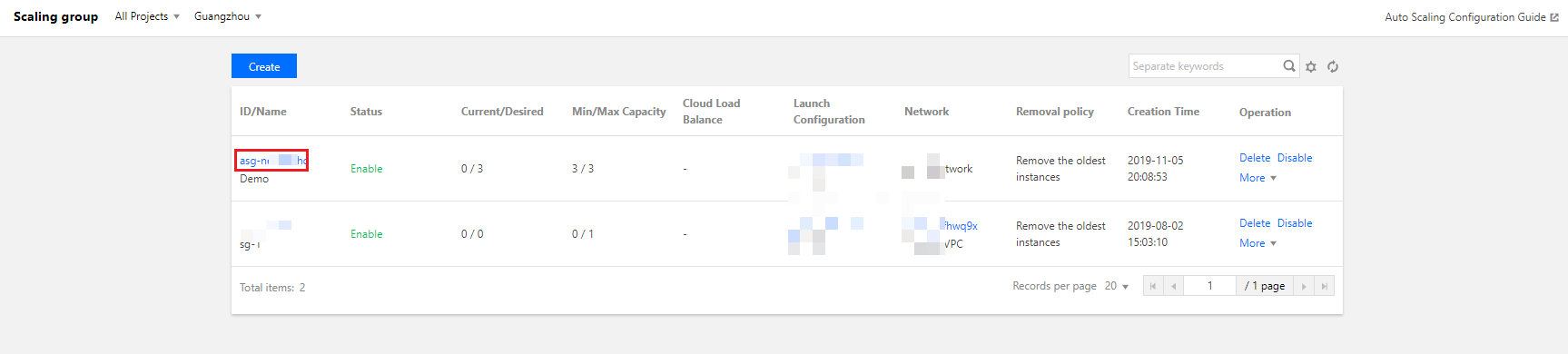
1. Log in to the Auto Scaling Console, and click Scaling group in the left sidebar.
2. Locate the scaling group you want to view details, and click its ID/Name to enter the basic information page, as shown below:
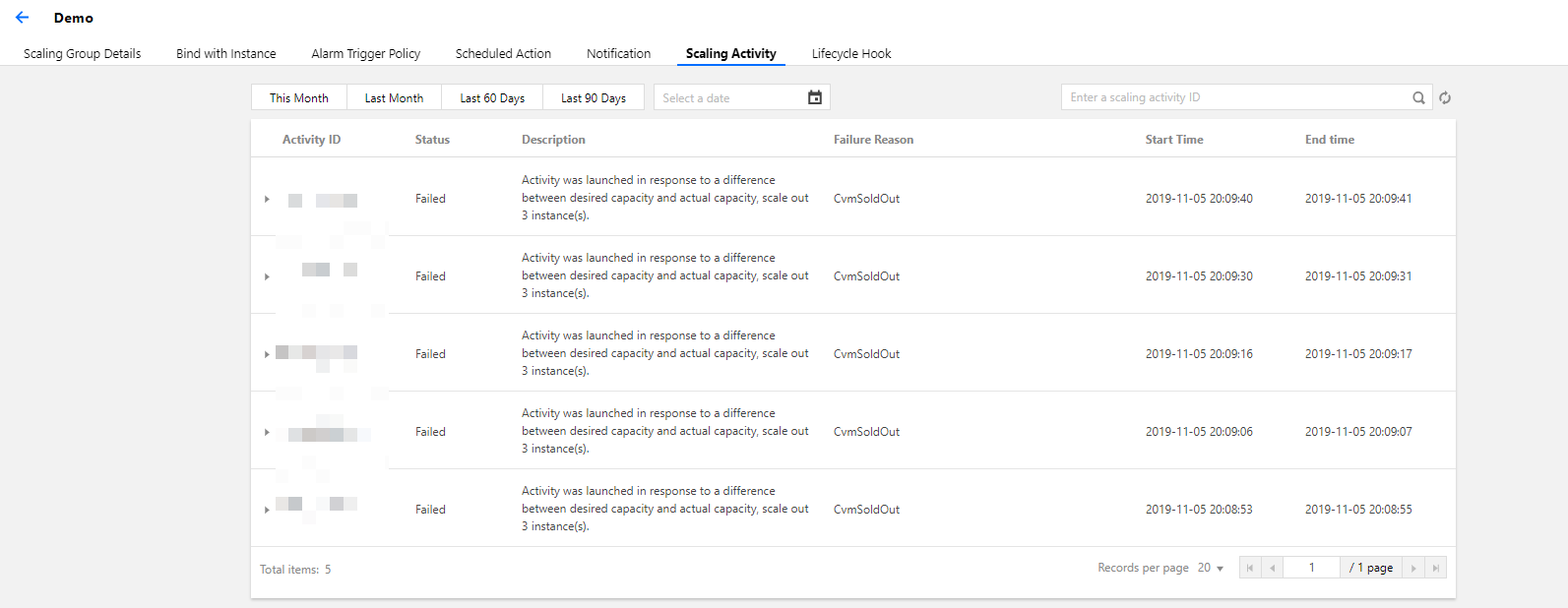
3. Click the Scaling Activity tab, and you can view the information of the scaling activities that have been performed by the scaling group based on the scaling policy, as shown below: