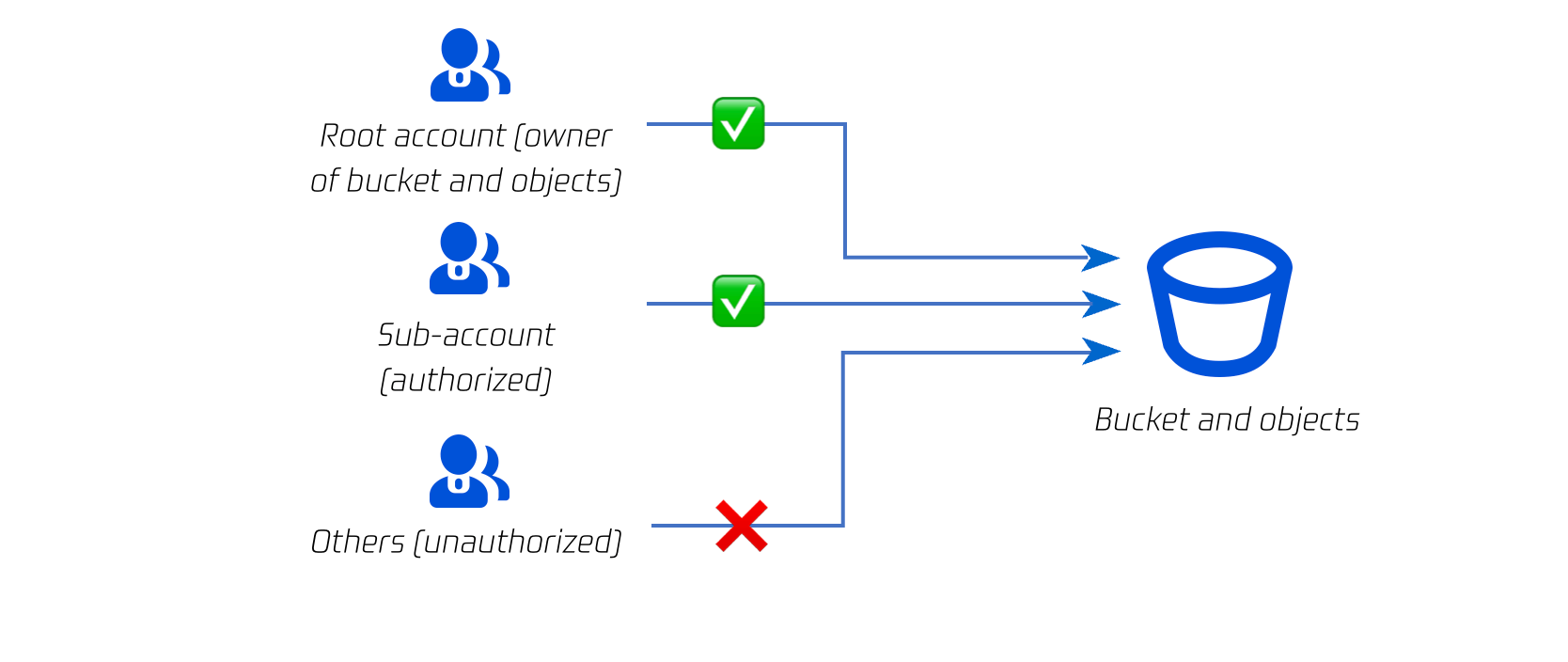
COS resources (buckets and objects) are private by default. Only Tencent Cloud root accounts (resource owners) can access and modify them. Other unauthorized users (such as sub-accounts and anonymous users) cannot access objects by using URLs.
After creating a Tencent Cloud sub-account, you can configure an access policy to authorize it. If you want to open up resources (buckets, objects, and directories) to non-Tencent Cloud users, you can set the permissions of the resources to public read.
Access Control Elements
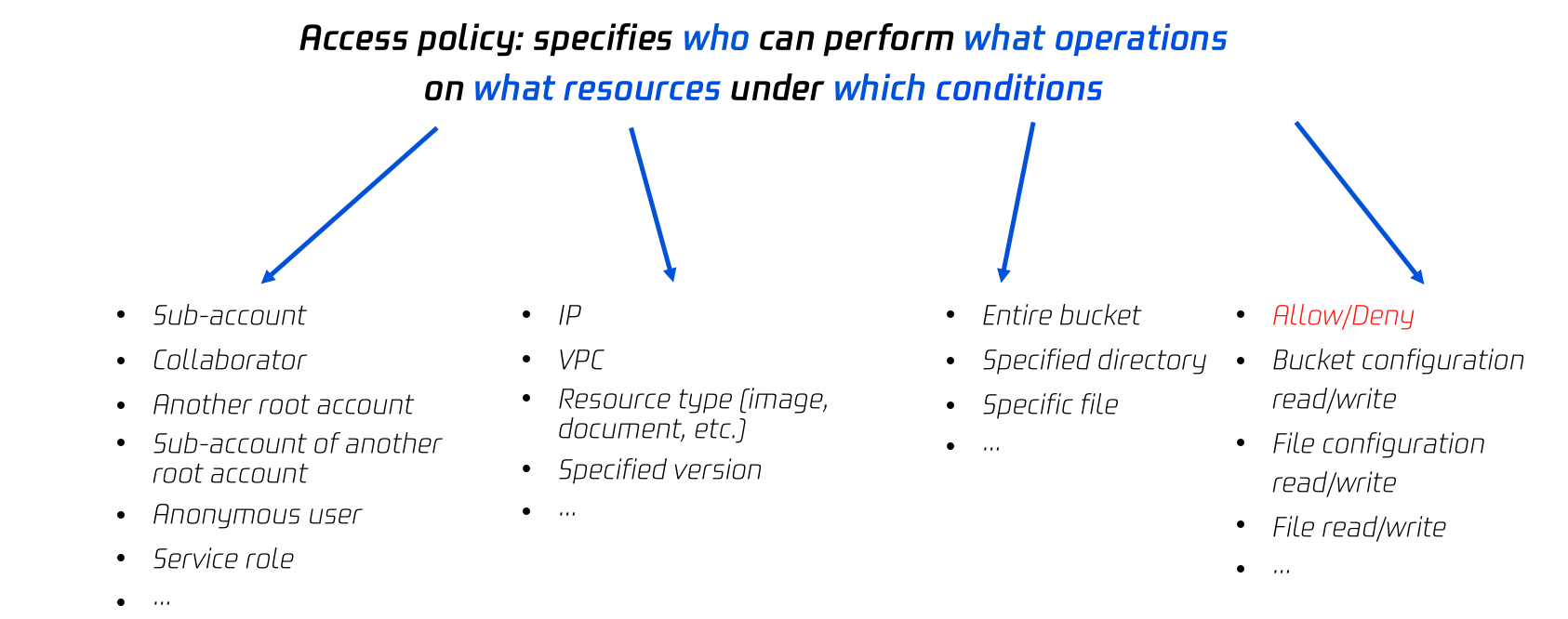
You can grant access permissions by specifying a user to perform a specified action on specified resources under a specified condition. Generally, the following four elements are used to describe an access policy: principal, resource, action, and condition (optional).
Access Policy Elements
Tencent Cloud identity (principal)
When you sign up for a Tencent Cloud account, the system creates a root account identity for you to log in to Tencent Cloud services. With the root account, you can use the user management feature to manage different user types, such as collaborator, message recipient, sub-user, and role. For more information, see User Types and Glossary of CAM.
Note:
Suppose you want to authorize a colleague, you first need to create a sub-user in the CAM console, select a bucket policy, ACL, and/or user policy to set specific permissions for the sub-user.
COS resources
Buckets and objects are basic resources of the COS service. Folders are a special type of object. You can authorize objects in a folder by authorizing the folder. For more information, see Setting Folder Permissions.
Buckets and objects have subresources associated with them.
Subresources associated with a bucket include:
acl and policy: Access control list of a bucket
website: Static website hosting configuration of a bucket
tagging: Tag information of a bucket
cors: Cross-origin resource sharing (CORS) configuration of a bucket
lifecycle: Lifecycle configuration of a bucket
Subresources associated with an object include:
acl: Access control information of an object
restore: Restoration configuration of an archived object
COS operations (actions)
COS provides a range of API operations on various resources. For more information, see Operation List.
COS conditions (optional)
COS conditions refer to conditions for permissions to take effect, such as VPC and VIP. For more information, see Conditions.
Private Principle
Note:
COS resources are private by default.
The resource owner (the Tencent Cloud root account creating a bucket resource) has the highest permission on the resource, and can grant access permissions to others or anonymous users by writing or modifying an access policy.
When a CAM account is used to create a bucket or upload an object, its parent root account is the resource owner.
The root account of a bucket owner can authorize other Tencent Cloud root accounts to upload objects (i.e. cross-account upload). In this case, the object owner is still the root account of the bucket owner.
Access Control Methods
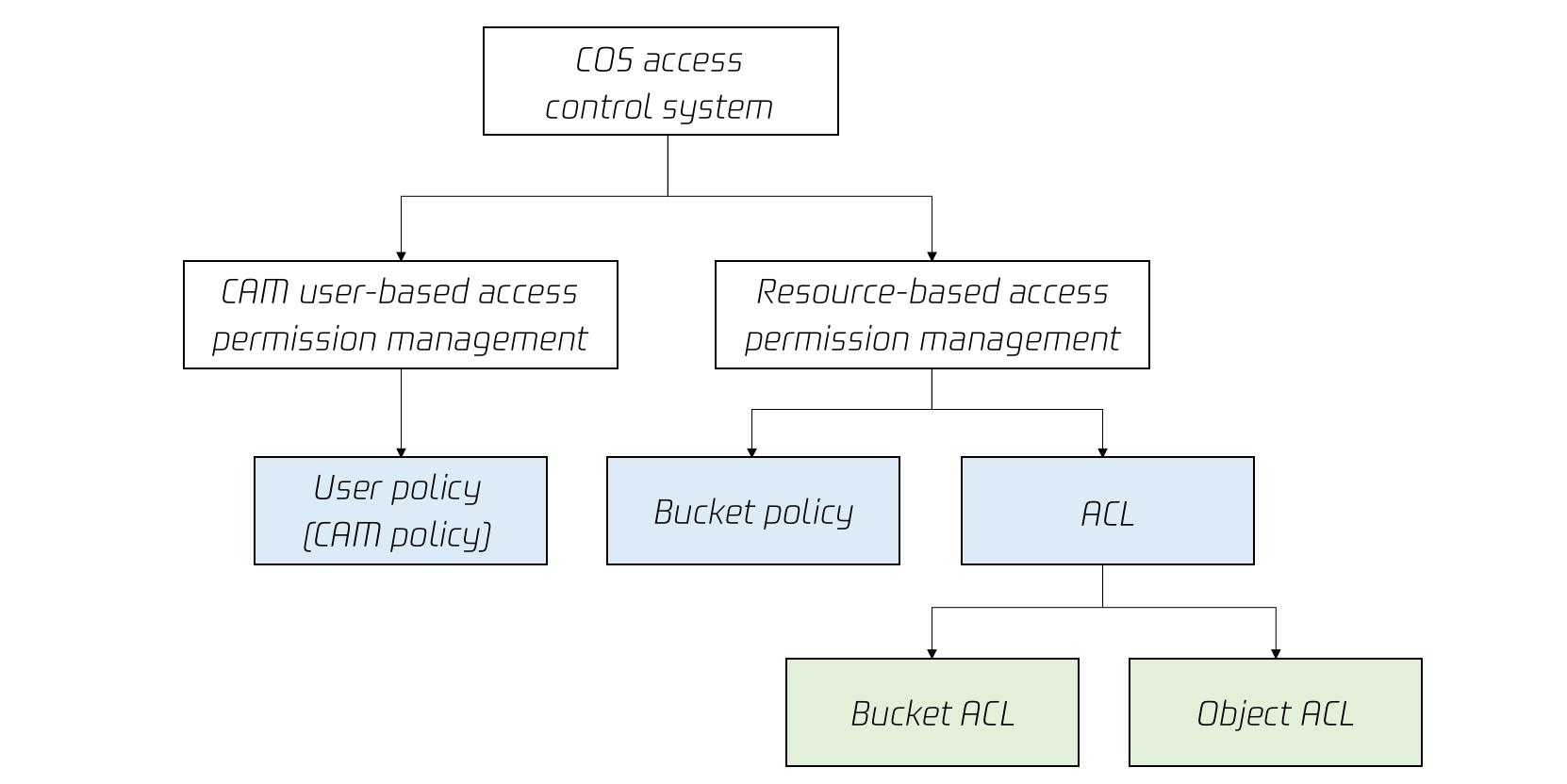
COS provides multiple permission setting methods to implement access control, including bucket policy, user policy (CAM policy), bucket ACL, and object ACL.
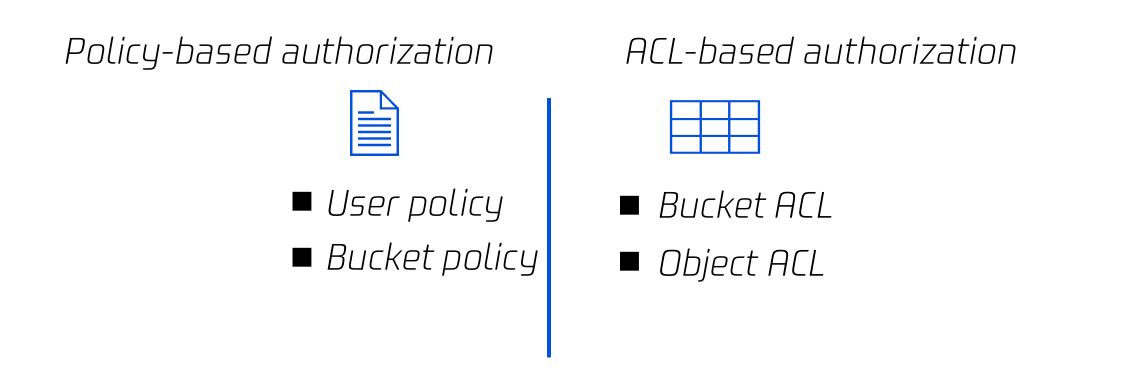
These methods can be categorized into resource-based authorization and user-based authorization based on the starting point of policy setting, or categorized into policy-based authorization and ACL-based authorization based on the authorization mode.
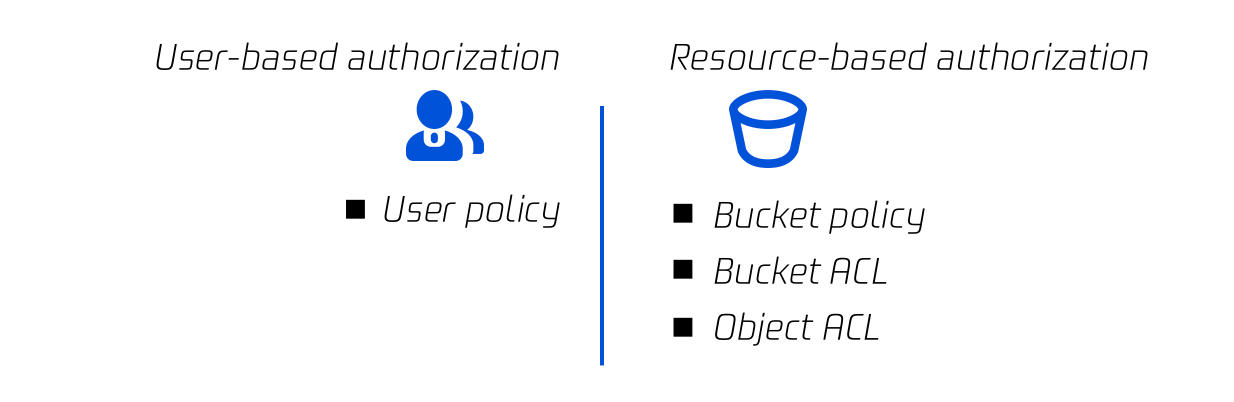
Categorization option 1: Resource-based authorization vs. user-based authorization
Resource-based authorization: Resource policies associate permissions with specific resources, including bucket policies, bucket ACLs, and object ACLs. Resource policies can be configured in the COS console or through APIs.
User-based authorization: User policies (CAM policies) associate permissions with users. When configuring a user-based policy, you don't need to specify users. Instead, you only need to specify resources, actions, conditions, and so on. User policies can be configured in the CAM console.
Categorization option 2: Policy-based authorization vs. ACL-based authorization
Policy-based authorization: Both user policies (CAM policies) and bucket policies implement authorization based on complete policy syntax. They authorize refined actions specific to each API and allow specifying the allow or deny effect.
ACL-based authorization: Bucket ACLs and object ACLs are implemented based on ACLs. An ACL is a list of specified grantees and granted permissions, which is associated with resources and corresponds to organized and abstracted permissions. ACLs allow specifying only the allow effect.
Resource-based policy
Resource-based policies are categorized into three types: bucket policy, bucket ACL, and object ACL. COS supports access control at both the bucket and object levels as detailed below:
Dimension
Type
Language
Supported Identity
Supported Resource Granularity
Supported Action
Supported Effect
Bucket
Access policy language (Policy)
JSON
Sub-accounts, roles, Tencent Cloud services, other root accounts, anonymous users, etc.
Buckets, objects, prefixes, etc.
Each specific action
Allow/Deny
Bucket
Access control list (ACL)
XML
Other root accounts, sub-accounts, anonymous users, etc.
Buckets
Read and write actions
Allow
Object
Access control list (ACL)
XML
Other root accounts, sub-accounts, anonymous users, etc.
Objects
Read and write actions
Allow
Bucket policy
A bucket policy is described in JSON language and supports granting anonymous identities or any Tencent Cloud CAM accounts the permissions to access and manipulate buckets and objects. In COS, a bucket policy can be used to manage almost all operations in the bucket. We recommend you use a bucket policy to manage access policies that cannot be described by ACLs. For more information, see Bucket Policy.
Note:
A Tencent Cloud root account has the highest permission on its resources (including buckets). Although you can set limits on almost all operations in a bucket policy, the root account always has the permission for the PUT Bucket Policy operation and can call this operation without checking the bucket policy.
The following policy allows anonymous users to access all objects in the bucket examplebucket-1250000000 in Guangzhou and to download all objects (via GetObject) in the bucket without signature verification. In this case, any anonymous user who knows the URLs can download the objects (similar to public read):
An ACL is described in XML language. It is a list of specified grantees and granted permissions. Each bucket or object has an associated ACL, which allows granting basis read/write permissions to anonymous users or other Tencent Cloud root accounts. For more information, see ACL.
Note:
The resource owner always has the FULL_CONTROL permission on the resource, regardless of whether this is described in the distributed ACL.
The bucket ACL in the following example describes the full control permission of the bucket owner (UIN: 100000000001):
The object ACL in the following example describes the full control permission of the object owner (UIN: 100000000001) and grants the read permission to all users (the public-read permission to anonymous users):
In CAM, you can grant different permissions to different types of users under a root account.
The biggest difference between a user policy and a bucket policy is that the former only describes the effect, action, resource, and condition (optional) but not the principal. Therefore, you have to write a user policy first, and then associate it manually with a sub-user, user group, or role. Besides, a user policy cannot grant anonymous users access to resources or operations.
You can associate a preset policy for authorization as described in Authorization Management, or write a user policy by referring to Element Reference and associate it with a specified identity to manage user access. For more information, see User Policy.
The following sample policy grants the permission to perform all COS operations on the bucket examplebucket-1250000000 in Guangzhou. You need to save the policy and then associate it with a CAM sub-user, user group, or role before it can take effect.