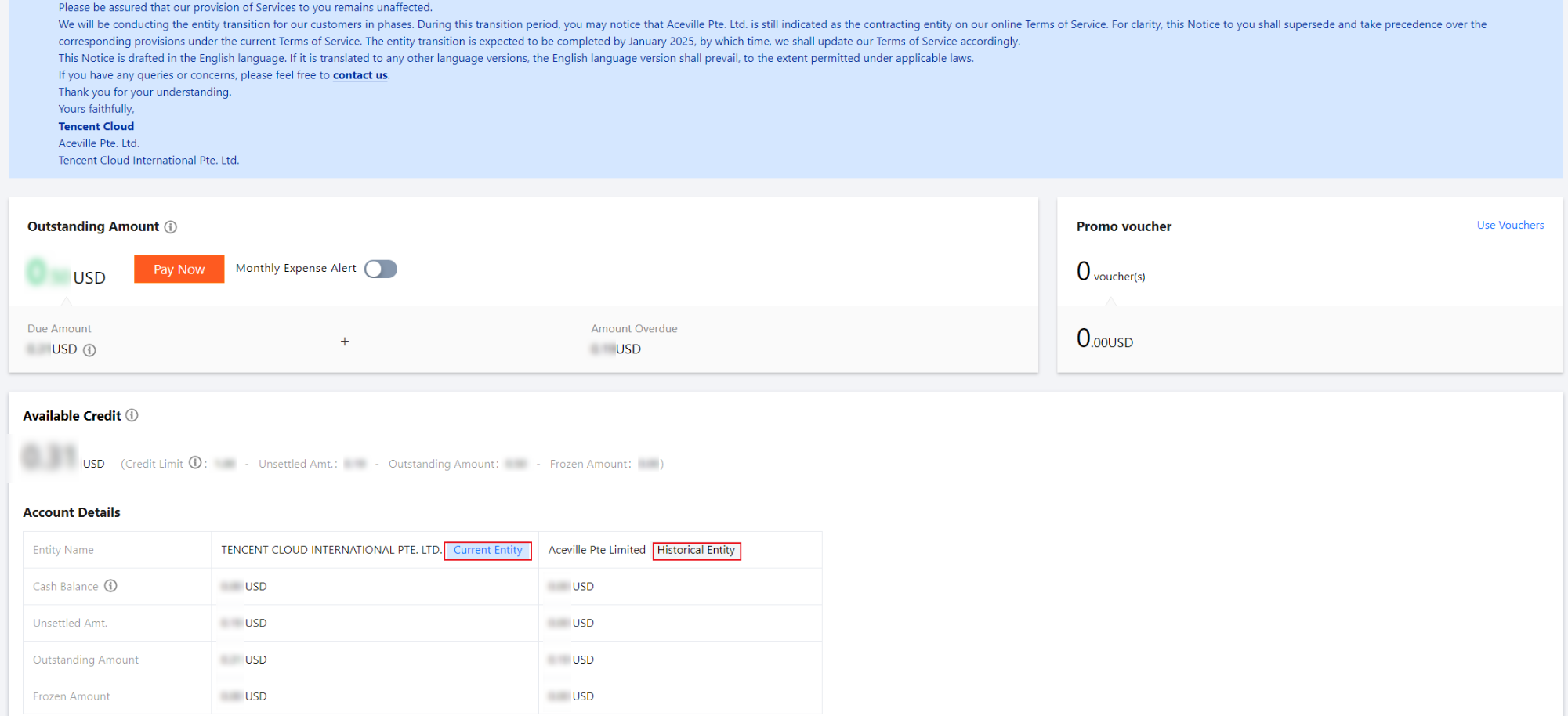
To provide better services, Tencent Cloud will gradually change the signing entities for customers in certain countries starting from December 2024. The signing entity change will not affect your daily business and contract fulfillment with our company. The entity after the change is the current entity, and the entity before the change is the historical entity.
If your account has undergone a change in our signing entity, the available credit information of both the current entity and the historical entity will be displayed separately as follows:
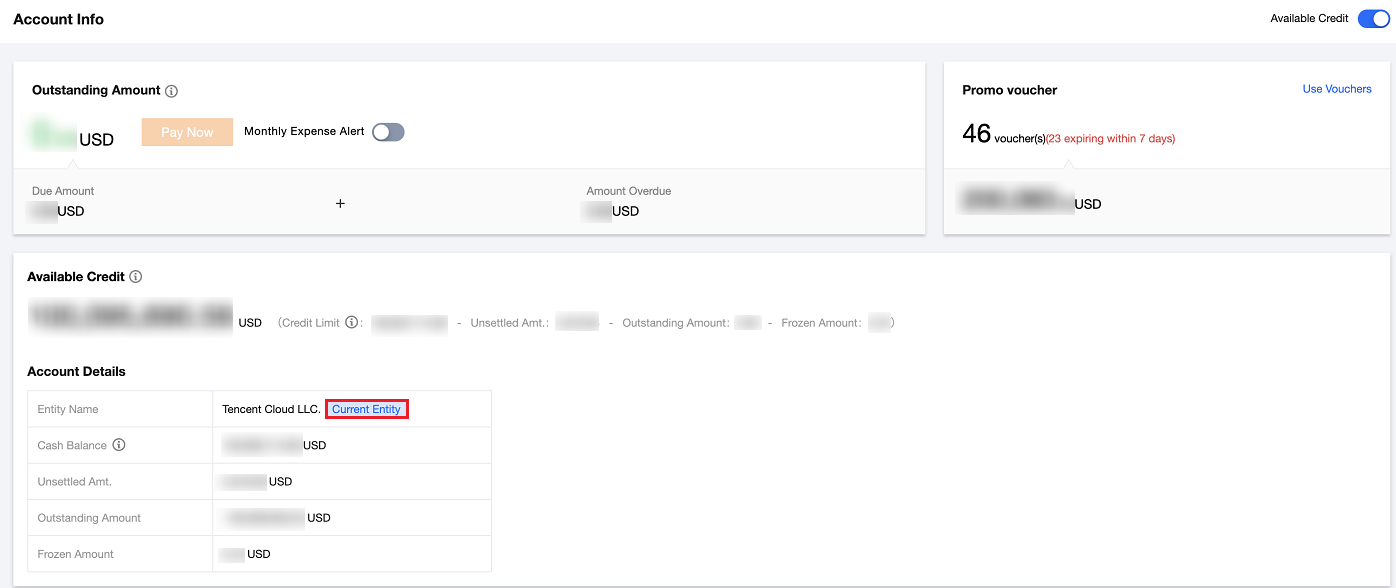
If there is no change in our signing entity, it will be displayed as follows:
2. If there is an outstanding amount under the historical entity, you need to use the bank account of the historical entity to make a corporate remittance or online top-up to clear the outstanding amount under the historical entity. You can log in to Billing Center > Payment Management > Payment to proceed with the repayment of the outstanding amount for the historical entity. If you have bound a bank card and meet the conditions for automatic repayment, the system will automatically process the repayment for the outstanding amount under the historical entity. If there is a cash balance under the historical entity and the current entity's fees have been paid off, you can submit a ticket to request a withdrawal for the historical entity. 3. When you purchase new yearly/monthly subscription resources, the deducted amount will be reflected in the current entity's account.
4. When you activate pay-as-you-go resources,if a portion of the amount needs to be frozen, the frozen amount will be reflected in the current entity's account.
5. When you settle charges for pay-as-you-go resources, the corresponding entity's account will be matched according to the end time of resource usage, and the settled amount will be reflected in the corresponding entity's account.
6. When you unsubscribe from yearly/monthly subscription resources purchased before the entity change, the funds will be refunded to the historical entity's account via the original route. If there is still a cash balance after deduction of unpaid amounts under the historical entity and the current entity's fees have been paid off, you can submit a ticket to request a withdrawal. When you unsubscribe from yearly/monthly subscription resources purchased after the entity change, the funds will be refunded to the current entity's account via the original route. 7. When you voluntarily release pay-as-you-go resources activated before the entity change, the frozen amount will be unfrozen to the historical entity's account. If there is still a cash balance after deduction of unpaid amounts under the historical entity and the current entity's fees have been paid off, you can submit a ticket to request a withdrawal. When you voluntarily release pay-as-you-go resources activated after the entity change, the frozen amount will be unfrozen to the current entity's account.