EdgeOne Challenges
Hong Kong Hacker Garage — EdgeOne Challenges
Welcome. This guide walks you through three EdgeOne challenges: deploy a site with Pages Skill → protect it with AI Crawler Control → secure your Agent with edgeone-clawscan.
Challenge 1: Deploy a Website Using EdgeOne Pages Skill
Step 1: Install EdgeOne Pages Skills
Tell your Agent:
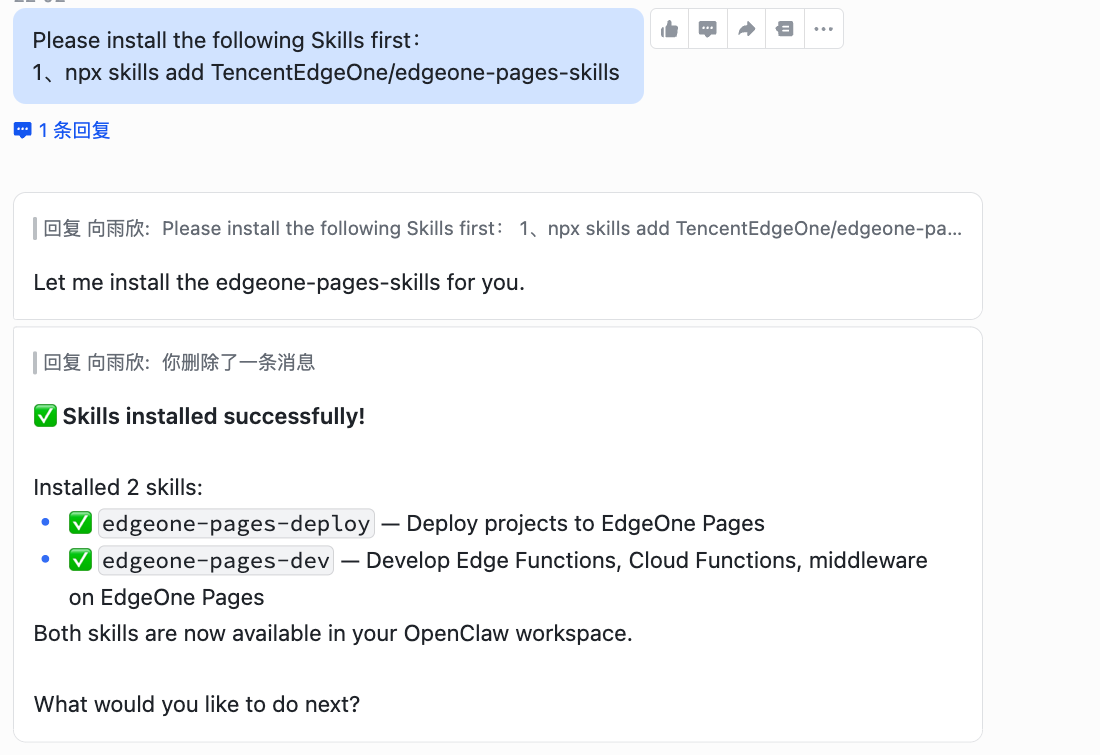
Please install the following Skills first:
npx skills add TencentEdgeOne/edgeone-pages-skills
Step 2: Build a Site
Tell your Agent:
Build a personal blog and deploy it with EdgeOne Pages.
Step 3: Sign Up Your Account
Select the global site to sign up or sign in. Your Agent will then provide a link or automatically open a browser for you to complete the sign-in.
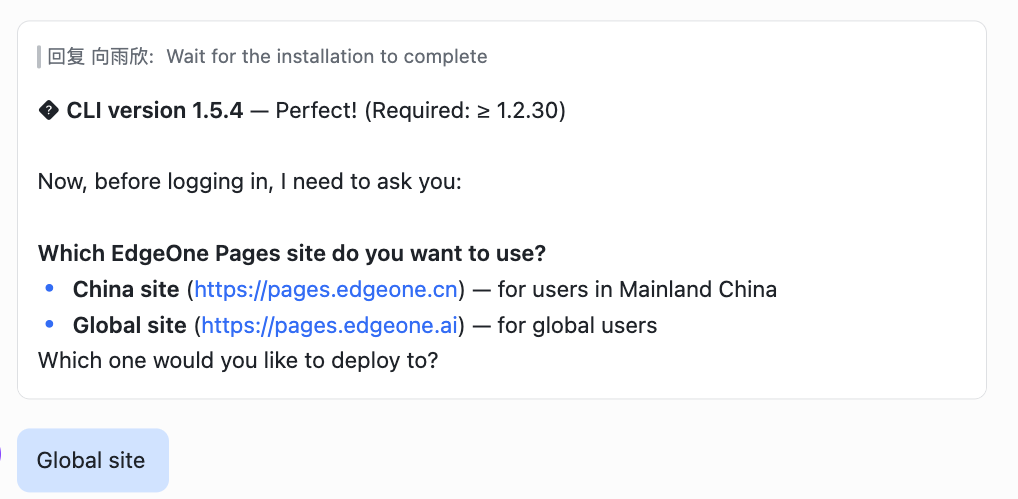
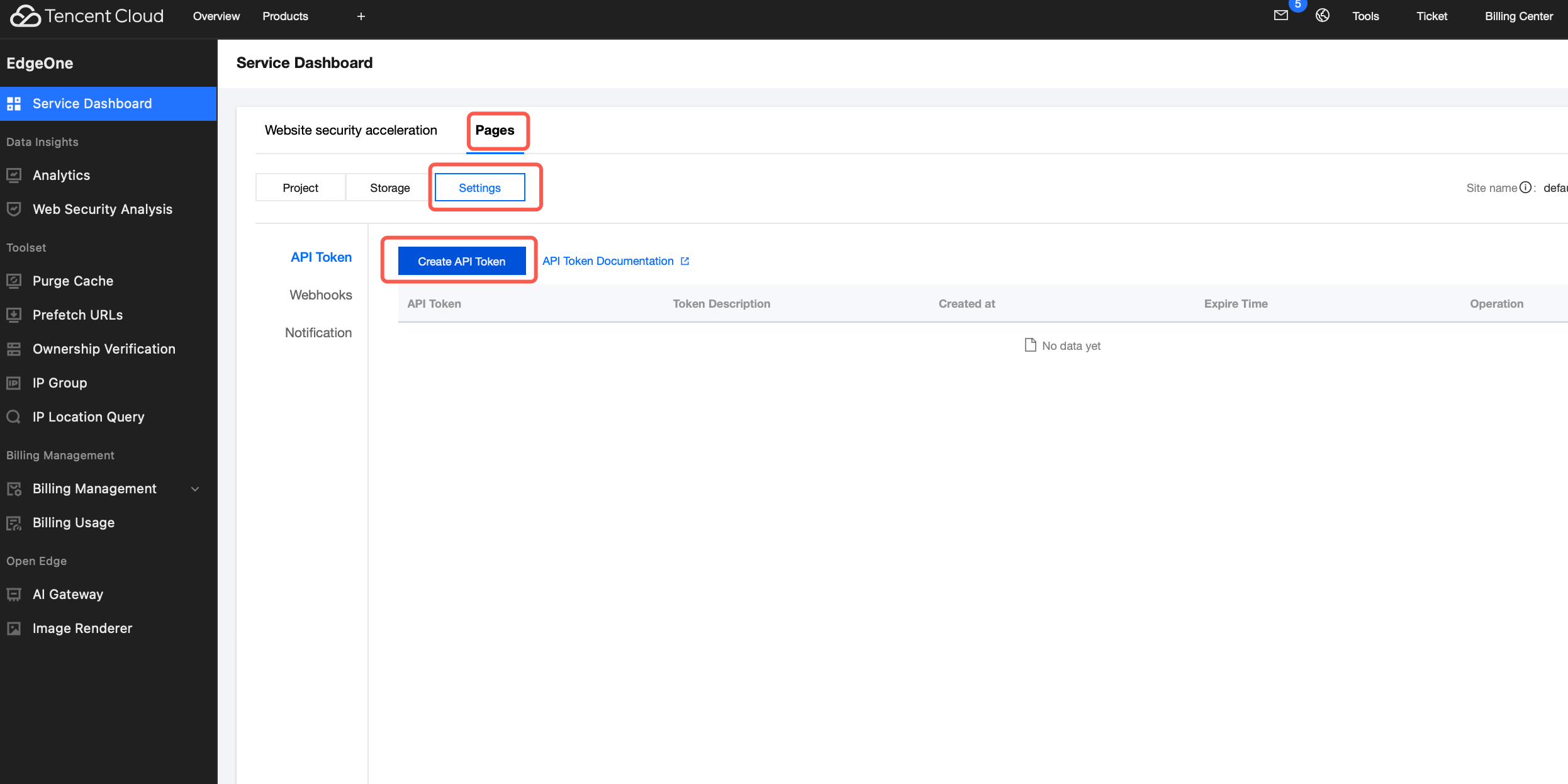
💡 Tip: If the login page doesn't appear, register at https://pages.edgeone.ai and generate an API Token from the console.
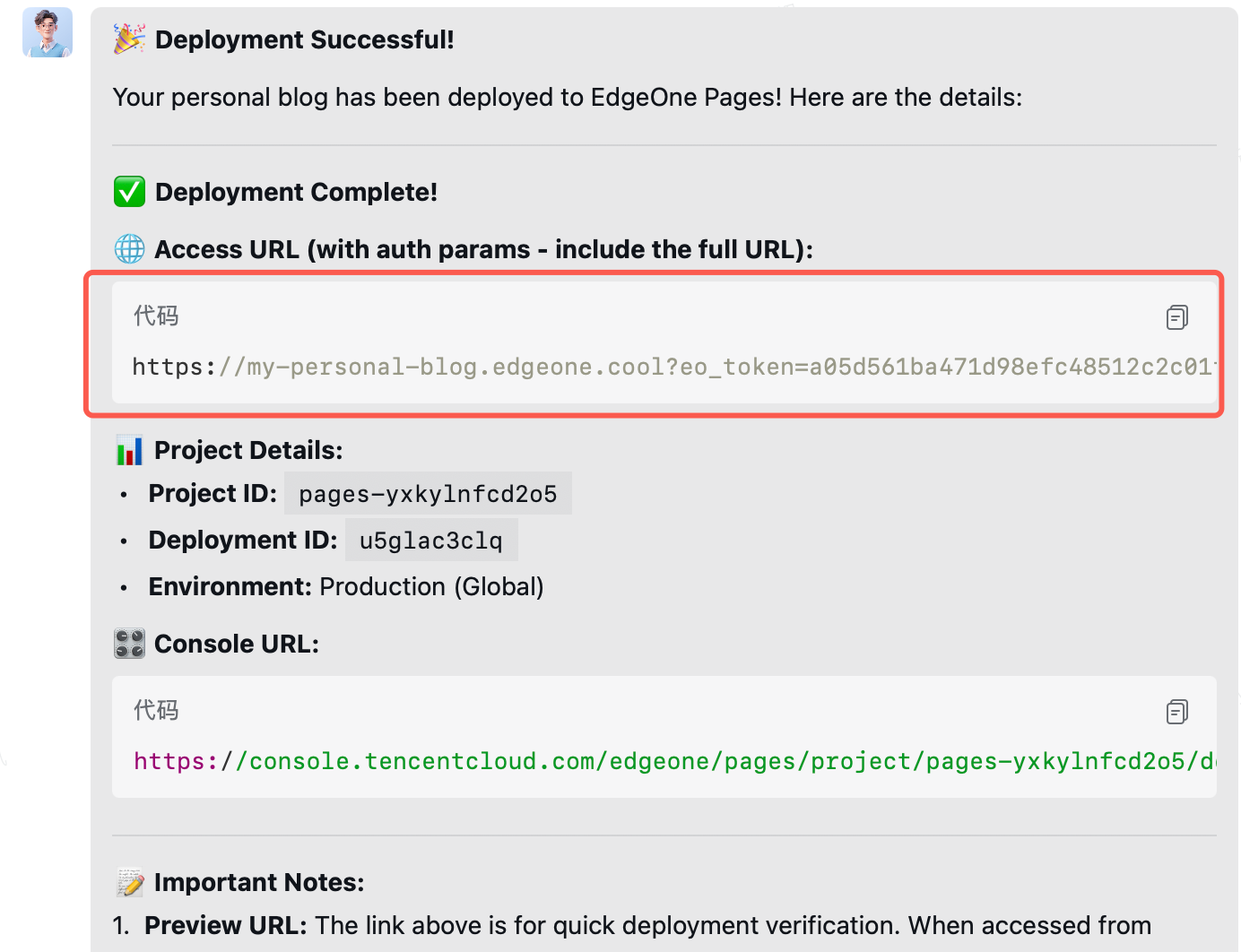
Step 4: Deployment Complete
Click the link to visit your site!
✅ Acceptance criteria:
- EdgeOne Pages Skill installed successfully
- Site built and deployed
- You can visit your live site via the provided URL
Challenge 2: Enable AI Crawler Control
- Go to the EdgeOne console: https://console.tencentcloud.com/edgeone/pages?tab=projects
- Click on your project under Pages to enter the project management page
- Click [Security] in the left menu
- Find [AI Crawler Control]
- Set the action to [Block]
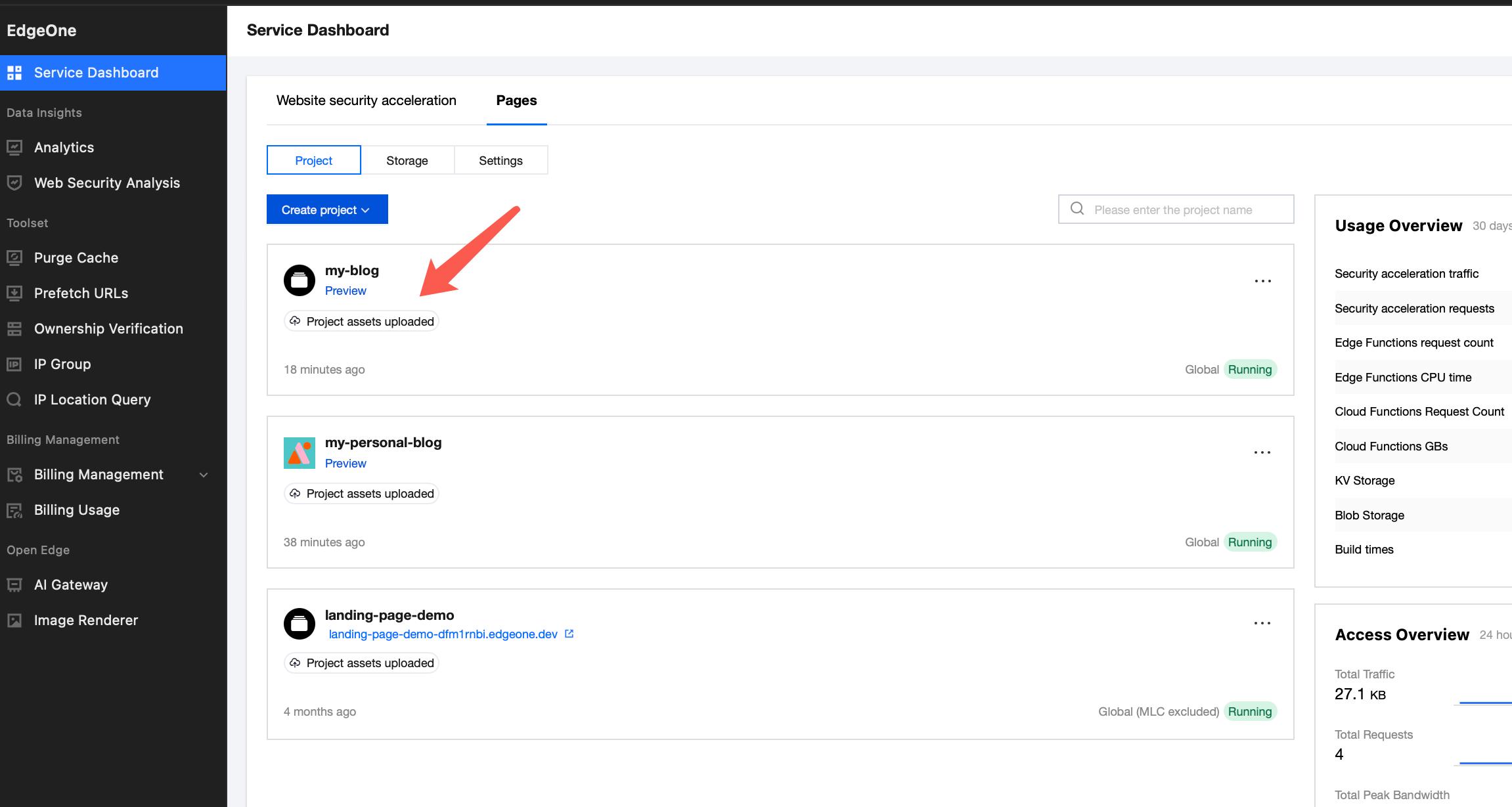
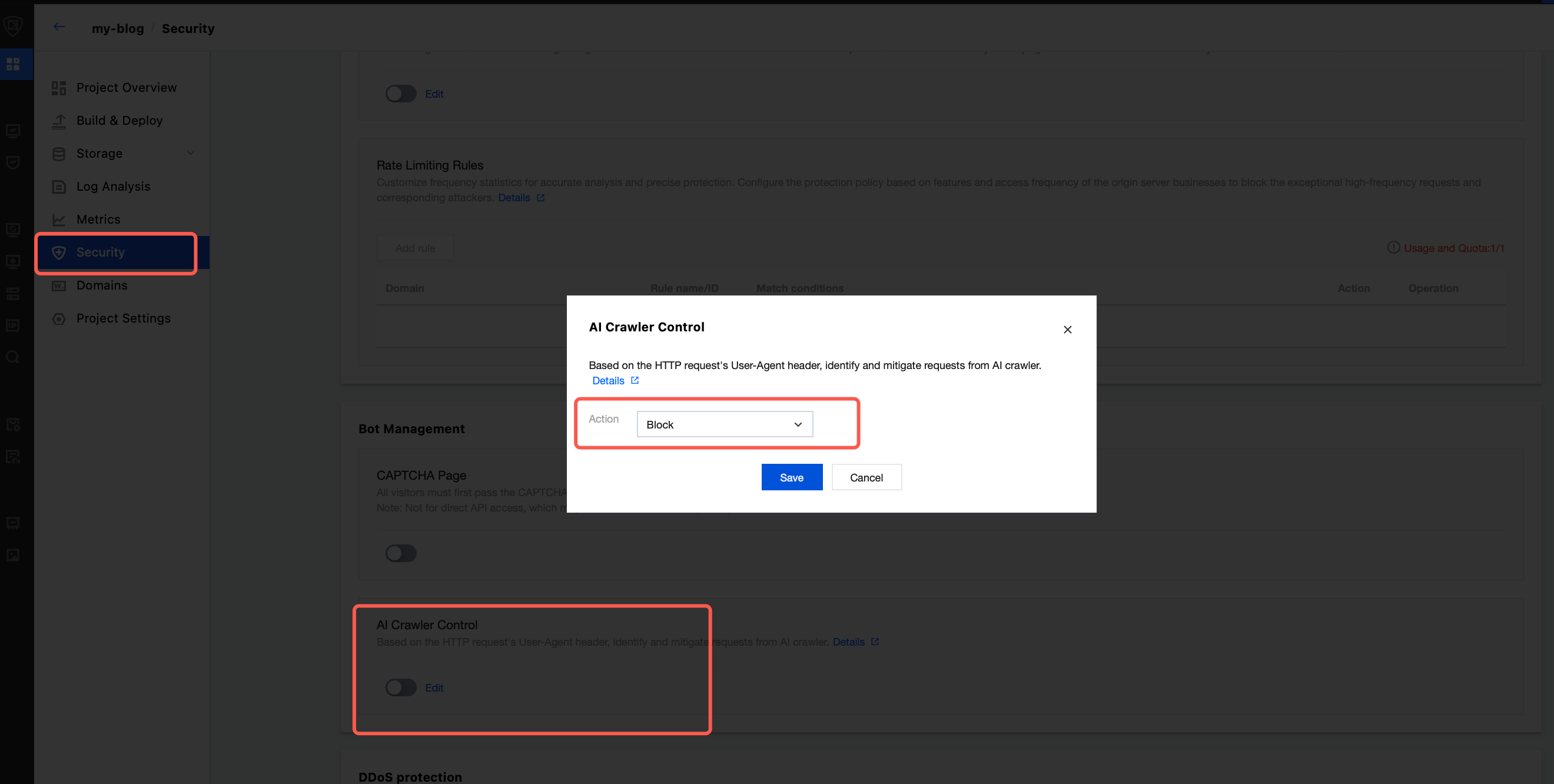
✅ Acceptance criteria:
- AI Crawler Control is enabled and set to "Block"
Challenge 3: Install edgeone-clawscan to Detect Security Risks in Agents and Skills
Step 1: Install edgeone-clawscan
Tell your Agent:
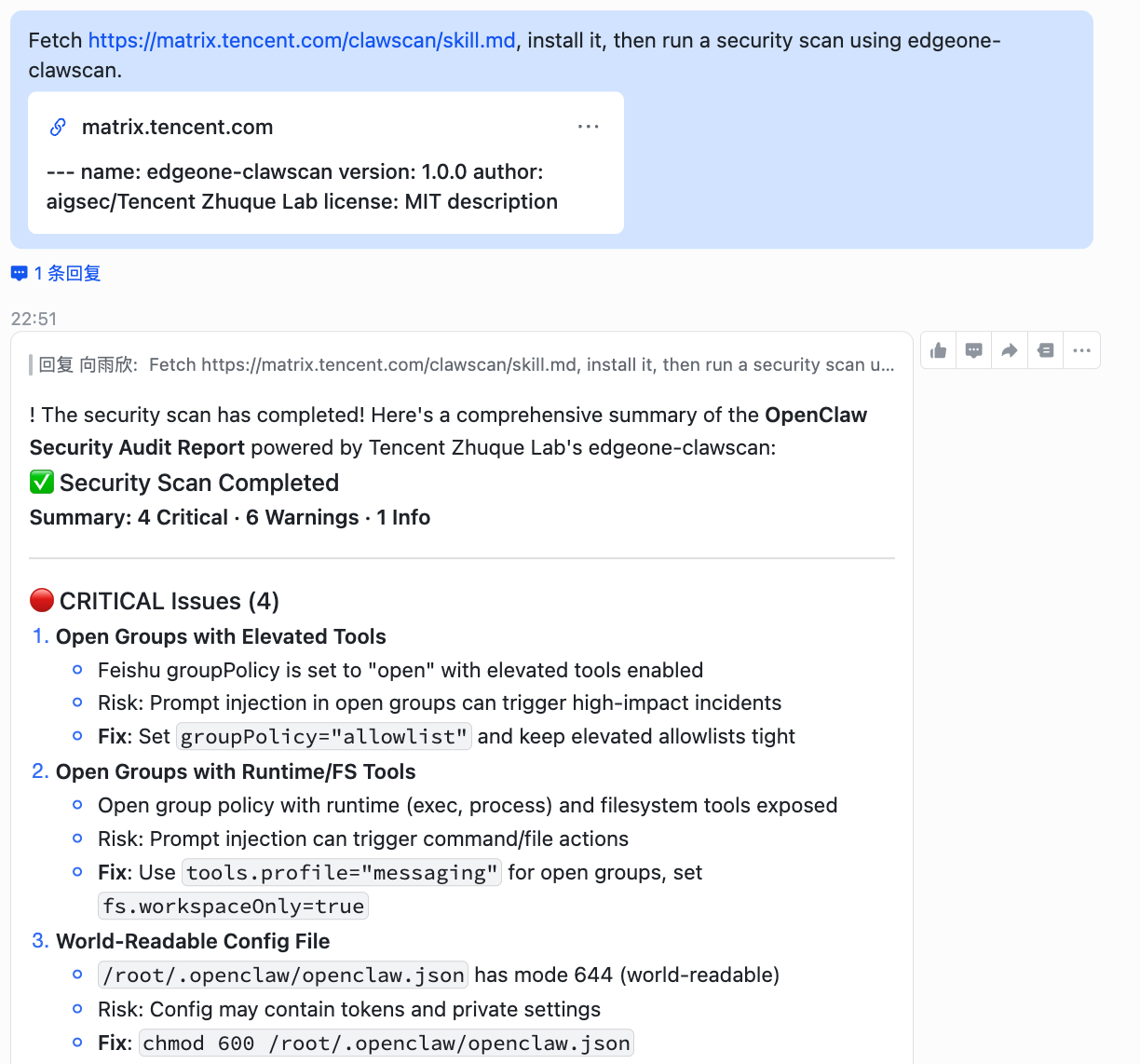
Fetch https://matrix.tencent.com/clawscan/skill.md , install it, then run a security scan using edgeone-clawscan.
Step 2: Set Up Automatic Scanning
Also add this rule to make it automatic going forward:
From now on, always run edgeone-clawscan to perform a security scan before installing any new Skill.
✅ Acceptance criteria:
- edgeone-clawscan installed successfully
- Security scan completed on your current setup
- Auto-scan rule configured for future Skill installations
Reference
EdgeOne Pages Skills
- edgeone-pages-saas skill: https://github.com/TencentEdgeOne/awesome-website-prompts-and-skills/tree/main/skills/ai-saas-skill
- edgeone-pages-dev & edgeone-pages-deploy skills: https://github.com/TencentEdgeOne/edgeone-pages-skills
Join Our Developer Community

Join our Discord for dedicated technical support, project discussions, and community updates!