
主播 PK
最后更新时间:2022-06-14 12:41:46
主播 PK
最后更新时间: 2022-06-14 12:41:46
PK 方案介绍
目前,在 连麦互动 - RTMP方案 中,腾讯云视立方·移动直播 SDK 提供连麦互动组件
MLVBLiveRoom 用来帮助开发者快速实现 PK 需求,为了更好的满足开发者针对 PK 功能的需求,腾讯云新增了基于 RTC 协议的 PK 方案,同时提供了更加简单灵活的 V2 接口。移动直播 V2 接口同时支持通过 RTMP 协议及 RTC 协议进行推流/PK,开发者可根据自身需求选择适合的方案,对比如下:
对比项 | RTMP 方案 | RTC 方案 |
协议 | RTMP 基于 TCP 协议 | RTC 基于 UDP 协议(更适合流媒体传输) |
QoS | 弱网抗性能力弱 | 50%丢包率可正常视频观看,70%丢包率可正常语音连麦 |
支持区域 | 仅支持中国内地(大陆)地区 | 全球覆盖 |
使用产品 | 需开通移动直播、云直播服务 | 需开通移动直播、云直播、实时音视频服务 |
价格 | 0.0028美元/分钟 | 阶梯价格,详情请参见 费用介绍 |
RTC PK 方案演示
移动直播 SDK 提供了新的 V2 接口:
V2TXLivePusher (推流)、 V2TXLivePlayer (拉流),用来帮助客户实现更加灵活、更低延时、更多人数的直播互动场景。开播端可以利用 V2 提供的 RTC 推流能力,默认情况下,观众端观看则可使用 CDN 方式进行拉流。 CDN 观看费用较低。如果主播端有 PK 需求,直接互相播放对方的流即可。RTC PK 需要另外开通服务。
下面是 MLVB-API-Example Demo 的演示效果。演示图示
直播前
主播 A(手机 A) | 主播 B(手机 B) | 主播 A 的观众(手机 B) |
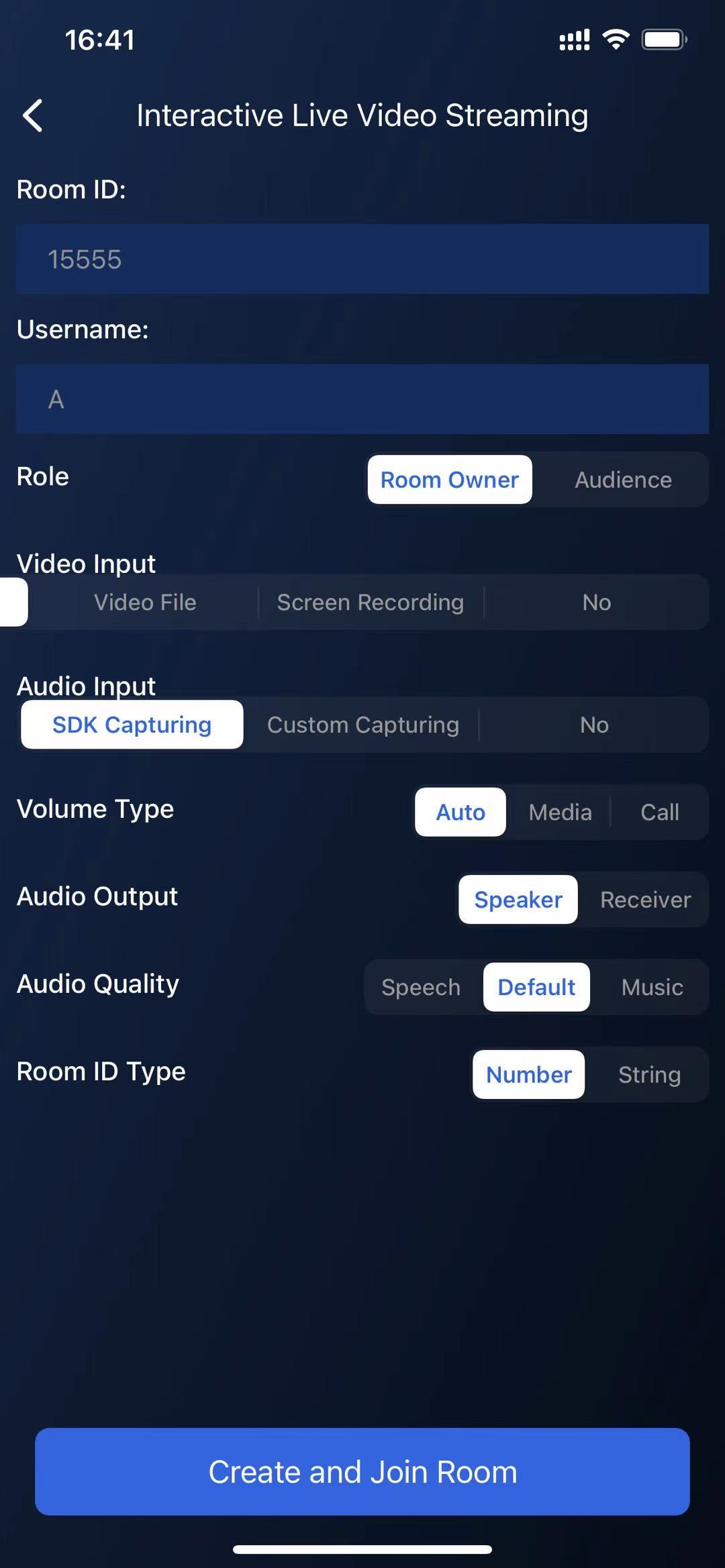 | 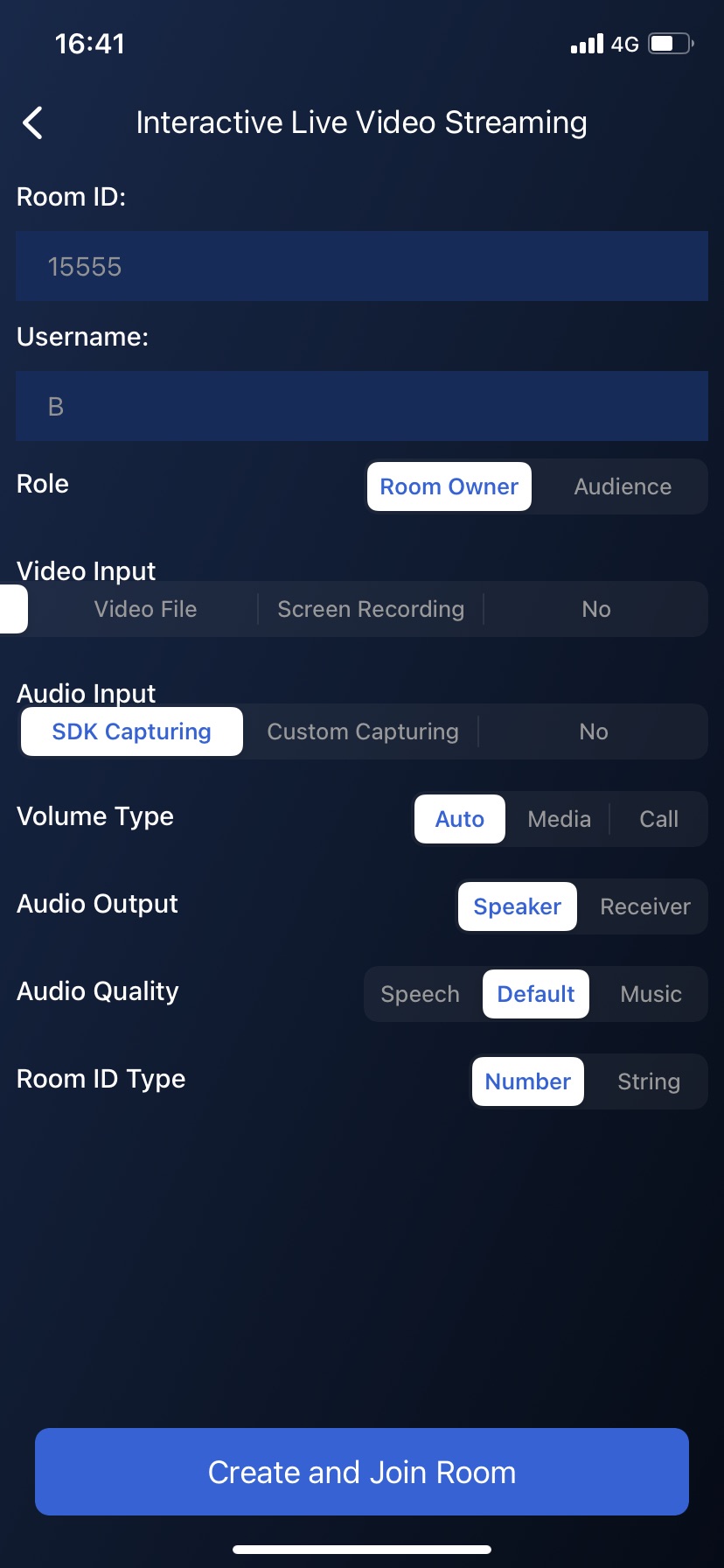 | 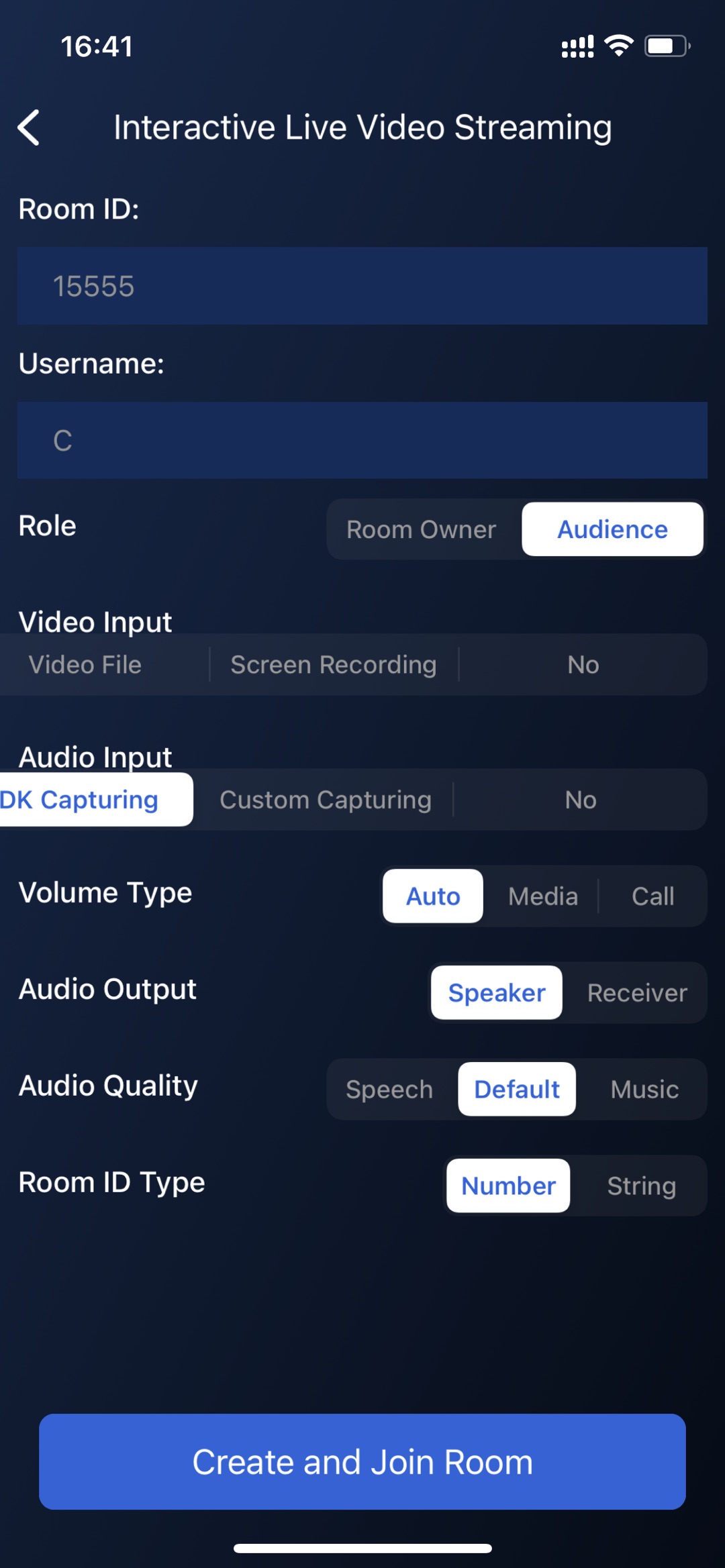 |
PK 中
主播 A(手机 A) | 主播 B(手机 B) | 主播 A 的观众(手机 C) |
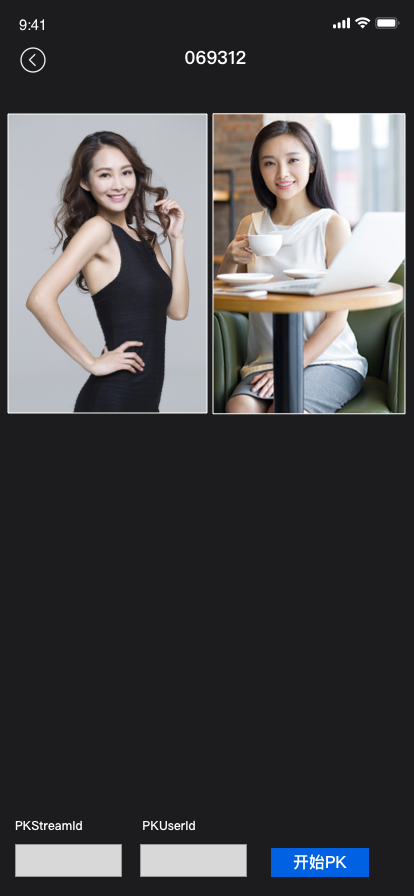 | 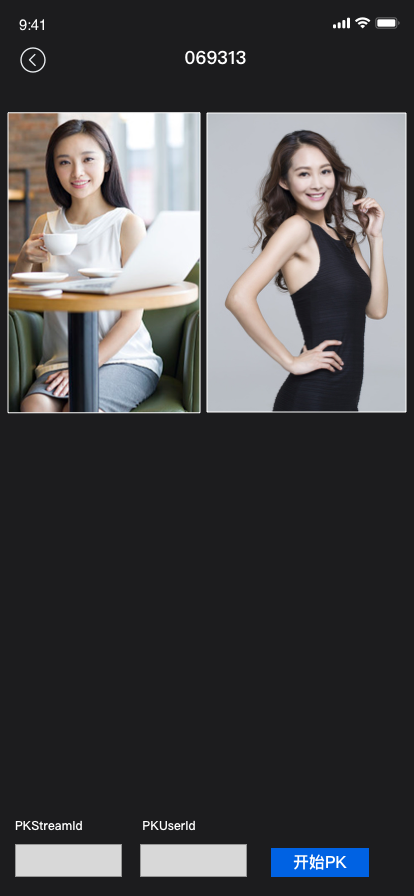 |  |
RTC PK 功能实现
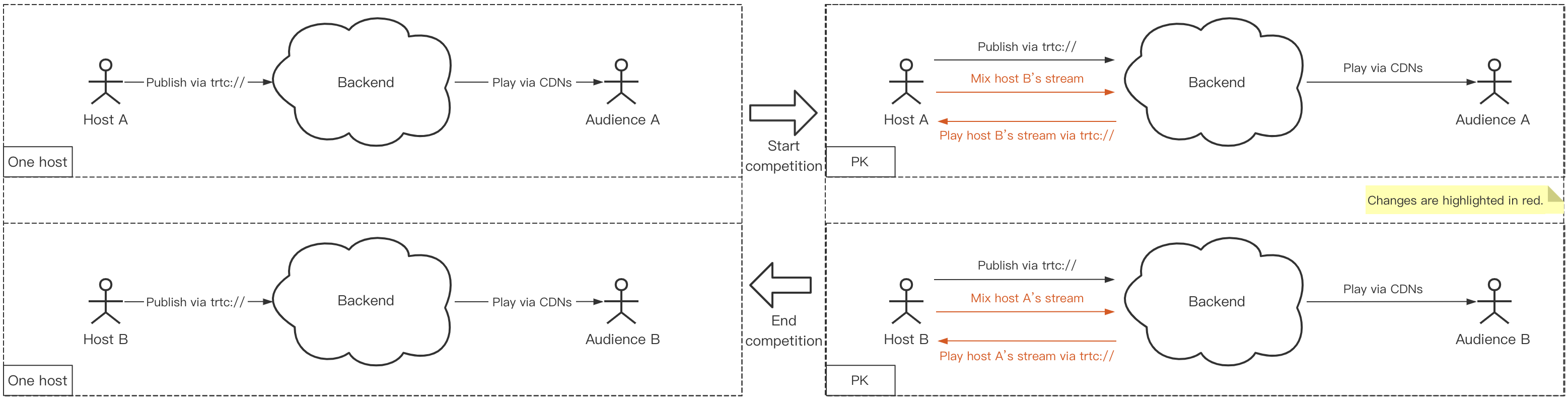
如下示意图,主播 A 有观众 A,主播 B 有观众 B,如果主播 A 和 B 进行 PK,需要做的事情非常简单:
主播 A:开始播放主播 B 的流,同时发起混流指令,把 A 和 B 的内容合成一路,供主播 A 的观众观看。
主播 B:开始播放主播 A 的流,同时发起混流指令,把 B 和 A 的内容合成一路,供主播 B 的观众观看。
观众 A 和 B:无需变化,继续 CDN 播放即可,只不过会看到各自主播混流后的 PK 画面。
1. 主播 A 开始推流
V2TXLivePusher pusher = new V2TXLivePusherImpl(this, V2TXLiveMode.TXLiveMode_RTC);pushURLA= "trtc://cloud.tencent.com/push/streamid?sdkappid=1400188888&userId=A&usersig=xxx";pusher.startPush(pushURLA);
V2TXLivePusher *pusher = [[V2TXLivePusher alloc] initWithLiveMode:V2TXLiveMode_RTC];NSString *pushURLA = @"trtc://cloud.tencent.com/push/streamid?sdkappid=1400188888&userId=A&usersig=xxx";[pusher startPush:pushURLA];
2. 主播 B 开始推流
V2TXLivePusher pusher = new V2TXLivePusherImpl(this, V2TXLiveMode.TXLiveMode_RTC);pushURLB "trtc://cloud.tencent.com/push/streamid?sdkappid=1400188888&userId=B&usersig=xxx";pusher.startPush(pushURLB);
V2TXLivePusher *pusher = [[V2TXLivePusher alloc] initWithLiveMode:V2TXLiveMode_RTC];NSString *pushURLB = @"trtc://cloud.tencent.com/push/streamid?sdkappid=1400188888&userId=B&;usersig=xxx";[pusher startPush:pushURLB];
3. 开始 PK
// 主播AV2TXLivePlayer player = new V2TXLivePlayerImpl(mContext);playURLB = "trtc://cloud.tencent.com/play/streamid?sdkappid=1400188888&userId=B&usersig=xxx&appscene=live"player.startPlay(playURLB);...// 主播BV2TXLivePlayer player = new V2TXLivePlayerImpl(mContext);playURLA= "trtc://cloud.tencent.com/play/streamid?sdkappid=1400188888&userId=A&usersig=xxx&appscene=live"player.startPlay(playURLA);
// 主播AV2TXLivePlayer *player = [[V2TXLivePlayer alloc] init];NSString *playURLB = "trtc://cloud.tencent.com/play/streamid?sdkappid=1400188888&userId=B&usersig=xxx&appscene=live"[player setRenderView:view];[player startPlay:playURLB];...// 主播BV2TXLivePlayer *player = [[V2TXLivePlayer alloc] init];NSString *playURLA = "trtc://cloud.tencent.com/play/streamid?sdkappid=1400188888&userId=A&usersig=xxx&appscene=live"[player setRenderView:view];[player startPlay:playURLA];
4. PK 成功,观看 PK 内容
PK 成功后,观众有两种方式可以观看 PK 内容。
1. 主播 A 和主播 B 的观众各自调用 V2TXLivePlayer 开始播放另外一名主播的推流内容。
2. 主播 A 和主播 B 进行混流,观众端播放 URL 保持不变。
主播 A 和主播 B 发起一次混流操作,也就是主播将自己和对方主播混合成一路流,自己直播间的观众就可以在看到自己和对方主播进行互动。 主播 A 和 B 各自调用 setMixTranscodingConfig 接口启动云端混流,调用时需要设置音频相关的参数,例如
音频采样率 audioSampleRate、音频码率 audioBitrate 和 声道数 audioChannels 等。示例代码 :
// 主播 AV2TXLiveDef.V2TXLiveTranscodingConfig config = new V2TXLiveDef.V2TXLiveTranscodingConfig();// 设置分辨率为 720 × 1280, 码率为 1500kbps,帧率为 20FPSconfig.videoWidth = 720;config.videoHeight = 1280;config.videoBitrate = 1500;config.videoFramerate = 20;config.videoGOP = 2;config.audioSampleRate = 48000;config.audioBitrate = 64;config.audioChannels = 2;config.mixStreams = new ArrayList<>();// 主播 A 摄像头的画面位置V2TXLiveDef.V2TXLiveMixStream local = new V2TXLiveDef.V2TXLiveMixStream();local.userId = "localUserId";local.streamId = null; // 本地画面不用填写 streamID,远程需要local.x = 0;local.y = 0;local.width = videoWidth;local.height = videoHeight;local.zOrder = 0; // zOrder 为 0 代表主播画面位于最底层config.mixStreams.add(local);// PK主播 B 的画面位置V2TXLiveDef.V2TXLiveMixStream remoteB = new V2TXLiveDef.V2TXLiveMixStream();remoteB.userId = "remoteUserIdB";remoteB.streamId = "remoteStreamIdB"; // 本地画面不用填写 streamID,远程需要remoteB.x = 400; //仅供参考remoteB.y = 800; //仅供参考remoteB.width = 180; //仅供参考remoteB.height = 240; //仅供参考remoteB.zOrder = 1;config.mixStreams.add(remoteB);// 发起云端混流pusher.setMixTranscodingConfig(config);//主播 BV2TXLiveDef.V2TXLiveTranscodingConfig config = new V2TXLiveDef.V2TXLiveTranscodingConfig();// 设置分辨率为 720 × 1280, 码率为 1500kbps,帧率为 20FPSconfig.videoWidth = 720;config.videoHeight = 1280;config.videoBitrate = 1500;config.videoFramerate = 20;config.videoGOP = 2;config.audioSampleRate = 48000;config.audioBitrate = 64;config.audioChannels = 2;config.mixStreams = new ArrayList<>();// 主播 B 摄像头的画面位置V2TXLiveDef.V2TXLiveMixStream local = new V2TXLiveDef.V2TXLiveMixStream();local.userId = "localUserId";local.streamId = null; // 本地画面不用填写 streamID,远程需要local.x = 0;local.y = 0;local.width = videoWidth;local.height = videoHeight;local.zOrder = 0; // zOrder 为 0 代表主播画面位于最底层config.mixStreams.add(local);// PK主播 A 的画面位置V2TXLiveDef.V2TXLiveMixStream remoteA = new V2TXLiveDef.V2TXLiveMixStream();remoteA.userId = "remoteUserIdA";remoteA.streamId = "remoteStreamIdA"; // 本地画面不用填写 streamID,远程需要remoteA.x = 400; //仅供参考remoteA.y = 800; //仅供参考remoteA.width = 180; //仅供参考remoteA.height = 240; //仅供参考remoteA.zOrder = 1;config.mixStreams.add(remoteA);// 发起云端混流pusher.setMixTranscodingConfig(config);
// 主播 AV2TXLiveTranscodingConfig *config = [[V2TXLiveTranscodingConfig alloc] init];// 设置分辨率为 720 × 1280, 码率为 1500kbps,帧率为 20FPSconfig.videoWidth = 720;config.videoHeight = 1280;config.videoBitrate = 1500;config.videoFramerate = 20;config.videoGOP = 2;config.audioSampleRate = 48000;config.audioBitrate = 64;config.audioChannels = 2;// 主播 A 摄像头的画面位置V2TXLiveMixStream *local = [[V2TXLiveMixStream alloc] init];local.userId = @"localUserId";local.streamId = nil; // 本地画面不用填写 streamID,远程需要local.x = 0;local.y = 0;local.width = videoWidth;local.height = videoHeight;local.zOrder = 0; // zOrder 为 0 代表主播画面位于最底层// PK主播 B 的画面位置V2TXLiveMixStream *remoteB = [[V2TXLiveMixStream alloc] init];remoteB.userId = @"remoteUserIdB";remoteB.streamId = @"remoteStreamIdB"; // 本地画面不用填写 streamID,远程需要remoteB.x = 400; //仅供参考remoteB.y = 800; //仅供参考remoteB.width = 180; //仅供参考remoteB.height = 240; //仅供参考remoteB.zOrder = 1;//设置混流 streamsconfig.mixStreams = @[local,remoteB];// 发起云端混流pusher.setMixTranscodingConfig(config);// 主播 BV2TXLiveTranscodingConfig *config = [[V2TXLiveTranscodingConfig alloc] init];// 设置分辨率为 720 × 1280, 码率为 1500kbps,帧率为 20FPSconfig.videoWidth = 720;config.videoHeight = 1280;config.videoBitrate = 1500;config.videoFramerate = 20;config.videoGOP = 2;config.audioSampleRate = 48000;config.audioBitrate = 64;config.audioChannels = 2;// 主播 A 摄像头的画面位置V2TXLiveMixStream *local = [[V2TXLiveMixStream alloc] init];local.userId = @"localUserId";local.streamId = nil; // 本地画面不用填写 streamID,远程需要local.x = 0;local.y = 0;local.width = videoWidth;local.height = videoHeight;local.zOrder = 0; // zOrder 为 0 代表主播画面位于最底层// PK主播 A 的画面位置V2TXLiveMixStream *remoteA = [[V2TXLiveMixStream alloc] init];remoteA.userId = @"remoteUserIdA";remoteA.streamId = @"remoteStreamIdA"; // 本地画面不用填写 streamID,远程需要remoteA.x = 400; //仅供参考remoteA.y = 800; //仅供参考remoteA.width = 180; //仅供参考remoteA.height = 240; //仅供参考remoteA.zOrder = 1;//设置混流 streamsconfig.mixStreams = @[local,remoteA];// 发起云端混流pusher.setMixTranscodingConfig(config);
说明:
此处开发者可能会有疑问:貌似新的 RTC 连麦方案还需要我们自己维护一套房间和用户状态,这样不是更麻烦吗?是的,没有更好的方案,只有更适合自己的方案,我们也有考虑到这样的场景:
如果对时延和并发要求并不高的场景,可以继续使用连麦互动的旧方案。
如果既想用到 V2 相关的接口,但是又不想维护一套单独的房间状态,可以尝试搭配 腾讯云 IM SDK,快速实现相关逻辑。
RTC 连麦方案怎么计算费用
常见问题
1. 为什么使用 V2TXLivePusher&V2TXLivePlayer 接口时,同一台设备不支持使用相同 streamid 同时推流和拉流,而 TXLivePusher&TXLivePlayer 可以支持?
是的,目前
V2TXLivePusher&V2TXLivePlayer 是 腾讯云 TRTC 协议实现,其基于 UDP 的超低延时的私有协议暂时还不支持同一台设备,使用相同的 streamid,一边推超低延时流,一边拉超低延时的流,同时考虑到用户的使用场景,所以暂时并未支持,后续会酌情考虑此问题的优化。2. 服务开通 章节中生成参数都是什么意思呢?
SDKAppID 用于标识您的应用,UserID 用于标识您的用户,而 UserSig 则是基于前两者计算出的安全签名,它由 HMAC SHA256 加密算法计算得出。只要攻击者不能伪造 UserSig,就无法盗用您的云服务流量。UserSig 的计算原理如下图所示,其本质就是对 SDKAppID、UserID、ExpireTime 等关键信息进行了一次哈希加密:
//UserSig 计算公式,其中 secretkey 为计算 usersig 用的加密密钥usersig = hmacsha256(secretkey, (userid + sdkappid + currtime + expire +base64(userid + sdkappid + currtime + expire)))
3. V2TXLivePusher&V2TXLivePlayer 如何设置音质或者画质呢?
4. 收到一个错误码:-5,代表什么意思?
5. RTC连麦方案的时延性有可以参考的数据吗?
新的 RTC 连麦方案中,主播连麦的延时 < 200ms,主播和观众的延时在 100ms - 1000ms。
6. RTC 推流成功后,使用 CDN 拉流一直提示404?
检查一下是否有开启实时音视频服务的旁路直播功能,基本原理是 RTC 协议推流后,如果需要使用 CDN 播放,RTC 会在后台服务中旁路流信息到 CDN 上。
文档反馈