页面配置
Download
聚焦模式
字号
app.json 中的部分配置,也支持对单个页面进行配置,可以在页面对应的
.json 文件来对本页面的表现进行配置。页面中配置项在当前页面会覆盖 app.json 中相同的配置项(样式相关的配置项属于 app.json 中的 window 属性,但这里不需要额外指定 window 字段),具体的取值和含义可参考 全局配置 中说明。
文件内容为一个 JSON 对象,有以下属性:
配置项
属性 | 类型 | 默认值 | 描述 |
navigationBarBackgroundColor | HexColor | #000000 | 导航栏背景颜色,如 #000000 |
navigationBarTextStyle | string | white | 导航栏标题、状态栏颜色,仅支持 black / white |
navigationBarTitleText | string | | 导航栏标题文字内容 |
navigationStyle | string | default | 导航栏样式,仅支持以下值: default 默认样式,包含原生导航栏和胶囊按钮。 custom 自定义导航栏,只保留右上角胶囊按钮。web-view 所在页面中不生效。 hide 隐藏导航栏和胶囊按钮。web-view 所在页面中只隐藏胶囊按钮。 customV2 自定义导航栏,只保留右上角胶囊按钮。 hideV2 隐藏导航栏和胶囊按钮。 参见表格后紧接的注 1、注2。 |
backgroundColor | HexColor | #ffffff | 窗口的背景色 |
backgroundTextStyle | string | dark | 下拉 loading 的样式,仅支持 dark / light |
backgroundColorTop | string | #ffffff | 顶部窗口的背景色,仅 iOS 支持 |
backgroundColorBottom | string | #ffffff | 底部窗口的背景色,仅 iOS 支持 |
enablePullDownRefresh | boolean | false | |
onReachBottomDistance | number | 50 | 页面上拉触底事件触发时距页面底部距离,单位为 px。 |
pageOrientation | string | portrait | |
disableScroll | boolean | false | 设置为 true 则页面整体不能上下滚动。
只在页面配置中有效,无法在 app.json 中设置 |
usingComponents | Object | 否 |
注 1:
navigationStyle有效值中 customV2 及 hideV2 最低版本要求如下:IDE | 基础库 | iOS SDK | Android SDK |
2.2.611 | 2.2.6 | 2.2.6 | 2.2.6 |
注2:
navigationStyle取值及展示情况如下:navigationStyle | 普通页面 | web-view所在页面 |
default | 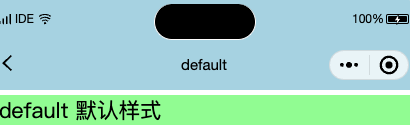 | 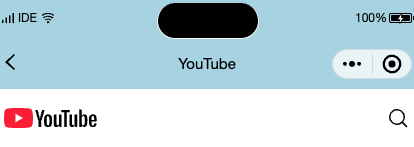 |
custom | 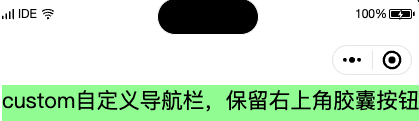 | 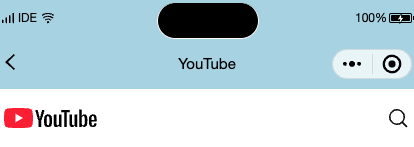 |
hide | 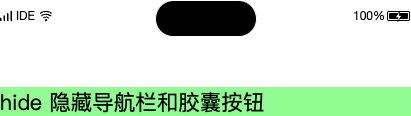 | 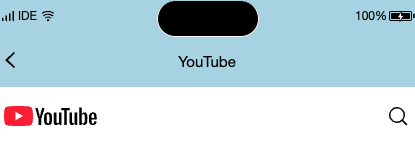 |
customV2 | 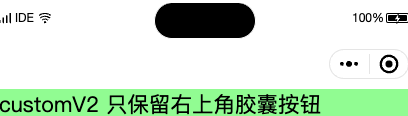 | 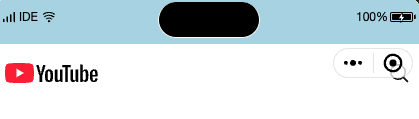 |
hideV2 | 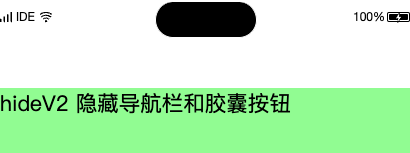 | 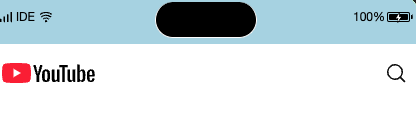 |
注意:
并不是所有 app.json 中的配置都可以在页面覆盖或单独指定,仅限于本文档包含的选项。
配置示例
{"navigationBarBackgroundColor": "#ffffff","navigationBarTextStyle": "black","navigationBarTitleText": "接口功能演示","backgroundColor": "#eeeeee","backgroundTextStyle": "light"}
文档反馈