胶囊按钮事件监听
Download
聚焦模式
字号
关闭
定制胶囊按钮的关闭事件监听,能够让 superapp 在关闭按钮点击时获取到对应的回调事件。
关闭按钮示意图:
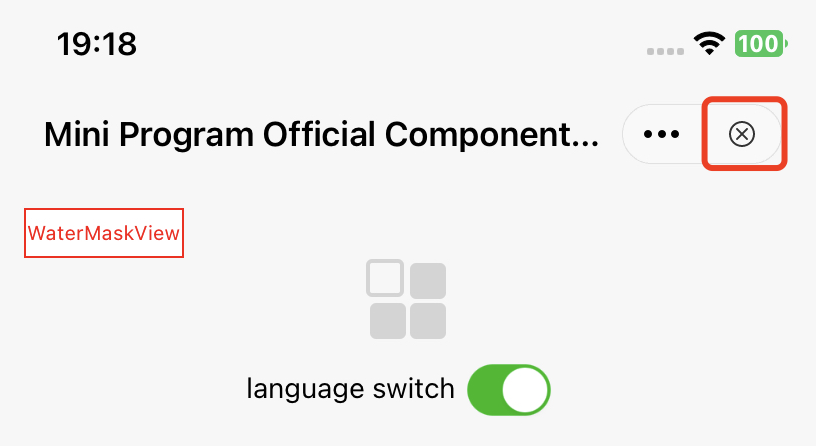
API 说明:
#pragma mark - 退出挽留 - Exit retention- (BOOL)shouldDetainUser:(TMFMiniAppInfo *)app;
单击关闭时,会触发此 API,如果返回 YES,则会出现弹窗挽留用户,如果返回 NO,则会直接退出小程序。
更多
定制更多按钮的事件监听,能够让 superapp 在单击更多按钮单击时监听到对应 item 的回调事件。
更多按钮示意图:
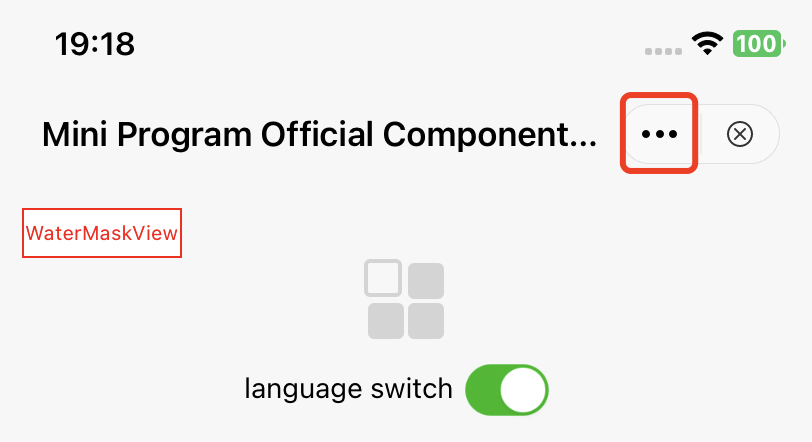
API 说明:
// 点击胶囊按钮呼起的面板// 如果此方法不实现,则会调用showActionSheetWithTitle:cancelButtonTitle:cancelAction:otherButtonTitleAndActions:dismissBlock:presentingViewController:// @param app 小程序信息// @param cancelButtonTitle 取消标题// @param cancelAction 取消操作// @param otherButtonTitleAndActions 其他按钮及响应操作// @param dismissBlock 面板收起后需要执行的操作(一定要调用以保证功能正确!!!)// @param parentVC 呼起面板的vc - calls up the vc of the panel- (void)showMoreButtonActionSheetWithApp:(TMFMiniAppInfo *)appcancelButtonTitle:(nullable NSString *)cancelButtonTitlecancelAction:(nullable dispatch_block_t)cancelActionotherButtonTitleAndActions:(nullable NSArray *)otherButtonTitleAndActionsdismissBlock:(nullable dispatch_block_t)dismissBlockparentVC:(UIViewController *)parentVC;
更多展示列表定义
当用户触发更多按钮点击事件时,会弹出如下的可选扩展按钮列表,默认列表示意图如下:
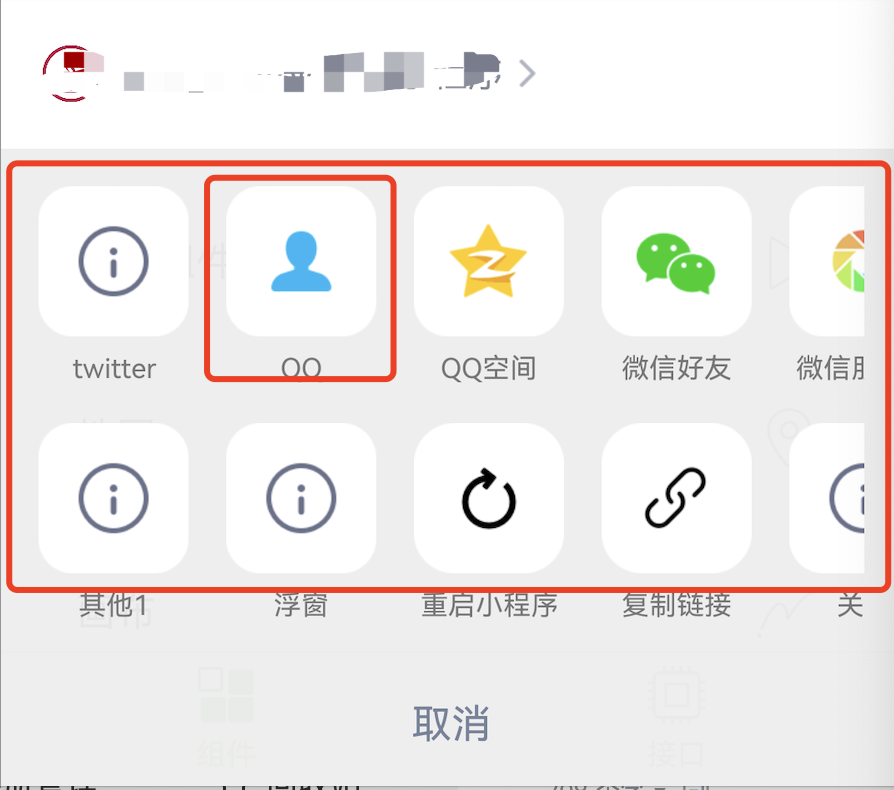
方法1
通过重写 customizedConfigForShare 方法,可以自定义分享途径、决定展示顺序。
API 说明:
//Superapp 可以自定义分享途径、决定展示顺序,目前使用在点击更多按钮、button组件(open-type="share")呼起的ActionSheet中// 1、默认渠道:QQ好友、QQ空间、微信、朋友圈(具体type参见MAUIDelegateShareViewType),由开发商决定,superapp 只能更改展示顺序// 2、自定义分享渠道:Superapp 自定义(type填MAUIDelegateShareViewTypeCustomizedShare,自定义MAShareTarget,建议大于100,在小程序页面中onShareAppMessage 回传分享内容,统一走shareMessageWithModel由 superapp 根据ShareTarget来分别处理)// 3、自定义事件:Superapp 自定义(type填MAUIDelegateShareViewTypeCustomizedAction)// 以上三种渠道展示顺序支持混排- (NSArray<TMASheetItemInfo *> *)customizedConfigForShare;
示例代码:
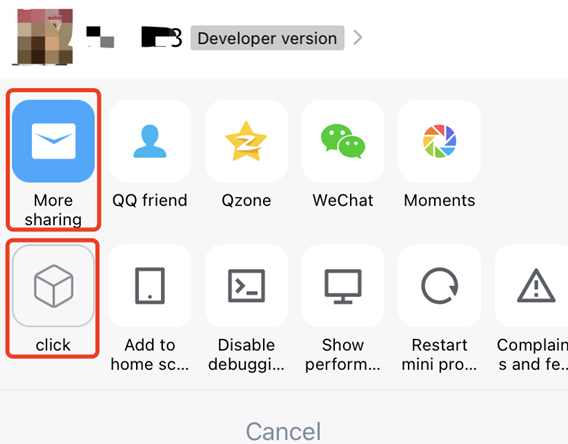
- (NSArray<TMASheetItemInfo *> *)customizedConfigForShare {NSMutableArray *arrays = [[NSMutableArray alloc] init];TMASheetItemInfo *item1 = [[TMASheetItemInfo alloc] initWithTitle:@"More sharing" type:MAUIDelegateShareViewTypeCustomizedShare shareTarget:100 shareKey:@"my"];item1.icon = [UIImage imageNamed:@"icon_moreOperation_shareChat"];[arrays addObject:item1];TMASheetItemInfo *item2 = [[TMASheetItemInfo alloc] initWithTitle:@"click" type:MAUIDelegateShareViewTypeCustomizedAction action:^(TMASheetActionParams * _Nullable params) {NSLog(@"click 点击");}];item2.icon = [UIImage imageNamed:@"icon_moreOperation_collect"];[arrays addObject:item2];return arrays;}
效果如下:
方法2
通过 TMFMiniAppSDKDelegate 协议中的 customizedConfigForMoreButtonActions 可以根据小程序信息增加或者删除列表,实现胶囊视图列表的自定义显示。
- (void)customizedConfigForMoreButtonActions:(NSMutableArray *)moreButtonTitleAndActions withApp:(TMFMiniAppInfo *)app{/*//增加一个自定义分享项TMASheetItemInfo *item = [[TMASheetItemInfo alloc] initWithTitle:@"Share" type:MAUIDelegateShareViewTypeCustomizedShare shareTarget:100 shareKey:@"my"];item.icon = [UIImage imageNamed:@"icon_moreOperation_shareChat"];[moreButtonTitleAndActions addObject:item];*//*//删除复制链接菜单NSMutableArray *newArrays = [[NSMutableArray alloc] initWithCapacity:moreButtonTitleAndActions.count];for (TMASheetItemInfo *item in moreButtonTitleAndActions) {if(item.type != MAUIDelegateShareViewTypeCopyLink) {[newArrays addObject:item];}}[moreButtonTitleAndActions removeAllObjects];[moreButtonTitleAndActions addObjectsFromArray:newArrays];*/}
文档反馈