tencent cloud

Uninstalling Plugin

PDF
Focus Mode
Font Size
Last updated: 2024-01-02 18:01:34
This document describes how to uninstall a TCMG plugin.

Directions

1. Log in to the TCMG console.
2. Select the Grafana instance from the instance list.
3. Click Plugin on the left sidebar.
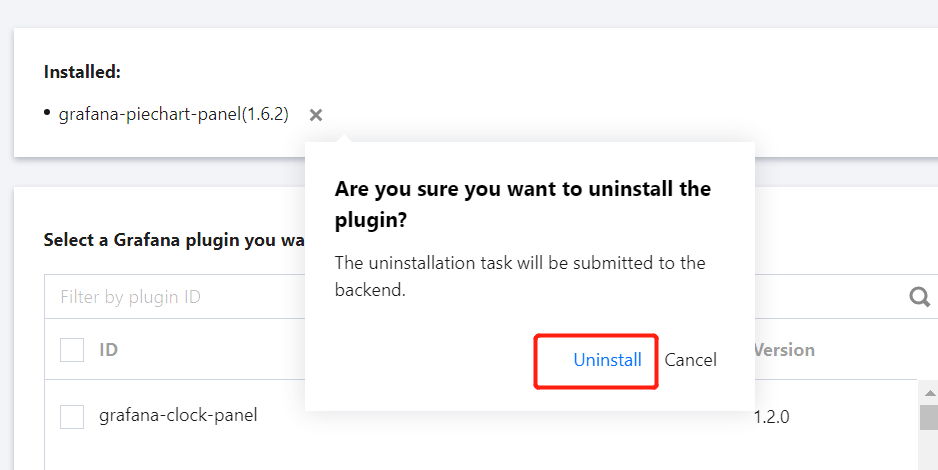
4. Select the plugin to be uninstalled in the list of installed plugins, click × on the right, click Uninstall > OK in the pop-up window, and wait for the instance to be rebooted.


Help and Support

Was this page helpful?

Help us improve! Rate your documentation experience in 5 mins.

Feedback