2D real-person/3D digital human provides services through video stream push mode. Customers create a new digital human project through the interactive digital human platform. After performing simple digital human image settings, they can obtain key information and API documentation through the "Access Management" module; by integrating with the aPaaS API, they can create a video stream for seamless integration into the customer's scenarios.
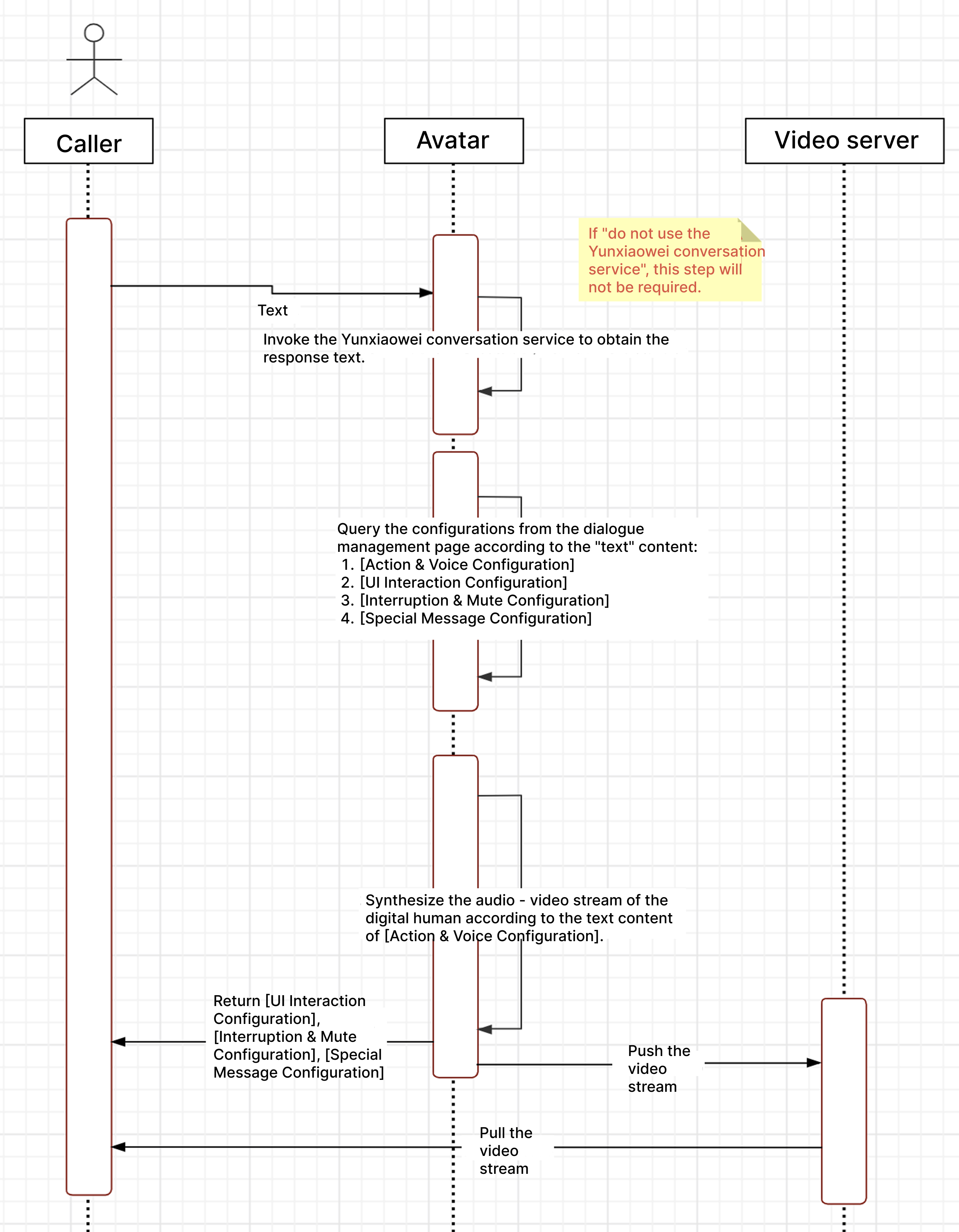
The figure below shows the calling process of the video stream push mode:
Notes:
Large Model Dialogue Service does not support "special message configuration".
Digital Human Project Management
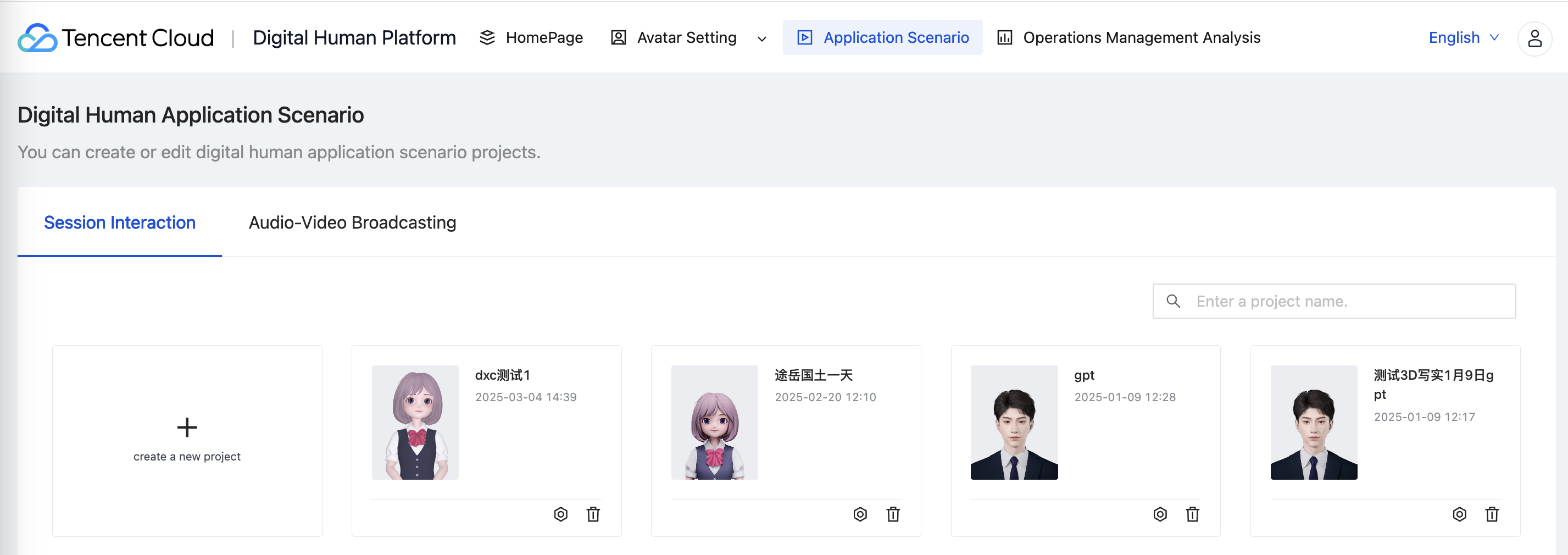
Support creation and management of multiple digital human projects. After logging in, click Create Digital Human Project on the homepage, enter name, description, etc., and you can create a digital human project. You can also delete or edit existing digital human projects.
Add a Digital Human Project
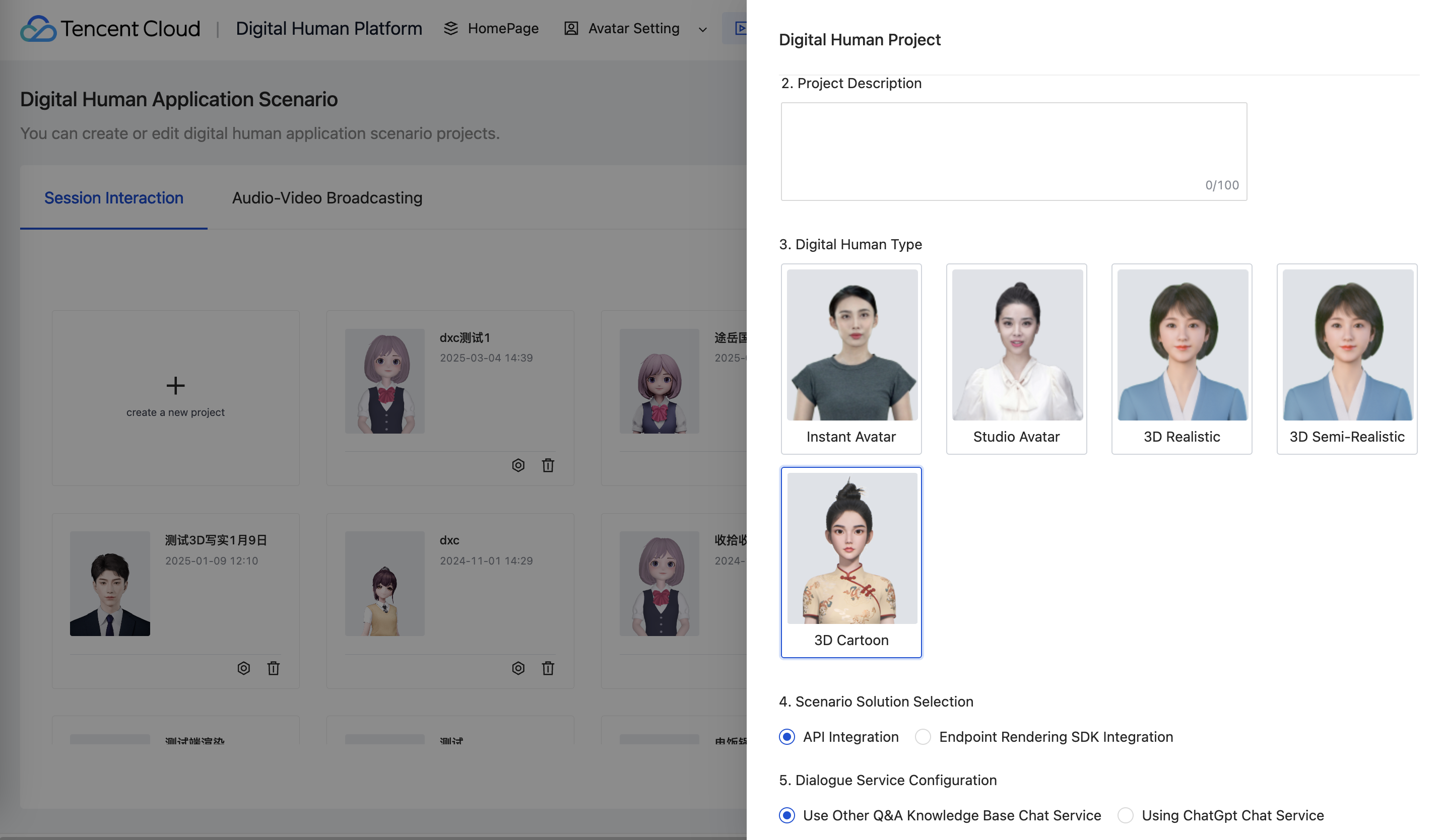
Project name: Enter the name of the digital human project.
Project description: Enter the project description.
Digital human type: Divided into "2D small sample (exclusive, common, photo)", "3D realistic", "3D semi-realistic", "3D cartoon".
Dialogue service configuration: You can select "use other question and answer library dialogue services" and "use ChatGpt dialogue service".
2. Edit Digital Human Project
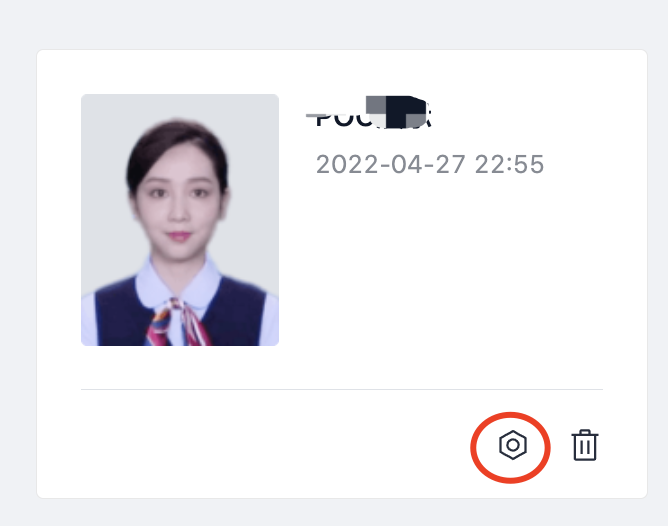
Click edit on the digital human project card, and you can re-edit the "project name" and "project description".
3. Delete Digital Human Project
Delete Digital Human Project. Once deleted, it cannot be recovered.
Notes:
Only the creator of the digital human project has the permission to delete the project.