tencent cloud

Tencent Cloud Super App as a Service

Release Notes and Announcements
Announcement: Tencent Cloud Mini Program Platform Renamed to Tencent Cloud Super App as a Service on January 2, 2025
Console Updates
Android SDK Updates
iOS SDK Updates
Flutter SDK Updates
IDE Updates
Base Library Updates
Product Introduction
Overview
Strengths
Use Cases
Purchase Guide
Billing Overview
Pay-As-You-Go Billing
Renewal Guide
Service Suspension Instructions
Getting Started
Plan Management
Overview
Console Account Management
Storage Configuration
Acceleration Configuration
Branding Configurations
Platform Features
Console Login
Users and Permission System
Mini Program Management
Mini Game Management
Superapp Management
Commercialization
Platform Management
User Management
Team Management
Operations Management
Security Center
Code Integration Guide
Getting Demo and SDK
Android
iOS
Flutter
Superapp Server
GUID Generation Rules
Mini Program Development Guide
Mini Program Introduction and Development Environment
Mini Program Code Composition
Guide
Framework
Components
API
Server Backend
JS SDK
Base Library
IDE Operation Instructions
Mini Game Development Guide
Guide
API
Server Backend
Practice Tutorial
Mini Program Login Practical Tutorial
Mini Program Subscription Message Practical Tutorial
Payment Practical Tutorial
Ad Integration Practical Tutorial
Mini Game Subscription Message Practical Tutorial
API Documentation
History
Introduction
API Category
Making API Requests
Operation Management APIs
User Management APIs
Team Management APIs
Sensitive API-Related APIs
Role Management APIs
Platform Management APIs
Other Console APIs
Mini Program or Mini Game APIs
Management-Sensitive APIs
Global Domain Management APIs
Superapp APIs
Data Types
Agreements
Service Level Agreement
Data Processing and Security Agreement
SDK Privacy Policy Module
SDK Data Processing and Security Agreement Module

Preconfiguring Offline Mini Programs

PDF
フォーカスモード
フォントサイズ
最終更新日: 2025-06-06 18:27:19
Offline mini programs are embedded within your superapp. You need to download the mini program package from the console and import it into the superapp project, bundling it with the app. Users can open and run these mini programs without downloading them from the backend, even without an internet connection.

Steps

1. Download the required mini program from the console.

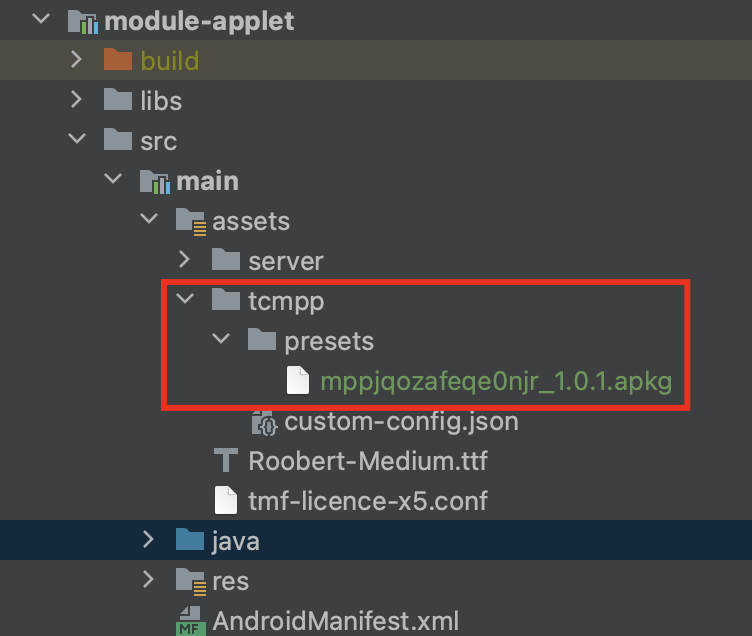
2. Copy the downloaded mini program package to a custom assets directory. Follow strict naming conventions and do not change it.
Naming conventions: {miniAppId}_{miniAppVersion}.apkg

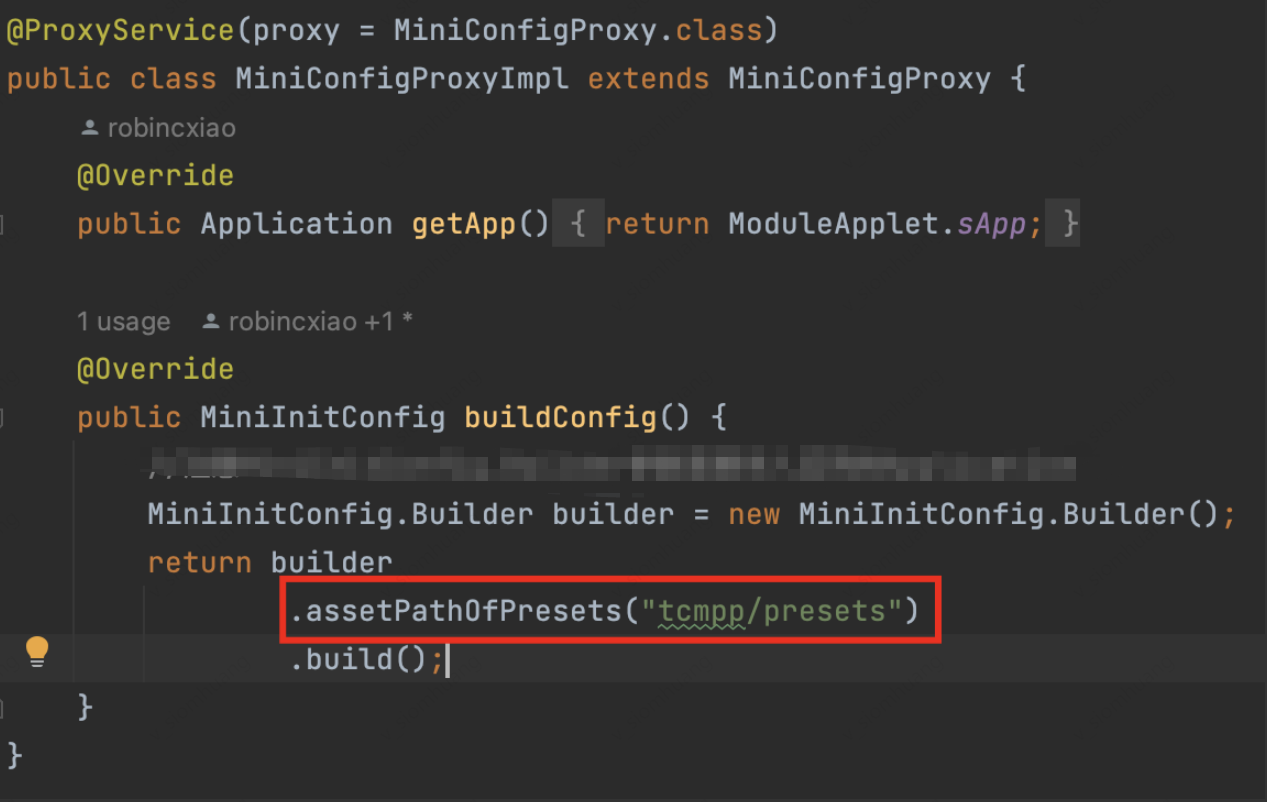
3. Specify the assets directory containing the offline mini programs in the SDK initialization configuration.

Notes

Offline mini programs must follow the standard binding and publishing process. Only published miniprograms can be downloaded as offline packages;
Offline mini programs adhere to version management logic, including new releases, version rollbacks, and deprecations. If the online version differs from the preloaded version, the client will fetch the online version;
If a mini program is deprecated, the corresponding offline mini program in the app will also become unusable.

ヘルプとサポート

この記事はお役に立ちましたか?

フィードバック