Customizing Sharing Capabilities
Add custom share button
Override MiniAppProxyImpl.getMoreItems and add a custom share menu item to the "More" button inside the capsule using MoreItemList.Builder.addCustomShareItem.
/*** Adds a custom share item, which is currently used in the ActionSheet triggered by tapping the More button or a button component with open-type="share".** @param text The title of the share menu.* @param drawableResId The resource ID of the icon.* @param id The ID of the custom share item. Must be a value within the range [100, 200]. This ID will be passed as shareTarget to ShareProxy to distinguish sharing channels.* @param shareKey The key of the custom share item, which should match the definition in the mini program.* @param contentDescription The description of the custom share item, provided for accessibility purposes.* @return Returns the builder object for chaining calls.*/public Builder addCustomShareItem(String text, int drawableResId, int id, String shareKey, String contentDescription)
Example:
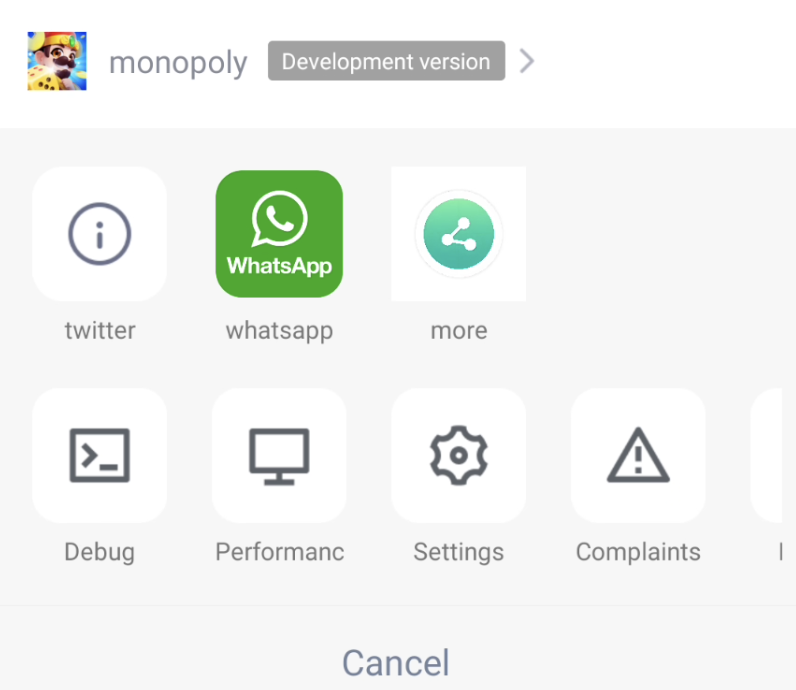
private static final String SHARE_TWITTER = "twitter";/*** Returns the the "More" button in the capsule. The IDs for extension buttons must be set within the range of [100, 200]; otherwise, the addition will be invalid.* Calling environment: Subprocess** @param miniAppContext Mini program runtime environment (mini program process, not main process)* @param builder* @return*/@Overridepublic ArrayList<MoreItem> getMoreItems(IMiniAppContext miniAppContext, MoreItemList.Builder builder) {// Adjust the order as neededbuilder.addCustomShareItem(getString(miniAppContext, R.string.applet_mini_proxy_impl_other2),R.mipmap.mini_demo_about,ShareProxyImpl.OTHER_MORE_ITEM_2,SHARE_TWITTER, null).addCustomShareItem(getString(miniAppContext, R.string.applet_mini_proxy_impl_other3),R.drawable.tcmpp_demo_share_whatsapp,ShareProxyImpl.SHARE_TO_WHATSAPP,ShareProxyImpl.SHARE_TO_WHATSAPP_KEY, null).addCustomShareItem(getString(miniAppContext, R.string.applet_mini_proxy_impl_other4),R.drawable.tcmpp_demo_share_more,ShareProxyImpl.SHARE_TO_MORE,ShareProxyImpl.SHARE_TO_MORE_KEY, null);return super.getMoreItems(miniAppContext, builder);}
Here's how the share menu triggered by the "More" button in the capsule looks:
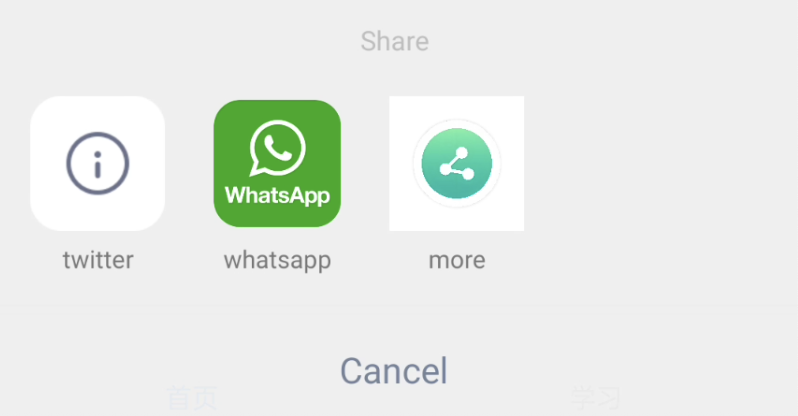
Here’s how the share menu triggered by the share button looks:
Note:
To enable the share button, set the open-type="share" attribute on the mini program’s button component.
By default, it displays all custom sharing channels implemented by the superapp proxy API, as well as the default sharing channels.
The mini program can specify a sharing channel using the button component's share-mode attribute. The value of share-mode corresponds to the shareKey property of a MoreItem object. When a sharing channel is specified, only the channels matching it in the superapp will be shown.
Mini program and mini game sharing logic
1. Listen for user taps on the share button through onShareAppMessage and customize the shared content.
1.1 Mini programs listen using Page.onShareAppMessage .
1.2 Mini games listen using wx.onShareAppMessage .
2. Use wx.showShareMenu to control whether the share menu is displayed.
Note:
For the "More" button in the capsule to properly display the share menu, the following conditions must be met:
1. The Page.onShareAppMessage method must be implemented to return sharing information; without it, the share menu will not be shown.
2. The share channels specified by wx.showShareMenu must match the custom share menu. Mini programs show all share channels by default, while mini games must explicitly call wx.showShareMenu to specify the channels.
Sharing logic implementation
After the superapp receives sharing data returned from within the mini program, it forwards the share action to the superapp using ShareProxy.share. Developers need to implement the ShareProxy proxy and handle the sharing content based on the shareTarget in ShareData , integrating with third-party sharing platforms accordingly.
@ProxyService(proxy = ShareProxy.class)public class ShareProxyImpl extends BaseShareProxy {/*** Share** @param shareData Share data*/@Overridepublic void share(Activity activity, ShareData shareData) {//todo share}}
Image sharing logic implementation
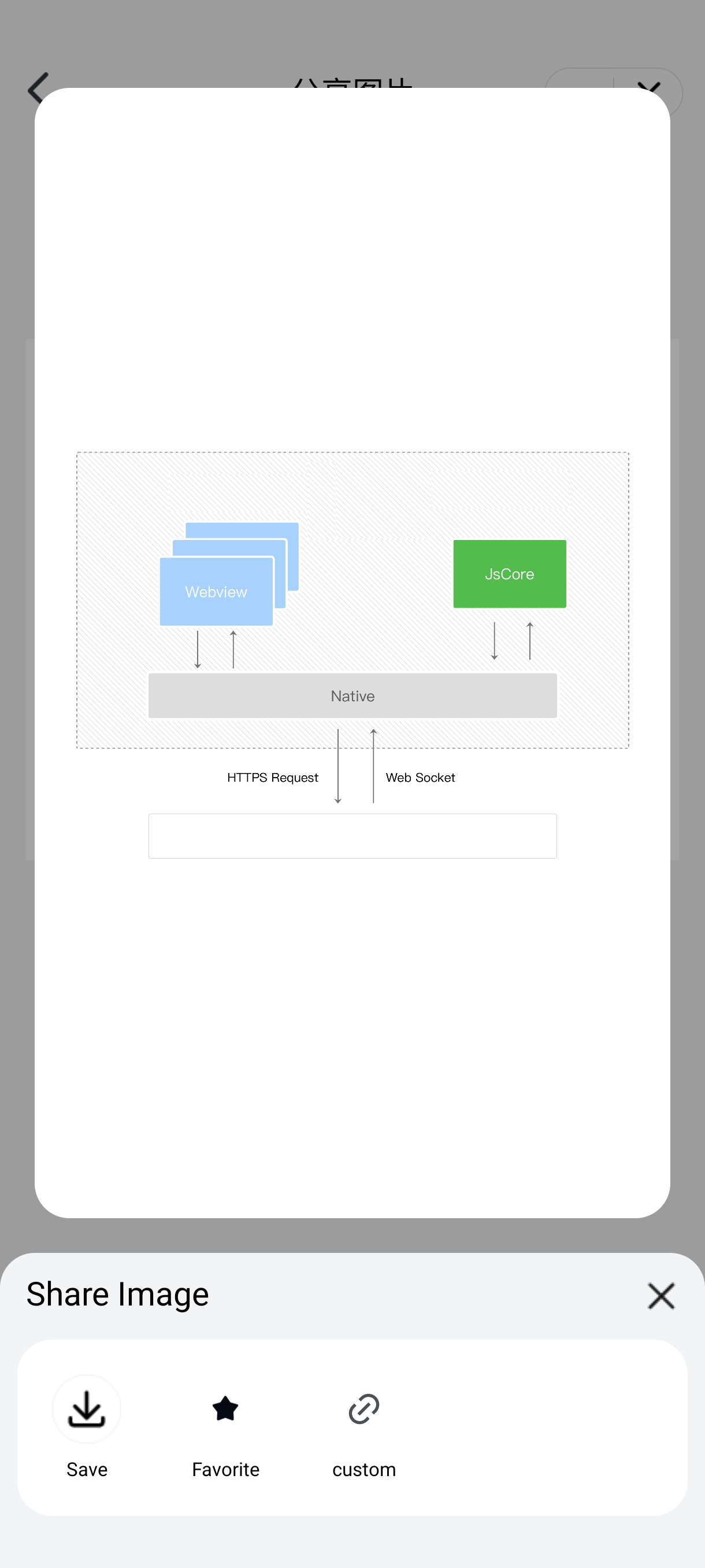
Superapp developers can customize the share item list displayed in wx.showShareImageMenu by using MiniAppProxy.getImageShareCustomInfo.
Developers can customize the title and share items by returning a ShareImageCustomInfo object.
@Overridepublic ShareImageCustomInfo getImageShareCustomInfo(IMiniAppContext miniAppContext) {// Create a list of share itemsArrayList<ShareImageItem> items = new ArrayList<>();// Add custom share item 1items.add(new ShareImageItem(miniAppContext.getContext().getString(R.string.applet_mini_proxy_impl_favorite),ContextCompat.getDrawable(miniAppContext.getContext(), R.drawable.mini_sdk_favorite), (context, path) -> Toast.makeText(context.getAttachedActivity(),"custom image share: " + path, Toast.LENGTH_SHORT).show()));// Add custom share item 2items.add(new ShareImageItem("custom share",ContextCompat.getDrawable(miniAppContext.getContext(), R.drawable.mini_sdk_favorite), ShareProxyImpl.OTHER_MORE_ITEM_2));return new ShareImageCustomInfo(items);}// Custom share item class definitionpublic class ShareImageItem {// Item titlepublic String title;// Item iconpublic Drawable icon;// Tap event callback for the itempublic ClickEvent clickEvent;// The targetId of the item event; tap events will be forwarded through ShareProxy.share and will no longer trigger clickEvent directly.public Integer shareTarget;}
Here’s how it looks:
Help and Support
Was this page helpful?
You can also Contact sales or Submit a Ticket for help.
Help us improve! Rate your documentation experience in 5 mins.
Feedback