Customizing Mini Program Information API
Download
Focus Mode
Font Size
Monitor mini program lifecycle
The Flutter apps can receive notifications by overriding the onMiniProgramStateChange method when the mini program starts, enters the foreground, background, or closes.
Example:
@overrideFuture<void> onMiniProgramStateChange(String appId, MiniProgramState state) async {print("app state change: appid=$appId, state=$state");}
Customize mini program configurations
Add customConfig in the project's tcsas-plugin-settings.json file to customize mini program information.
Example:
{// Other configurations...// Custom configurations"customConfig": {"vodLicenseUrl": "https://1304609156.trtcube-license.cn/license/v2/1304609156_1/v_cube.license","vodLicenseKey": "59d8c5e1203bc124a652304ff541a33b","customPhotoDirName": "Superapp","customDomain": "Superapp.flutter","customUserAgent": "Superapp flutter","fileCacheSize": "10000000","userDataSize": "10000000"}}
Customize Player Mobile Premium Version and live streaming license configurations
License configuration is required for the proper use of the advanced player and live streaming plugins.
Field | Type | Description |
vodLicenseUrl | string | LicenseUrl required for Player Mobile Premium Version and live streaming features |
vodLicenseKey | string | LicenseKey required for Player Mobile Premium Version and live streaming features |
Customize image save directory
Field | Type | Description |
customPhotoDirName | string | Specifies the folder name for the directory where mini program images are saved |
Customize virtual domain
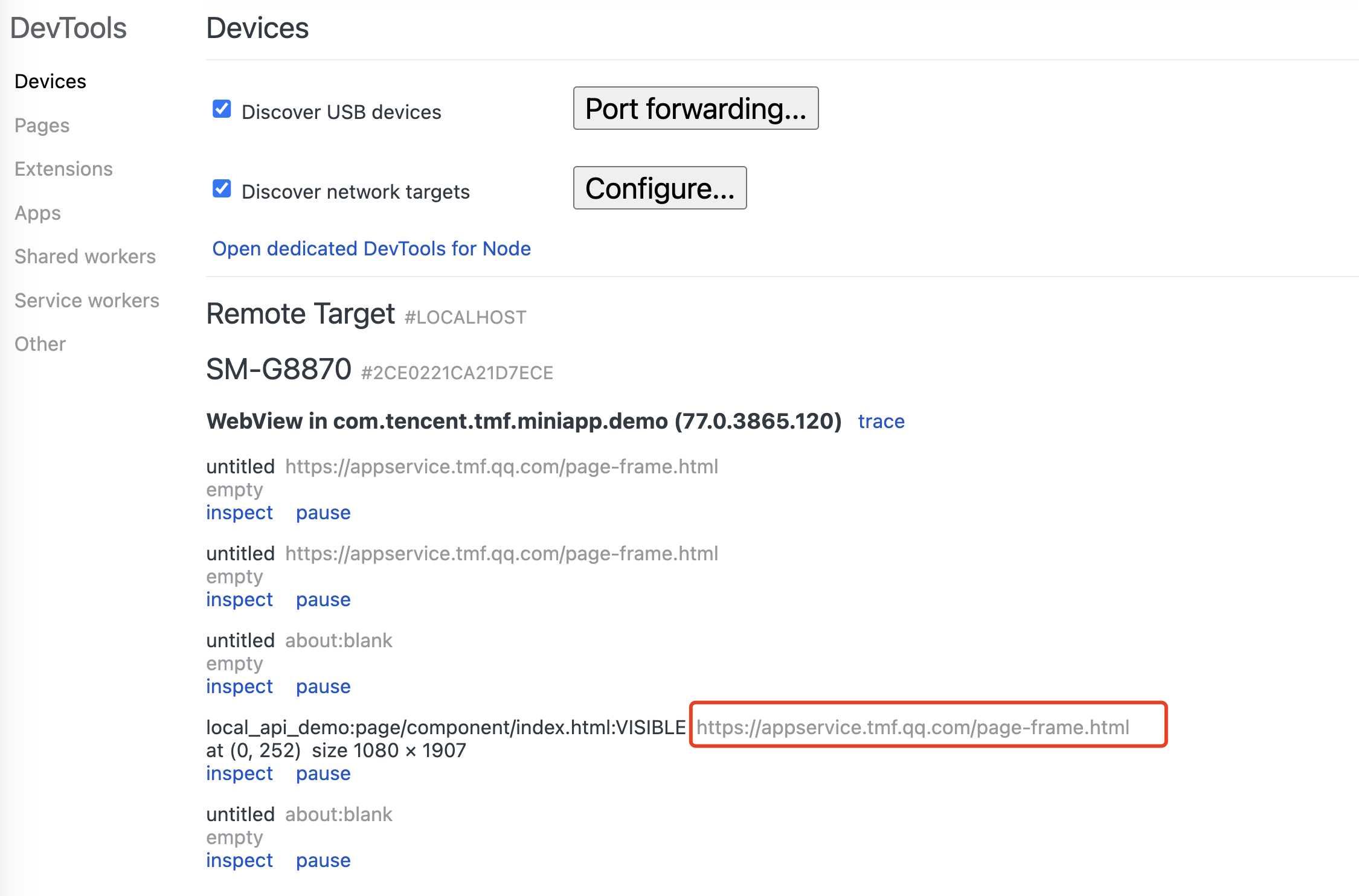
The mini program uses a default virtual domain, which is not a real domain and cannot be accessed in a browser. To customize it, follow the configuration below.
The default virtual domain is shown as follows:
Field | Type | Description |
customDomain | string | Virtual domain path |
Customize UserAgent
Field | Type | Description |
customUserAgent | string | Additional UserAgent info appended to network requests |
Customize mini program cache size
fileCacheSize: The size limit on local cache files in the directory (wxfile://store_), measured in bytes. The default maximum storage is 200 MB.
userDataSize: Limit on local user files in the directory (wxfile://usr), measured in bytes. Developers have full read/write access to this directory. The path to this directory can be obtained using wx.env.USER_DATA_PATH. The default maximum storage is 200 MB.
Field | Type | Description |
fileCacheSize | string | Local cache file size in bytes |
userDataSize | string | Local user file size in bytes |
Help and Support
Was this page helpful?
You can also Contact sales or Submit a Ticket for help.
Help us improve! Rate your documentation experience in 5 mins.
Feedback