Skipping Domain Verification
Feature description
If it is inconvenient for mini program or mini game developers to configure domain names, or if the domains change frequently, they can request to skip domain verification. After the request is approved by the superapp, the mini program or mini game will no longer need to configure request domains and H5 page domains.
Roles and permissions
Capability | Role | Super admin | Platform admin | Superapp administrator | Superapp senior developer | Review staff |
Pending list-view | ✓ | ✓ | ✓ | ✓ | ✓ |
Pending list-approve | Read-only | Read-only | ✓ | ✓ | - |
Approved list-view approval list and approval details | Read-only | Read-only | ✓ | - | ✓ |
Super admin/Platform admin: Has read-only access to Domain approval module, can view Pending list, Approved list & approval details, but cannot approve requests to skip domain verification.
Superapp administrator/Review staff: Has access to Domain approval module, can view Pending list, Approved list & approval details, and has the permission to approve requests to skip domain verification.
Superapp senior developer: Has access to Domain approval module, can view Pending list, Approved list & approval details, but cannot approve requests to skip domain verification.
Feature modules and directions
Pending
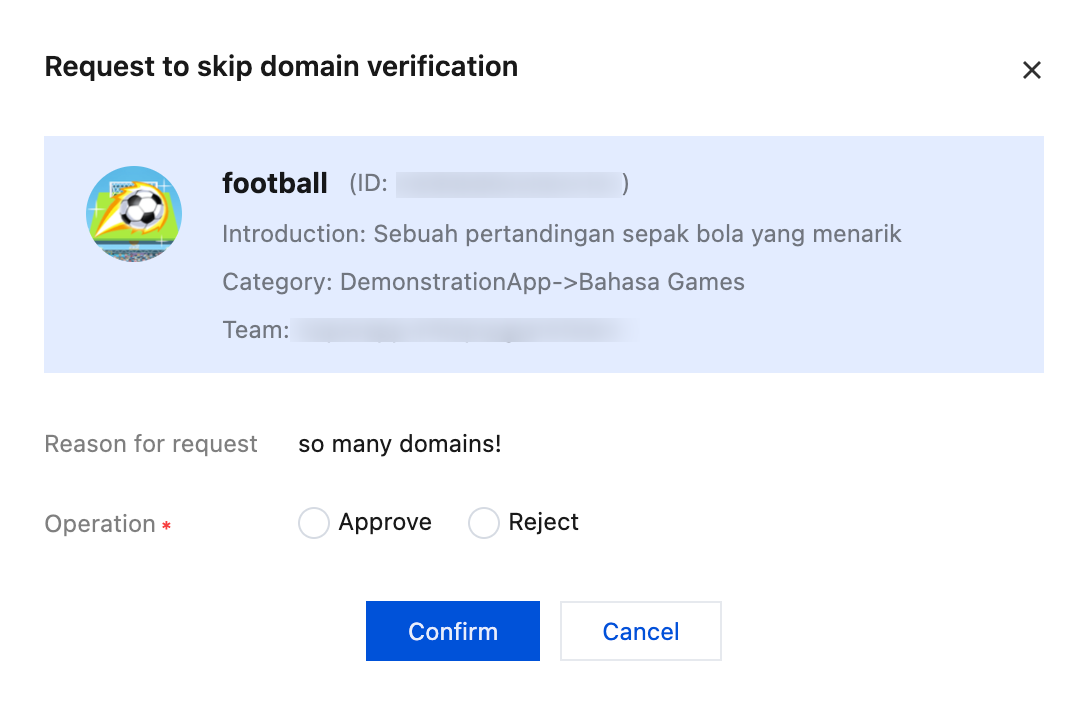
This section displays the requests for skipping domain verification submitted by mini program or mini game developers.

The superapp team admin or approvers will click Approve to check the reason for request and decide whether to approve or reject the request.
Note:
After approval, the mini program or mini game will no longer need to configure request domains and H5 page domains, meaning there are no restrictions on the domains used. Please use this feature with caution and regularly audit the content of the mini program or mini game to ensure safety and compliance.
Approved
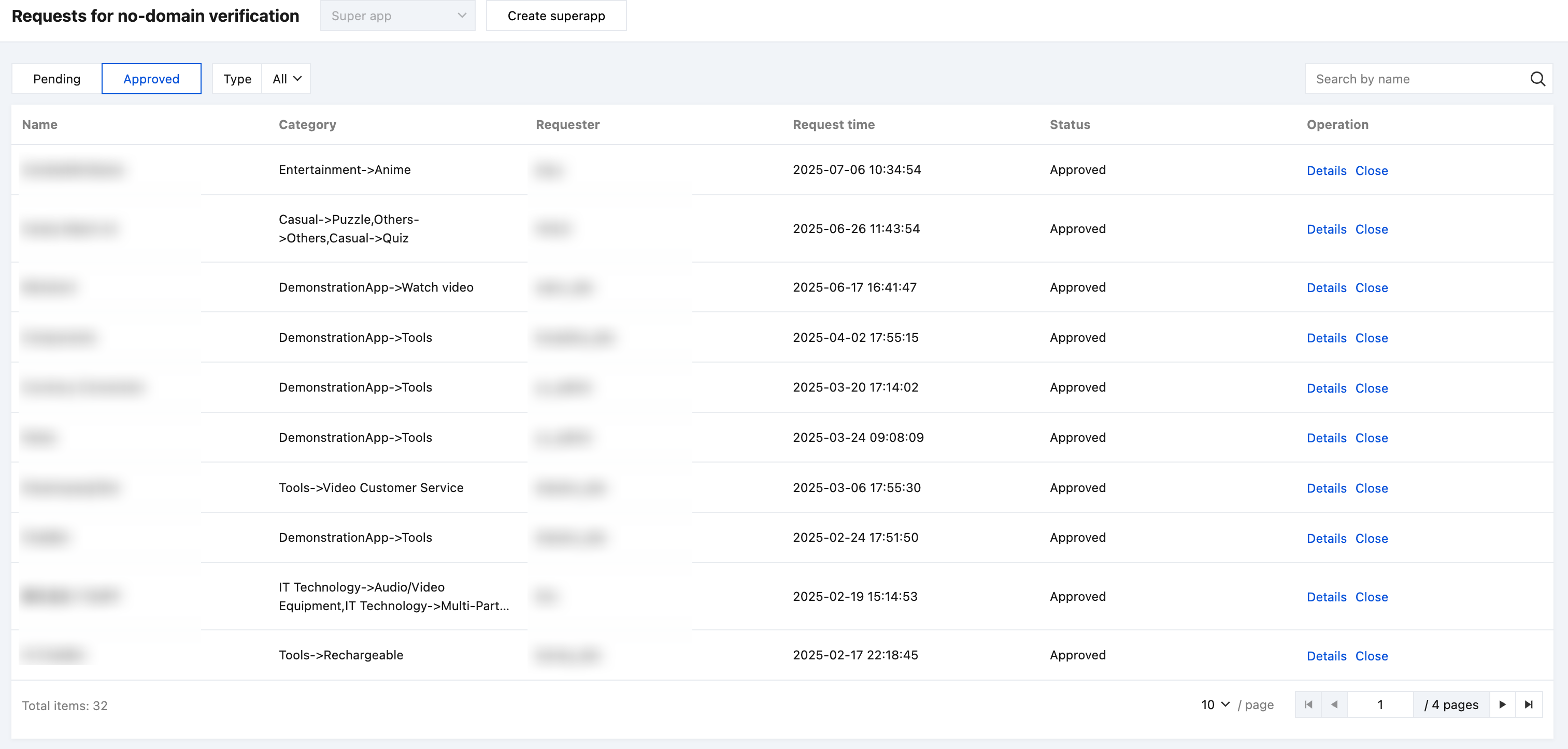
The approved and rejected requests can be found in the Approved list. Click Details to view the details of the request and approval. Click Disable to disable the permission.
Help and Support
Was this page helpful?
You can also Contact sales or Submit a Ticket for help.
Help us improve! Rate your documentation experience in 5 mins.
Feedback