Using Anti-DDoS
Overview
Anti-DDoS provides comprehensive, efficient, and professional protection against DDoS attacks. It offers multiple solutions, including Anti-DDoS Pro and Anti-DDoS Advanced for enterprises to handle DDoS attacks. With sufficient and high-quality anti-DDoS resources and continuously evolved "self-developed + AI-based intelligent identification" cleaning algorithms, Anti-DDoS ensures stable and secure operations of users' businesses.
The public network CLB of the cloud-native gateway provides basic Anti-DDoS protection by default. For higher-level protection, you can purchase an Anti-DDoS Pro product and bind it to the cloud-native gateway to enjoy more secure services.
Operation steps
Step 1: Purchase an Anti-DDoS protection instance
The gateway provides basic Anti-DDoS protection of up to 2 Gbps for all added public network CLBs by default. For higher-level Anti-DDoS protection, you can purchase Anti-DDoS Pro or Anti-DDoS IP. Multiple protection solutions are provided for different scenarios. See Anti-DDoS Solution Comparison to make your selection.
Step 2: Binding the Protection Instance to Gateway Resources
Scenario 1: Using Anti-DDoS Advanced
Scenario 2: Using Anti-DDoS Pro
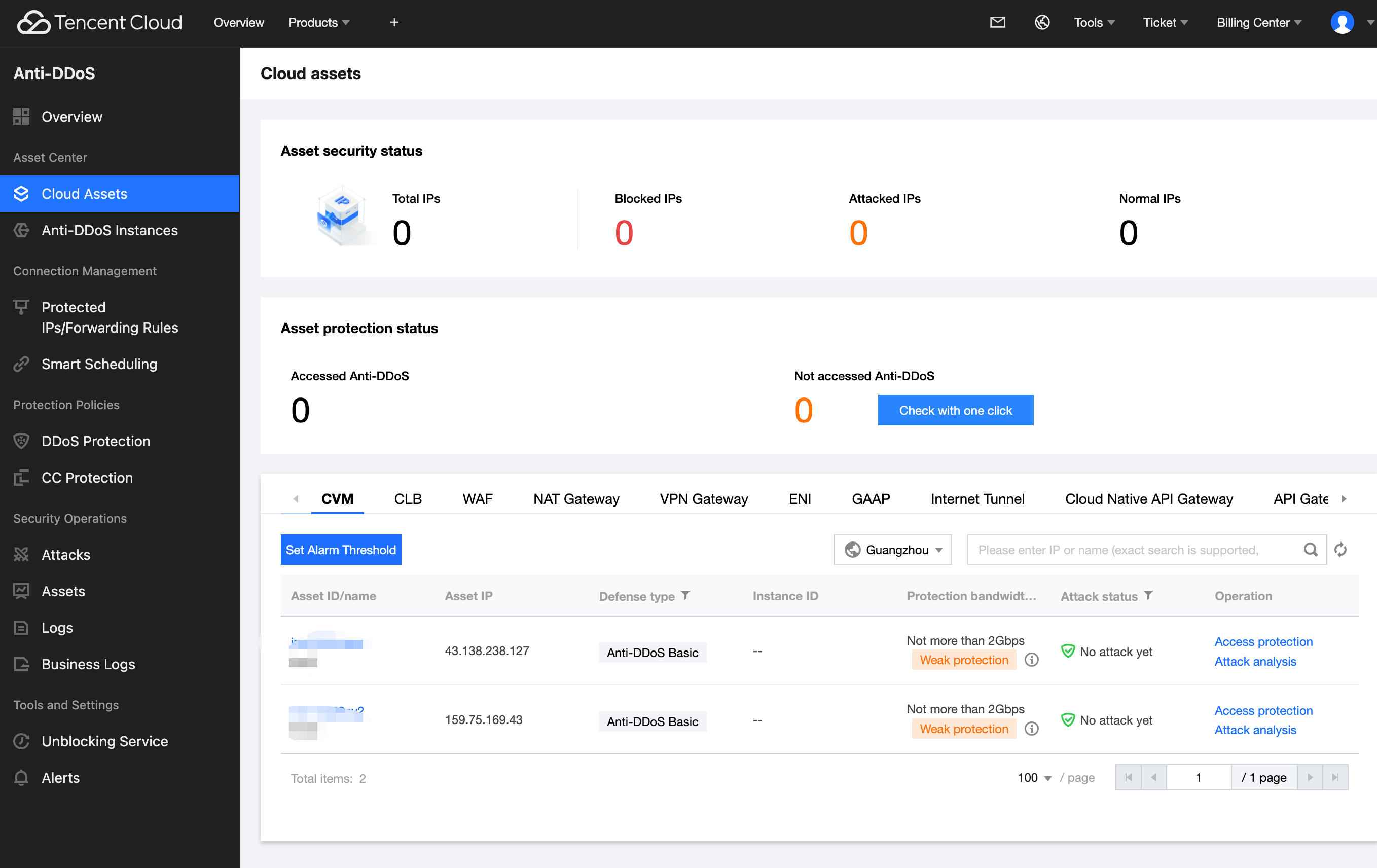
1. Go to the Anti-DDoS console, click Cloud Asset List, select Cloud Native Gateway, and confirm the region.
2. In the Asset IP, select the public network CLB IP that needs DDoS protection, then click connection protection on the right.
3. In the pop-up dialog box, select the Anti-DDoS Pro that should be bound and click Confirm.
4. Confirm that the protection type in the asset list has been updated to Anti-DDoS Pro with maximum protection capability under all-out protection.
5. In the Cloud Native Gateway console, click the instance ID, go to the instance details page, select Security Protection, go to the Anti-DDoS tab, and confirm the resources associated with the current Anti-DDoS Pro.
Step 3: Viewing/Configuring the Protection Policy
Help and Support
Was this page helpful?
You can also Contact sales or Submit a Ticket for help.
Help us improve! Rate your documentation experience in 5 mins.
Feedback