Service Throttling
Service-level traffic throttling is one of the most common self-protection measures for services, preventing traffic surges from overwhelming services. The
Spring Cloud Tencent Rate Limit module includes built-in throttling Filters for Spring Web and Spring WebFlux scenarios, helping businesses rapidly integrate throttling capabilities with Polaris's traffic limiting feature.Prerequisite
Before starting development, please ensure you have downloaded and installed Java and Maven.
Operation Steps
Step 1: Importing Dependencies
1.1 Add the spring cloud tencent Dependency
Modify the pom.xml in the application's root directory to add
dependencyManagement:<dependencyManagement><dependencies><dependency><groupId>com.tencent.cloud</groupId><artifactId>spring-cloud-tencent-dependencies</artifactId><version>${version}</version><type>pom</type><scope>import</scope></dependency></dependencies></dependencyManagement>
Note:
Please select the appropriate Spring Cloud Tencent version based on the versions of Spring Boot and Spring Framework in the project.
1.2 Introduce spring cloud tencent starter
Method 1: Introduce all sct starters via
spring-cloud-starter-tencent-all.<dependency><groupId>com.tencent.cloud</groupId><artifactId>spring-cloud-starter-tencent-all</artifactId></dependency>
Method 2: Introduce
spring-cloud-starter-tencent-polaris-ratelimit.<dependency><groupId>com.tencent.cloud</groupId><artifactId>spring-cloud-starter-tencent-polaris-ratelimit</artifactId></dependency>
Step 2: Add Configuration File
1. Create an application.yml file in the project's main/resources directory.
2. Configure the application name, polaris (North Star) server IP address, and other information in the application.yml file.
spring:application:name: ${application.name}cloud:polaris:enabled: trueaddress: grpc://${replace with the Polaris service IP address deployed in Step 1}:8091namespace: defaultratelimit:enabled: true
Step 3: Configure Traffic Throttling Rules in the Console
See the Service Governance Guide for documentation on service-level traffic throttling to configure traffic throttling rules. The relevant page is as follows:
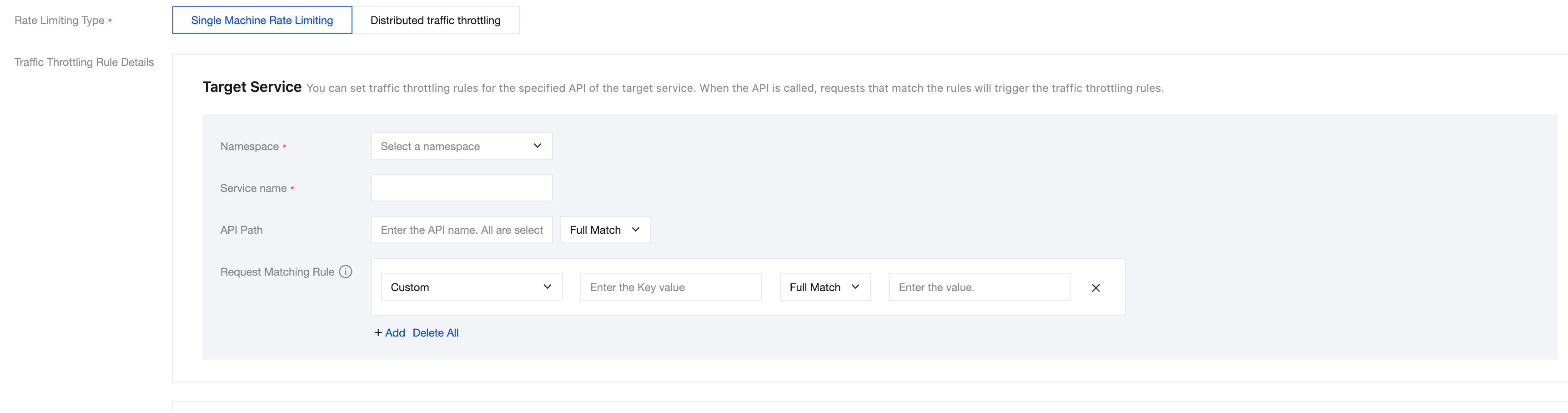
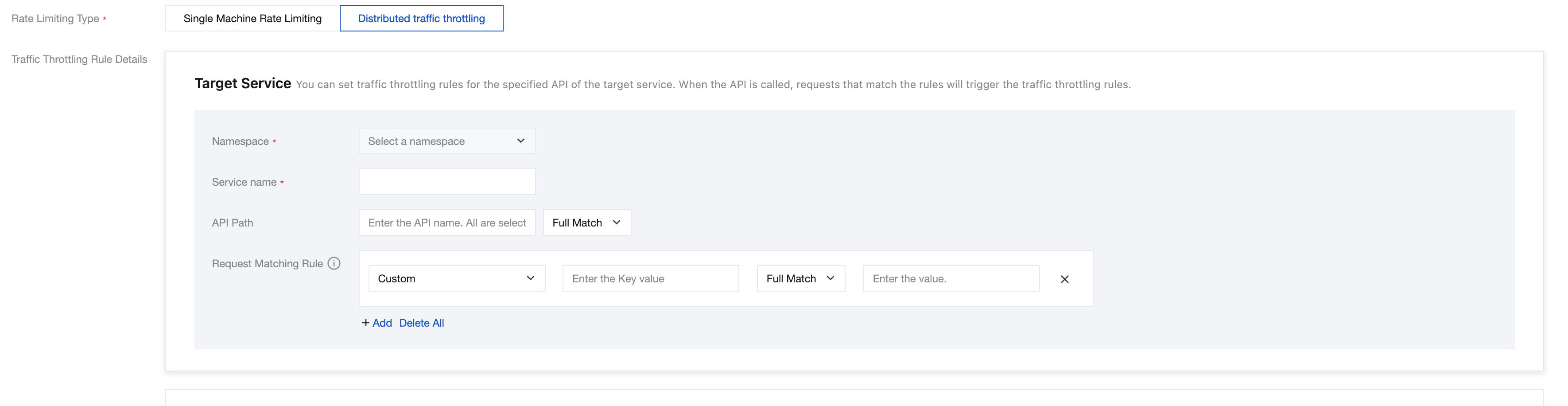
Step 4: Start the Application
After the application starts successfully, access its HTTP interface to test whether rate limiting is effective. If the request is throttled, the following content will be returned:
The request is deny by rate limit because the throttling threshold is reached
피드백