Receiving Alarm Notifications Through Teams
下载
聚焦模式
字号
This document introduces how to receive alarm notifications through Teams.
Step 1: Creating an Incoming Webhook and Obtaining the Address
1. Log in to Teams and select the channel for which you want to add a Webhook.
2. Click 
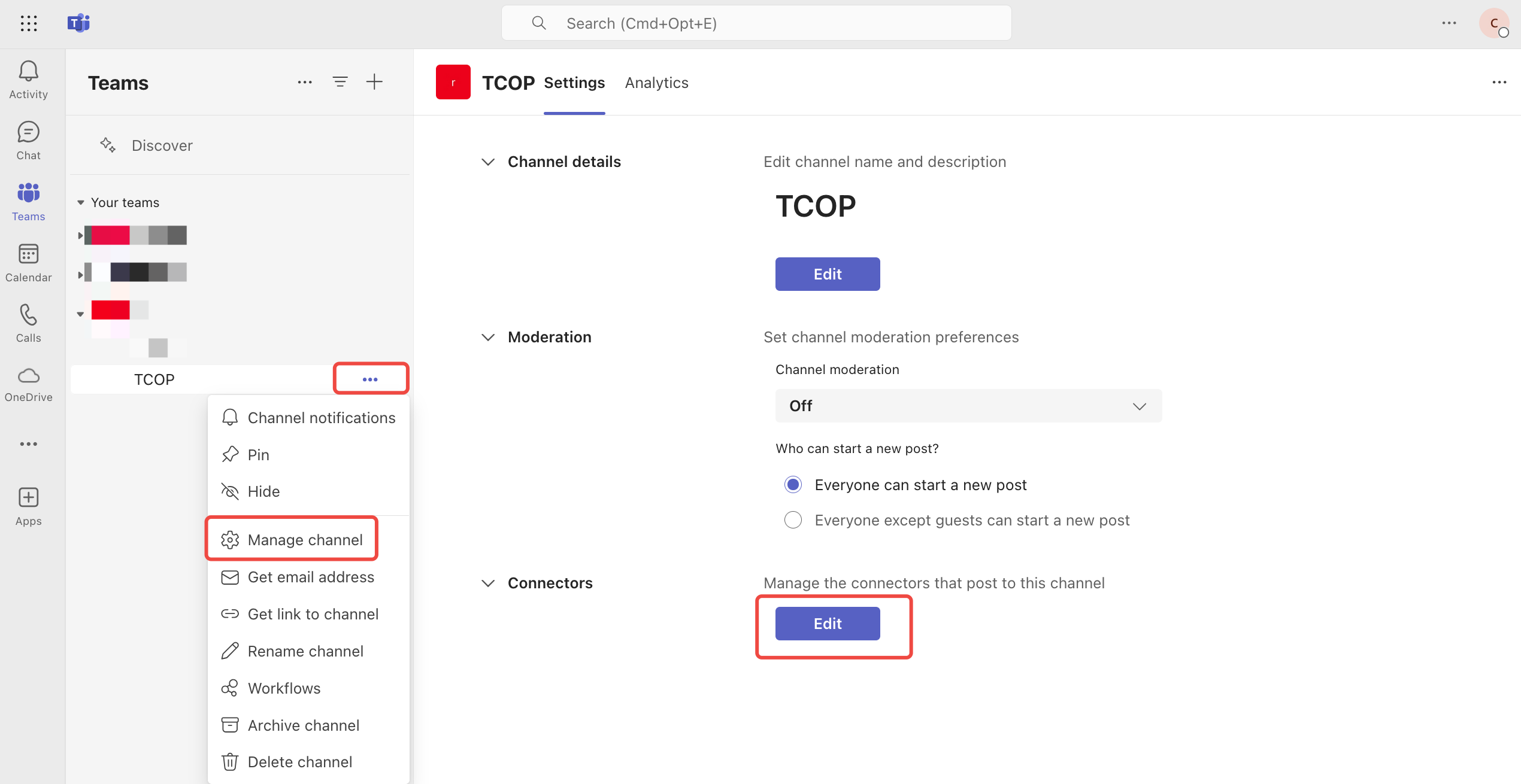
3. Select and add the incoming Webhook.
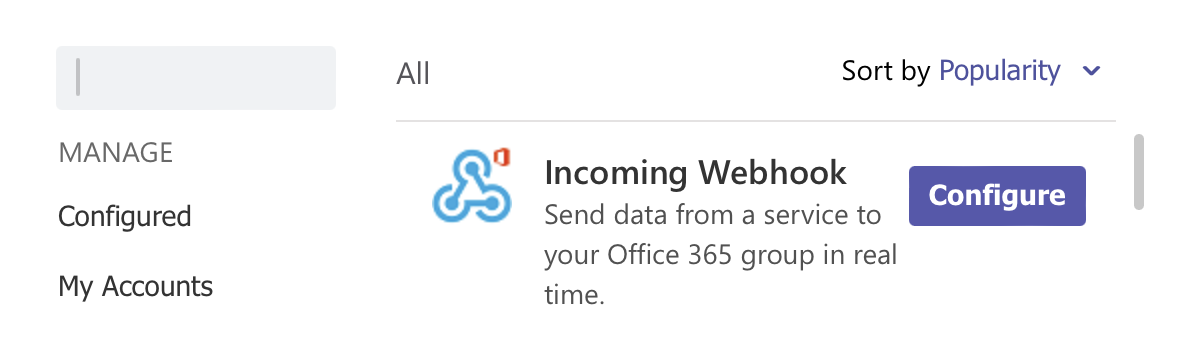
4. Create and obtain the Webhook address.
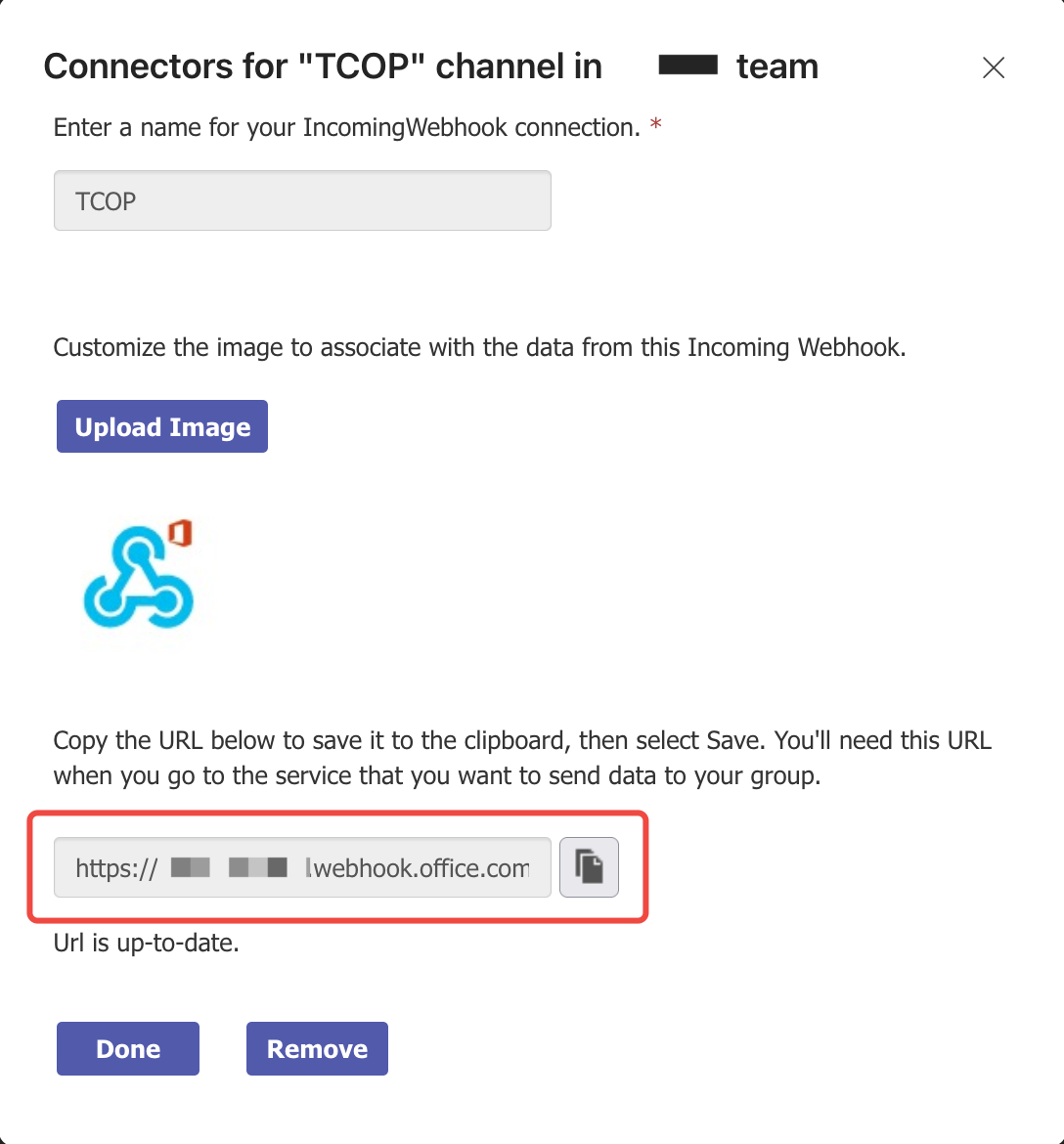
Step 2: Configuring the API Callback for Alarm Notifications
2. Click Create Notification Template to enter the notification template creation page.
3. After configuring the basic information, fill in the copied Webhook address into the textbox next to API Callback.
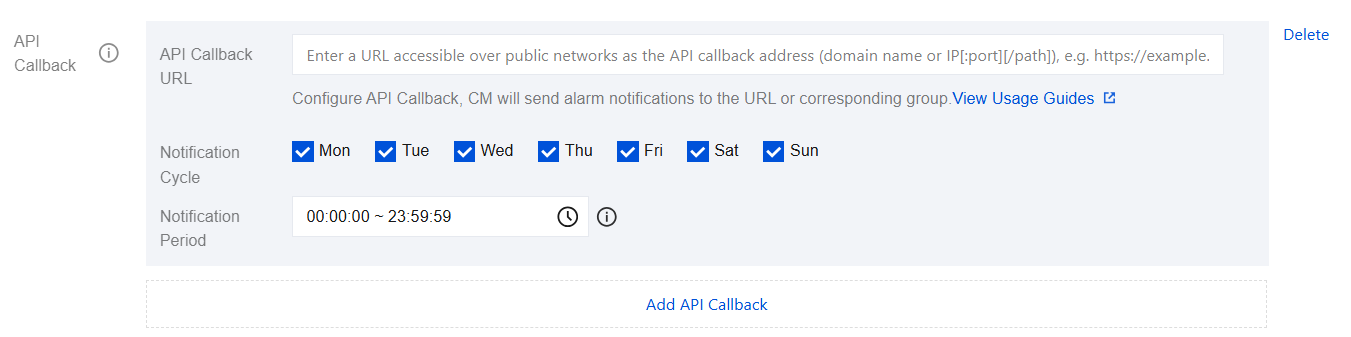
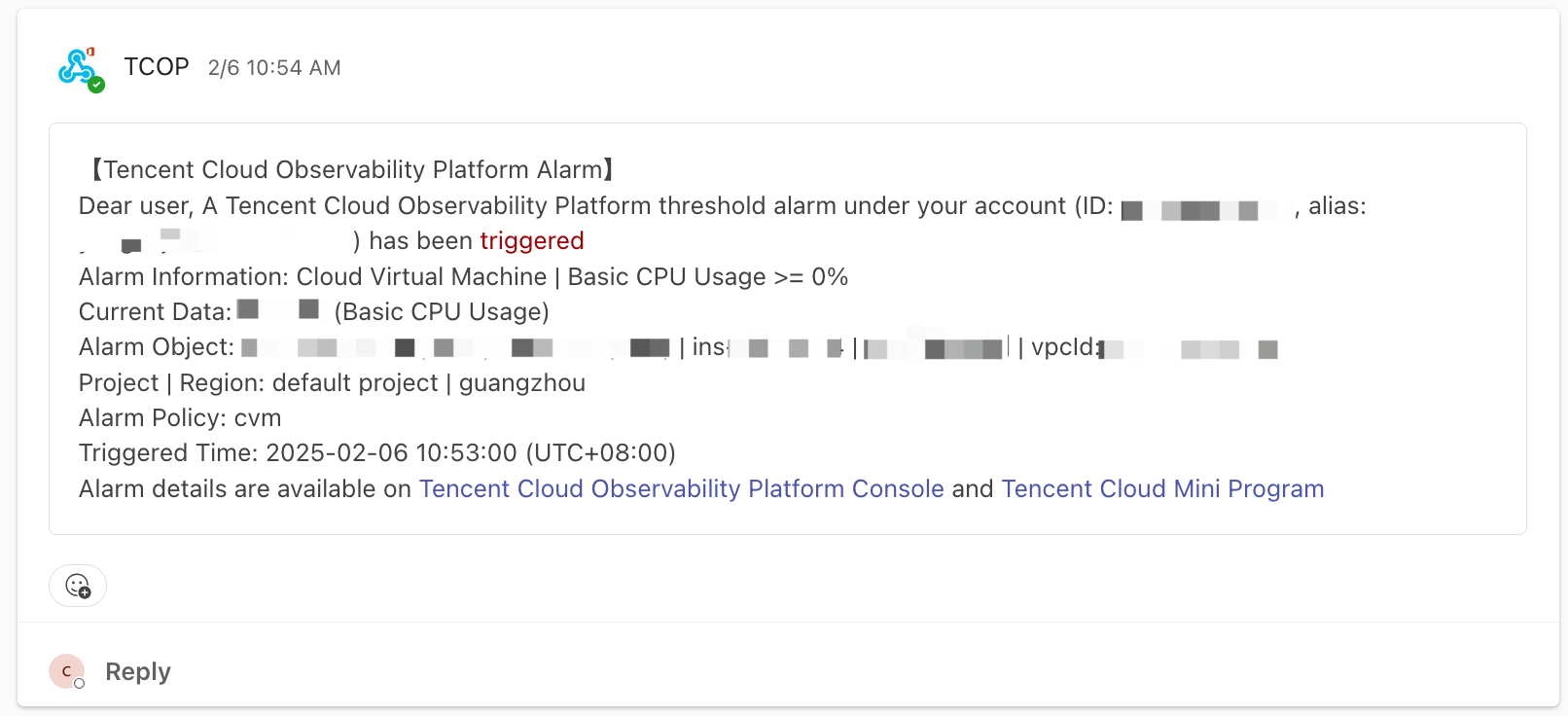
4. After the callback configuration is completed, you will receive an alarm callback message from TCOP when the alarm policy is triggered or restored.
文档反馈