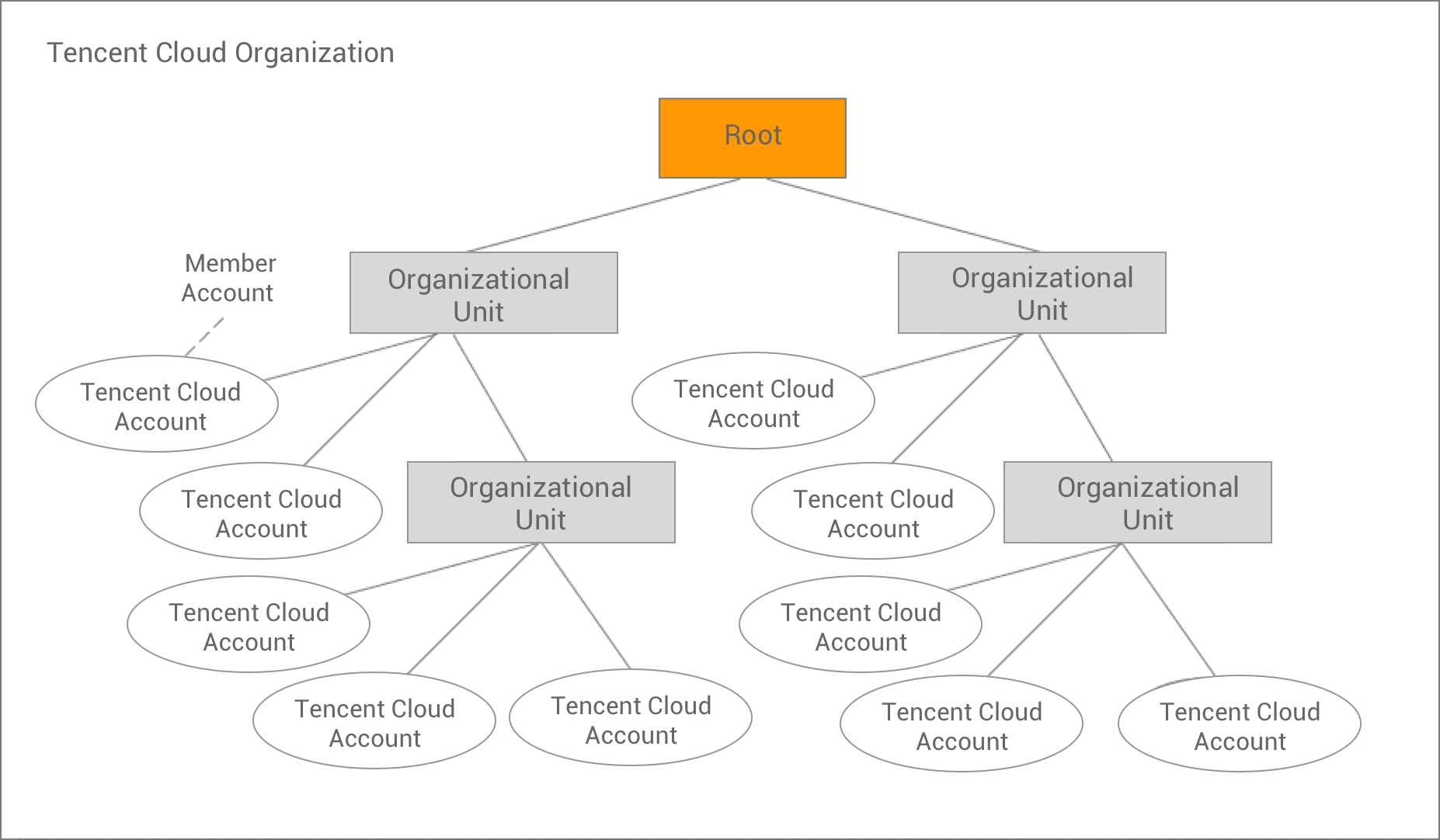
The following figure illustrates a basic organization containing 10 accounts, which are grouped into four departments under the root. You can refer to this document to understand the items in the figure.
Root
A root is the parent container of all accounts in an organization.
Note:
Currently, an organization can contain only one root. When you create an organization, TCO will automatically create a root for it.
Organization
You can create organizations to sort out the hierarchical relationships between Tencent Cloud accounts.
You can centrally view and manage all accounts in your organization in the TCO console. An organization has one admin account and zero or more member accounts. You can organize such accounts in a hierarchical tree structure with the root at the top and departments nested under the root. Each account can be placed directly under the root or in a department.
Department
A department is a node used to store accounts under the root node and can contain other departments. This enables you to create a hierarchy similar to a reverse tree with the root node at the top, departments extending downward, and accounts at the bottom.
Account
An account is a standard Tencent Cloud account that contains your Tencent Cloud resources.
Admin account:
The creator of an organization is the organization's admin account. One organization can have only one admin account.
Member account:
Member accounts are other accounts than the admin account in an organization. The organization admin can create accounts or invite other existing accounts to join the organization, remove accounts from the organization, manage invitations, and apply policies to entities like the root, departments, or accounts in the organization. One account can join only one organization.
Organization invitation
Invitation is the process of inviting another account to join your organization. An invitation can be sent only by the root account and can be extended to account IDs associated with the invitee account. After the invitee account accepts the invitation, it will become a member account in the organization.