This document describes how to create a permission group, which is used to manage CHDFS permissions. Before using CHDFS, you need to create a permission group first.
Directions
1. Log in to the CHDFS console, click Permission Groups on the left sidebar, and select the target region, such as Guangzhou.
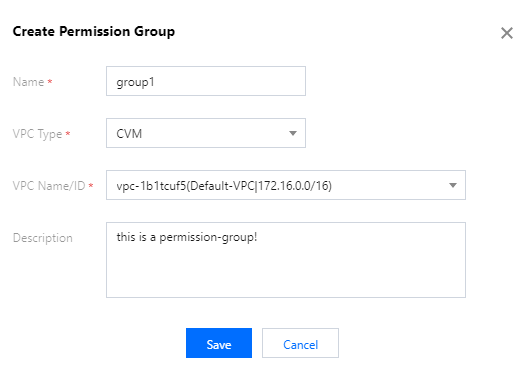
2. Click Create and enter the name and description in the pop-up window.
Name: permission group name, which can contain 4 to 64 letters, digits, hyphens, and underscores.