Self-Service
Download
Mode fokus
Ukuran font
Description
In the Self-Service module, administrators can create a self-service and set up the process. During a call, agents can directly initiate the created self-service process. Before creating a self-service, you must complete the configuration of Self-Service IVR.
Call Hold Prompt Settings
1. Go Management Panel, Voice Agent > IVR Management. Click Self-Service IVR, create New.
2. Name your flow, then you can design your flows.
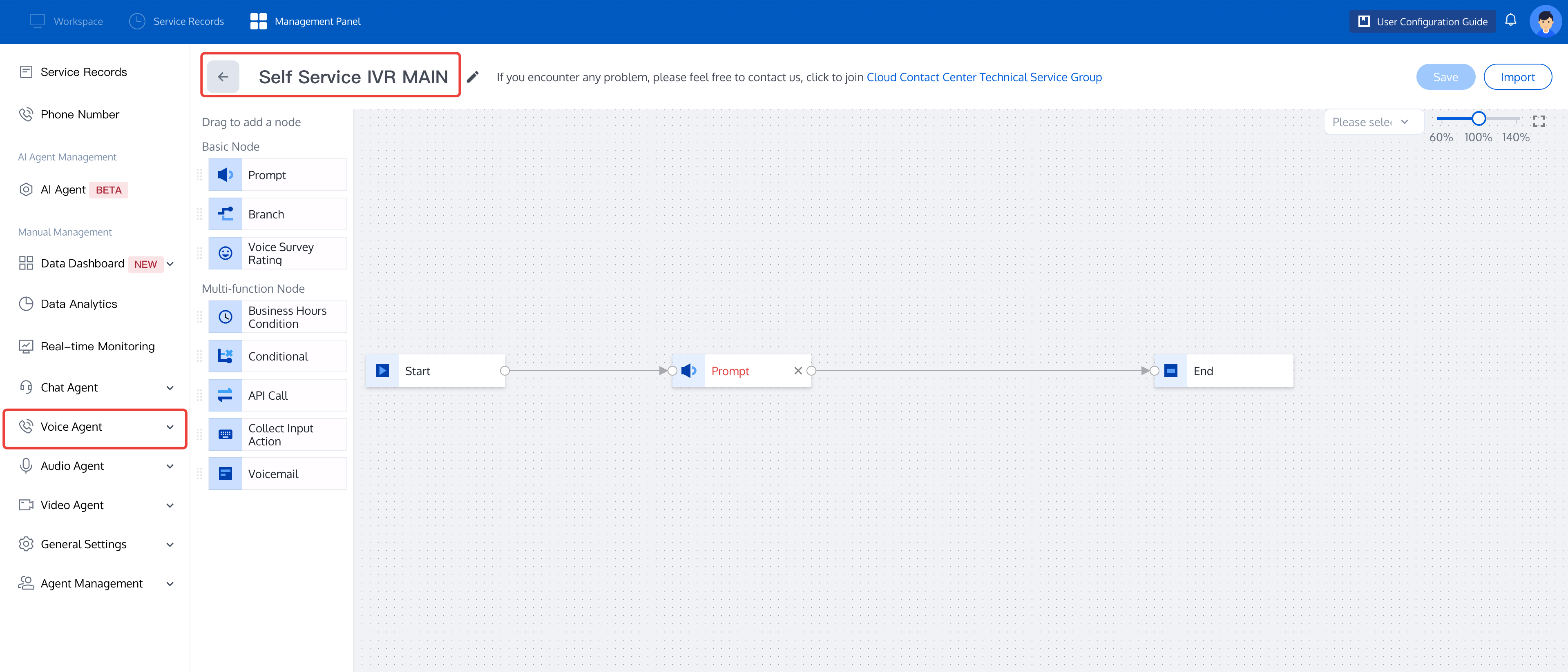
3. Drag and drop the IVR module to the appropriate position in the canvas area according to your scene needs, connect the modules and fill in the corresponding information in each module (See Basic IVR Module). Each self-service IVR process must start with the Start module as the first module, and the End module as the last module.
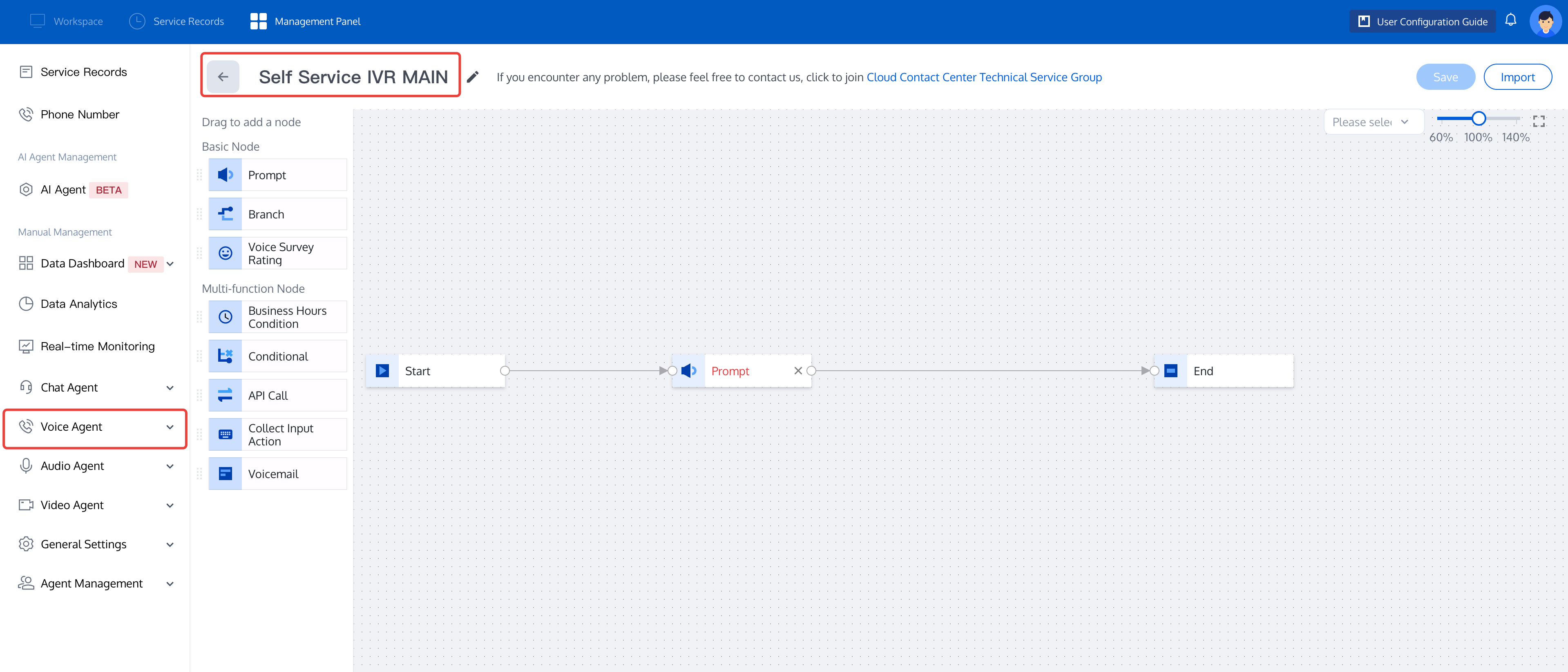
4. Once completed, click Save in the upper right corner of the IVR canvas to return to the list of Self-Service IVR.
Test Self-Service Flow
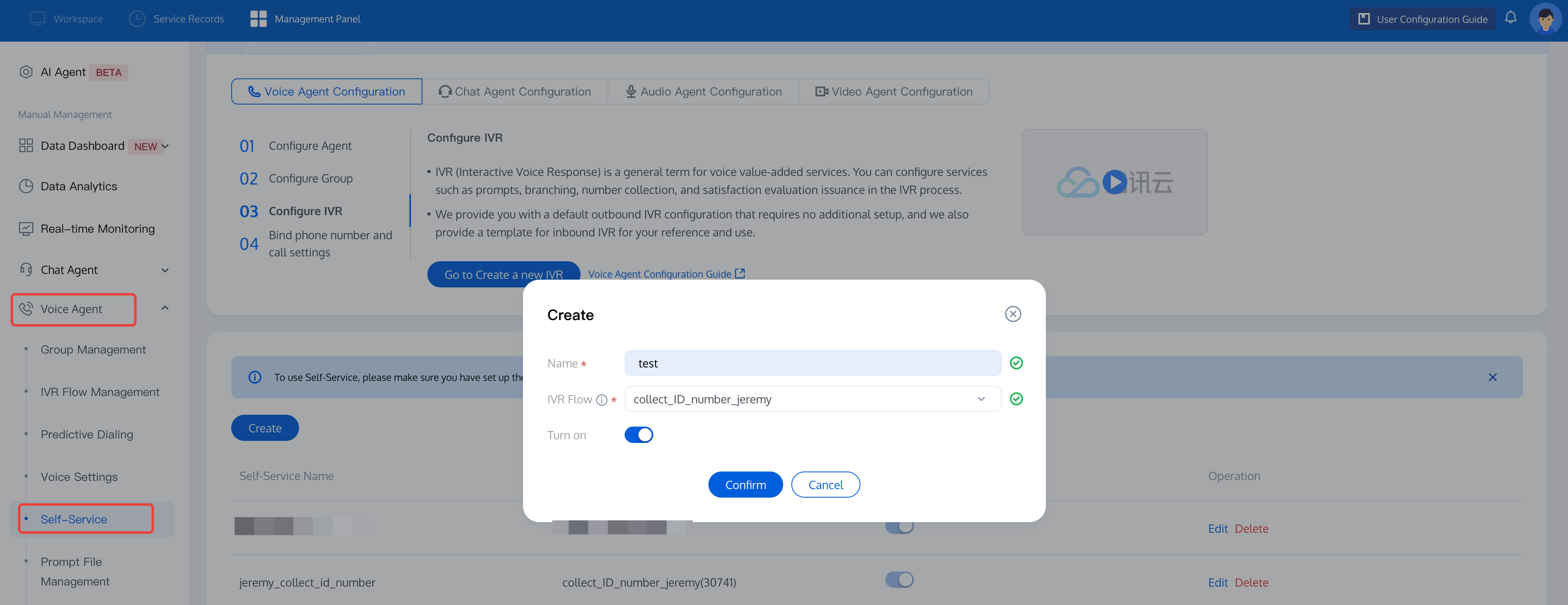
1. Go TencenTCCC Management Panel, click choose Voice Agent> Self-Service, click New.
2. Create a Self-Service task, enter your flow name, select the Self-Service IVR flow you just created, then toggle the switch to turn the status on. Finally, click Confirm.
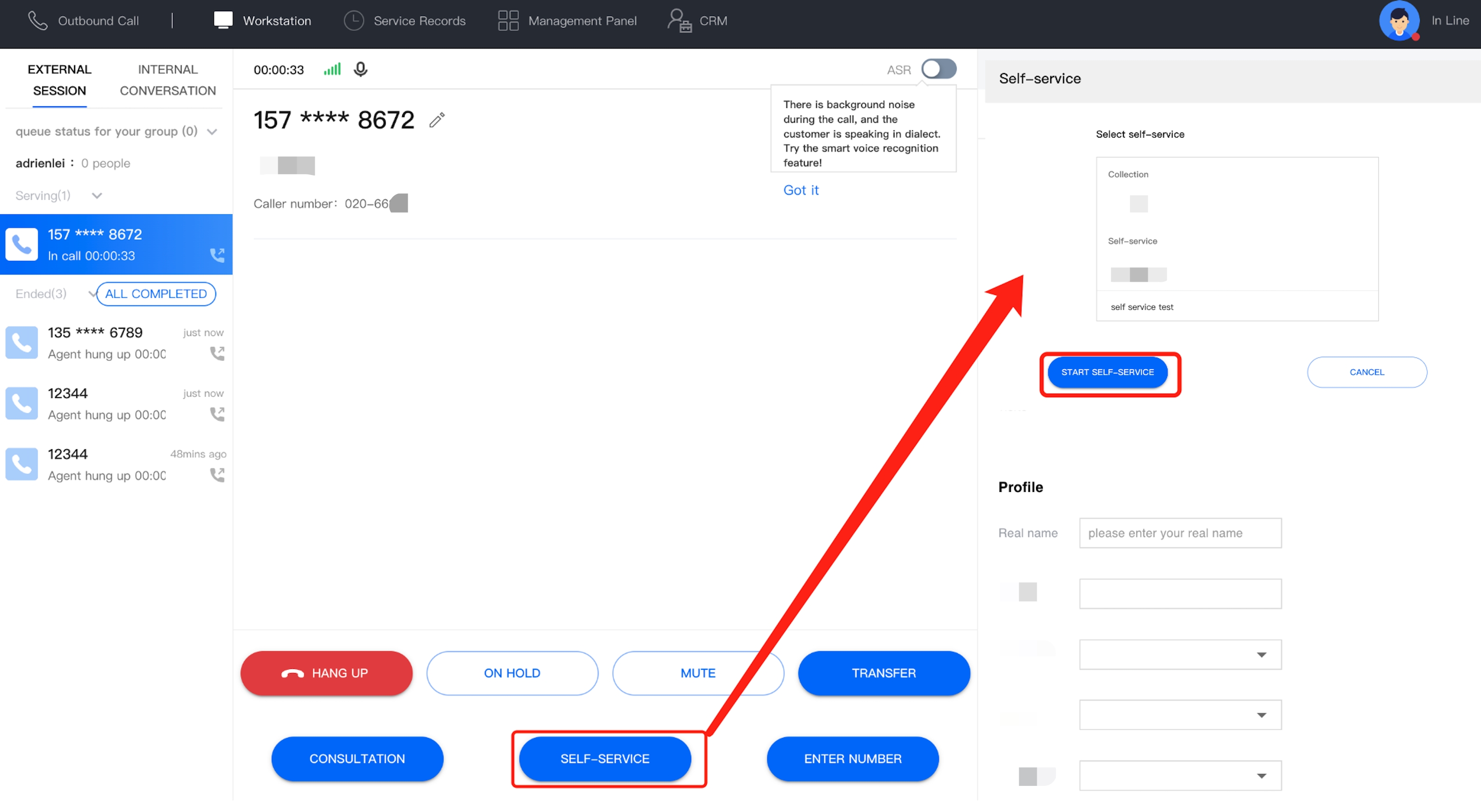
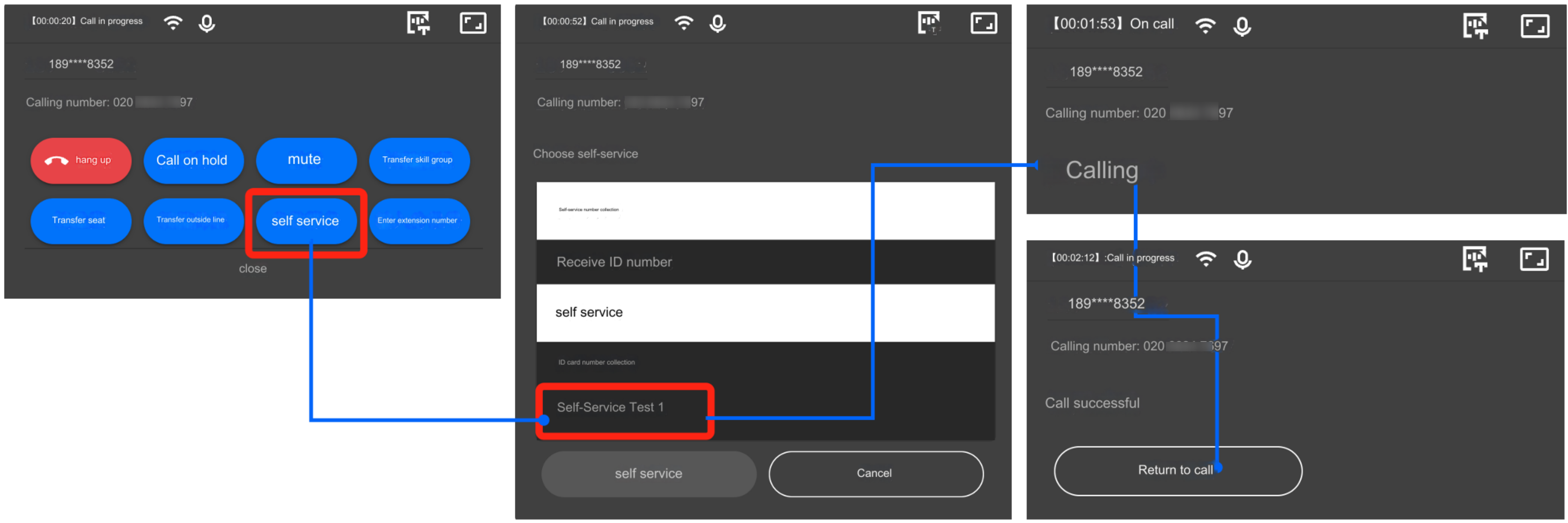
3. During a call you can click Self-Service to test, select self-service flow from the menu. After proceed flow successfully, you can click Return to Call.
Bantuan dan Dukungan
Apakah halaman ini membantu?
Anda juga dapat Menghubungi Penjualan atau Mengirimkan Tiket untuk meminta bantuan.
masukan