MCP Overview
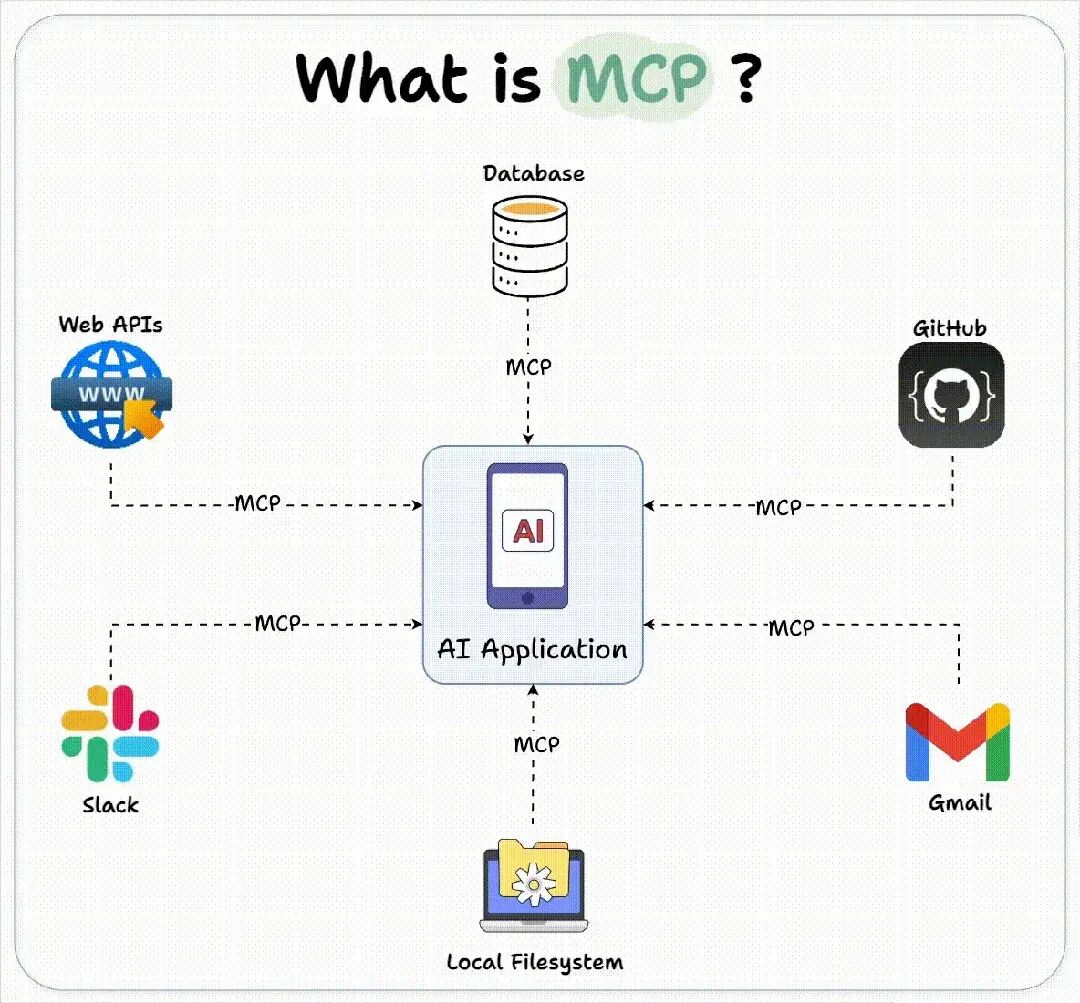
MCP (Model Context Protocol) is an open protocol designed for LLM applications to seamlessly integrate with external tools and data sources. It provides a uniform API specification, simplifying decentralized API tools into a "plug-and-play" mode, addressing challenges in traditional API tools such as multi-protocol adaptation and high development costs. For details, refer to MCP official documentation. Viewing MCP Plug-In
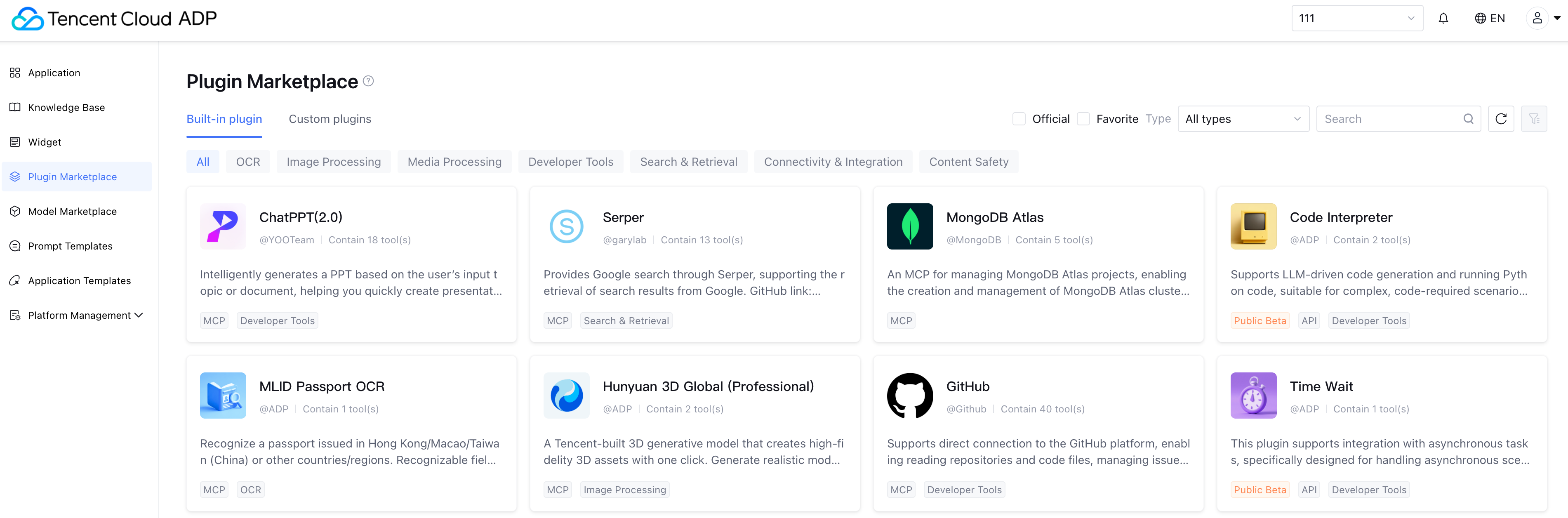
Tencent Cloud Agent Development Platform, as an enterprise-level large model application build platform, supports access to a massive number of tools in the MCP ecosystem, accelerating the large model application build process. Plugin Marketplace offers a large number of MCP plugin types, divided into the following plugin types based on different sources:
Official plugins: The Tencent Cloud Agent Development Platform Plugin Plaza offers a selection of preset MCP plugins. You can one-click add them to your application and Using the Plugin. Custom plugins: If the selection of MCP plugins offered by Tencent Cloud Agent Development Platform does not meet usage requirements, you can also configure third-party plugins by MCP protocol or integrate custom-developed plugins. For details, refer to the chapter Integrating Custom MCP Plugins in the following context.
Third-party Plugins: Third-party plugins refer to plugins developed by non-official developers of Tencent Cloud Agent Development Platform, such as external businesses, open-source communities, and independent developers. You can view the source at the bottom of the plugin information card.
Integrating Custom MCP Plugins
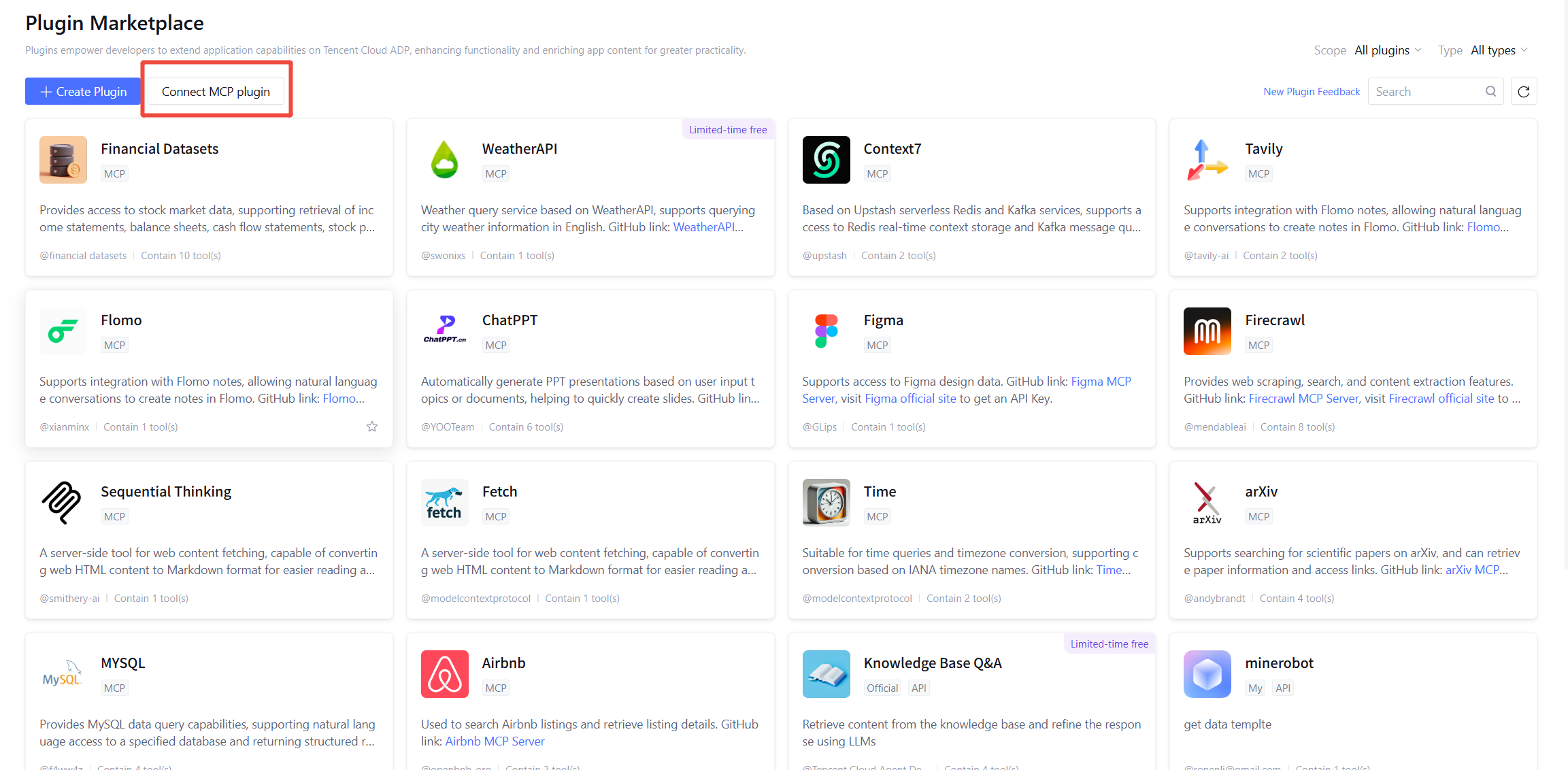
1. Enter the plugin plaza, click Custom Plugins > Create New Plugin, and select Based on MCP.
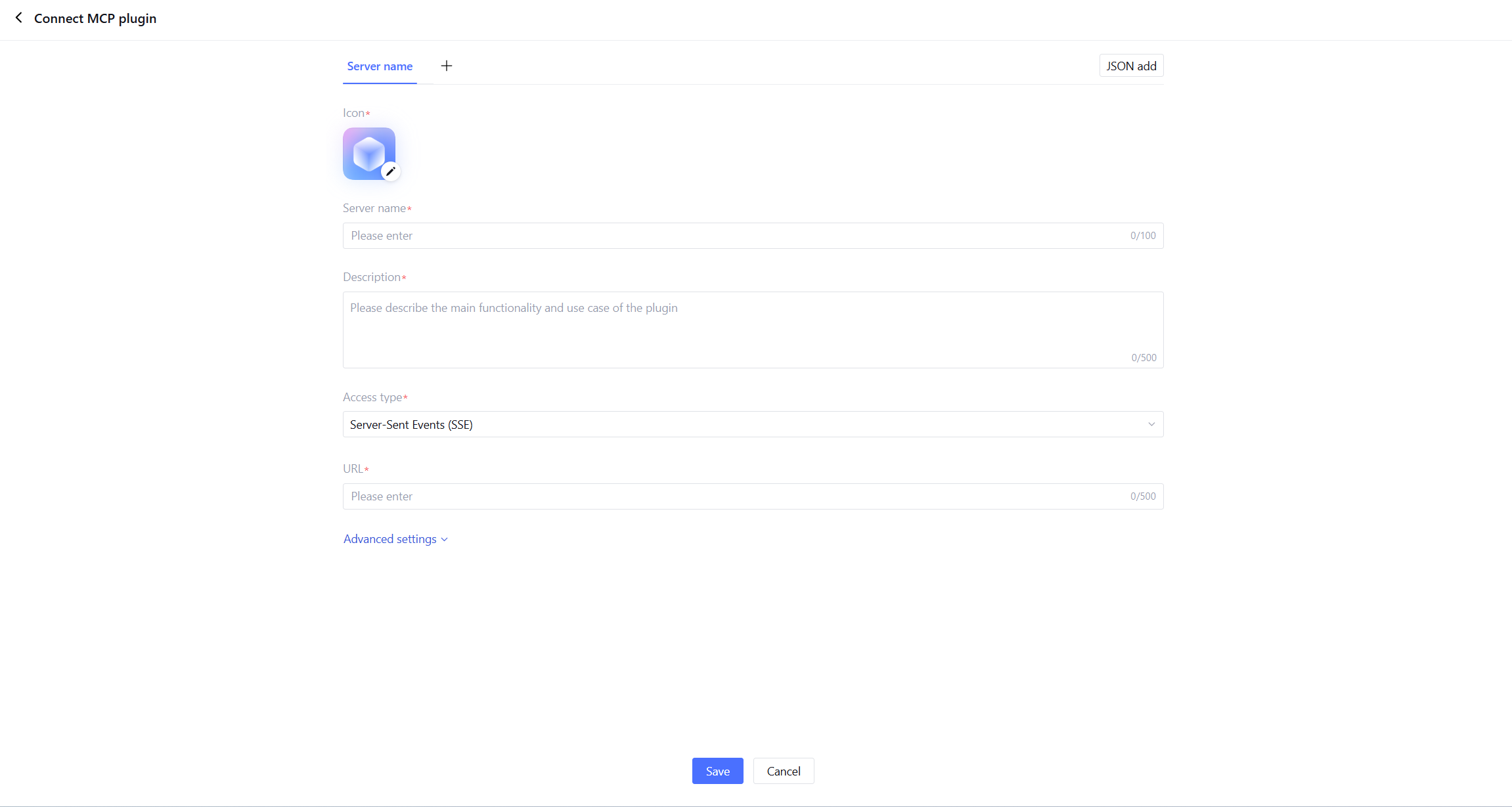
2. On the access page, fill in the basic information of the MCP Server, including the name and description fields, select the access type, and configure the online URL address of the MCP Server.
Access Type: Support access to plug-ins with sse and streamableHttp protocol types.
SSE: A one-way real-time communication mechanism based on HTTP protocol. The client creates a persistent HTTP connection, and the server can continuously push event data to the client. It is commonly used for real-time messaging and status updates in other scenarios.
streamableHTTP: A streaming transmission mechanism implemented over HTTP protocol, commonly used for AI model output to gradually generate content (such as LLM streaming response). It is not a brand-new protocol, but a flexible use of HTTP persistent connection and chunked transfer capacity to gradually return data to the client during reasoning.
Except for specifying the server type, you can also customize the plugin Header, request timeout duration, and SSE service timeout duration in Advanced Settings.
Header: HTTP request headers sent to MCP Server. Here you can add authentication information or custom fields.
Request timeout duration (seconds): The timeout duration for ordinary HTTP requests. The request will be interrupted if it does not respond after exceeding this duration.
SSE service timeout duration (seconds): The timeout period for SSE persistent connections.
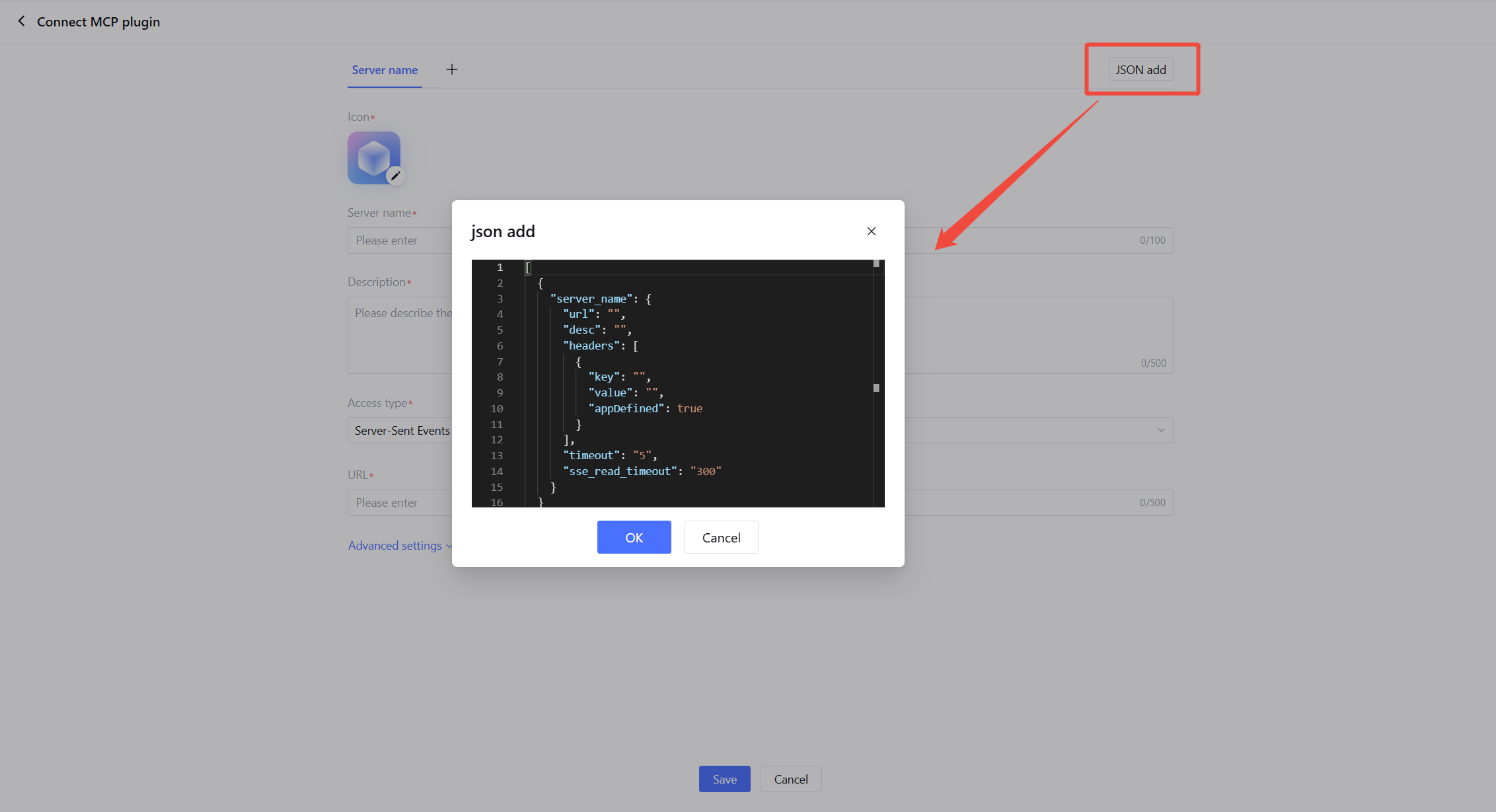
You can also add MCP Server through JSON code with one-click.
3. After saving, click OK to complete the plug-in integration. You can Using the Plugin in single workflow mode or Multi-Agent Mode. You can also view, edit, and export it in the plugin marketplace.