tencent cloud

Tencent Cloud Agent Development Platform

Release Notes and Announcements
Release Notes
Product Announcement
Product Introduction
Product Overview
Advantages
Use Cases
Model Introduction
Purchase Guide
Package Subscription
Previous Version
Getting Started
Agent Application and Its Three Modes
Creating a "Content Summary Assistant" in Standard Mode
Creating a “Webpage Scraping Assistant” in Single Workflow Mode
Creating a “Stand-up Comedy Content Creation Assistant” in Multi-Agent Mode
Operation Guide
Application Development
Workflow
Multi-Agent
Knowledge Base
Widget
Plugin Marketplace
Model List 
Prompt Templates
Application Templates
Platform Management
Business, Workspace and Permissions
API Documentation
History
API Category
Making API Requests
Atomic Capability APIs
Operation Optimization APIs
Document Library APIs
Q&A Database APIs
Knowledge Tag APIs
Application Management APIs
Enterprise Management APIs
Billing APIs
Release Management APIs
Dialogue Endpoint APIs
Data Statistics APIs
Data Types
Error Codes
Application API Documentation
Dialogue API Overview
Dialog API Documentation (WebSocket)
Dialog API Documentation (HTTP SSE)
Image Chat or File Chat (Real-time Document Parsing + Chat)
Offline Document Upload
Tencent Cloud Agent Development Platform Operation COS Guide
ADP Document Parsing Protocol
FAQs
Product FAQs
Technical FAQs
Related Agreements
Tencent Cloud Agent Development Platform Service Level Agreement
Tencent Cloud Agent Development Platform Service Specific Terms
Tencent Cloud Agent Development Platform Privacy Policy
Tencent Cloud Agent Development Platform Data Processing and Security Agreement
Open-Source License Statement
Lighthouse OpenClaw Connector Plugin Service Agreement
Contact Us
Glossary

Text Collection Node

PDF
Mode fokus
Ukuran font
Terakhir diperbarui: 2026-02-02 14:58:04

Node Function

The Text Collection Node belongs to the Information Collection Node, used to collect text information at a specific stage in the workflow. When the workflow proceeds to the "Text Collection Node", the system will display the developer's preset guidance to users. At this point, the text entered by users will automatically proceed to the workflow and be undertaken by the string type "Text" field. The follow-up workflow can use this field to acquire user-entered text information.


Directions

Input Variables

Input variables take effect only within the same node and cannot be used cross-node. Support up to 50 input variables to meet multi-input scene required. Click Add and configure as follows to add input variables.
Configuration
Description
Variable Name
The variable name can only contain letters, digits, or underscores, must start with a letter or underscore. Required.
Description
Description of this variable. Optional
Data source
The data source of this variable supports two options: "refer" and "input". "Refer" allows selecting output variables from all preceding nodes, while "input" supports manually filling in a fixed value. Required
Type
The data type of this variable is unselectable, defaulting to the variable type of "refer" or the string type of "input".

Guide words

Support guidance in text collection to ask or prompt user. The prompt input box supports referencing the node's input variable by entering "/".
Note:
The Text Collection Node belongs to the single-round interactive information collection node and will not trigger a rollback operation. During workflow operation, user input will be converted to text format. If the user uploads images or document resources, the system will automatically record and store them in the form of resource URLs.

Output Variable

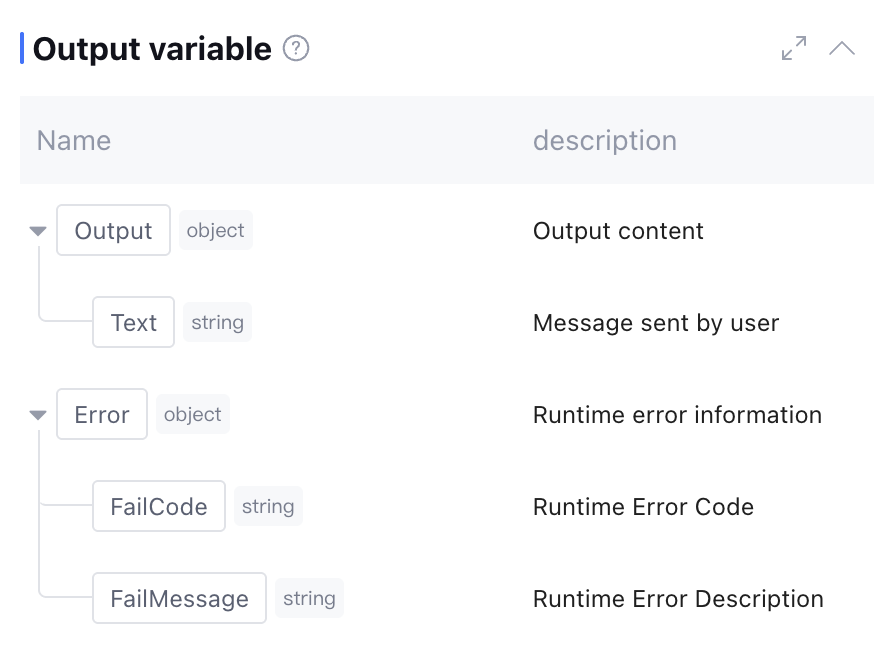
The node contains two output variables: the text information collected by the node and runtime Error info (data type: object, this field is empty during normal operation). Manual addition is not supported.


Difference between Text Collection Node and Parameter Extraction Node

The Text Collection Node and Parameter Extraction Node both extract information from user input, encapsulate it as output variables, and transfer it to subsequent nodes. They are suitable for business scenarios that collect various data from the user end. However, the two have certain differences in feature positioning, as follows:
Node Name
Text Collection Node
Parameter Extraction Node
Interaction Mode
Show guidance and collect user input
Show guidance and prompt the user to enter the parameter information to be extracted. If parameters are missing, trigger a follow-up question to guide the user to provide the required information.
Core Features
Write the user answer as-is without any parsing
Extract specific content from user input, focus on "key information"
Output Format
User input is directly encapsulated as a "Text" variable of string type and retained as-is.
Parse user input and map it to preset parameter fields to output structured parameter data
Applicable Scenarios
Collect feedback, retain user statements for compliance, and transmit original information to node processing.
Extract specific parameters (such as name and mobile number) from user input, guide users through multiple rounds to complement information, and other scenarios.
rollback mechanism
No support for rollback, no follow-up question mechanism
When the target parameter cannot be extracted, multiple rounds of rollback will be performed. You can re-enter this parameter value in the subsequent process and modify it.

Node Example

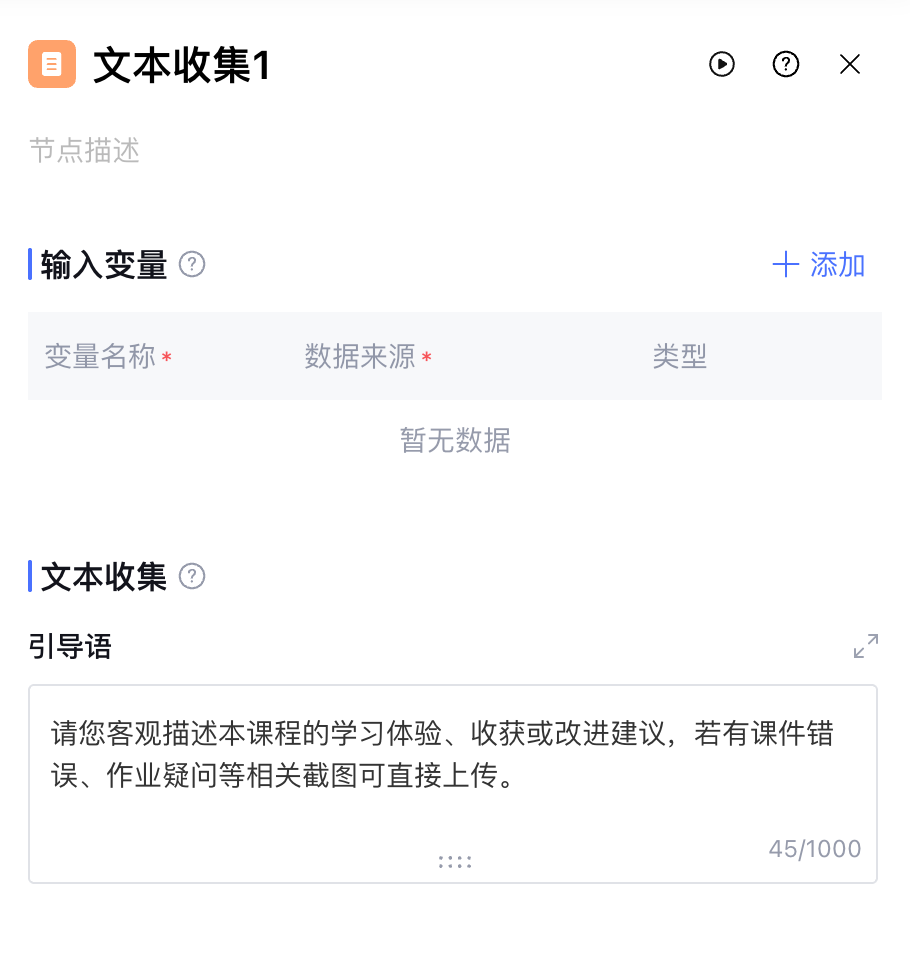
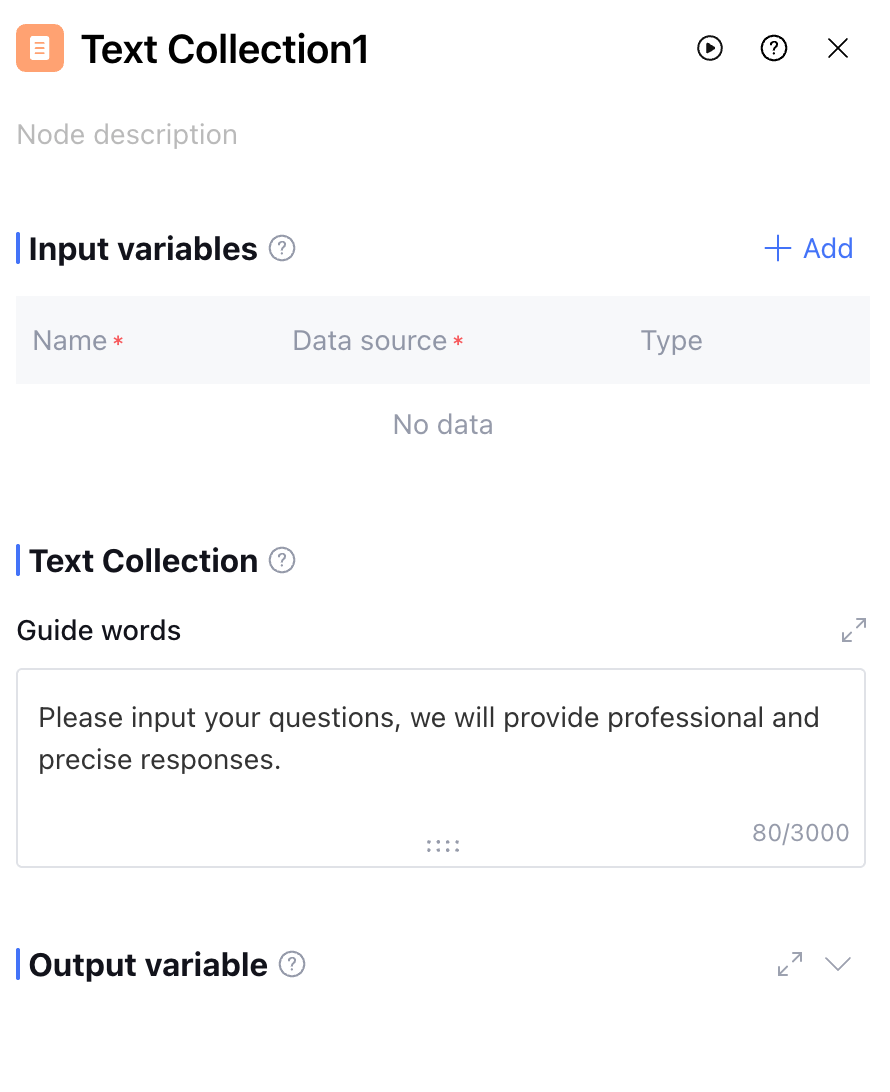
In the school "Course Quality Assessment" workflow, when the process advances to the "Student Feedback Collection" step, insert text collection nodes as follows:


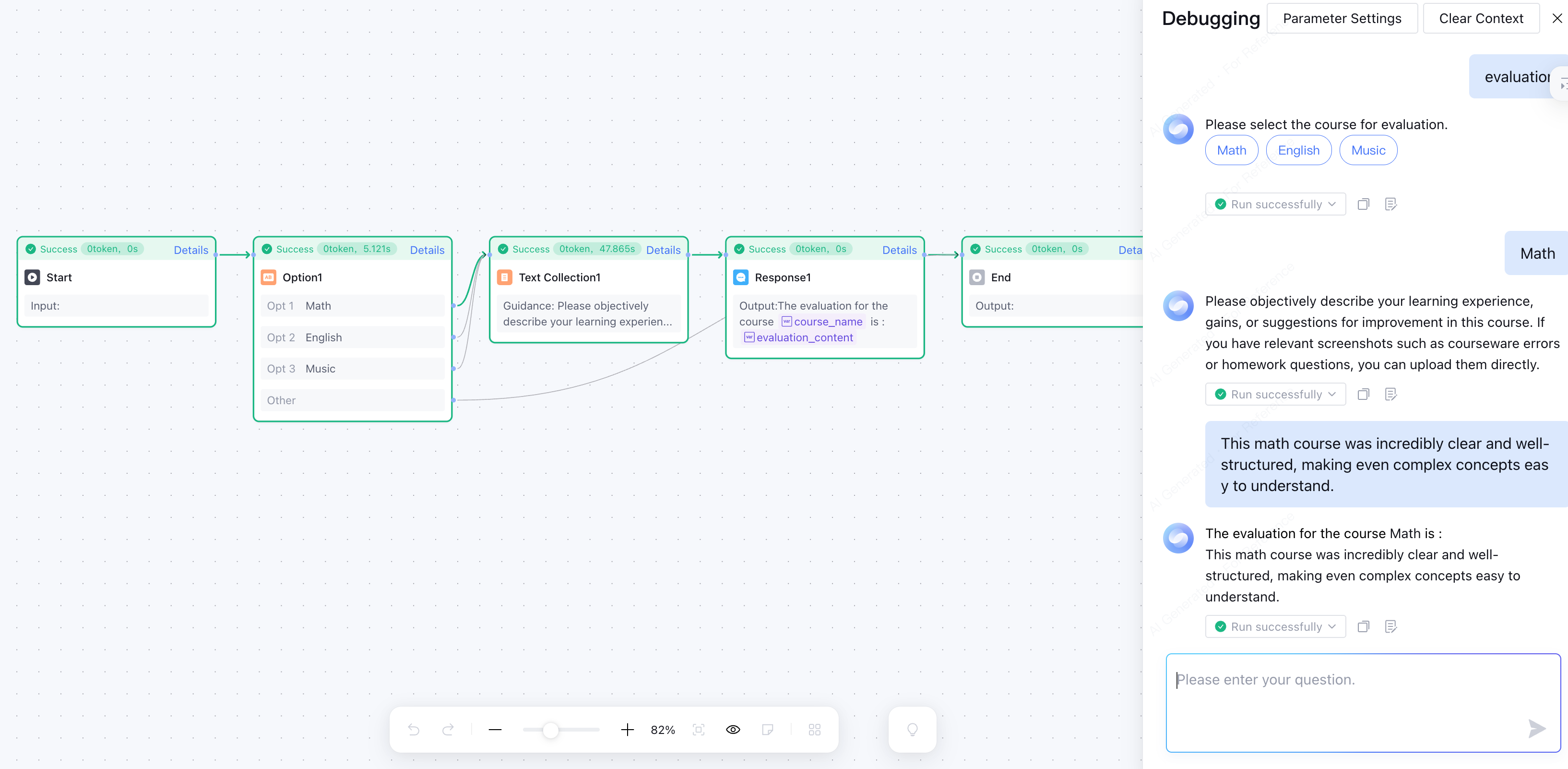
The complete workflow configuration is as follows:

The running results are as follows:


Bantuan dan Dukungan

Apakah halaman ini membantu?

masukan