Release Notes
Product Announcement
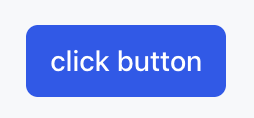
<Button label="click button" style="primary" />
Property Name | Type | Description | Default value |
label | string | button text | - |
onClickAction | ActionConfig | Click event configuration | - |
iconStart | string | Starting icon name | - |
iconEnd | string | End icon name | - |
iconSize | "sm" | "md" | "lg" | "xl" | "2xl" | icon size | "md" |
submit | boolean | whether submit button | false |
style | "primary" | "secondary" | button style | - |
color | "primary" | "secondary" | "info" | "success" | "warning" | "danger" | button color | "primary" |
variant | "solid" | "soft" | "outline" | "ghost" | button variant style | "solid" |
size | "3xs" | "2xs" | "xs" | "sm" | "md" | "lg" | "xl" | "2xl" | "3xl" | button size | "md" |
pill | boolean | whether it is capsule shape | false |
uniform | boolean | unify width | false |
disabled | boolean | whether to disable | false |
block | boolean | whether it is block-level element | false |
onClickAction is for configuration of the behavior triggered when clicking a Button, including event type, data content and whether multiple clicks are supported. For more Action configuration instructions, see Widget Action Instructions.Field | Type | Description | Default value |
type | "sys.chat" | "sys.go_to_url" | "sys.download" | Define the data type for specific behavior to execute after user interaction. | - |
payload | object | Provide the required data content for the specified Action type. | - |
alwaysEnabled | boolean | Whether to allow multiple clicks on the button. If not configured, the default is single click. | false |
alwaysEnabled field description:false. At this point, the Button only supports a single click operation and is automatically disabled after being clicked once.true. At this point, the Button supports multiple clicks even if the Widget where it resides is not the latest news.alwaysEnabled is configured as true for downloading (sys.download), redirection (sys.go_to_url) and other repeatable operations. It is not recommended for Actions of sys.chat type to avoid triggering duplicate dialogue requests.alwaysEnabled field is configured as true, the download image Button supports multiple clicks.<Buttondownload imageonClickAction={{type: 'sys.download',alwaysEnabled: true,payload: {url: 'https://cdn.xiaowei.qq.com/static/adp/app-default-avatar.png',},}}style="primary"block/>
Apakah halaman ini membantu?
Anda juga dapat Menghubungi Penjualan atau Mengirimkan Tiket untuk meminta bantuan.
masukan