tencent cloud

TencentDB for PostgreSQL

Release Notes and Announcements
Release Notes
Product Announcements
Product Introduction
Overview
Features
Strengths
Scenarios
Information Security
Regions and AZs
Product Feature List
Large version lifecycle description
MSSQL Compatible Version
Billing
Billing Overview
Instance Type and Specification
Purchase Methods
Refund
Overdue Payments
Backup Space Billing
Database Audit Billing Overview
Getting Started
Creating TencentDB for PostgreSQL Instance
Connecting to TencentDB for PostgreSQL Instance
Managing TencentDB for PostgreSQL Instance
Importing Data
Migrating Data with DTS
Kernel Version Introduction
Kernel Version Overview
Kernel Version Release Notes
Viewing Kernel Version
Proprietary Kernel Features
Database Audit
Audit Service Description
Activating Audit Service
View Audit Logs
Modify audit services
Audit Performance Description
User Guide
Instance Management
Upgrading Instance
CPU Elastic Scaling
Read-Only Instance
Account Management
Database Management
Parameter Management
Log Management and Analysis
Backup and Restoration
Data Migration
Extension Management
Network Management
Access Management
Data Security
Tenant and Resource Isolation
Security Groups
Monitoring and Alarms
Tag
AI Practice
Using the Tencentdb_ai Plug-In to Call Large Models
Building Ai Applications with the Tencentdb Ai Plug-In
Combining Supabase to Quickly Build Backend Service Based on TencentDB for PostgreSQL
Use Cases
postgres_fdw Extension for Cross-database Access
Automatically Creating Partition in PostgreSQL
Searching in High Numbers of Tags Based on pg_roaringbitmap
Querying People Nearby with One SQL Statement
Configuring TencentDB for PostgreSQL as GitLab's External Data Source
Supporting Tiered Storage Based on cos_fdw Extension
Implement Read/Write Separation via pgpool
Implementing Slow SQL Analysis Using the Auto_explain Plugin
Using pglogical for Logical Replication
Using Debezium to Collect PostgreSQL Data
Set Up a Remote Disaster Recovery Environment for PostgreSQL Locally on CVM
Read-Only Instance and Read-Only Group Practical Tutorial
How to Use SCF for Scheduled Database Operations
Fix Table Bloat
Performance White Paper
Test Methods
Test Results
API Documentation
History
Introduction
API Category
Making API Requests
Instance APIs
Read-Only Instance APIs
Backup and Recovery APIs
Parameter Management APIs
Security Group APIs
Performance Optimization APIs
Account APIs
Specification APIs
Network APIs
Data Types
Error Codes
FAQs
Service Agreement
Service Level Agreement
Terms of Service
Glossary
Contact Us

Rollback to the Original Instance

PDF
Mode fokus
Ukuran font
Terakhir diperbarui: 2026-03-31 11:43:04
Rollback to the original instance allows you to restore existing database objects in the current instance to a specific point in time or backup set. It can also solve the problem of recovering accidentally deleted databases. A detailed description is provided below.
Note:
Rollback to the original instance supports the operation of database-level objects.
For instances of SQL Server compatible engines, the rollback of mssql_compatible databases is currently not supported.
A single rollback task can select up to 100 databases.
Databases containing postgres objects cannot be used for database and table recovery.

Selecting the Recovery Method and Time Point

1. Log in to the PostgreSQL console. In the instance list, click Instance ID or Manage in the Operation column to access the instance management page.
2. On the instance management page, select Backup and Restoration, then click Database Table Restoration to navigate to the recovery settings page.

3. You can choose to restore to a specific backup set or to any point in time where the system detects data.
Note:
The selectable time for database table recovery is strongly related to your current backup retention policy. For backup settings, refer to Automatic Backup Settings.
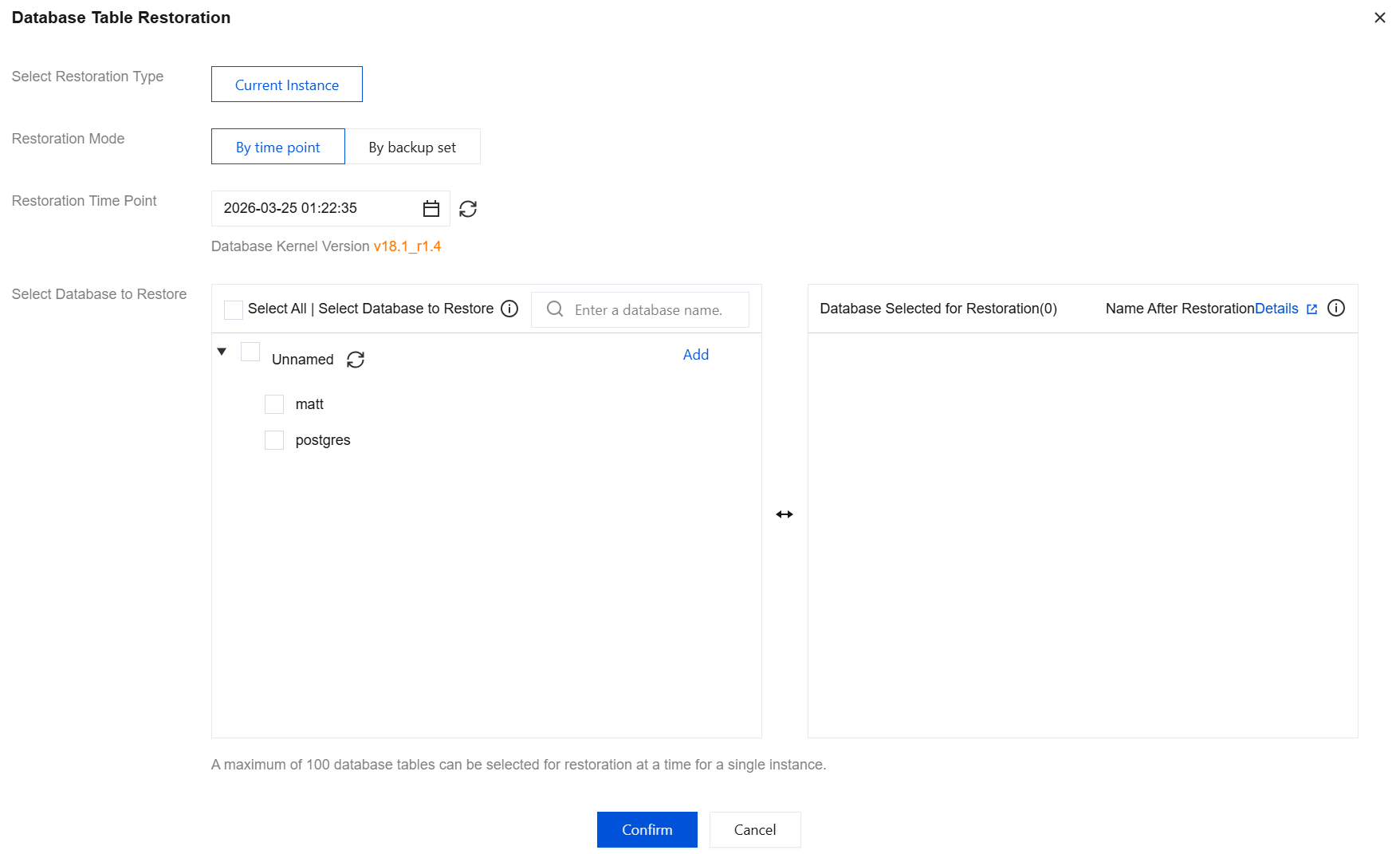

Selecting the Database to Recover

You can select an existing database pulled by the current system for recovery. Details are shown in the figure below:
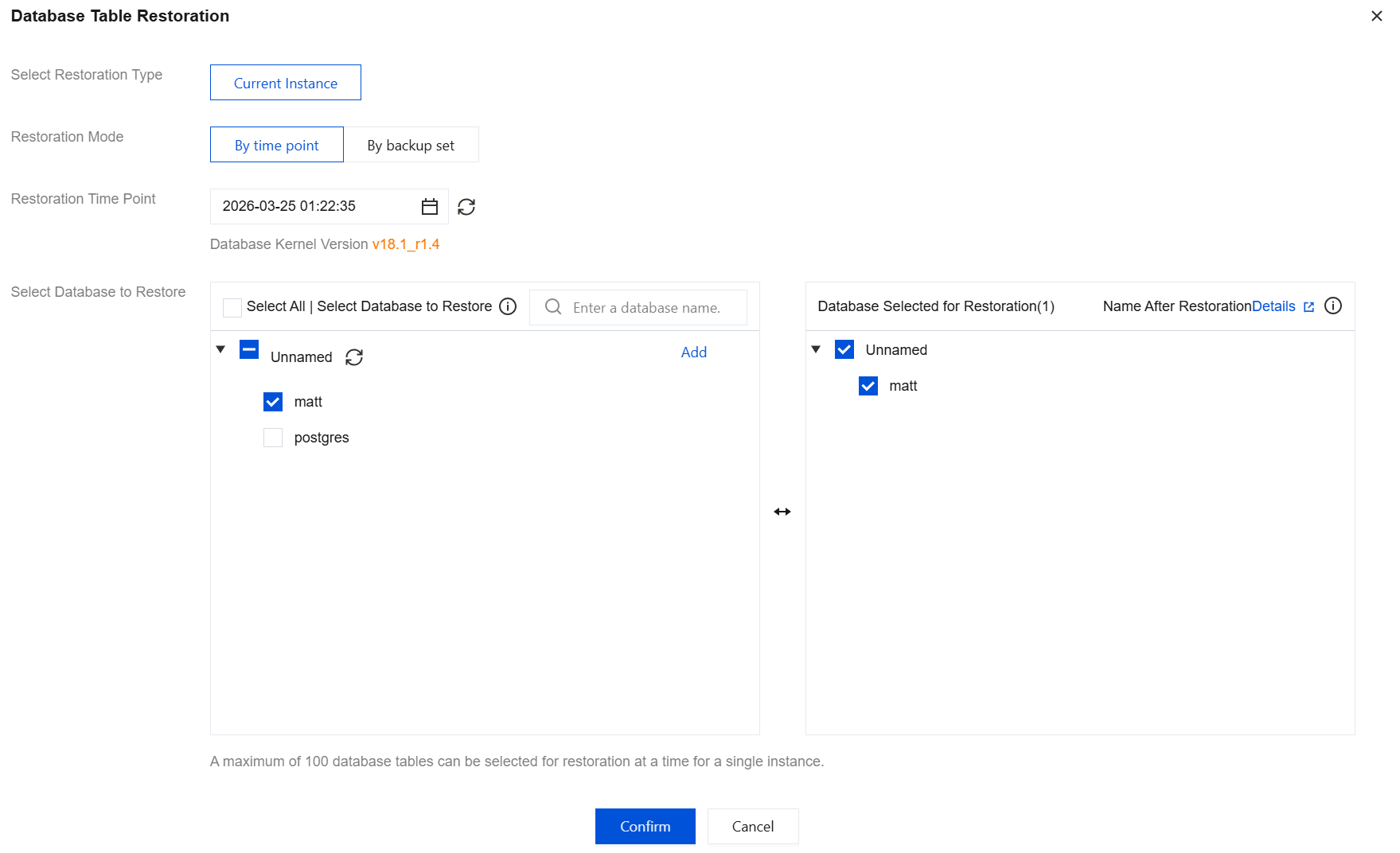

Name after Recovery

The restored database name will be suffixed with *_bak_timestamp, where timestamp is a Unix timestamp generated at backend task initiation. When you submit a database table rollback task via the console or API, the backend will initiate the rollback task within 5 minutes. For example, if the selected database is named "dbone" and the task initiation time is 2024-05-30 11:26:25, the restored database in the original instance will be named dbone_bak_1717039585 after task completion.

Handling Accidental Database Deletion

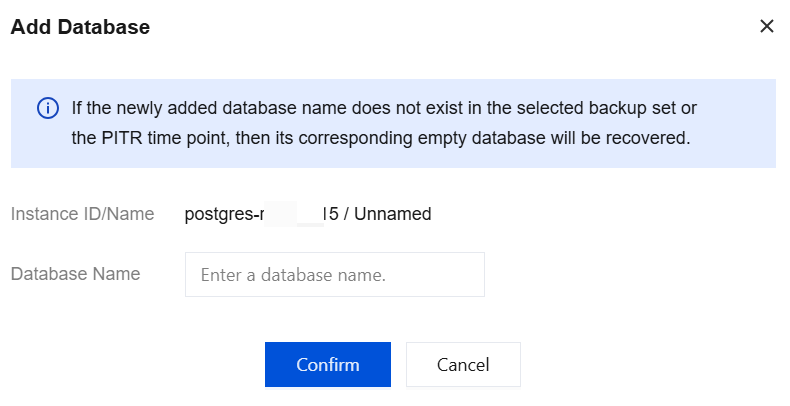
If a database is deleted due to misoperation, the database table rollback feature can resolve this problem. Since the deleted database cannot be retrieved when a task is initiated, you can start the task by adding a new database. Click Add in the figure below.
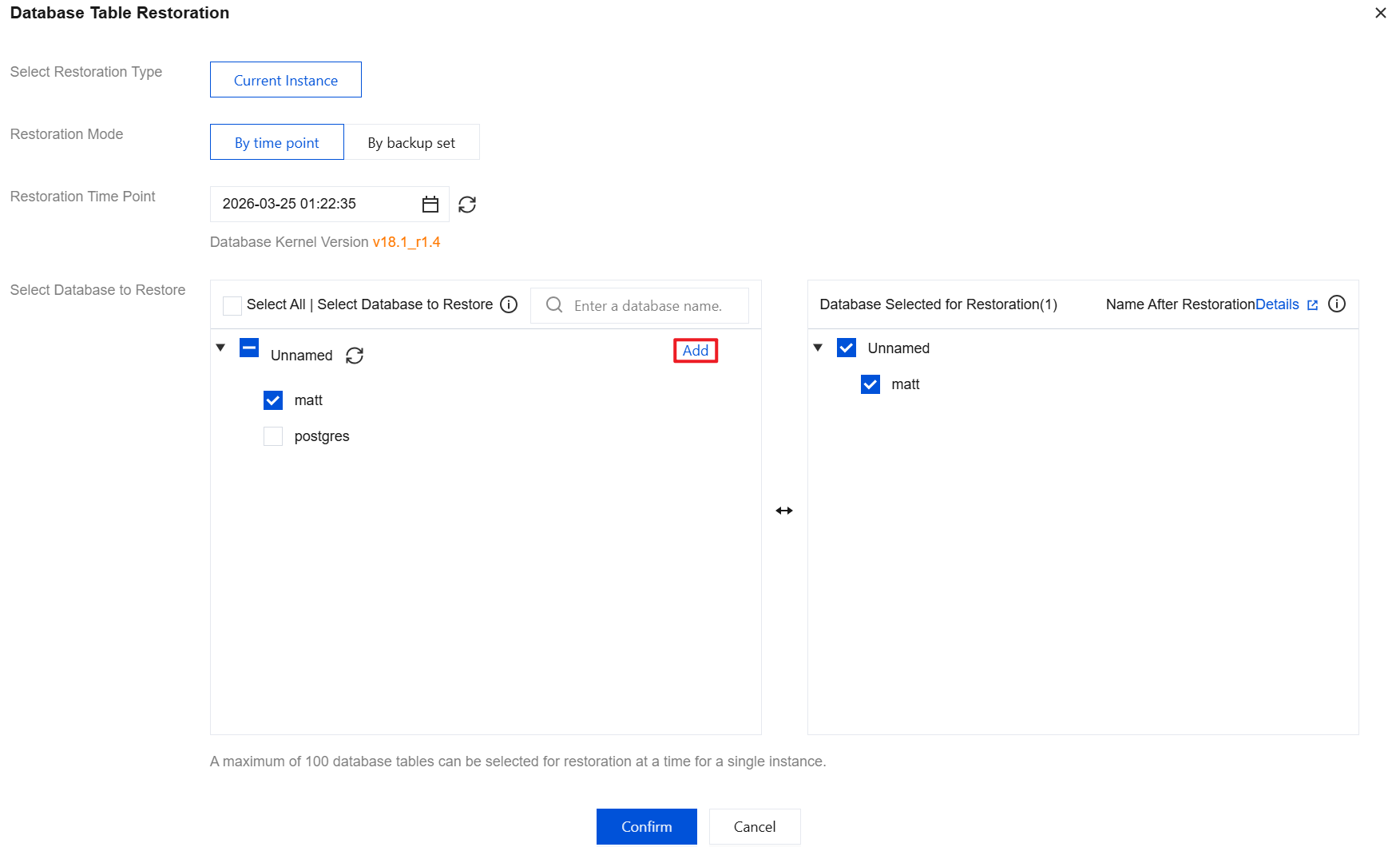
Note:
If the added database name does not exist in the selected backup set or PITR time point, an empty database will be recovered.

Bantuan dan Dukungan

Apakah halaman ini membantu?

masukan