Overview
When you use the Ingress of the CLB type, the CLB is generated for random availability zone in the VPC where the cluster resides by default. Currently, the CLB Ingress of TKE allows you to specify availability zones, including availability zones in other regions. This document describes how to bind and specify availability zones for CLB Ingress across regions via the console and YAML.
Operations
The cross-region access or cross-VPC access of CLB must be supported. That is, the VPC where the CLB resides and the VPC where the cluster resides are not in the same VPC.
The availability zone of CLB has realized unified management of resources.
Note:
1. If you need to use the CLB that is not in the same VPC as this cluster, you need to connect the VPCs of the current cluster and the CLB via CCN. 2. After the VPCs are connected, please submit a ticket to apply for this feature. Directions
You can bind and specify availability zones for CLB Ingress across regions via the console and YAML.
1. Log in to the TKE console and click Cluster in the left sidebar. 2. On the "Cluster Management" page, click the cluster ID whose Ingress object needs to be modified.
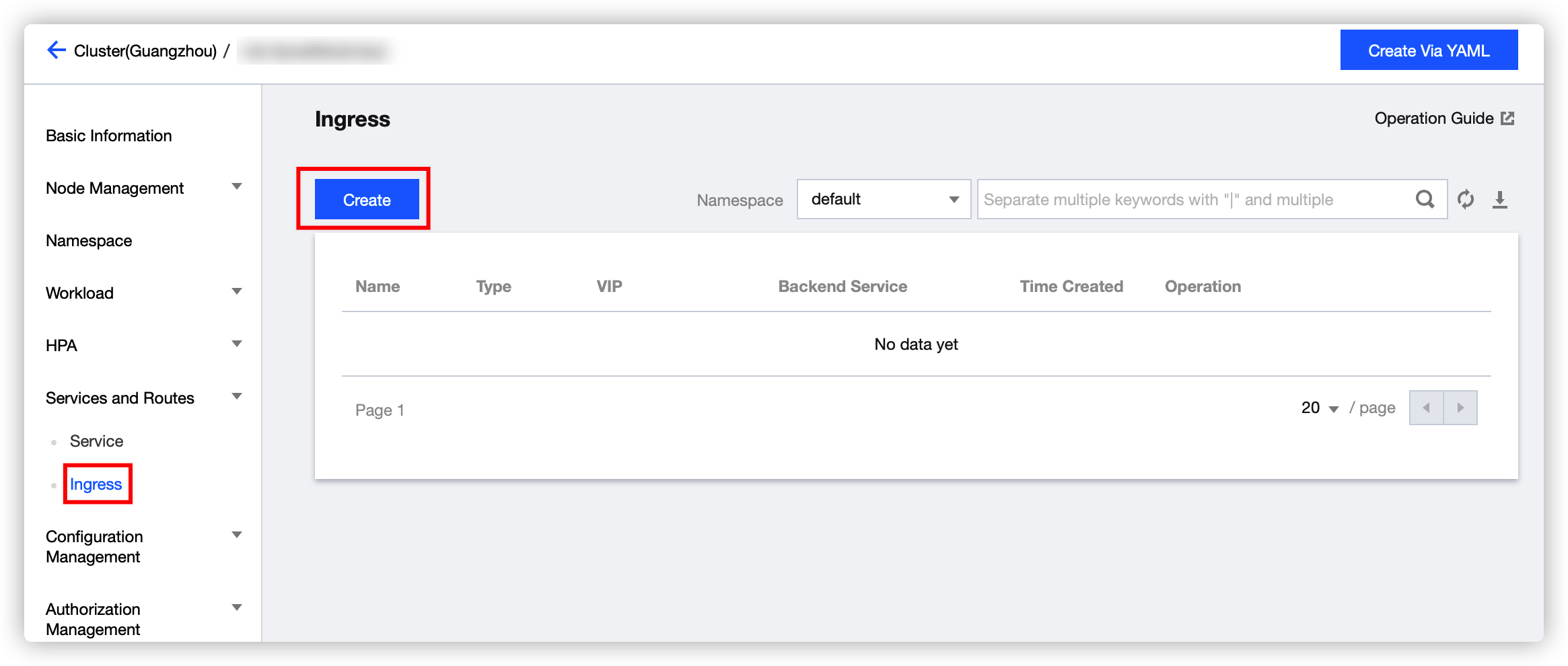
3. On the cluster details page, select Services and Routes > Ingress in the left sidebar, as shown in the figure below:
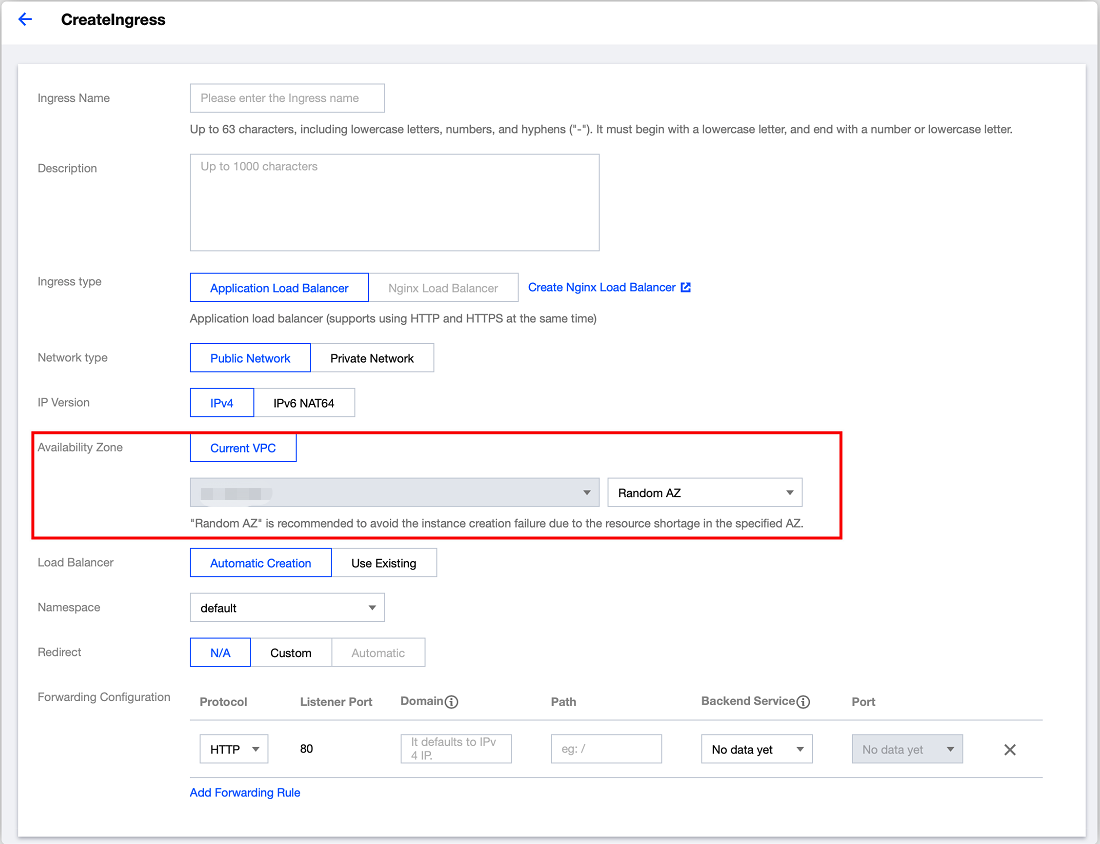
4. Click Create and configure the availability zone rules on the Create Ingress page. The configuration rules are as follows:
Current VPC: use the CLB in the VPC where the cluster resides. Random AZ is recommended to avoid the instance creation failure due to the resource shortage in the specified availability zone.
Other VPC: it only supports the VPC that has connected to the VPC of the current cluster via CCN. Random AZ is recommended to avoid the instance creation failure due to the resource shortage in the specified availability zone.
Note:
1. If you need to use the CLB that is not in the same VPC as this cluster, you need to connect the VPCs of the current cluster and the CLB via CCN. 2. After the VPCs are connected, please submit a ticket to apply for this feature. Sample 1
If you only need to specify the availability zone of the VPC where the cluster resides, for example, if the VPC of the cluster is located in Guangzhou, and you need to specify the CLB of Guangzhou Zone 1 for CLB Ingress, you can add the following annotations to the YAML of the Ingress:
kubernetes.io/ingress.extensiveParameters: '{"ZoneId":"ap-guangzhou-1"}'
Sample 2
If you need to use a CLB that is not in the VPC of the cluster, you need to add the following annotations:
ingress.cloud.tencent.com/cross-region-id:
ingress.cloud.tencent.com/cross-vpc-id:
The specific examples are as follows:
To create a CLB for remote access, you need to add the following annotations:
ingress.cloud.tencent.com/cross-region-id: "ap-guangzhou"
ingress.cloud.tencent.com/cross-vpc-id: "vpc-646vhcjj"
Note:
If you need to specify the availability zone, you also need to add the annotations of sample 1.
To select an existing CLB for remote access, you need to add the following annotations:
ingress.cloud.tencent.com/cross-region-id: "ap-guangzhou"
kubernetes.io/ingress.existLbId: "lb-342wppll"
Note:
If you need to specify the availability zone, you also need to add the annotations of sample 1.