Access to Tencent Cloud WAF
Download
Mode fokus
Ukuran font
Background
Tencent Cloud WAF (WAF) supports access to Tencent Cloud CLB (CLB), but it requires a Layer 7 Listener (HTTP/HTTPS):

However, Nginx Ingress uses a Layer 4 CLB Listener by default:
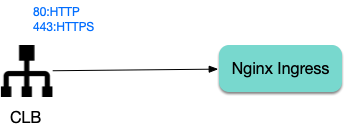
This document shows you how to change the CLB Listener used by Nginx Ingress to a layer-7 listener.
Using the Specify-protocol Annotation
The TKE service supports using the
service.cloud.tencent.com/specify-protocol annotation to modify the CLB listener protocol. For details, see Service Extension Protocol.values.yaml configuration example:controller:service:annotations:service.cloud.tencent.com/specify-protocol: |{"80": {"protocol": ["HTTP"],"hosts": {"a.example.com": {},"b.example.com": {}}},"443": {"protocol": ["HTTPS"],"hosts": {"a.example.com": {"tls": "cert-secret-a"},"b.example.com": {"tls": "cert-secret-b"}}}}
The domain names involved in the actual Ingress rules also need to be configured in the
hosts field of the annotation.An HTTPS listener requires a certificate. First, create a certificate in My Certificates, and then create a Secret in the TKE cluster (in the namespace where Nginx Ingress is located). The Key of the Secret is
qcloud_cert_id, and the Value is the corresponding certificate ID. Then refer to the secret name in the annotation.targetPorts needs to direct the HTTPS port to port 80 (HTTP) of Nginx Ingress to avoid CLB's port 443 traffic being forwarded to Nginx Ingress's port 443 (which would lead to double certificates and forward failure).If HTTP traffic is not needed, set
enableHttp to false.Note:
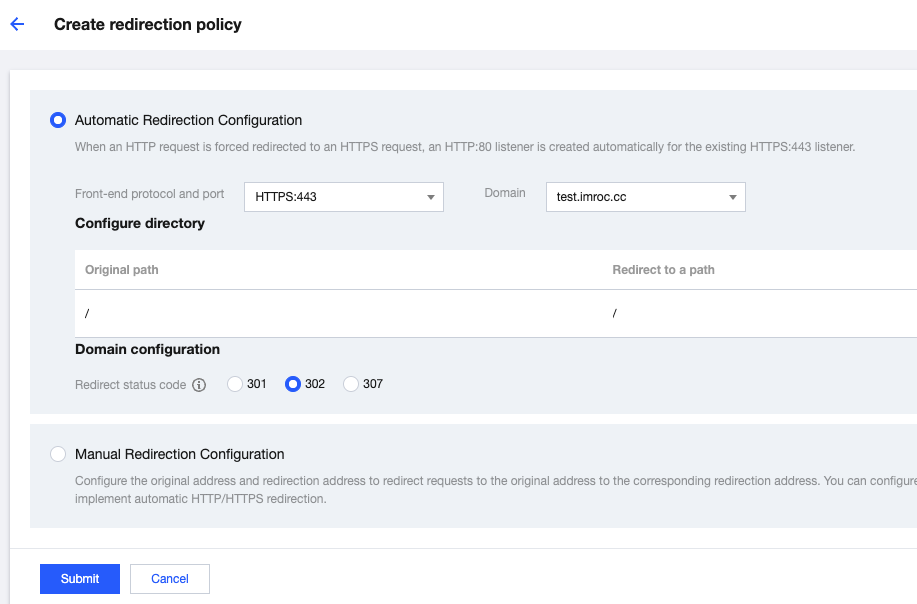
To redirect HTTP traffic to HTTPS, find the CLB instance used by Nginx Ingress in the CLB console (the instance ID can be obtained by viewing the YAML file of Nginx Ingress Controller service), and manually configure the redirection rules on the instance page:
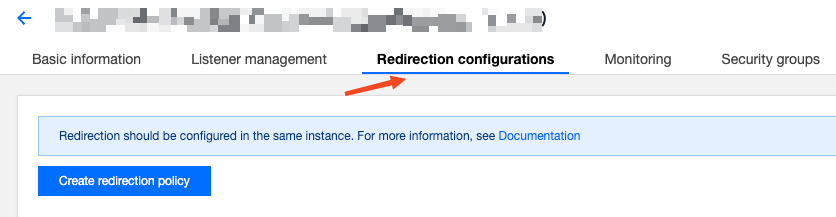
Directions
1. Upload the certificate and copy the certificate ID in My Certificates.
2. Create the corresponding certificate secret in the namespace of Nginx Ingress (referencing the certificate ID):
apiVersion: v1kind: Secretmetadata:name: cert-secret-testnamespace: ingress-nginxstringData: # Using stringData eliminates the need of manual base64 transcoding# highlight-next-lineqcloud_cert_id: E2pcp0Fytype: Opaque
3. Configure
values.yaml:controller: # The following configuration replaces the dependent image with the mirror image on docker hub to ensure it can be pulled in the Chinese mainland environmentimage:registry: docker.ioimage: k8smirror/ingress-nginx-controlleradmissionWebhooks:patch:image:registry: docker.ioimage: k8smirror/ingress-nginx-kube-webhook-certgendefaultBackend:image:registry: docker.ioimage: k8smirror/defaultbackend-amd64opentelemetry:image:registry: docker.ioimage: k8smirror/ingress-nginx-opentelemetryservice:enableHttp: falsetargetPorts:https: httpannotations:service.cloud.tencent.com/specify-protocol: |{"80": {"protocol": ["HTTP"],"hosts": {"test.example.com": {}}},"443": {"protocol": ["HTTPS"],"hosts": {"test.example.com": {"tls": "cert-secret-test"}}}}
4. If needed, you can redirect HTTP to HTTPS automatically by configuring the redirection rule in the CLB console:
5. Deploy test applications and Ingress rules:
apiVersion: v1kind: Servicemetadata:labels:app: nginxname: nginxspec:ports:- port: 80protocol: TCPtargetPort: 80selector:app: nginxtype: NodePort---apiVersion: apps/v1kind: Deploymentmetadata:name: nginxspec:replicas: 1selector:matchLabels:app: nginxtemplate:metadata:labels:app: nginxspec:containers:- image: nginx:latestname: nginx---apiVersion: networking.k8s.io/v1kind: Ingressmetadata:name: nginxspec:ingressClassName: nginxrules:- host: test.example.comhttp:paths:- backend:service:name: nginxport:number: 80path: /pathType: Prefix
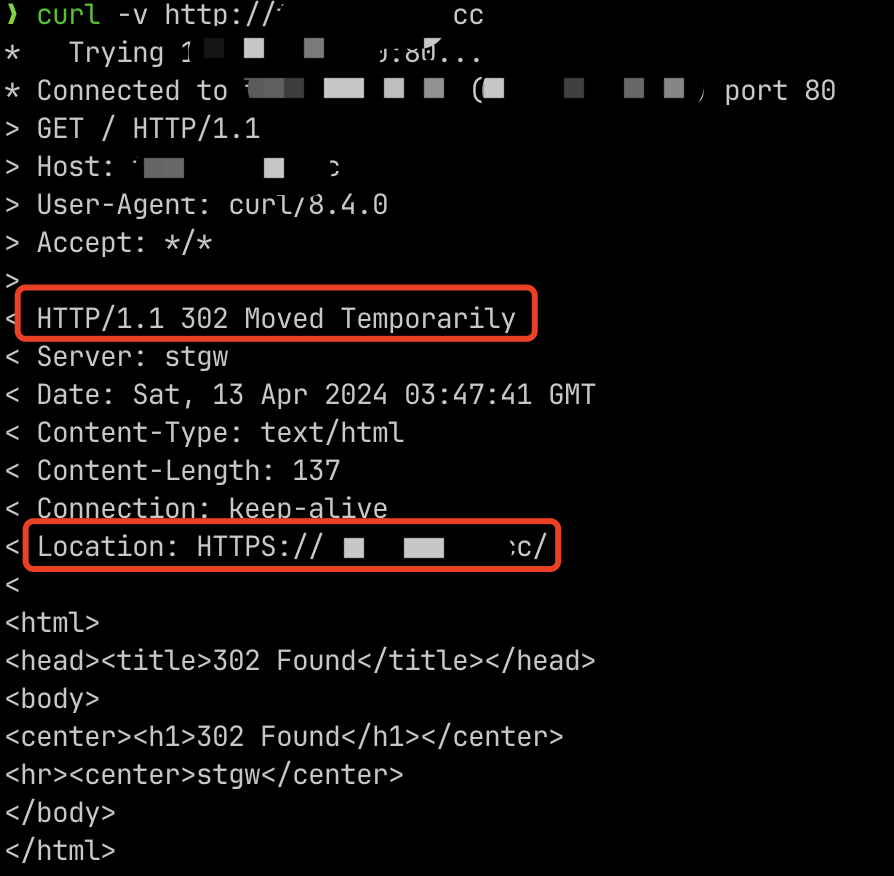
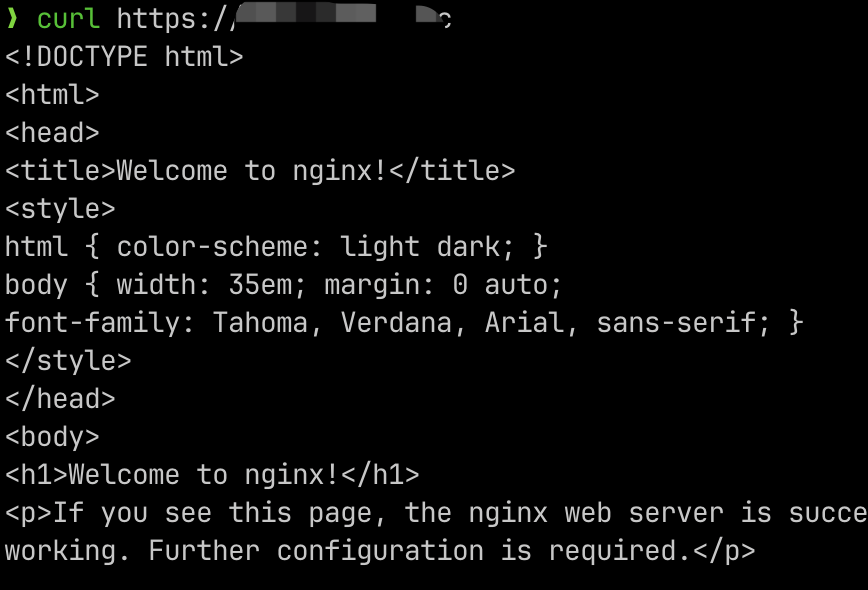
6. After configuring hosts or domain name resolution, test if the feature works properly:
Configuring WAF
After Nginx Ingress is configured, if the corresponding CLB listener has been changed to HTTP/HTTPS, it satisfies the prerequisite for Nginx Ingress to connect to WAF. You can then follow the instructions in the WAF Official Documentation to complete the WAF access to Nginx Ingress.
Bantuan dan Dukungan
Apakah halaman ini membantu?
Anda juga dapat Menghubungi Penjualan atau Mengirimkan Tiket untuk meminta bantuan.
masukan