Overview
If you use multiple Kafka partitions, you can set a partitioning policy to route relevant business data to the same partition, making it easier to process the consumed data. DTS supports partitioning by table name, table name + primary key, or column and routes subscribed data to each Kafka partition based on hash rules.
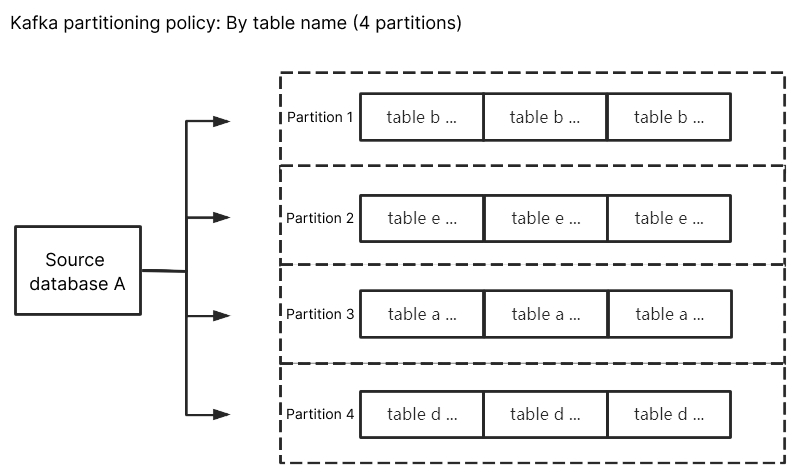
Kafka partitioning policy - By table name: Partitions the subscribed data from the source database by table name. With this policy, data with the same table name is written to the same Kafka partition. During data consumption, data changes in the same table are always obtained sequentially.
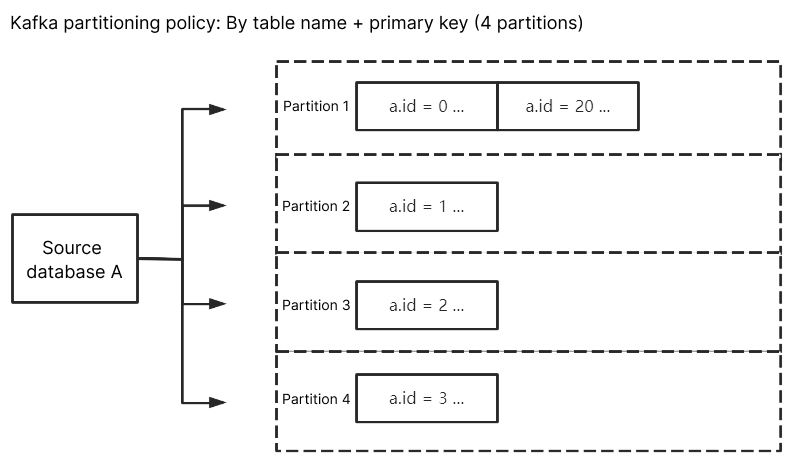
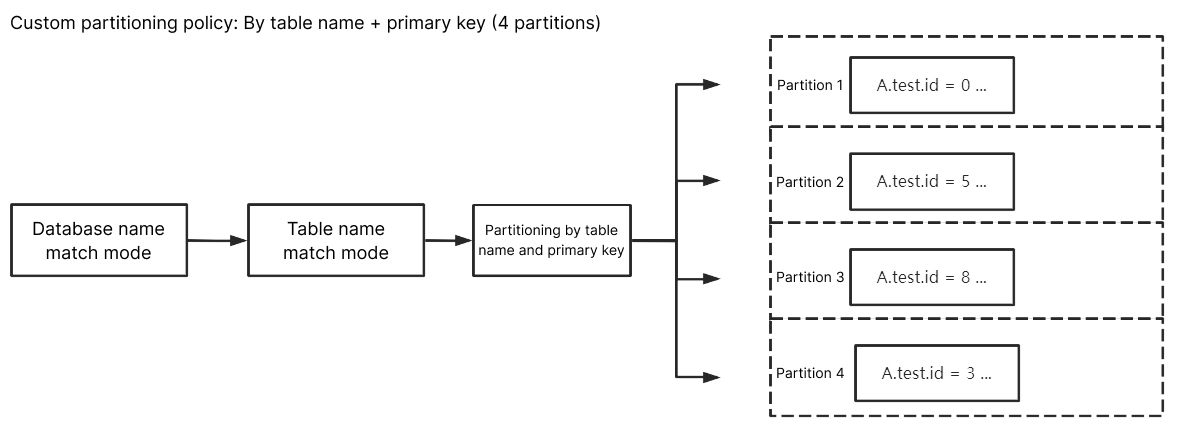
Kafka partitioning policy - By table name + primary key: Partitions the subscribed data from the source database by table name and primary key. This policy is suitable for frequently accessed data. With this policy, frequently accessed data is distributed from tables to different partitions by table name and primary key, so as to improve the concurrent consumption efficiency.
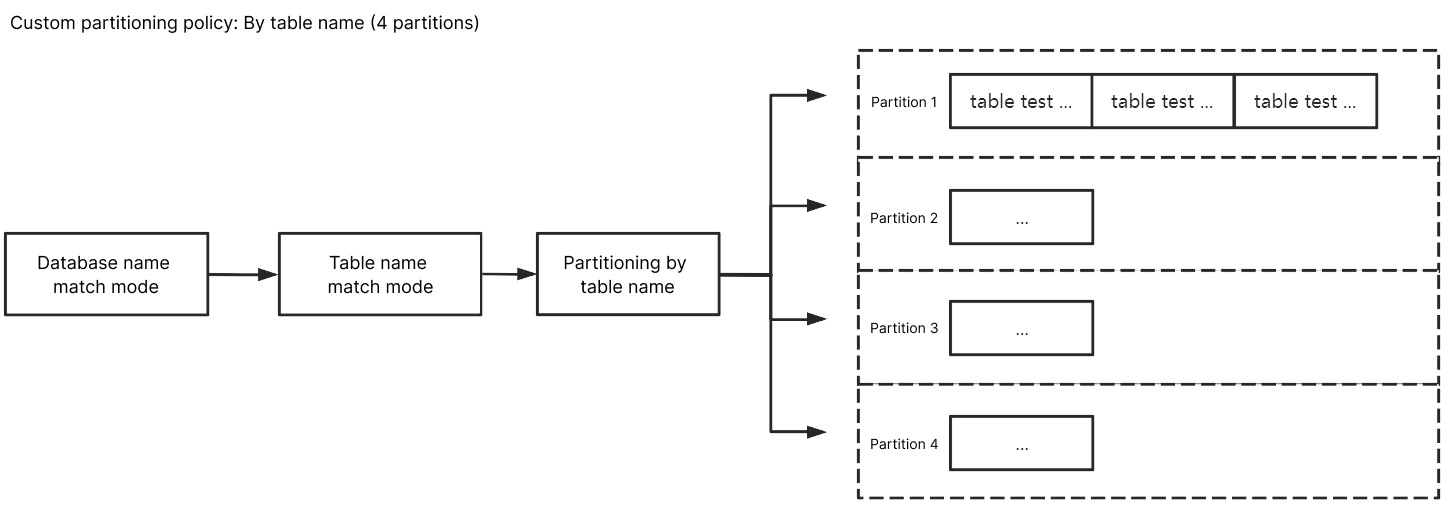
Custom partitioning policy: Database and table names of the subscribed data are matched through a regex first. Then, matched data is partitioned by table name, table name + primary key, or column.
Kafka Partitioning Policy
By table name
When the source database has a data change, the changed data will be written to the subscription topic. After By table name is selected, subscribed data with the same table name will be written to the same Kafka partition. During data consumption, it can be guaranteed that data changes in the same table are always obtained sequentially.
By table name + primary key
If By table name is selected, data from a frequently accessed table is written to the same Kafka partition, which brings a huge pressure to the partition. You can distribute such data to different partitions by selecting By table name + primary key, so as to improve the concurrent consumption efficiency.
Custom Partitioning Policy
With a custom partitioning policy, database and table names are matched through a regex first. Then, matched data is partitioned by table name, table name + primary key, or column.
Match rules
Database, table, and table name match rules support RE2 regex. For the specific syntax, see Syntax. Database/Table name match rules match database/table names based on regex. To exactly match a database or table name, you need to add start and end symbols, such as ^test$ for the test table.
Column name match rules match columns through == in a case-insensitive way.
The custom partitioning policy is used for data match first. If it misses, data will be matched based on the configured Kafka partitioning policy. If there are multiple custom partitioning policies, they will be matched one by one from top to bottom.
By table name
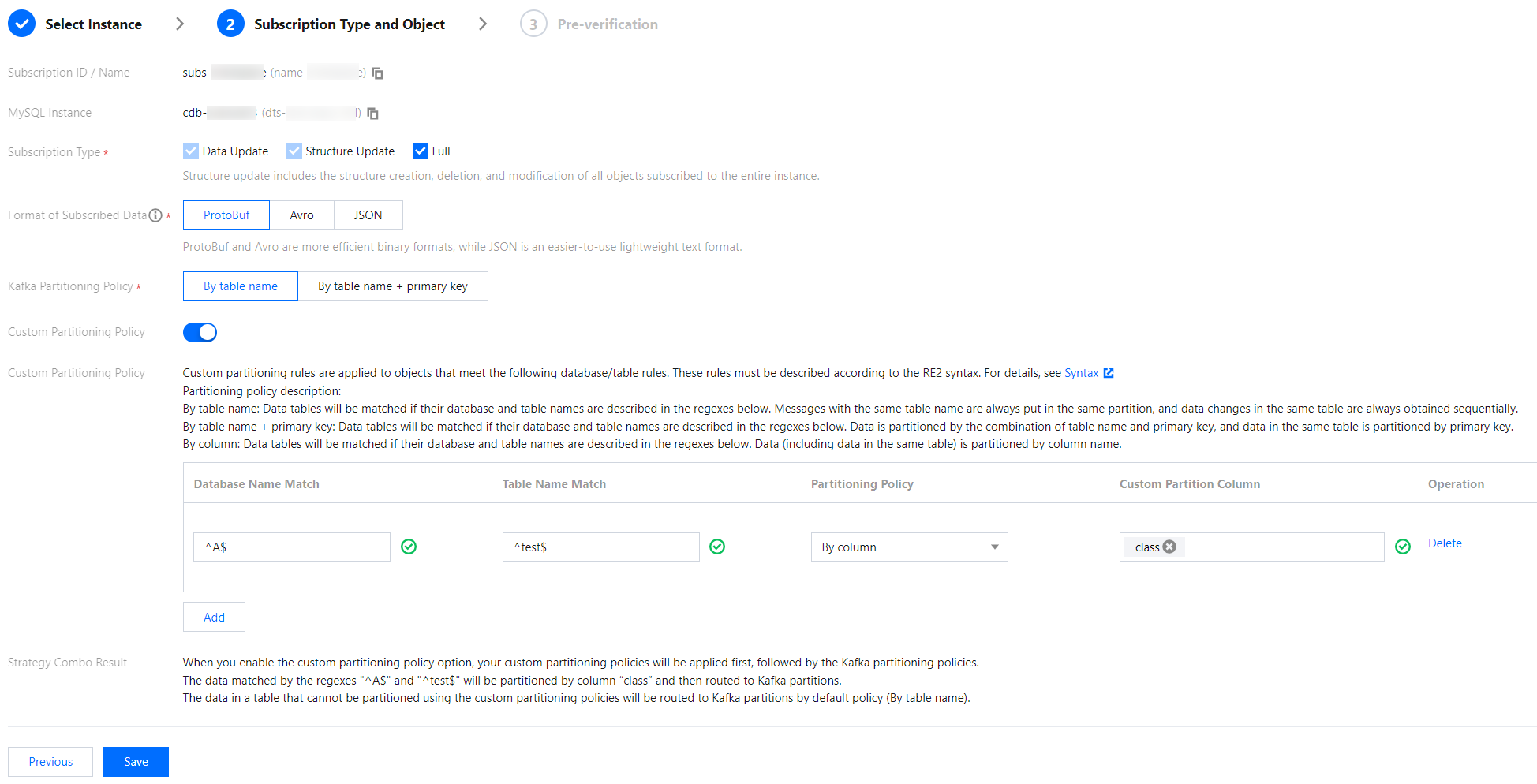
Enter ^A$ for Database Name Match and ^test$ for Table Name Match. After By table name is selected, the subscribed data of table test in database A will be written to the same partition. Data of other unmatched tables will be written according to the policy set in Kafka Partitioning Policy.
By table name + primary key
Enter ^A$ for Database Name Match and ^test$ for Table Name Match. After By table name + primary key is selected, the subscribed data of table test in database A will be randomly written to different partitions by primary key, and data records with the same primary key will be written to the same partition eventually. Data of other unmatched tables will be written according to the policy set in Kafka Partitioning Policy.
By column
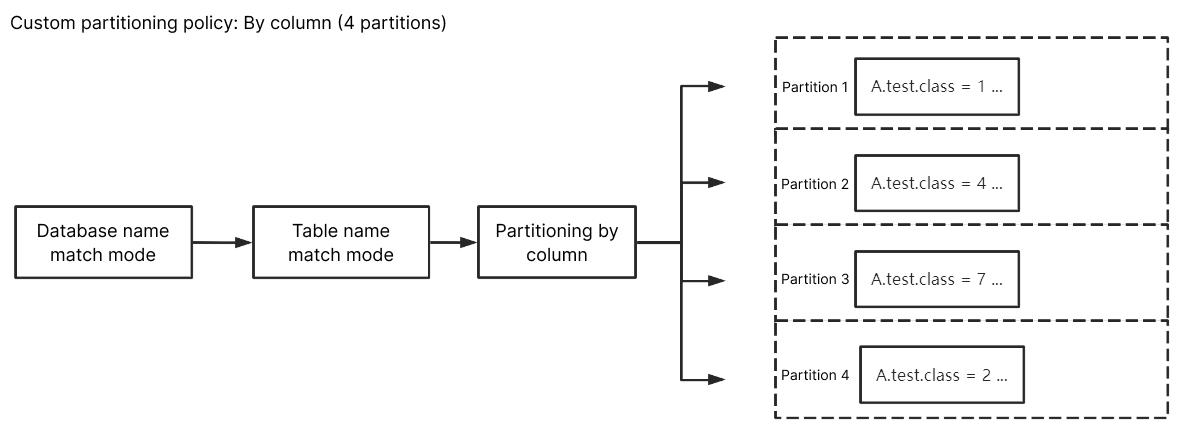
Enter ^A$ for Database Name Match, ^test$ for Table Name Match, and class for Custom Partition Column. After By column is selected, the subscribed data of column class of table test in database A will be randomly written to different partitions. Data of other unmatched columns/tables will be written according to the policy set in Kafka Partitioning Policy.