Downloading and Deleting Images
ダウンロード
フォーカスモード
フォントサイズ
Downloading Files
After files are uploaded to a bucket, you can download them as needed. To do this, perform the following steps:
1. Log in to the CI console.
2. Find the bucket where your desired file is located and click Manage in the Operation column to go to the bucket management page.
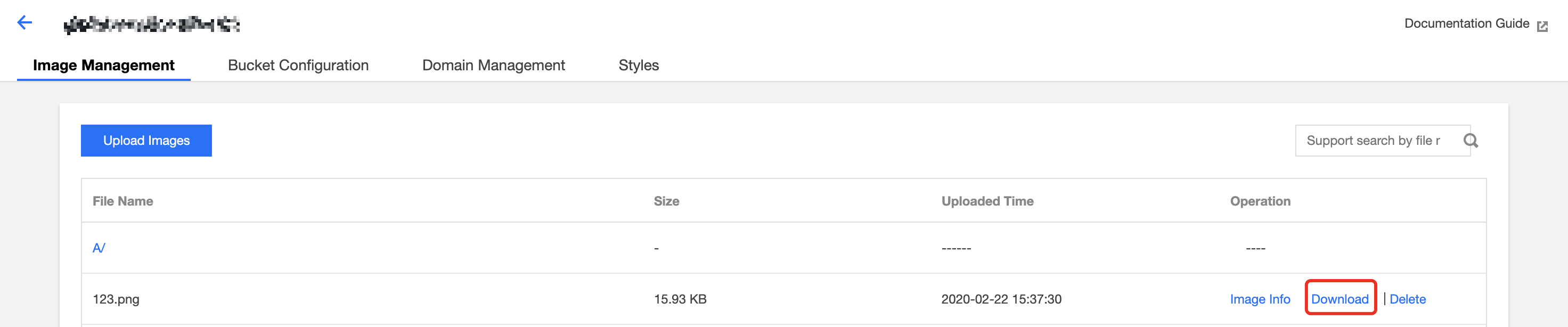
3. Select the File Management tab in the left sidebar, find the target file from the file list, and click Download to download the file.
Deleting Files
To delete files from a bucket, complete the following steps:
1. Log in to the CI console.
2. Find the bucket where your file is located and click Manage in the Operation column to go to the bucket management page.
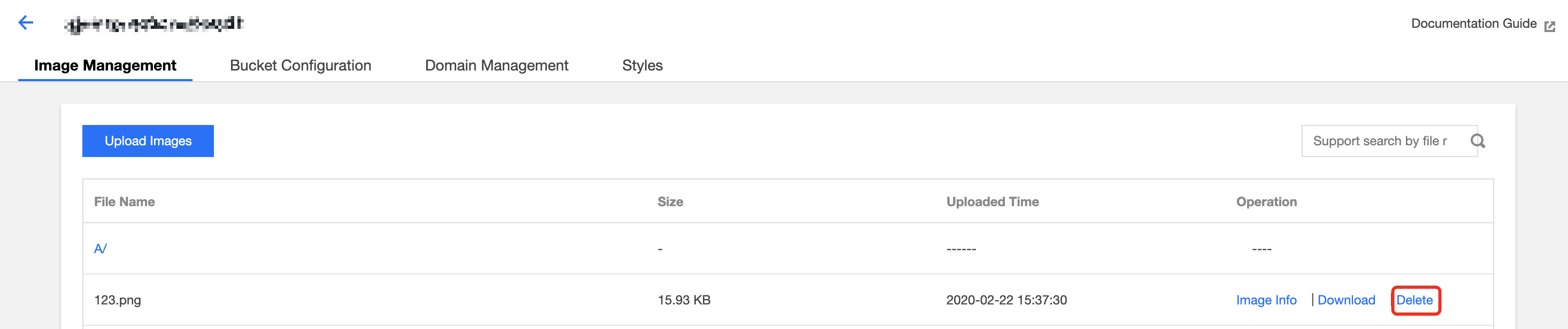
3. Select File Management in the left sidebar, find the target file from the file list, and click Delete to delete the file.
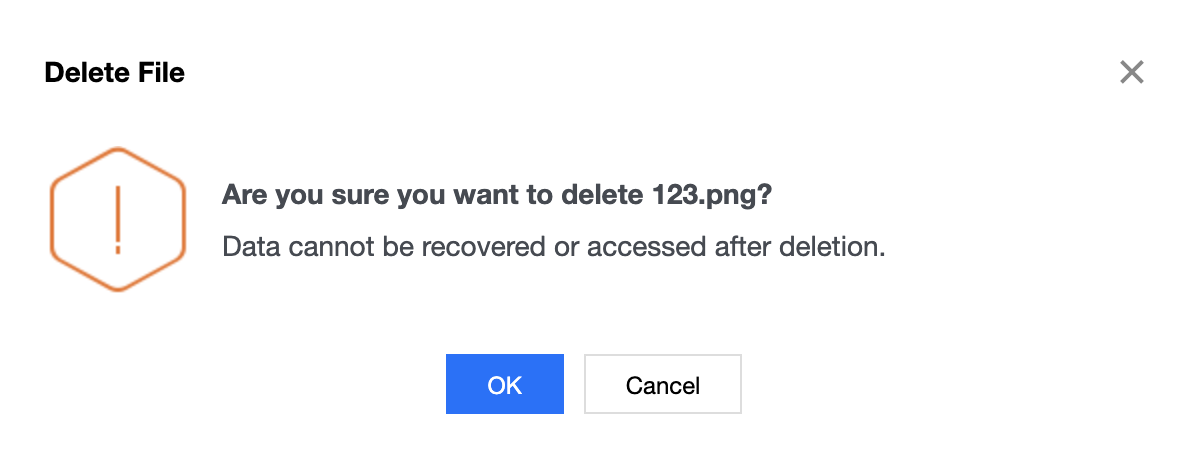
4. Click OK to delete the file.
フィードバック