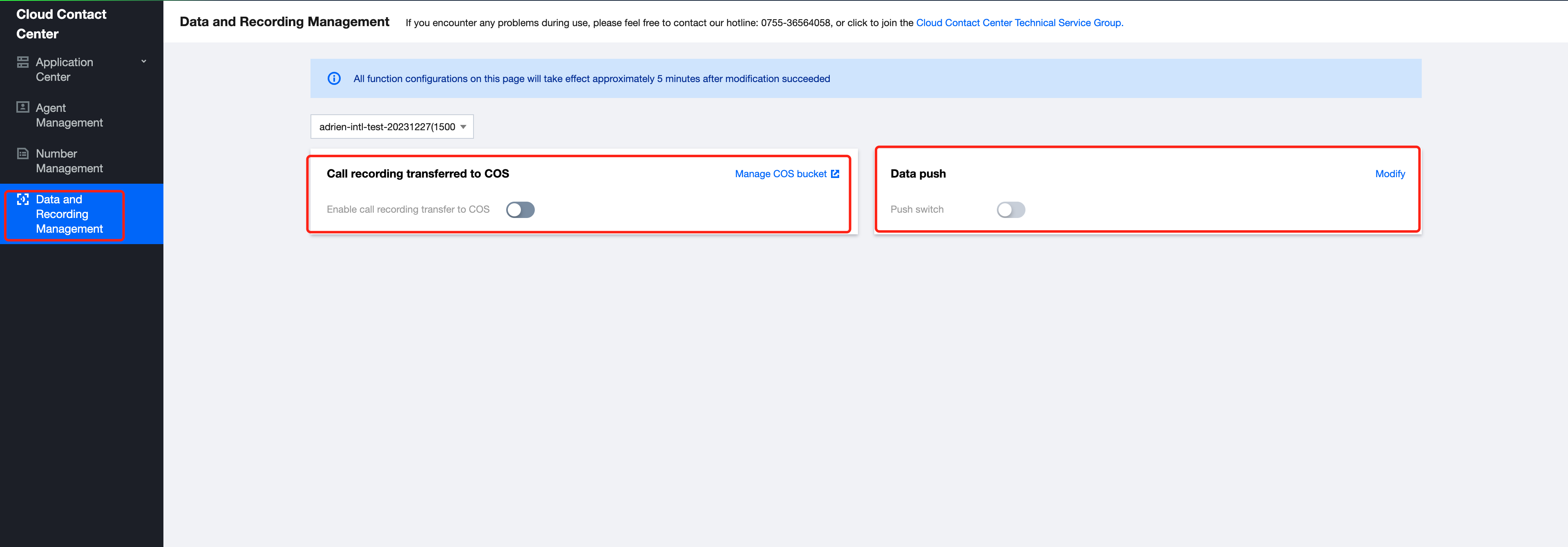
Tencent Cloud Contact Center can push service records and call recordings to a specified URL. Follow these steps to enable this feature:. For push format, see Data Push - Phone CDR Data Push.
1. Log into Tencent Cloud console, choose your Cloud Contact Center application > click Data Push.
2. In the data push settings, click Modify, and turn on the Data Push switch:
Call recording data: For details on the push protocol, consult Voice Call Data Push.
Voice mailbox data push: For details on the push protocol, refer to Voice Message Data Push.
Third-Party Provided URL
A third party provides a publicly accessible HTTP/HTTPS (HTTPS recommended) POST interface. Cloud Contact Center will push data to this interface and distinguish different data types through the URL parameter action.
Authentication
Currently supported authentication methods include:
1. Authentication-Free: No extra authentication.
2. basicAuth: Corresponding to the Account Password Setting in the Settings menu, where the username is the username and the password is the password.
3. OAuth2.0 client credentials: Corresponding to "OAuth2.0" in the Settings menu. The parameters that need to be configured include the URL of the token, ClientID, and ClientSecret.
Return Value Format
The return format should be json type, following the format specified in the API documentation. If successful, the ErrCode field needs to be set to 0. Otherwise, Cloud Contact Center will try to repush the data, and the maximum retry times is 3.
Duplicate and Out-of-Order Data Handling
The X-TCCC-PUSH-UUID header is used to uniquely identify a data push. If the same X-TCCC-PUSH-UUID is received due to retries from the sender, the receiver should handle deduplication accordingly.
Push Failure Handling
Pushes may fail or be delayed due to network issues or receiver instability. For scenarios requiring data consistency and timeliness, it is recommended to regularly call Obtaining telephone service records and recordings API to retrieve and reconcile call service records and recordings.