tencent cloud

Cloud Contact Center

Announcement
What's New
Cloud Contact Center Terminology Update
What is Tencent Cloud Contact Center
Overview
Feature List
Terms Introduction
Handling Firewall Restrictions
AI Voicebot
Billing Guide
Voice Call Billing Overview
Desk Billing Overview
View Billing
Refund Policy
New User Guide
Voice Guide
Desk Guide
Use Case
Inbound: Customer Experience
Outbound: Telemarketing
Auto Dialer: Voice Notification
Integration Use Case (SDK)
Administrator Guide
Voice Guide
Desk Guide
Member Guide
Voice Guide
Desk Guide
AI Voice Agent Guide
Introducing AI Voice Agent
AI Voice Agent Practical Tutorial
Set Up Your AI Voice Agent
Activate AI Voice Agent Call
AI Voice Agent Call Logs
Developer Guide
SDK Development Guide
Data Push
Voice API Reference
History
Introduction
API Category
Making API Requests
Agent APIs
Skill Group APIs
Number APIs
Dual Call APIs
Predictive Outbound Call APIs
SIP Phone APIs
Call Service Record APIs
Billing APIs
Other APIs
Outbound Call APIs
Speech Intelligent Agent APIs
Data Types
Error Codes
Desk API Reference
API Reference
Callback Configuration
FAQs
Data Deletion Guide
Legal
Privacy Policy
Data Processing And Security Agreement
Service Level Agreements
TENCENT CLOUD CONTACT CENTRE TERMS OF USE
Glossary
Contact Us
ドキュメントCloud Contact CenterUse CaseAuto Dialer: Voice Notification

Auto Dialer: Voice Notification

PDF
フォーカスモード
フォントサイズ
最終更新日: 2025-01-09 16:05:33
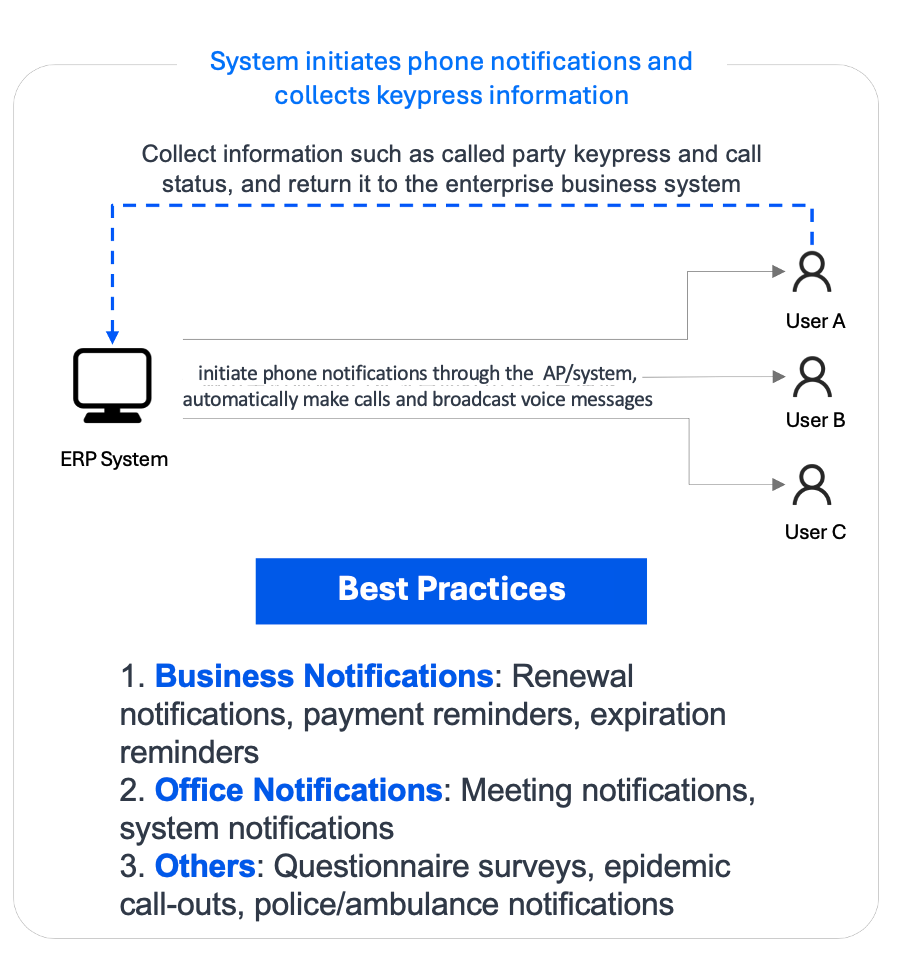
Supports business systems in invoking Auto Dialer API, enabling system to initiate calls to callee and complete IVR service flow(e.g., voice reminder, voice survey, ID collection).

Prerequisite

1. Tencent Cloud Console: Create Contact Center Application
3. Complete BYOC: SIP Trunk.
Note:
Auto Dialer is an advanced feature included in the Premium Agent Package.

Use Case

Business: Renewal, payment, and expiration reminders.
Office: Meeting and system alerts.
Other: Surveys, operation warnings, and emergency dispatch notifications.

Guidance

Note:
Auto Dialer currently supports API-based integration only
1. Create Auto Dialer IVR: Click IVR Management on the left. Choose Auto Dialer IVR tab, then click New to create your flow!
2. Name IVR Flow: Name your flow on the top left corner
3. Design Your Flow: Create your IVR flow by simply dragging and dropping modules onto the canva, following your business process. (For details, see Basic IVR Module and Multi-Feature IVR Module) Each IVR flow must begin with a Start Node, end with an End Node, and ensure all nodes are connected with lines.
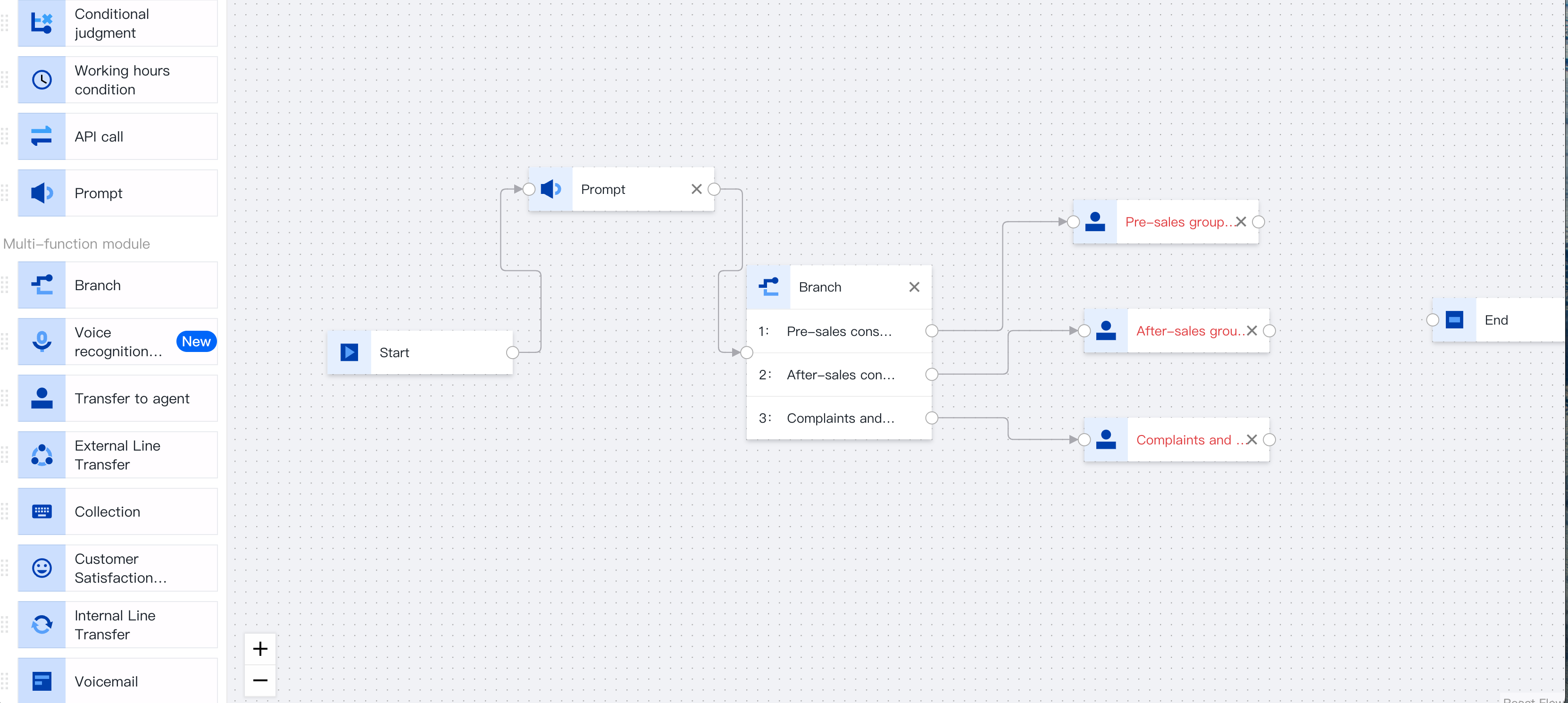
4. Save IVR: Click Save after completing your settings.
5. Invoke Auto Dialer API : to create auto dialer task, to get started (see Creating an Auto Dialer Task).

ヘルプとサポート

この記事はお役に立ちましたか?

フィードバック