tencent cloud

Tencent Cloud Agent Development Platform

Release Notes and Announcements
Release Notes
Product Announcement
Product Introduction
Product Overview
Advantages
Use Cases
Model Introduction
Purchase Guide
Package Subscription
Previous Version
Getting Started
Agent Application and Its Three Modes
Creating a "Content Summary Assistant" in Standard Mode
Creating a “Webpage Scraping Assistant” in Single Workflow Mode
Creating a “Stand-up Comedy Content Creation Assistant” in Multi-Agent Mode
Operation Guide
Application Development
Workflow
Multi-Agent
Knowledge Base
Widget
Plugin Marketplace
Model List 
Prompt Templates
Application Templates
Platform Management
Business, Workspace and Permissions
API Documentation
History
API Category
Making API Requests
Atomic Capability APIs
Operation Optimization APIs
Document Library APIs
Q&A Database APIs
Knowledge Tag APIs
Application Management APIs
Enterprise Management APIs
Billing APIs
Release Management APIs
Dialogue Endpoint APIs
Data Statistics APIs
Data Types
Error Codes
Application API Documentation
Dialogue API Overview
Dialog API Documentation (WebSocket)
Dialog API Documentation (HTTP SSE)
Image Chat or File Chat (Real-time Document Parsing + Chat)
Offline Document Upload
Tencent Cloud Agent Development Platform Operation COS Guide
ADP Document Parsing Protocol
FAQs
Product FAQs
Technical FAQs
Related Agreements
Tencent Cloud Agent Development Platform Service Level Agreement
Tencent Cloud Agent Development Platform Service Specific Terms
Tencent Cloud Agent Development Platform Privacy Policy
Tencent Cloud Agent Development Platform Data Processing and Security Agreement
Open-Source License Statement
Lighthouse OpenClaw Connector Plugin Service Agreement
Contact Us
Glossary

Publish the Application to a WeChat Mini Program

PDF
フォーカスモード
フォントサイズ
最終更新日: 2025-09-15 14:49:06
You can publish your Agent application to a WeChat Mini Program. After publishing, the Mini Program can use the Agent to reply to user messages, making it suitable for scenarios such as customer service.

Use Restrictions

Make sure the application has already been released. A Mini Program can only be link to one Agent application.
Only Standard Mode applications support uploading images when replying via a Mini Program. Image size must not exceed 10 MB (WeChat restriction).

Step 1: Obtain the Developer ID of a WeChat Mini Program

1. Visit WeChat Official account platform and log in to your your Mini Program Account via QR code.
2. Click Mini Program Avatar (bottom left) > Account Settings > Account Information > AppID (mini program ID) to copy the Developer ID (AppID).

Step Two: Authorize the Mini Program

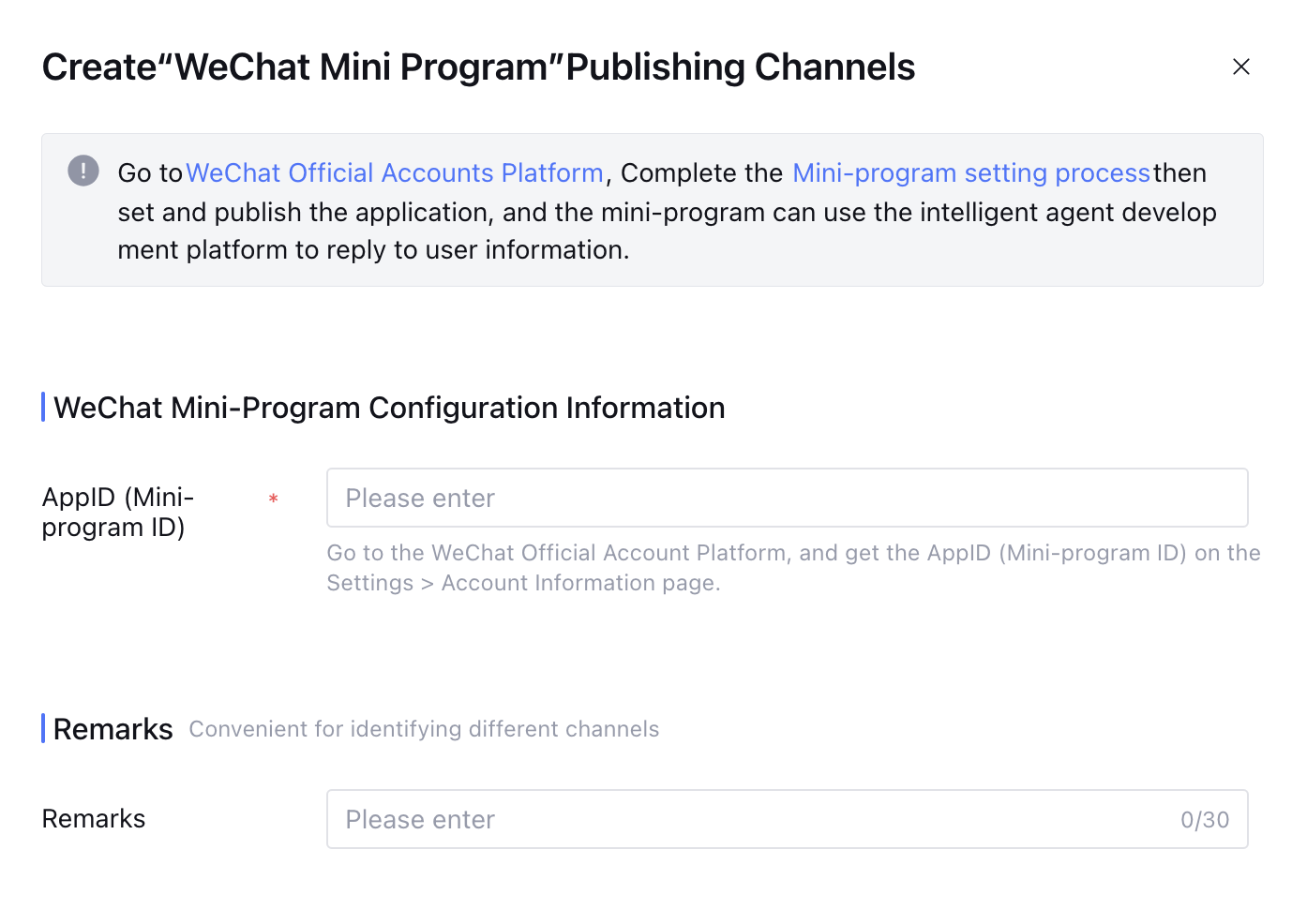
1. Click Create publishing channel > WeChat > WeChat Mini Program


2. Enter the mini program AppID, then click Go to Authorization.


3. Go to authorization page of the official account platform, then scan the QR code with the administrator's personal WeChat.
4. On your mobile device, follow the prompts to select the Service Account and confirm authorization.
Note:
Ensure the AppID entered in Step 2 is valid. Otherwise, WeChat verification will fail.
5. Select the WeChat Mini Program channel when releasing the application. After release, you can go to WeChat Mini Program to start a chat with the Agent.

Sharing QR Code

Click Service Status > Running Channels > Share QR Code to obtain the corresponding Mini Program QR Code and start a chat with the agent by scanning the QR code through WeChat.

FAQs

Q: After publishing the Agent to a WeChat Mini Program, can it be paused?

A: Yes. In the Service Status page, select the corresponding release channel and click Take Offline, The Mini Program will then be suspended.

Q: Why does the model not respond when I send an image message?

A: Currently, only Standard Mode applications support image understanding.


ヘルプとサポート

この記事はお役に立ちましたか?

フィードバック