Overall Overview
Applications developed on the Intelligent Agent platform can be published to WeCom intelligent bots. Unlike WeCom apps, bots support streaming responses.
Use Cases
1. In user groups, @intelligent bot to send messages.
2. User sends messages to the intelligent bot in a private chat.
Use Limits
1. An application can only be published to one intelligent bot.
2. When a user sends a message to the bot, the bot must respond within 3 minutes. Uncompleted replies will be truncated after this time limit.
Operation Guide
Step 1: Create WeCom Intelligent Bot
1. Log in to WeCom admin console, go to Security & Management > Management Tools, and click intelligent bot.
2. Click Create bot.
3. Fill in the required information in the bot.
4. Click Create.
Step 2: Obtain Enterprise ID
Click My Company, and copy the Company ID.
Step 3: Obtain Bot ID
1. Return to Security & Management > Management Tools > intelligent bot, go to the intelligent bot details page, and click the "edit icon" in the upper right corner.
2. Go to the edit page and select API mode creation.
3. Copy Bot ID (bot ID), which will be used later in the Intelligent Agent development platform.
Note:
Copy the bot ID and do not close the page yet, as you will need to enter the URL and other information obtained from the Intelligent Agent development platform later.
Step 4: Create a Release Channel in the Intelligent Agent Development Platform
Preparations: Since WeCom has domain restrictions for enterprise integration, you need to prepare a registered domain name as a proxy server to forward WeCom requests to the Intelligent Agent platform; otherwise, the message sending and receiving functionality cannot be completed. Below is an example of Nginx proxy forwarding configuration:
server {
listen 443; # For security purposes, your domain must use the https protocol.
location ~ ^/online/channel/callback/ {
proxy_pass https://adp.tencentcloud.com;
proxy_http_version 1.1;
proxy_set_header Connection "close";
proxy_buffering off;
proxy_read_timeout 600s;
proxy_send_timeout 600s;
}
}
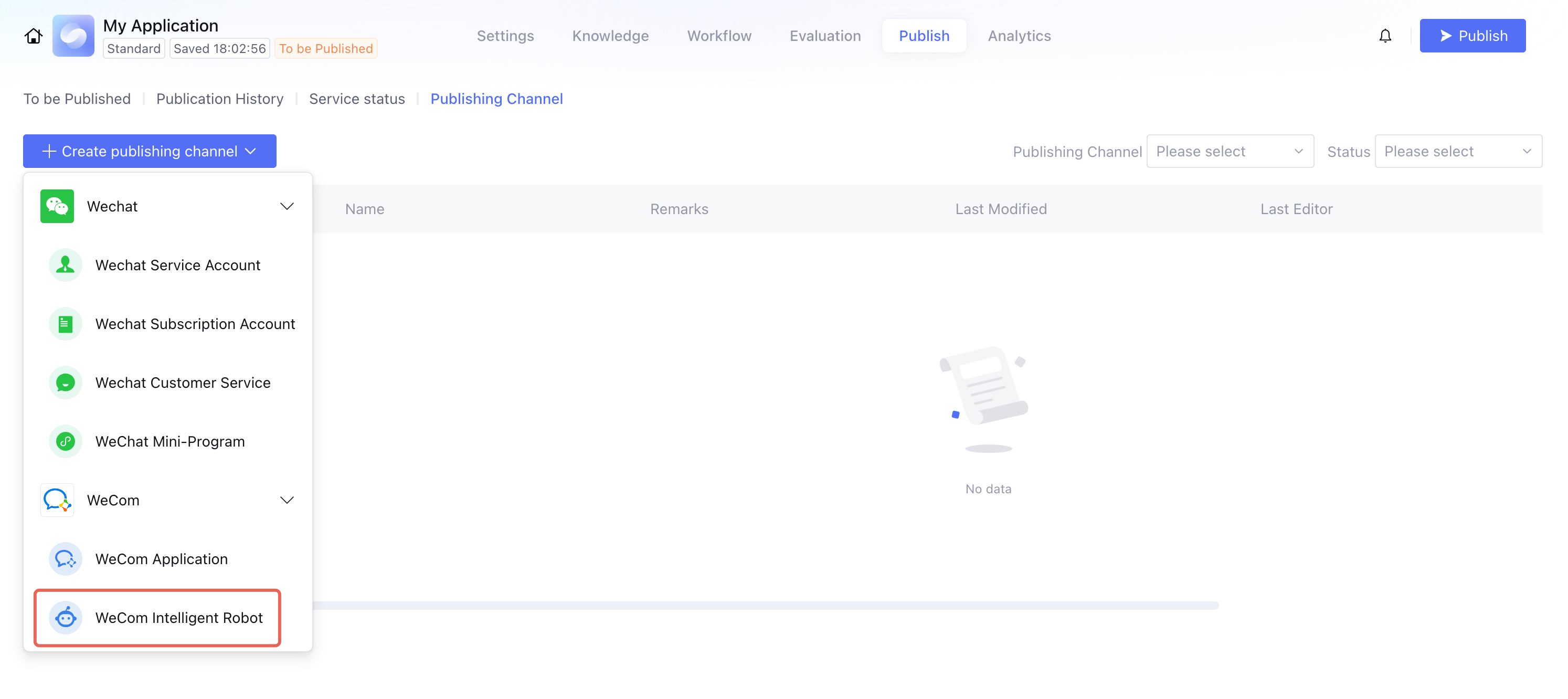
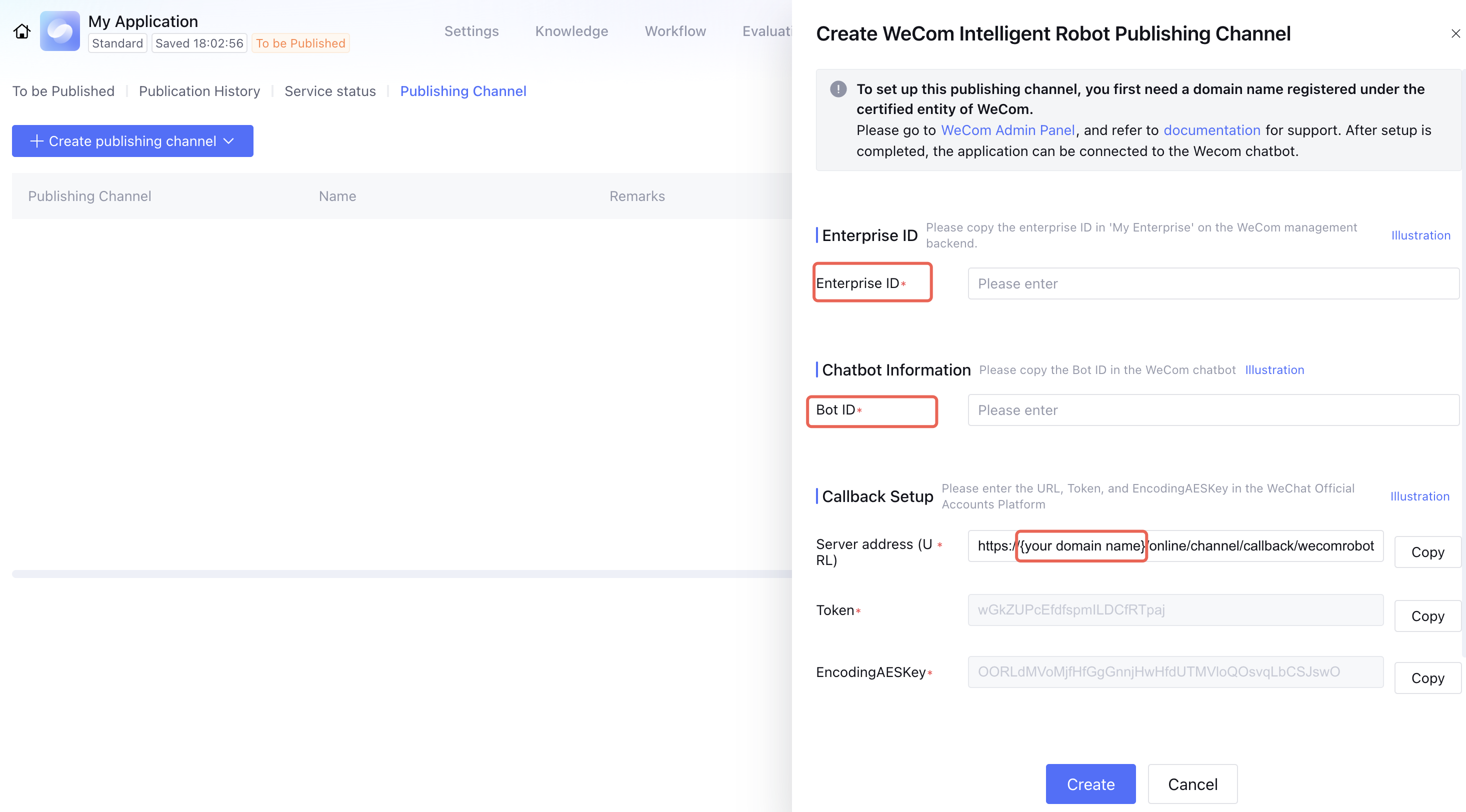
1. Log in to the Tencent Cloud Agent Development Platform, go to Application Development > View Applications > Application Release > Release Channels, click New Release Channel, and select WeCom Intelligent Bot. 2. Fill in the Enterprise ID and Bot ID copied in the previous steps, and replace the Server Address (URL) with your domain.
Note:
1. The domain name must be configured with a filing entity identical to or affiliated with the current enterprise entity.
2. {your domain name} should only contain the domain name, not the IP address.
3. Can use the same domain name as the integrated WeCom app channel.
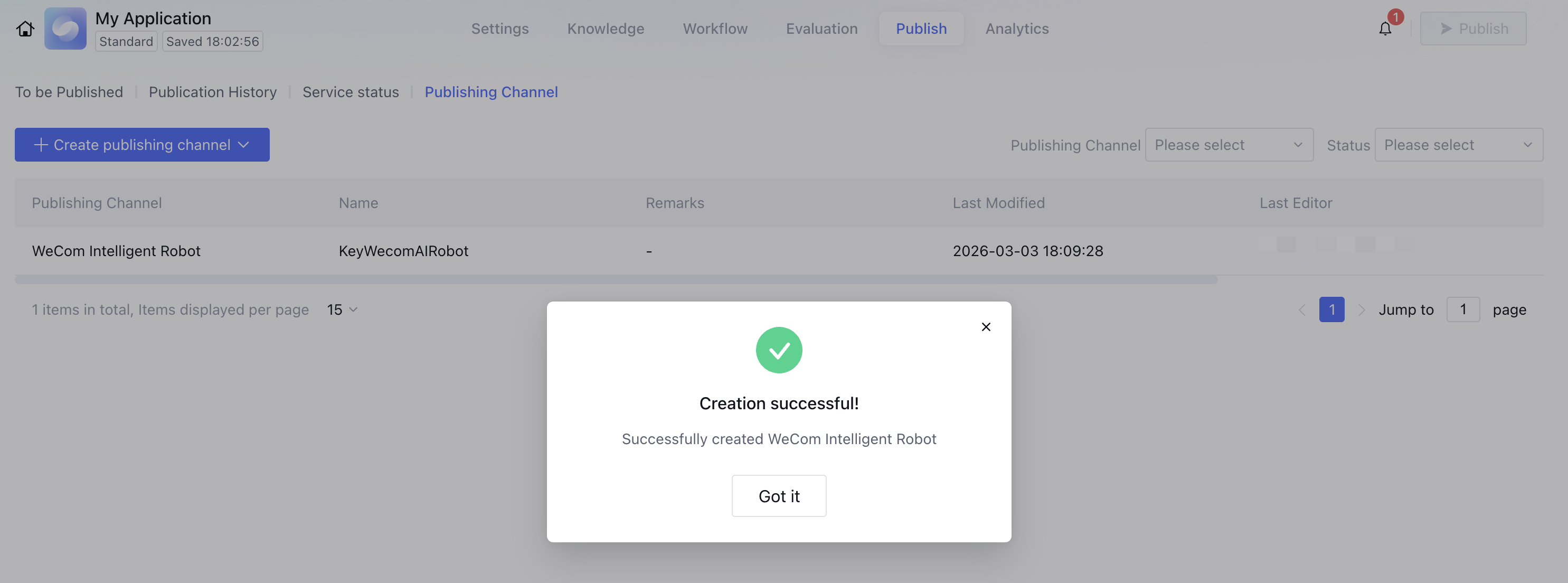
3. Click Create, and the creation is complete once you receive a successful creation notification.
Step 5: Configure Callback Address
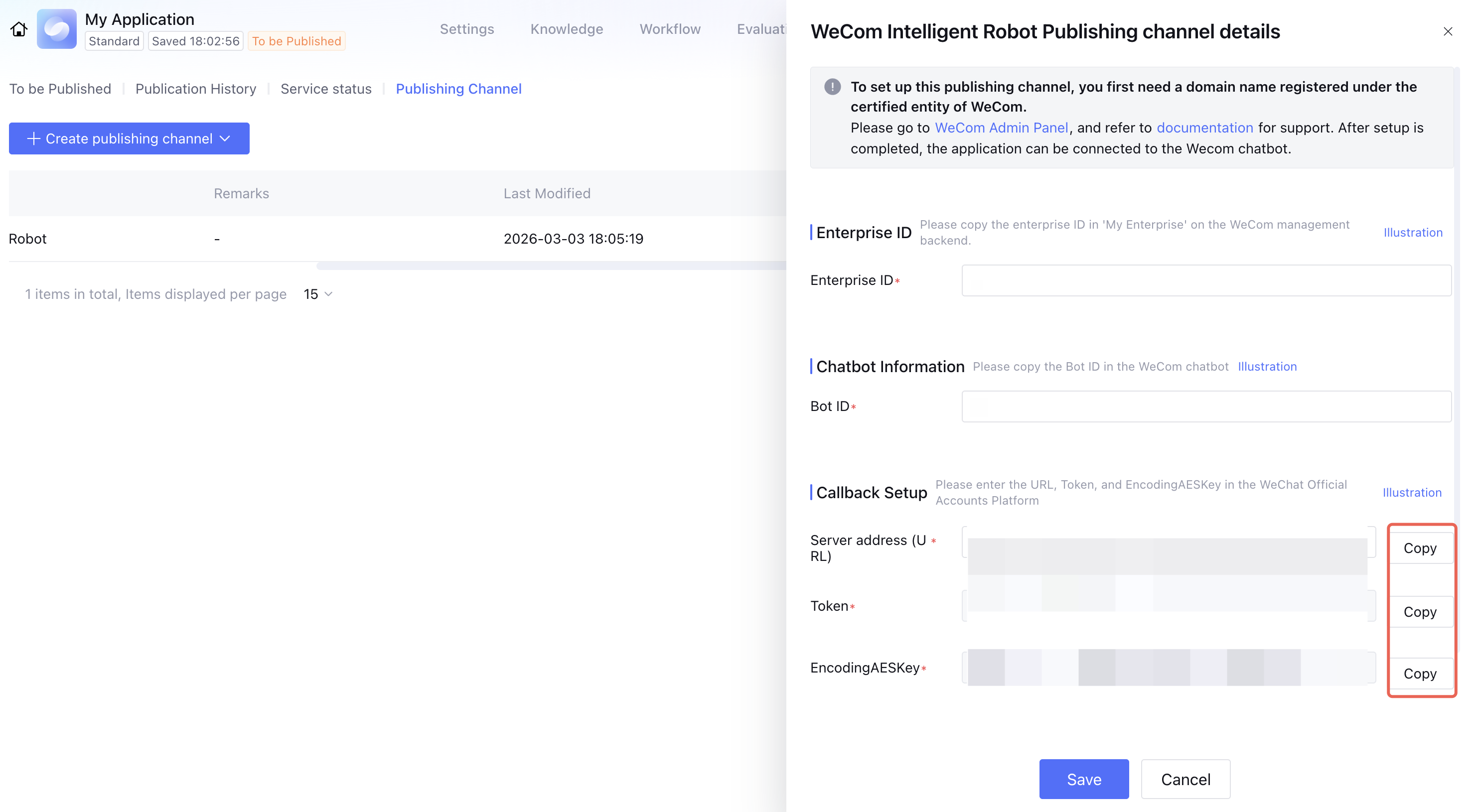
1. In the Intelligent Agent Development Platform, go to the details page of the newly created WeCom Intelligent Bot channel and copy the corresponding parameters.
2. In the WeCom Admin Console Intelligent Bot editing page (refer to Step 3), fill in the parameters obtained from the Intelligent Agent Development Platform under API Mode.
3. After clicking Save, you will automatically go to the following page, and the configuration is successful.
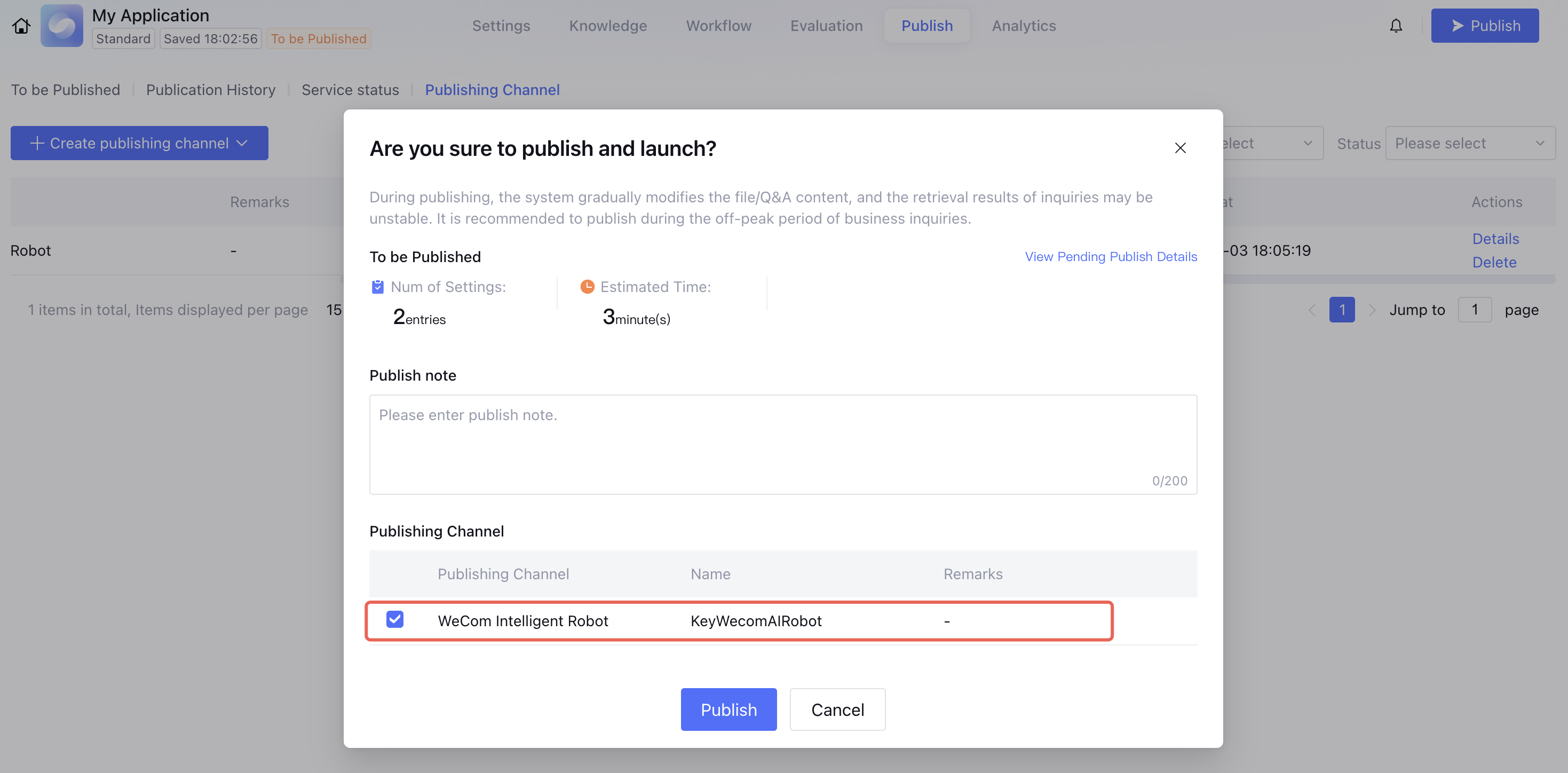
Step 6: Publish the Application in the Intelligent Agent Development Platform
Note:
If the app has been published recently and the publish button cannot be clicked, you can modify the content in App settings or Knowledge Management and then publish.
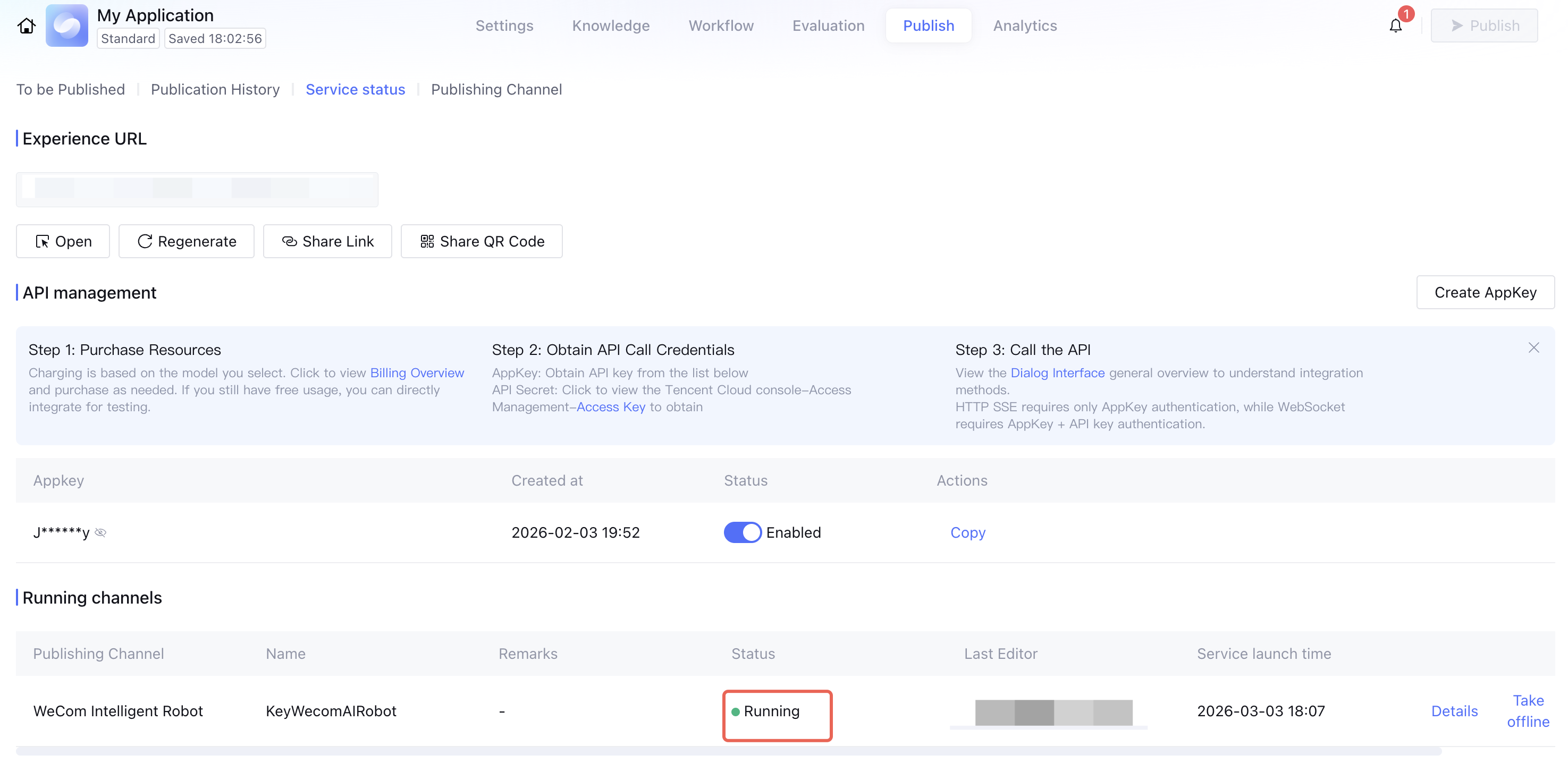
2. After successful publishing, you can view the status of publishing channels in App Publishing > Service Status.
Effect Experience
1. Users can log in to the WeCom client, go to Contacts to locate the intelligent bot, and initiate a private chat.
2. WeCom intelligent bot supports group chats. Select the intelligent bot when a group is created.
@Intelligent Bot asks a question, and the conversation includes a thinking process and streaming output effect.
FAQs
1. Why Enterprises Need to Prepare to Provide Domain Names and Nginx
WeCom limitations: When sending messages via Webhook, the bot needs to push messages to a specified URL, and each enterprise must use a unique domain.
Enterprises need to configure Nginx to forward WeCom messages to Tencent Cloud Intelligent Agent.
2. How to View Nginx Egress IPs
3. How to Verify If My Nginx Configuration Is Normal?
curl -vvv https://{replace with your domain}/online/channel/callback/wecomrobot/xxx
Received http code
200: Configuration successful
404: Nginx location is misconfigured. Please verify whether the path is correctly forwarding to /online/channel/callback/.
500: Nginx internal server error. The enterprise is advised to contact Ops personnel to check whether the service is running properly.
4. How to Clear Context and Start a New Conversation
Clear context: Enter "Clear context association".
New conversation: Enter "New conversation" to switch to a new session ID.
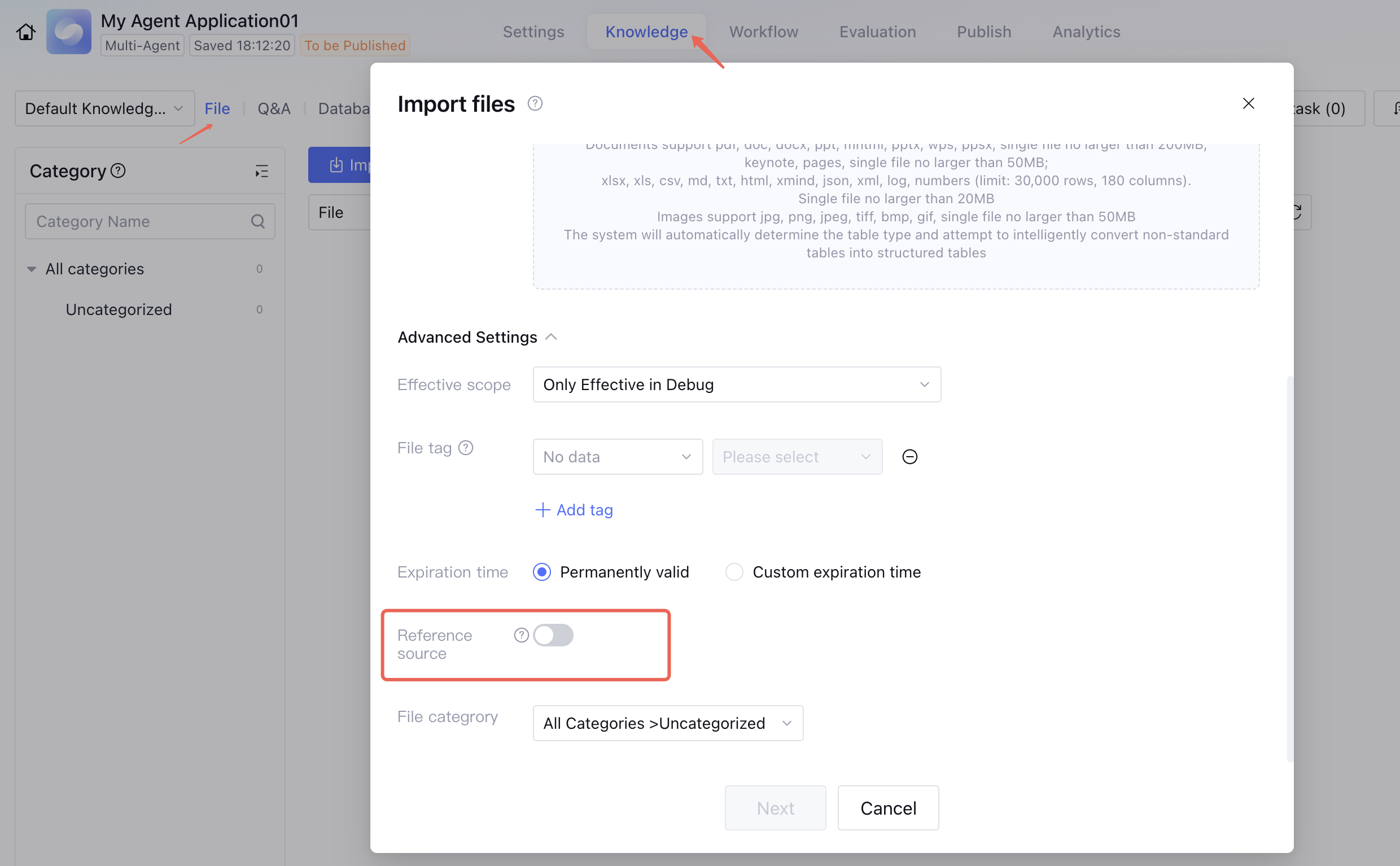
5. How to Control Whether Reference Sources Are Displayed
Knowledge Management > Documents > Display Reference Sources.
After the Display Reference Sources button is turned on, when the Intelligent Agent matches documents in the knowledge base, the reference sources will be displayed.
6. What Is the Maximum Character Limit Supported for Returns
WeCom limitation: It supports returning a maximum of 2048 bytes per response.
Note:
English letters, digits, and symbols: occupy 1 byte.
Most commonly used Chinese characters: occupy 3 bytes.
Less commonly used Chinese characters: occupy 4 bytes.