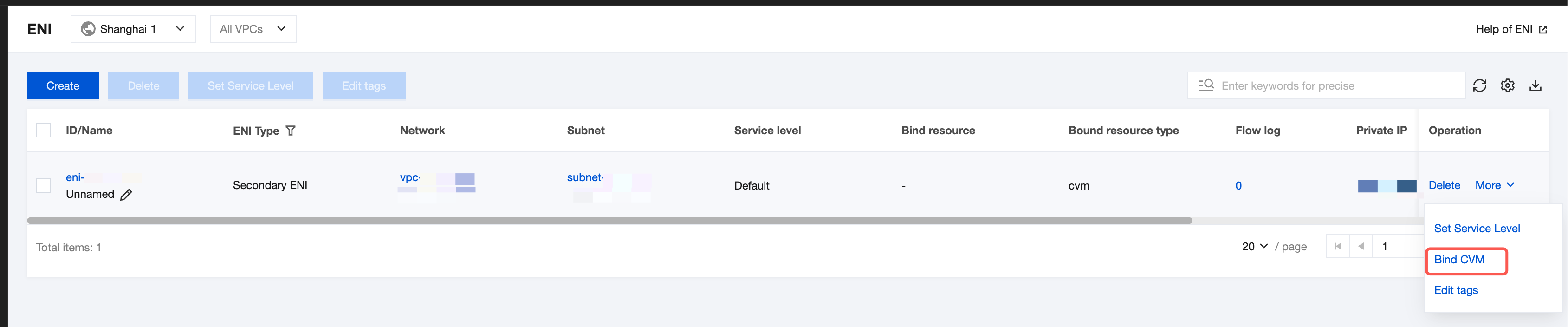
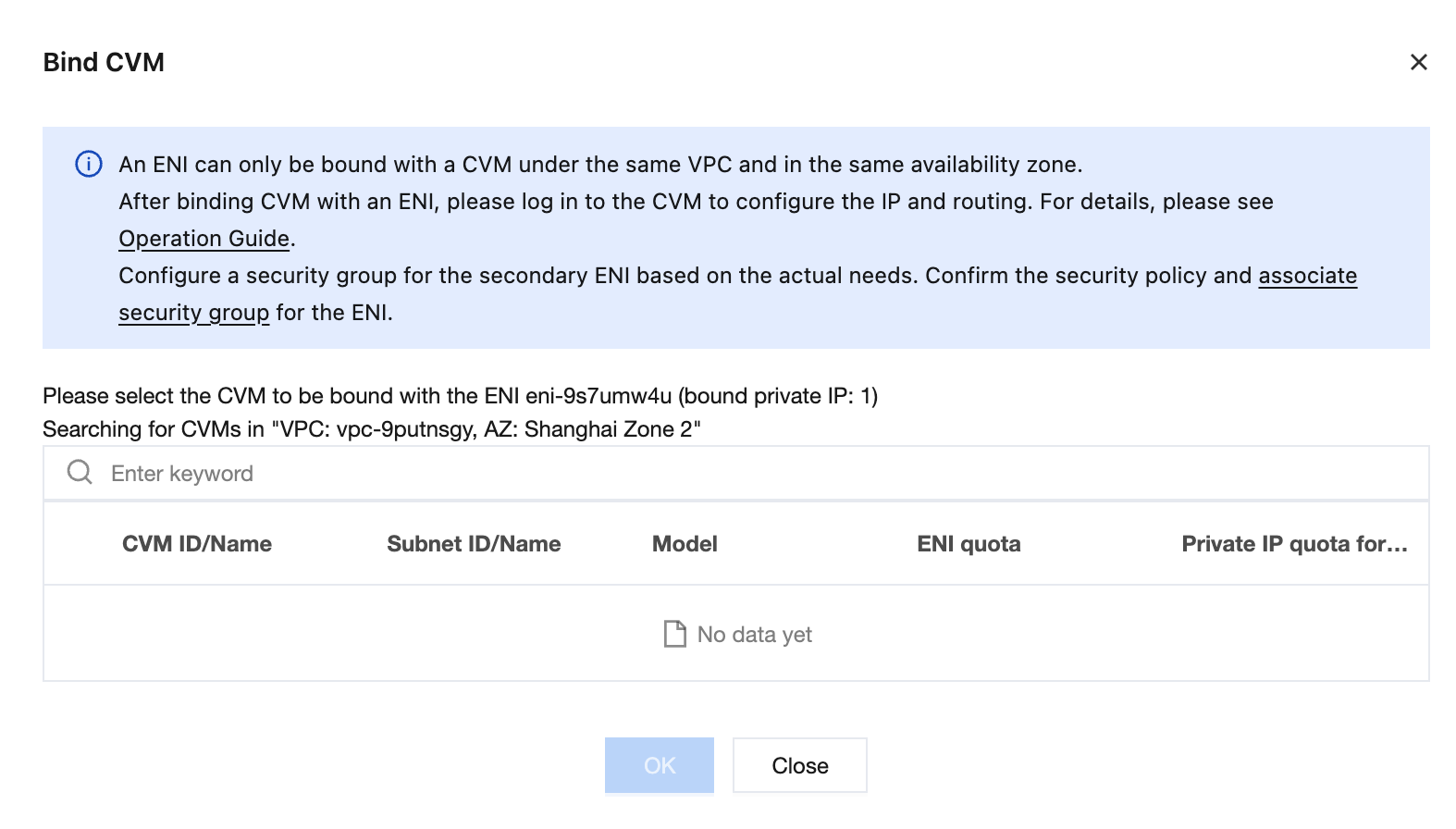
This document describes how to bind a secondary Elastic Network Interface (ENI) to a Cloud Virtual Machine (CVM).
Note:
A security group needs to be separately configured for a secondary ENI based on business requirements. If no security groups are bound, the ENI has no access restrictions by default. It is recommended that you bind a security group.
If the image type of your CVM is CentOS 8.0, CentOS 7.8, CentOS 7.6, CentOS 7.5, CentOS 7.4, or CentOS 7.2, you can directly refer to the section "Tool Configuration" in Configuring an ENI for a Linux CVM to first install the tool and bind an ENI. The ENI information is automatically configured in the CVM's ENI file, and the routing policy is also automatically delivered.