You can create an account for connection to a TencentDB for MariaDB instance. This document describes how to create an account in the TencentDB for MariaDB console and modify account permissions.
Note:
The account cannot be created or modified through command lines insert into mysql.user, grant, or drop currently.
Creating an account
1. Log in to the TencentDB for MariaDB console. Click an instance ID or Manage in the Operation column to enter the instance management page.
2. On the instance management page, select Account Management and click Create Account.
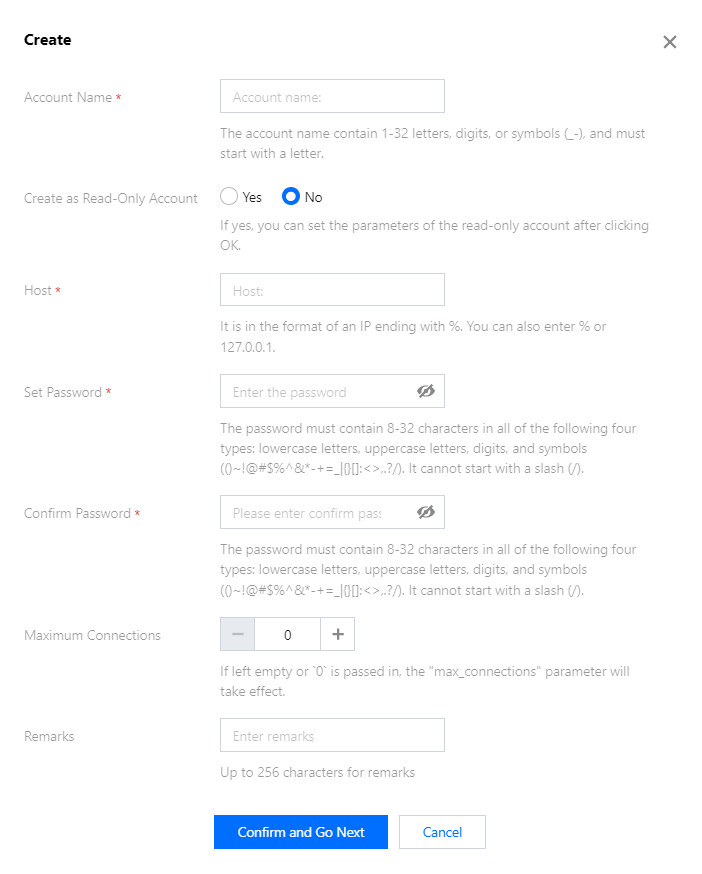
3. In the pop-up dialog box, enter the account name, primary server, password, and remarks, and click Confirm and Go Next.
Create as Read-Only Account: If you check this option, the account can only use read-only requests (select).
Note:
You need to set permissions separately for different primary server IPs under the same account. You can use the Clone Account feature in account management to quickly clone similar accounts and set their permissions.
**Primary Server **: It is similar to a host, and supports IP, IP range, and %. % means all the IP addresses within a range. For example, to support all IPs from 10.10.10.1 to 10.10.10.254, enter 10.10.10.%.
Maximum Connections: The number of concurrent connections under this account, which is subjected to the maximum connections of the instance and can be set when creating an account for TencentDB for MariaDB 5.7 and 8.0.
4. To set the account permission as Read-Only, you need to set the connection of the read-only account.
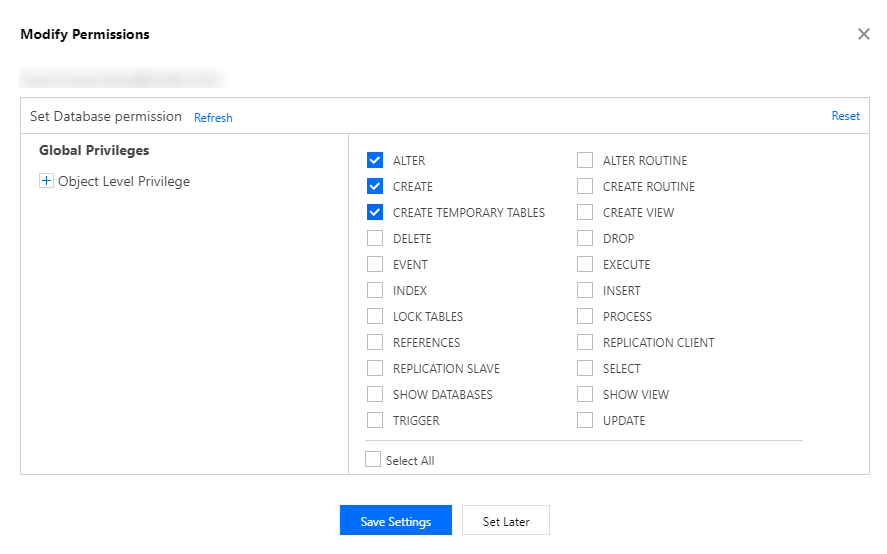
5. In the pop-up dialog box, set the database permissions and click Save Settings, or click Set Later.
Setting permissions
1. On the account management page, click Modify Permissions in the "Operation" column.
2. In the pop-up dialog box, grant permissions based on your needs and click Save Settings.
The permissions of MariaDB are defined at the object level, including 19 permissions of database. You can set permissions for objects such as tables, views, functions and triggers.
Note:
You need to create a database before setting the object-level permissions.