tencent cloud

Serverless Cloud Function

Release Notes and Announcements
Release Notes
Announcements
User Guide
Product Introduction
Overview
Related Concepts
How It Works
Strengths
Scenarios
Related Products
Purchase Guide
Billing Overview
Billing Mode
Billable Items and Billing Modes
Function Computing Power Support
Free Tier
SCF Pricing
Billing Example
Payment Overdue
Getting Started
Creating Event Function in Console
User Guide
Quota Management
Managing Functions
Web Function Management
Log Management
Concurrence Management
Trigger Management
Function URL
A Custom Domain Name
Version Management
Alias Management
Permission Management
Running Instance Management
Plugin Management
Managing Monitors and Alarms
Network Configuration
Layer Management
Execution Configuration
Extended Storage Management
DNS Caching Configuration
Resource Managed Mode Management
Near-Offline Resource Hosting Model
Workflow
Triggers
Trigger Overview
Trigger Event Message Structure Summary
API Gateway Trigger
COS Trigger
CLS Trigger
Timer Trigger
CKafka Trigger
Apache Kafka Trigger
MQTT Trigger
Trigger Configuration Description
MPS Trigger
CLB Trigger Description
TencentCloud API Trigger
Development Guide
Basic Concepts
Testing a Function
Environment Variables
Dependency Installation
Using Container Image
Error Types and Retry Policies
Dead Letter Queue
Connecting SCF to Database
Automated Deployment
Cloud Function Status Code
Common Errors and Solutions
Developer Tools
Serverless Web IDE
Calling SDK Across Functions
Third-Party Tools
Code Development
Python
Node.js
Golang
PHP
Java
Custom Runtime
Deploying Image as Function
Web Framework Development
Deploying Framework on Command Line
Quickly Deploying Egg Framework
Quickly Deploying Express Framework
Quickly Deploying Flask Framework
Quickly Deploying Koa Framework
Quickly Deploying Laravel Framework
Quickly Deploying Nest.js Framework
Quickly Deploying Next.js Framework
Quickly Deploying Nuxt.js Framework
Quickly Deploying Django Framework
Use Cases
Overview
Solutions with Tencent Cloud Services
Business Development
TRTC Practices
COS Practices
CKafka Practice
CLS
CLB Practice
MPS
CDN
CDWPG
VOD
SMS
ES
Scheduled Task
Video Processing
Success Stories
Tencent Online Education
Online Video Industry
Tencent Online Education
Best Practice of Tencent IEG Going Global
API Documentation
History
Introduction
API Category
Making API Requests
Other APIs
Namespace APIs
Layer Management APIs
Async Event Management APIs
Trigger APIs
Function APIs
Function and Layer Status Description
Data Types
Error Codes
SDK Documentation
FAQs
General
Web Function
Billing FAQs
Network FAQs
Log FAQs
SCF utility class
Event Handling FAQs
API Gateway Trigger FAQs
Related Agreement
Service Level Agreement
Contact Us
Glossary

SCF +CLS Dump to CKafka

PDF
フォーカスモード
フォントサイズ
最終更新日: 2024-12-02 16:35:34

Overview

This document describes how to use SCF to dump CLS logs to CKafka. CLS is mainly used for log collection, SCF mainly provides node computing capabilities for data processing, and CKafka mainly provides terminal dumping capabilities for data streams. For the data processing flowchart, please see Function Processing Overview.

Directions

Creating logset and topic

1. Log in to the CLS console and click Log Topic on the left sidebar.
2. On the logset management page, select the region of the logset at the top.
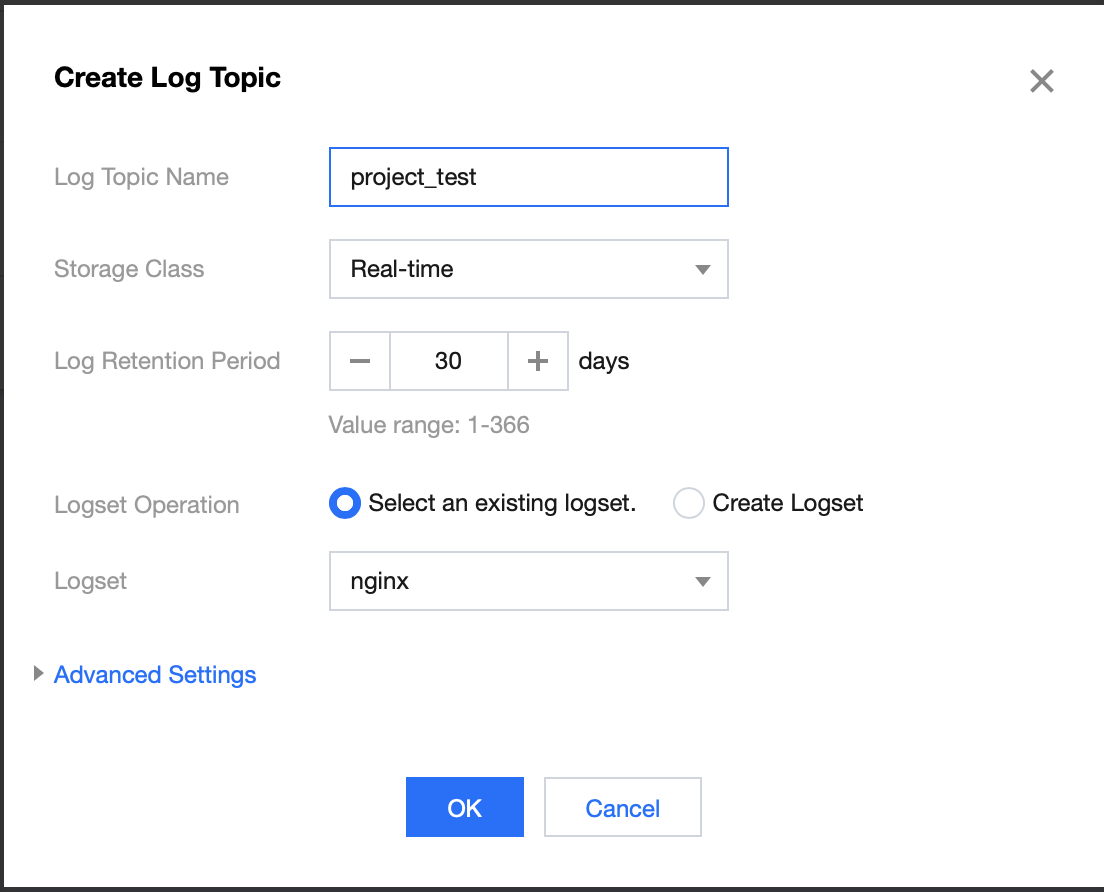
3. Click Create Log Topic and enter relevant information in the Create Logset pop-up window:
Log Topic Name: enter project_test for example.
Logset Name: enter nginx for example.


4. Click OK.
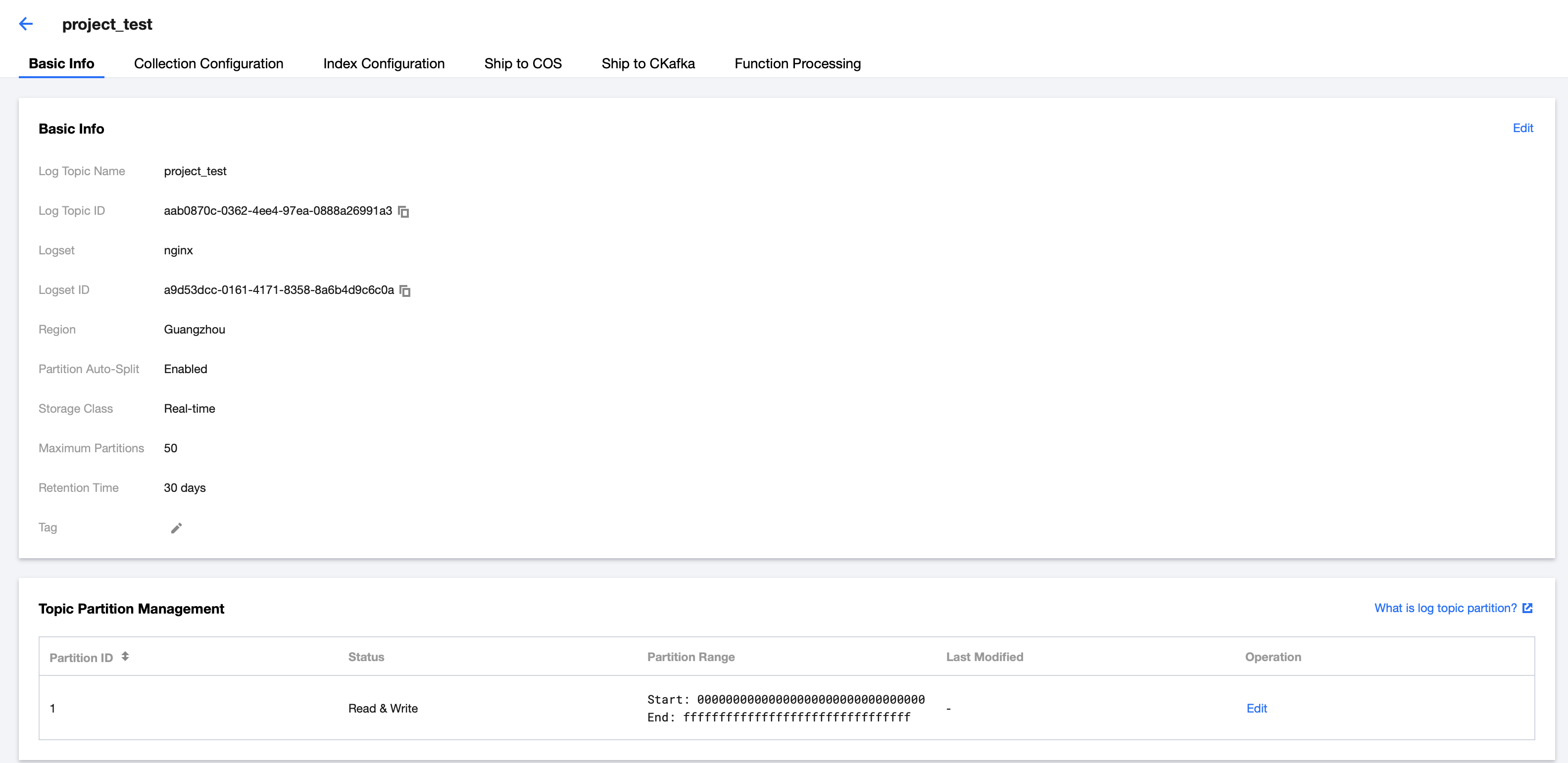
5. The log topic is successfully added, and you will be redirected to the log topic management page as shown below:


Creating SCF function

1. Log in to the Serverless console and enter the function service page.
2. At the top of the Function Service page, select the Beijing region and click Create to enter the function creation page and configure the following parameters:
Function name: enter "CLSdemo".
Runtime environment: select Python 2.7.
Creation method: select Function Template.
Fuzzy search: enter "CLSToCkafka" and search.
3. Click Learn More in the template to view relevant information in the Template Details pop-up window, which can be downloaded.
4. After configuring the basic information, click Next to enter the function configuration page.
5. Keep the default function configuration and click Complete to complete the function creation.
Note:
You should select the same VPC and subnet of CKafka for the created function on the "Function Configuration" page as shown below:


Configuring CLS trigger

1. Log in to the CLS console and click Log Topic on the left sidebar.
2. Find the created logset (such as "project_test") and click View in the Operation column on the right to enter the logset details page.
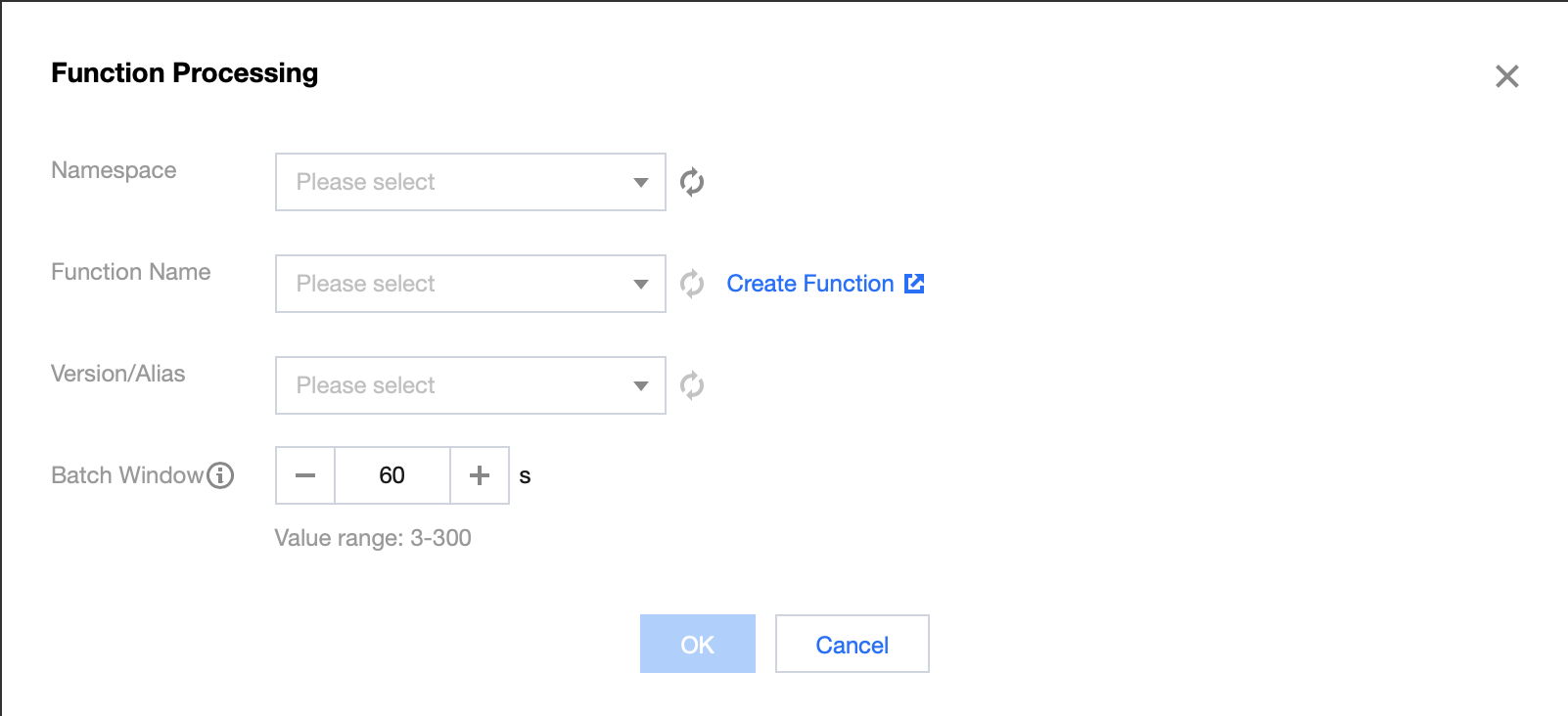
3. On the log topic details page, select Function Processing and click Create in the top-right corner. Add the created function in the pop-up "Function Processing" window as shown below:

The main parameter information is as follows. Keep the remaining configuration items as default:
Namespace: select the function namespace.
Function name: select the function created in the Creating SCF function step.
Alias: select a function alias.
Maximum waiting time: configure the longest waiting time for a single event pull. Default value: 60s.

Testing function

1. Download the log file in the test sample, extract demo-scf1.txt, and import it to the source CLS service.
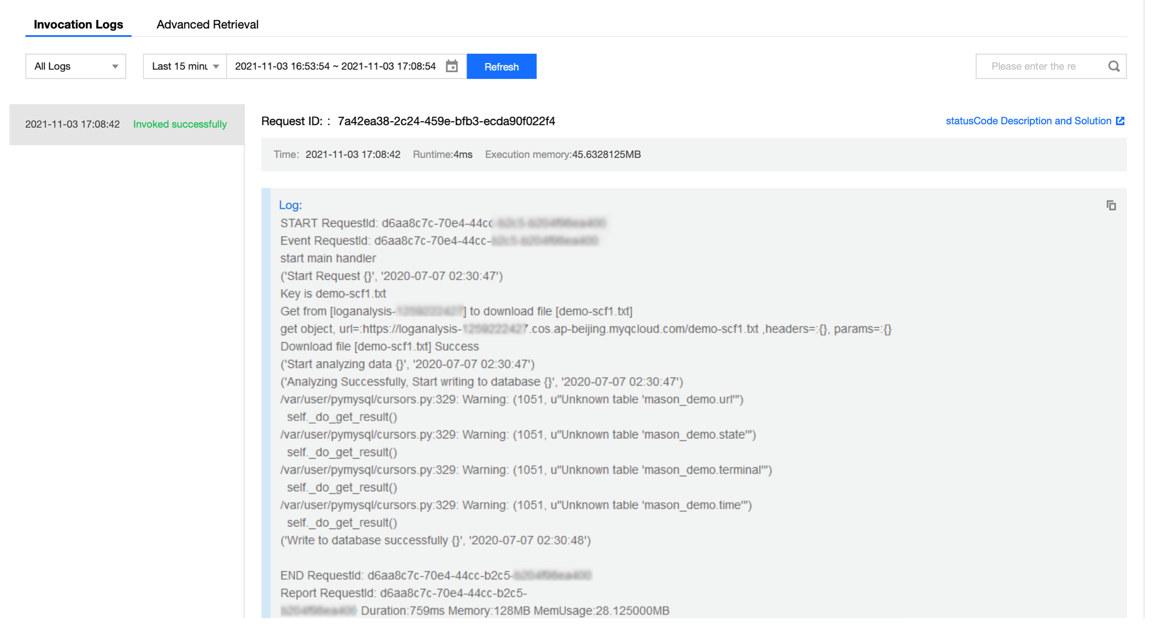
2. Switch to the Serverless console to view the execution result. Select the Log Query tab on the function details page to view the printed log information as shown below:


3. Log in to the CKafka console to view the data dumping and processing result.
Note:
You can write specific data processing methods as needed.
ヘルプとサポート

この記事はお役に立ちましたか?

フィードバック