製品アップデート情報
Tencent Cloudオーディオビデオ端末SDKの再生アップグレードおよび承認チェック追加に関するお知らせ
TRTCアプリケーションのサブスクリプションパッケージサービスのリリースに関する説明について
git clone https://github.com/Tencent-RTC/ultra-live-electron.git
ultra-live-electron/src/TUILiveKitディレクトリをプロジェクトのsrcディレクトリにコピーします。ultra-live-electron/TUILiveKit.main.jsとultra-live-electron/TUILiveKit.preload.jsファイルをプロジェクトのルートディレクトリにコピーします。ultra-live-electron/src/views/TUILiveKitChild.vueとultra-live-electron/src/views/TUILiveKitMain.vueファイルをプロジェクトのsrc/viewsディレクトリにコピーします。src/router/index.tsに、以下の二つのルーティング設定を新規追加します:// src/router/index.tsimport { createRouter, createWebHashHistory, RouteRecordRaw } from 'vue-router';import HomeView from '../views/HomeView.vue';const routes: Array<RouteRecordRaw> = [{ // お客様のアプリケーションの現在のルーティングページ。ページ内に TUILiveKit メインウィンドウを開くようにトリガーするボタンがありますpath: '/',name: 'home',component: HomeView},// ********************************** TUILiveKit 関連コード開始 ********************************** //{ // TUILiveKit メインウィンドウページpath: '/tui-live-kit-main',name: 'tui-live-kit-main',component: () => import(/* webpackChunkName: "TUILiveKitMain" */ '../views/TUILiveKitMain.vue')},{ // TUILiveKit サブウィンドウページpath: '/tui-live-kit-child',name: 'tui-live-kit-child',component: () => import(/* webpackChunkName: "TUILiveKitChild" */ '../views/TUILiveKitChild.vue'),},// ********************************** TUILiveKit 関連コード終了 ********************************** //];// ********************************** TUILiveKit 関連コード開始 ********************************** //// メインプロセスからのウィンドウタイプ通知をリッスンし、ルーティングジャンプを実行window.ipcRenderer.on('window-type', (event: any, type: string) => {console.log(`[router] window type:${type}`);console.log(`[router] current href:${window.location.href}`);router.replace({ name: `tui-live-kit-${type}`});});// ********************************** TUILiveKit 関連コード終了 ********************************** //const router = createRouter({history: createWebHashHistory(),routes});export default router;
ultra-live-electron/public/assetsディレクトリとファイルpublic/avatar.pngをプロジェクトのpublicディレクトリにコピーします。ultra-live-electron/scripts/prestart.jsファイルをプロジェクトのscriptsディレクトリにコピーし、プロジェクトのpackage.jsonファイルのscripts部分に以下のコマンドを新規追加します。{"scripts": {"prestart": "node ./scripts/prestart.js"}}
vue.config.js設定の修正vue.config.jsファイルに以下の設定を新規追加します。// vue.config.jsconst { defineConfig } = require('@vue/cli-service')// *********************************** TUILiveKit 関連コード開始 *********************************** //const os = require("os");const isProduction = process.env.NODE_ENV === "production";const platform = os.platform();// *********************************** TUILiveKit 関連コード終了 *********************************** //module.exports = defineConfig({transpileDependencies: true,// *********************************** TUILiveKit 関連コード開始 *********************************** //publicPath: "./",configureWebpack: {devtool: isProduction ? "source-map" : "inline-source-map",target: "electron-renderer",module: {rules: [{test: /\\.node$/,loader: "native-ext-loader",options: {rewritePath: isProduction? platform === "win32"? "./resources": "../Resources": "./node_modules/trtc-electron-sdk/build/Release",},},],},}// *********************************** TUILiveKit 関連コード終了 *********************************** //});
src/debugディレクトリをコピーし、SDKAppIDとSDKSecretKeyを設定します。ultra-live-electron/src/debugフォルダーをプロジェクトのsrcディレクトリにコピーします。コピーしたbasic-info-config.jsファイルを開き、ステップ 1:サービスをアクテイブ化する時に取得したSDKAppIDとSDKSecretKeyを入力します。// basic-info-config.js/*** Tencent Cloud SDKAppID。お客様のアカウントの SDKAppID に置き換える必要があります。* Tencent Cloud TRTC[コンソール](https://console.tencentcloud.com/rav )でアプリケーションを作成すると、SDKAppID が表示されます、* これは Tencent Cloud が顧客を区別するために使用する一意の識別子です。*/export const SDKAppID = 0;/*** サインを計算するための暗号化キー。取得の手順は以下の通りです。** step1. Tencent Cloud TRTC[コンソール](https://console.tencentcloud.com/rav )に入ります。まだアプリケーションがない場合は作成します。* step2.「アプリケーション設定」をクリックして基本設定ページに入り、「アカウントシステムの統合」部分を見つけます。* step3. 「キーを見る」ボタンをクリックすると、UserSig を計算するために使用される暗号化されたキーが表示されます。これをコピーして以下の変数に貼り付けてください** 注意:この方法はデバッグ Demo にのみ適用されます。暗号キーの漏洩によるトラフィック盗用を防止するために、本番環境に移行する前に UserSig 計算コードとキーをバックエンドサーバーに移動してください。* 文書:https://www.tencentcloud.com/document/product/647/17275?from_cn_redirect=1#Server*/export const SDKSecretKey = '';
src/main.tsファイルを開いて、pinia 状態管理のサポートを追加します。// main.tsimport { createApp } from 'vue';// *********************************** TUILiveKit 関連コード開始 *********************************** //import { createPinia } from 'pinia';import "./TUILiveKit/assets/theme.css";// *********************************** TUILiveKit 関連コード終了 *********************************** //import App from './App.vue'import router from './router'createApp(App)// *********************************** TUILiveKit 関連コード開始 *********************************** //.use(createPinia())// *********************************** TUILiveKit 関連コード終了 *********************************** //.use(router).mount('#app');
src/global.d.tsファイルで、Window タイプに対して以下のプロパティ宣言を追加:// src/global.d.tsexport {}declare global {interface Window {// *********************************** TUILiveKit 関連コード開始 *********************************** //ipcRenderer: any;nativeWindowHandle: Uint8Array;mainWindowPort: MessagePort | null;}// *********************************** TUILiveKit 関連コード終了 *********************************** //}
// HomeView.vue<template><div class="home"><button @click="openTUILiveKit">ライブ配信開始</button></div></template><script setup lang="ts">import { ref } from 'vue';import type { Ref } from 'vue';import { getBasicInfo } from '../debug/basic-info-config';const isOpen:Ref<boolean> = ref(false); // 状態を記録して、TUILiveKit メインウィンドウを繰り返し開くことを避けるconst openTUILiveKit = async () => {if (!isOpen.value) {const currentUserInfo = await getBasicInfo();if (currentUserInfo) {window.ipcRenderer.send('openTUILiveKit', {userInfo: currentUserInfo // TUILiveKit メインウィンドウを開くにはユーザー情報をパラメータとして指定する必要があることに注意してください});isOpen.value = true;} else {console.error('Error: cannot get current user info');}}};</script>
ipcRendererオブジェクトをグローバルオブジェクトwindowに配置します。これにより、vue コンポーネントおよび JavaScript/TypeScript スクリプト内で、Electron メインプロセスと通信が行いやすくなります。// preload.jsconst { ipcRenderer } = require("electron");// Enable `ipcRenderer` can be used in vue and Javascript modulewindow.ipcRenderer = ipcRenderer;
openTUILiveKitリクエストを受信し、TUILiveKit メインウィンドウを開きます。// main.jsconst { app, BrowserWindow, ipcMain } = require('electron');const path = require('path');// *********************************** TUILiveKit 関連コード開始 *********************************** //const { TUILiveKitMain } = require("./TUILiveKit.main");// *********************************** TUILiveKit 関連コード終了 *********************************** //let mainWindow = null;const createWindow = () => {mainWindow = new BrowserWindow({width: 800,height: 600,// *********************************** TUILiveKit 関連コード開始 *********************************** //webPreferences: {preload: path.join(__dirname, 'preload.js'),nodeIntegration: true,contextIsolation: false,}// *********************************** TUILiveKit 関連コード終了 *********************************** //});// *********************************** TUILiveKit 関連コード開始 *********************************** //bindIPCMainEvent();// *********************************** TUILiveKit 関連コード終了 *********************************** //if (app.isPackaged) {mainWindow.loadFile("dist/index.html");} else {mainWindow.loadURL('http://localhost:8080');}}// *********************************** TUILiveKit 関連コード開始 *********************************** //function bindIPCMainEvent() {ipcMain.on("openTUILiveKit", (event, args) => {console.log(`[main] open live kit`, args);TUILiveKitMain.open(args); // Open TUILiveKit main window});}// *********************************** TUILiveKit 関連コード終了 *********************************** //app.whenReady().then(() => {createWindow();app.on('activate', () => {if (BrowserWindow.getAllWindows().length === 0) createWindow()});})app.on('window-all-closed', () => {if (process.platform !== 'darwin') app.quit()});
{"main": "main.js","scripts": {"start": "electron ."},"overrides": {"@tencentcloud/tuiroom-engine-electron": {"trtc-electron-sdk": "^12.2.701"}}}
npm install --save pinianpm install --save trtc-electron-sdk movable-resizable-jsnpm install --save @tencentcloud/tuiroom-engine-electron # TUILiveKit ライブルームエンジンnpm install --save trtc-electron-plugin-xmagic # TUILiveKit に統合された美顔プラグインnpm install --save-dev native-ext-loader electron-devtools-installer electron-builder
cmd.exeを開き、以下のコマンドを実行し、開発モードで Web プロジェクトを起動します。npm run serve
// .eslintrc.jsmodule.exports = {root: true,env: {node: true},'extends': ['plugin:vue/vue3-essential','eslint:recommended','@vue/typescript/recommended'],parserOptions: {ecmaVersion: 2020},rules: {'no-console': process.env.NODE_ENV === 'production' ? 'warn' : 'off','no-debugger': process.env.NODE_ENV === 'production' ? 'warn' : 'off',// *********************************** TUILiveKit 関連コード開始 *********************************** //"vue/multi-word-component-names": process.env.NODE_ENV === 'production' ? 'warn' : 'off',// *********************************** TUILiveKit 関連コード終了 *********************************** //}}
cmd.exeを開き、以下のコマンドを実行し、開発モードで Electron アプリケーションを起動します。npm run start
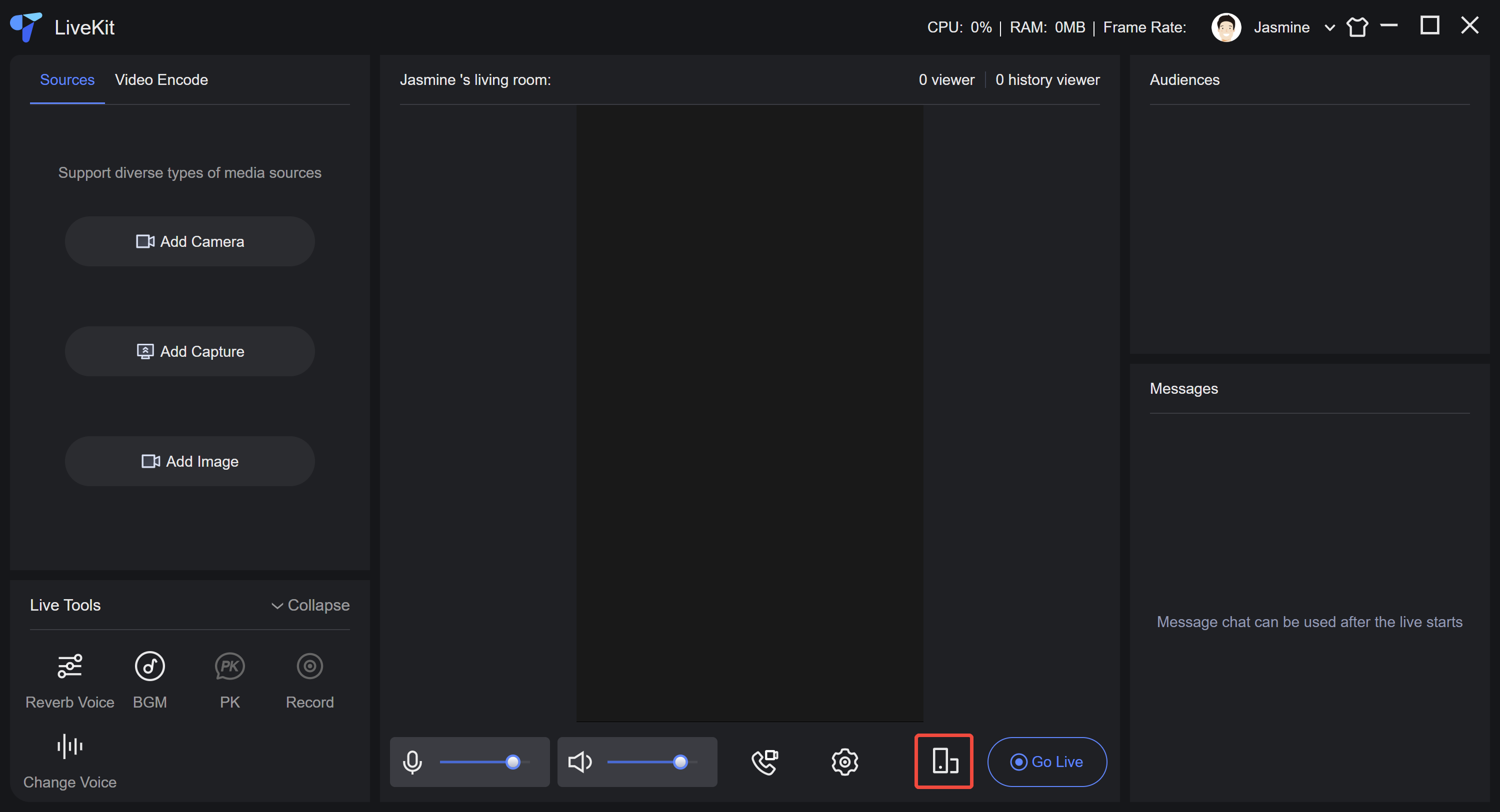
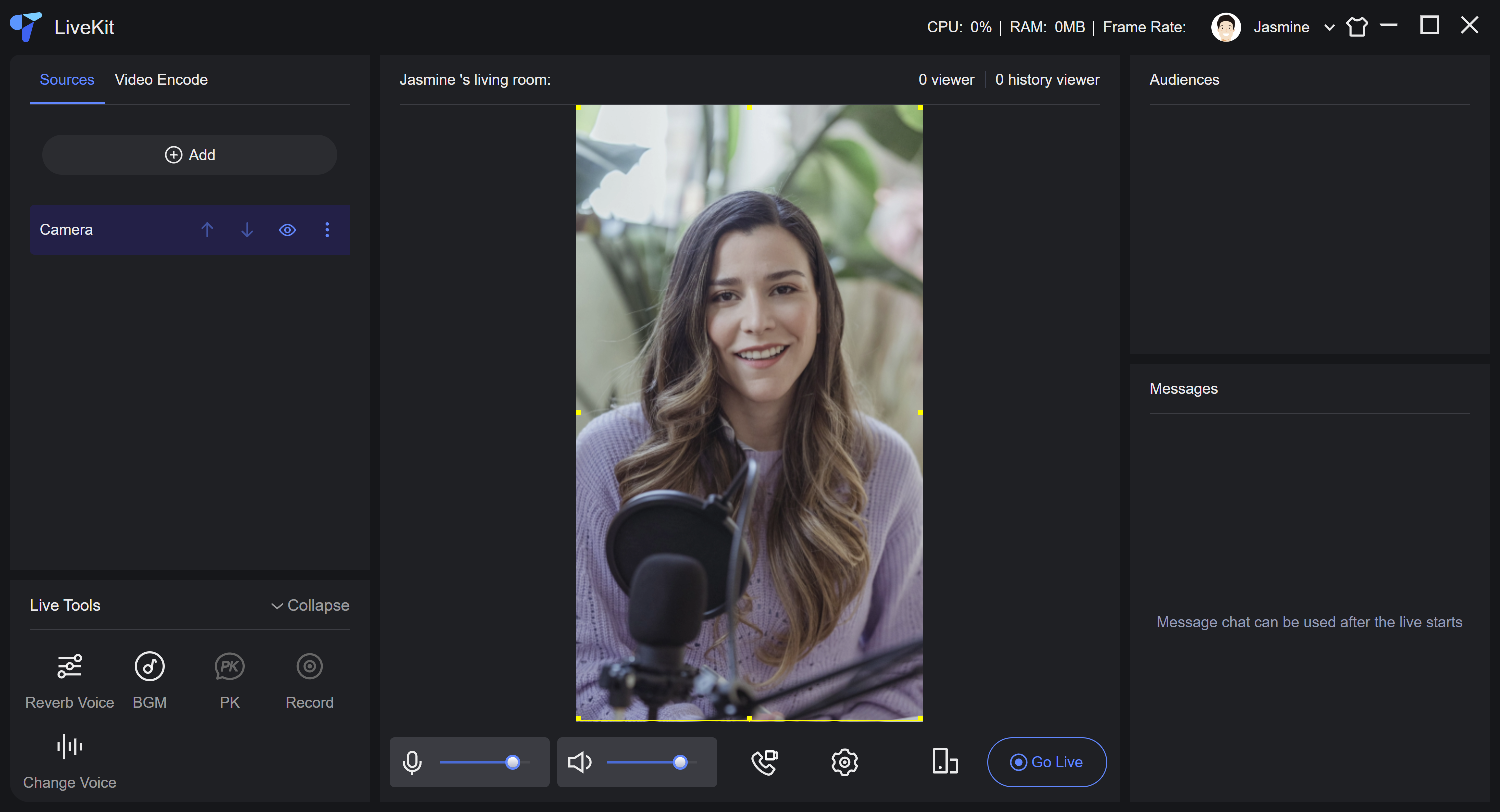
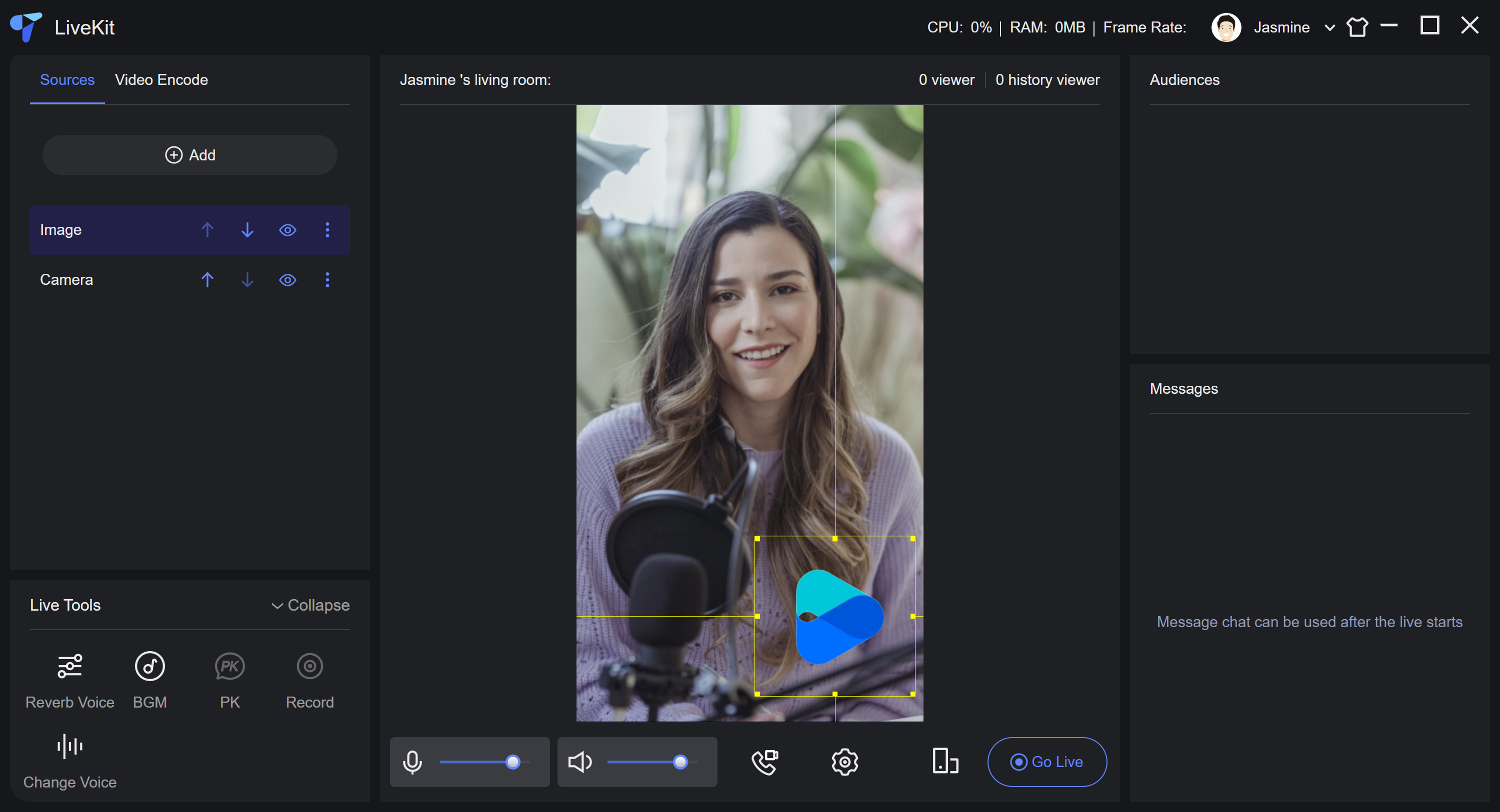
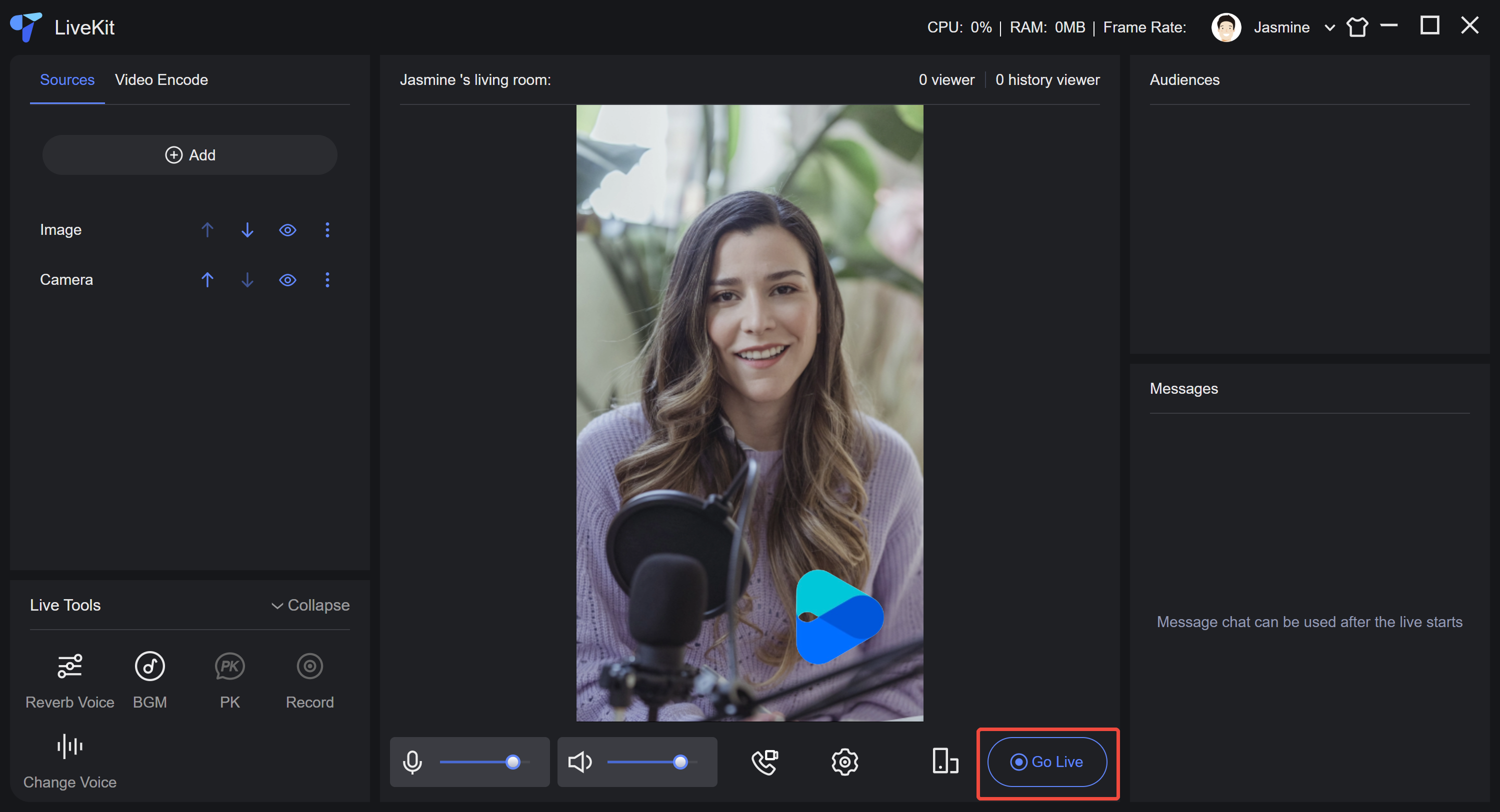
ultra-live-electron/electron-builder.json5 ファイルをプロジェクトのルートディレクトリにコピーし、ファイル内の productName と appId をアプリケーションの対応する情報に変更してください。{"scripts": {"build:win64": "electron-builder --win --x64","pack:win64": "npm run build && npm run build:win64"}}
cmd.exe を開き、以下のコマンドを実行すると構築が開始されます。構築されたインストールパッケージはプロジェクトの release ディレクトリにあります。npm run pack:win64
npm install --save-dev typescript@4.5.5 @typescript-eslint/eslint-plugin@5.4.0 @typescript-eslint/parser@5.4.0 @vue/cli-plugin-typescript@5.0.0 @vue/eslint-config-typescript@9.1.0
ultra-live-electron/tsconfig.jsonファイルをプロジェクトのルートディレクトリにコピーします。ultra-live-electron/src/global.d.tsファイルをプロジェクトのルートディレクトリにコピーします。licenseURL と licenseKey を取得してsrc/TUILiveKit/utils/beauty.tsファイルに入力する必要があります。licenseURL とlicenseKeyを取得する必要があります。ここで JavaScript ファイルを書き込むことで迅速に有効化することはできますが、licenseURL とlicenseKeyが漏洩するリスクが非常に高いため、迅速な導入と体験にのみ適しています。// beauty.tsexport const XmagicLicense = {licenseURL: "",licenseKey: "",};
フィードバック