Creating Port Forwarding Rule
Download
포커스 모드
폰트 크기
A port forwarding table configures the DNAT feature on the NAT gateway. It maps the combination of [private IP, protocol and port] of a CVM in the VPC to a combination of [public IP, protocol and port] in the public network, so that resources on the CVM can be accessed from the public network.
You can create port forwarding rules by completing the steps below.
Note:
In a NAT gateway, an EIP can be set in the SNAT rule and port forwarding rule at the same time. See Managing SNAT Rules.
1. Log in to the NAT Gateway console.
2. In the list, click the ID of the target NAT gateway to go to its details page. Click Port Forwarding tab.

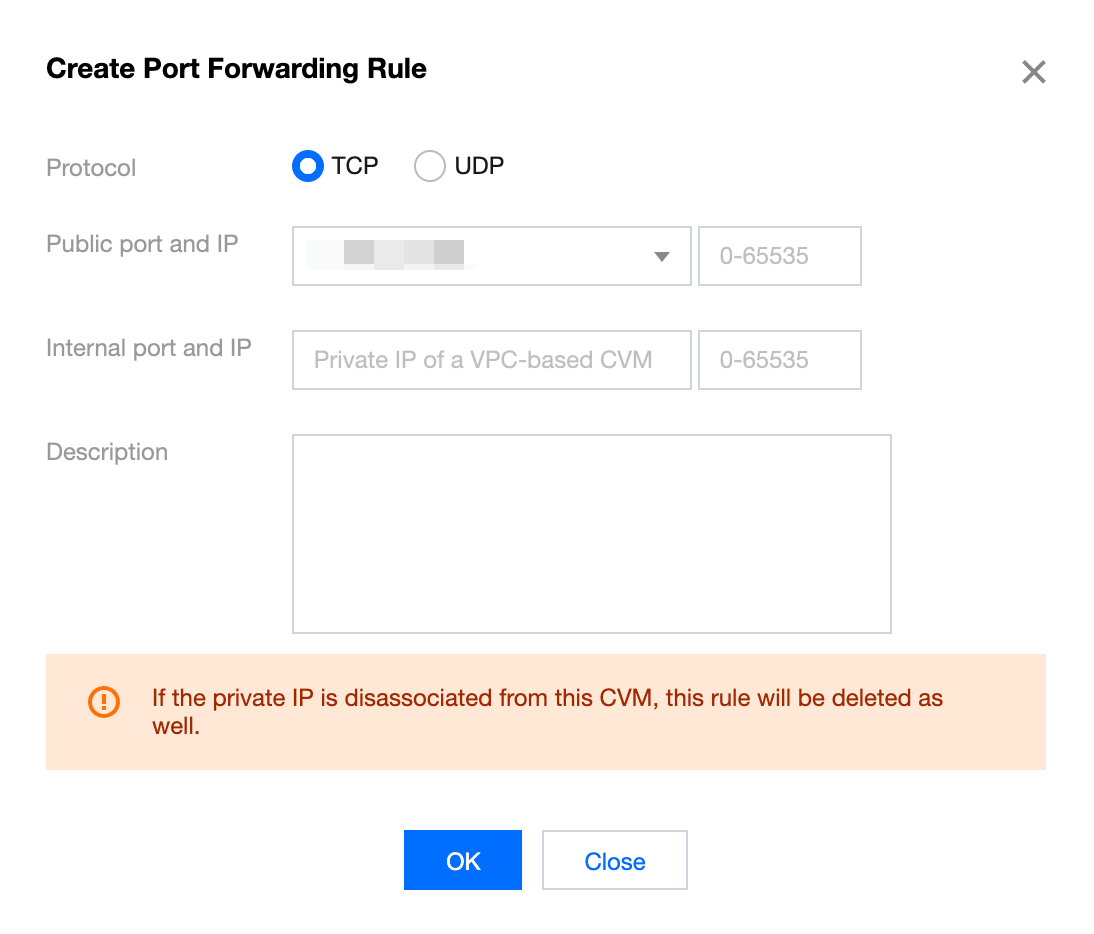
3. Click Create, specify the Protocol, Public port and IP and Internal port and IP, and click OK.
Note:
The internal IP address only supports the private IP address of a CVM within the VPC.
피드백